Hytale version
Back to mods 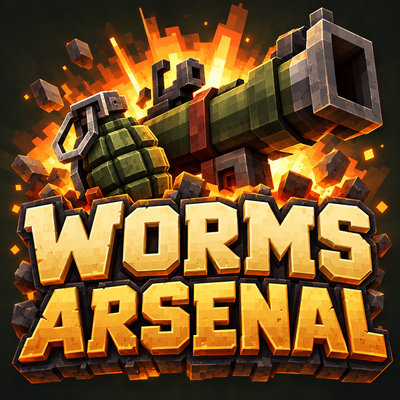
CurseForge · Hytale mod
Worms Arsenal
Craft a Worms-inspired arsenal for Hytale with reusable weapons, explosive animals, guided missiles, jet strikes and supply drops. Features three workbench tiers and configurable terrain destruction. An unofficial, free fan and art project.
Choose a version Pick your version below, then grab the matching file.
Quick answer
Which Worms Arsenal release should I use?
Latest stable file worms_mod_0.52.4.jar
Game version 0.7
Mod system Built-in Hytale mod system
Worms Arsenal worms_mod_0.52.4.jar targets 0.7. Do not install it as a separate client mod. Enable it on the world host—the local server in singleplayer or the dedicated server in multiplayer. No required dependencies listed for this file.
Where it goes
Where should Worms Arsenal be installed in Hytale?
Do not install it as a separate client mod. Enable it on the world host—the local server in singleplayer or the dedicated server in multiplayer.
Separate client mod Not supported
World host / dedicated server Required
Mod system for this release Built-in Hytale mod system
Required install it here Optional supported, not mandatory Not supported do not install here Source doesn’t say do not assume
Put Hytale mods on the world host or dedicated server. Singleplayer runs a local server too; Hytale does not use separate client mods.
What else does Worms Arsenal worms_mod_0.52.4.jar need?
worms_mod_0.52.4.jar. Change the file and its required mods may change too.
This file does not list any required mods. Do not add a library just because a different file uses it.
This file does not list any required or optional project dependencies. Check the creator notes before changing an existing world.
Before you install it
Add Worms Arsenal without breaking your instance.
Built for Worms Arsenal worms_mod_0.52.4.jar. Pick another file and the loader, install side or required mods may change.
- 01
Stick to this file
Use worms_mod_0.52.4.jar. It targets 0.7; another release may target a different game build or dependency set.
- 02
Bring the mods it needs
This file does not list any required mods. Do not add a library just because a different file uses it.
- 03
Enable it on the world host
Do not install it as a separate client mod. Enable it on the world host—the local server in singleplayer or the dedicated server in multiplayer.
- 04
Pick the file you checked
Use the “Get this file” button beside worms_mod_0.52.4.jar. It opens that exact file at the source.
About this project
What does Worms Arsenal add?
Worms-Mod — Worms Arsenal
HYTALE · CRAFTABLE CHAOS
Craft it. Unleash it.
Exploding sheep. Holy grenades. A pigeon with a very questionable flight plan. Worms Arsenal brings the wonderfully absurd weapons of Worms into Hytale with custom models, animations, spectacular effects and a complete crafting progression. Build your workshop, prepare your loadout and turn a quiet afternoon into a very loud one.
36 Worms weapon effects · 43 crafting recipes · 3 workbench tiers
An independent fan & art project
Worms Arsenal is an unofficial, free, non-commercial fan and art project created by DarselX for Hytale. The Worms series served as inspiration for its humorous arsenal and gameplay ideas. This project is not affiliated with, endorsed by, or sponsored by Team17 or the creators of Hytale. All referenced game names and trademarks belong to their respective owners; no ownership of those brands is claimed.
Latest update & arsenal information
Updated November 2, 2026
Available in version 0.52.4: crafting-only progression, reusable equipment, automatic reloads and mana-powered special attacks.
A workshop full of bad ideas. Now ready to craft.
- The workshop is open. The three-tier Arsenal workbench and all 43 recipes are playable. The old shop, coin minting and Shop/Craft switch have been removed.
- Keep the weapon. Craft the ammunition. One reusable bazooka handles four payloads. Firearms use separate magazines, shell packs or fuel tanks; eight throwable explosive types come in five-use belts or sets.
- Less menu time. More mayhem. Handgun, Uzi, Minigun and flamethrower reload automatically when matching supplies are in your inventory. Shotgun reloads manually with F.
- Power comes at a price. Dragonball costs 30% of maximum mana per successful shot; Fire Punch costs 25% per committed swing, plus one durability point. Dragonball needs no ammunition, deals 200 base explosion damage and has doubled projectile and impact effects.
- Supplies from above — or out of thin air. Occasional ammo, weapon and medical crates arrive by jet/parachute or teleport near active players. Touch a landed crate to collect it. Weapon tiers use 60% Tier I, 35% Tier II and 5% Tier III.
Built for the current arsenal
All 36 weapon effects remain available, with the shared fuse timer, guided payloads, jet attacks and server-wide terrain controls. Existing placed Arsenal workbenches retain their tier when migrated to the native crafting system.
Some problems need a plan. Others need a banana.
Pick your flavour of chaos
Bananas with consequences
The Banana Bomb releases six visible clusters that bounce like rubber balls, settle, then explode. The Super Banana puts the timing in your hands: manually trigger the main bomb and its clusters.
Absolutely unqualified animal delivery
Send in animated explosive sheep, charging cows or a skunk that leaves a poison trail before finishing in a green mushroom cloud. The homing pigeon weaves towards its target and drops tiny letters along the way.
A little guidance. A lot of personality.
Charge a bazooka shot, lob a timed grenade or choose a guided payload: a direct homing missile, a confused pigeon, or Patsy’s precise obstacle-dodging missile with its glowing rainbow-star trail.
Call in the jet
Mark a drop zone and request bombs, letters, mines, carpet rolls, burning sheep or napalm. Carpet bombs bounce and explode repeatedly; napalm bursts above the ground and rains fire.
Lead, fire and pure energy
The shotgun gives you two separately aimed shots. Uzi fires ten-round salvos from a thirty-round magazine; Minigun spins up before its burst. The flamethrower reaches ten blocks, with 25 seconds of fuel per tank and a visible gauge. Dragonball and Fire Punch draw on your mana.
When subtlety has left the server
Shake the world with Earthquake, unleash a minute of Armageddon, summon the gigantic Concrete Donkey or order a Nuclear Test: a jet-dropped atomic bomb with a 47-block pressure wave, spreading fire and a growing two-tier burning mushroom cloud.
The complete arsenal
36 implemented weapon effects.
01 / Classic explosives
Bazooka · Grenade belt (5) · Dynamite belt (5) · Mine belt (5) · Cluster bomb belt (5) · Holy hand grenade belt (5) · Banana bomb belt (5) · Super banana bomb belt (5)
02 / Lead & fire
Handgun · Shotgun · Uzi · Minigun · Flamethrower · Petrol bomb belt (5)
03 / Precision & punch
Homing missile ammunition · Patsy's magic bullet ammunition · Baseball bat · Fire punch · Dragonball · War axe
04 / Wild cards
Exploding sheep · Skunk · Homing pigeon ammunition · Mad cows · Priceless Ming vase
05 / Air support
Airstrike call-in · Mail strike call-in · Mine strike call-in · MB bomb call-in · Mike's carpet bomb call-in · Burning sheep strike call-in · Napalm strike call-in
06 / The big red button
Earthquake call-in · Armageddon call-in · Concrete donkey call-in · Nuclear test call-in
Keep the gear. Feed the chaos.
- Equipment that stays. Keep your bazooka and firearms after use. Repair melee tools when worn out: baseball bat 100 durability, war axe 350 and Fire Punch gloves 100. Every committed melee swing spends one durability point, including a miss.
- Ammunition you choose. Craft rockets, guided payloads, magazines, shell packs and fuel tanks separately. Hold the bazooka and press F to choose ammunition already in your inventory. Handgun, Uzi, Minigun and flamethrower automatically reload when empty; F also opens manual reload. Reloading early discards the remaining charge.
- Explosives you can pack. Regular, holy and cluster grenades, banana and super banana bombs, Molotov cocktails, mines and dynamite use five-charge belts or sets. A successful deployment spends one charge. Animals, vases and special-attack requisitions are separate consumables.
Persistent equipment stacks individually. Ammunition, full belts and attack requisitions stack up to 100. Firearms are crafted empty: remember the supplies. Dragonball uses mana instead of ammunition.
From field bench to full arsenal
- Build the field workbench. Open Tinkering at the normal Hytale Workbench. You need 12 wood units, 6 rock units, 4 iron ingots, 2 copper ingots and 4 linen scraps.
- Make your first loadout. Browse four native tabs: Weapons, Ammunition, Airstrikes and Other. Use normal ingredient slots, item previews and the crafting queue to prepare equipment and matching supplies.
- Upgrade your workshop. Progress from a timber field bench to a reinforced munitions workshop, then an armoured assembly station. Tiers II and III unlock advanced recipes, retain earlier ones and craft 10% and 20% faster.
Crafting reserves the required materials. Cancelling unfinished crafts refunds them. Breaking an upgraded workbench returns paid upgrade materials under Hytale’s normal rules.
Simple controls. Spectacular results.
- Charge and release: hold left click with supported rockets or throwables to build launch power, then release. More charge means more range.
- Choose your payload: hold the bazooka and press F to select available ammunition. Its loaded appearance changes with the selected payload.
- Reload: press F with a magazine-fed weapon or flamethrower for manual reload. Handgun, Uzi, Minigun and flamethrower also reload automatically when empty if matching supplies are available. Shotgun uses manual reload.
- Set the fuse: right click with a supported timed grenade or Dynamite to cycle the shared 1–5 second fuse. The HUD shows the setting across the save/server. Normal Banana Bomb uses a fixed five-second fuse; Super Banana uses manual detonation.
- Mark and confirm: supported guided payloads and marked airstrikes use left click to mark, another left click to launch or call in, and right click to cancel. Creature-targeting weapons select a nearby target around your crosshair.
- Watch your energy: Dragonball spends 30% of maximum mana per successful shot; Fire Punch spends 25% per committed swing, plus durability. Insufficient mana blocks the attack. Cancelling the preparation spends nothing.
Your world. Your destruction rules.
Keep the mayhem and choose what happens to ordinary terrain and builds. The server-wide terrain toggle also applies to projectiles already in flight.
/worms blocks off— Disable terrain destruction/worms blocks on— Enable terrain destruction/worms blocks status— Show the current setting
Requires worms.admin permission or the server console. Damage, knockback, fire and poison remain active. With terrain destruction disabled, the Concrete Donkey still fells trees but does not make a crater. The terrain setting and shared fuse are saved.
Ready to open the arsenal?
Install the complete worms_mod_0.52.4.jar in Hytale/UserData/Mods, keep only one complete version of Worms Arsenal installed, then restart the game or server. This build targets Hytale 0.7.2.
Created by DarselX · Inspired by the wonderfully ridiculous arsenal of Worms.
Project description from CurseForge.
Pick your setup
Worms Arsenal releases for each Hytale build.
Choose the version and loader you play, then open the matching release.
Check the dependencies, then try the file in a copied instance before changing a world you care about.
Recent files
Worms Arsenal releases and Hytale builds
worms_mod_0.52.4.jar
2 Nov 2026
Client Not supported Server Required Dependencies No extras listed Listed on Project page
Check the 0.7 setup 0.7 release
worms_mod_0.51.1.jar
2 Nov 2026
Client Not supported Server Required Dependencies No extras listed Listed on Project page
Check the 0.7 setup 0.7 release
worms_mod_0.41.2.jar
1 Nov 2026
Client Not supported Server Required Dependencies No extras listed Listed on Project page
Check the 0.7 setup 0.7 release
worms_mod_0.39.0.jar
31 Oct 2026
Client Not supported Server Required Dependencies No extras listed Listed on Project page
Check the 0.7 setup 0.7 release
Looking for an older file? The official CurseForge project page is in Resources.