Hytale version
Back to mods 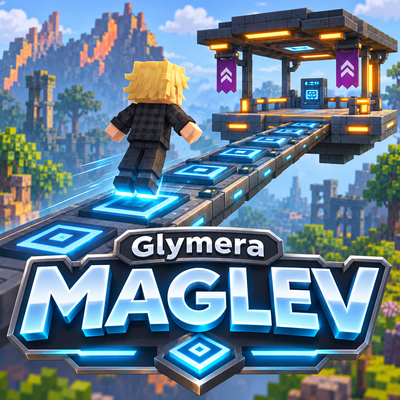
CurseForge · Hytale mod
GlymeraMaglev
A magnetic levitation line built from blocks: lay Maglev Track, place Maglev Stations, press use and pick where to go. One smooth physical ride - no teleport, no cart. Lines of any length, named stations, owner protection.
Choose a version Pick your version below, then grab the matching file.
Quick answer
Which GlymeraMaglev release should I use?
Latest stable file GlymeraMaglev-1.0.0.jar
Game version 0.7
Mod system Built-in Hytale mod system
GlymeraMaglev-1.0.0.jar targets 0.7. Do not install it as a separate client mod. Enable it on the world host—the local server in singleplayer or the dedicated server in multiplayer. No required dependencies listed for this file.
Where it goes
Where should GlymeraMaglev be installed in Hytale?
Do not install it as a separate client mod. Enable it on the world host—the local server in singleplayer or the dedicated server in multiplayer.
Separate client mod Not supported
World host / dedicated server Required
Mod system for this release Built-in Hytale mod system
Required install it here Optional supported, not mandatory Not supported do not install here Source doesn’t say do not assume
Put Hytale mods on the world host or dedicated server. Singleplayer runs a local server too; Hytale does not use separate client mods.
What else does GlymeraMaglev-1.0.0.jar need?
GlymeraMaglev-1.0.0.jar. Change the file and its required mods may change too.
This file does not list any required mods. Do not add a library just because a different file uses it.
This file does not list any required or optional project dependencies. Check the creator notes before changing an existing world.
Before you install it
Add GlymeraMaglev without breaking your instance.
Built for GlymeraMaglev-1.0.0.jar. Pick another file and the loader, install side or required mods may change.
- 01
Stick to this file
Use GlymeraMaglev-1.0.0.jar. It targets 0.7; another release may target a different game build or dependency set.
- 02
Bring the mods it needs
This file does not list any required mods. Do not add a library just because a different file uses it.
- 03
Enable it on the world host
Do not install it as a separate client mod. Enable it on the world host—the local server in singleplayer or the dedicated server in multiplayer.
- 04
Pick the file you checked
Use the “Get this file” button beside GlymeraMaglev-1.0.0.jar. It opens that exact file at the source.
About this project
What does GlymeraMaglev add?
GlymeraMaglev
A magnetic levitation line built from blocks. Lay Maglev Track across your world, put a Maglev Station wherever a ride should start or stop, press use on a station and pick where to go. You float a hand's width above the track and glide there - around corners, up and down ramps, through other stations - as one smooth physical ride. No teleporting, no mount, no cart.
What it does
GlymeraMaglev turns a line of blocks into a transit line. Lay Maglev Track pieces on the ground: corners are fine, the next piece may also sit one block higher or lower, and the piece in front of such a step turns into a sloped Maglev Ramp by itself. Put a Maglev Station (the orange pad) wherever rides should start and stop. Press use (F) on a station:
- One other station on the line: you ride there right away.
- Several: a menu lists every station you can reach over the track, nearest first, and you ride to the one you pick - over the shortest route, straight through crossings and other stations.
The ride is physical: the station pulls you onto the track, you float a little above it and travel at 15 blocks per second (slower on ramps), brake before the station and stop on its pad. Your own movement keys are paused while you ride so you stay centred; they come back the moment you arrive. Several players can ride the same line at the same time without getting in each other's way.
Any length. The plugin keeps its own map of every track piece, so a station 5000 blocks away shows up in the menu at once, even if that part of the world is not loaded. The world loads under you as you travel, like it does when you fly.
Features
- Three blocks - Maglev Track for the line, Maglev Station for the stops; the Ramp appears by itself in front of a one-block step
- Station menu - up to 20 stations per menu, nearest first, each button shows the station's name (or its distance and compass direction until it has one)
- Named stations - the builder (or an OP) names a station in the menu or with
/gmaglev name <name>while standing on it - Shortest route - the ride follows the shortest way over the whole network, through crossings and intermediate stations
- Lines of any length - the menu needs no loaded chunks; tested with a 5000 x 5000 block cross and 10,000 pieces
- Owner protection - a piece can only be broken by the player who placed it or by an OP; nobody can hook their line into yours unless you allow it
- Smooth, physical transport - velocity-driven, no teleport, no mount; you stay standing
- Idle cost zero - track pieces are plain blocks, nothing ticks; a ride costs two block reads every 50 ms
How to build a line
- Lay Maglev Track from one place to the next. Turn corners whenever you like. To go up or down, continue one block higher or lower: the piece before the step becomes a ramp pointing up to the higher piece.
- Put a Maglev Station at every stop, as a piece of the line (at an end or in the middle of it). Stations are the entrances: pressing use on a plain piece does nothing.
- Stand on a station, press use (F), pick a station, enjoy the ride.
/gmaglev stopends a ride early.
Rules of thumb: pieces connect to their four horizontal neighbours, same height or one block up or down; a ride never goes backwards; where a line forks without a chosen destination it goes straight on.
Recipes
At the Workbench: 2 iron bars make 8 Maglev Track, 3 iron bars make 1 Maglev Station. Both are in the creative tab under decoration blocks.
For Server Owners
mods/Glymera_GlymeraMaglev/config.json is written on the first start; every key has a _key line above it that explains it. OPs can change any value in-game with /gmaglev set <key> <value> (saved, applies to the next ride).
| Key | Default | Meaning |
|---|---|---|
speed |
15 |
Cruise speed in blocks per second |
accel / decel |
8 |
How fast a ride speeds up and brakes, blocks per second squared |
rampSpeed |
5 |
Speed limit while the track goes up or down |
hover |
0.3 |
How high above the track the rider floats |
lookahead |
1.5 |
How far ahead the rider steers; larger = wider corners |
hoverGain / hoverBias |
4 / 0.5 |
Height regulation; raise hoverBias if riders sink, lower it if they drift up |
latency |
0.1 |
Network delay the steering compensates; too high = corners cut, too low = corners overshoot |
enterSpeed |
3 |
Speed with which a station pulls a rider onto the track |
stuckSeconds |
2 |
A ride that makes no progress for this long ends |
maxRideSeconds |
600 |
Emergency brake for runaway rides |
protectBreaking |
true |
Only the builder of a piece (and OPs) may break it |
everyoneMayRide |
true |
false = only the builder of the station you press (and OPs) may ride from it |
allowConnectingToOthers |
false |
true = anyone may connect their track to anyone's |
rampRotationOffset |
0 |
Calibration 0-3, only if ramps ever point the wrong way |
testCommands |
false |
Enables /gmaglev test for headless checks and test tracks (OP/console only) - leave it off |
Data lives next to the config: owners.json (every piece and who placed it) and stations.json (every station and its name). Both are written in one piece a second after the last change. No database, no dependencies, server-side only: players need nothing but the server's asset pack.
Installation
- Put the latest
GlymeraMaglev-<version>.jarin your server'smods/folder. - Start the server. The blocks are craftable at the Workbench and in the creative tab.
Project description from CurseForge.
Pick your setup
GlymeraMaglev releases for each Hytale build.
Choose the version and loader you play, then open the matching release.
Check the dependencies, then try the file in a copied instance before changing a world you care about.
Recent files
GlymeraMaglev releases and Hytale builds
GlymeraMaglev-1.0.0.jar
8 Nov 2026
Client Not supported Server Required Dependencies No extras listed Listed on Project page
Check the 0.7 setup 0.7 release
Looking for an older file? The official CurseForge project page is in Resources.
 mod
CurseForge · Hytale
GlymeraMegaChest
Owner-only mass-storage chest with 1080 slots holding up to 1M items each (~1 billion total). Paginated UI, search. One-click Deposit Inventory. Crafted at the Alchemybench.
 mod
CurseForge · Hytale
Alec's Animal Husbandry! - Taming, Breeding, Mounts, Combat Pets, Leveling, Hunger, Thirst, and more!
Tame, breed, care for, fight with, level up and more all vanilla animals. Train beasts as combat pets, breed livestock for the best harvesting efficiency, and so much more!
 mod
CurseForge · Hytale
Togo Weapons - Claymore Rework
[Feedback welcomed] Turning Hytale into Fast-Paced ARPG, bringing New Combat style with Hytale Weapons, and Elemental powers