Hytale version
Back to mods 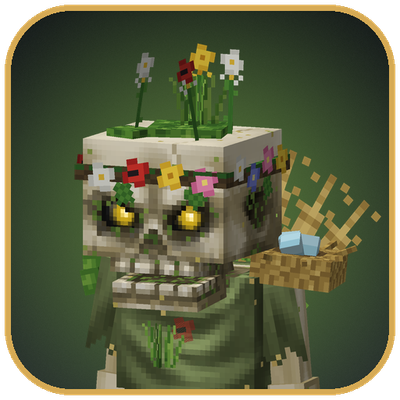
CurseForge · Hytale mod
Biome Variants
Lots of creature variants to spice things up
Choose a version Pick your version below, then grab the matching file.
Quick answer
Which Biome Variants release should I use?
Latest stable file BiomeVariants-1.0.1.jar
Game version 0.7
Mod system Built-in Hytale mod system
Biome Variants BiomeVariants-1.0.1.jar targets 0.7. Do not install it as a separate client mod. Enable it on the world host—the local server in singleplayer or the dedicated server in multiplayer. No required dependencies listed for this file.
Where it goes
Where should Biome Variants be installed in Hytale?
Do not install it as a separate client mod. Enable it on the world host—the local server in singleplayer or the dedicated server in multiplayer.
Separate client mod Not supported
World host / dedicated server Required
Mod system for this release Built-in Hytale mod system
Required install it here Optional supported, not mandatory Not supported do not install here Source doesn’t say do not assume
Put Hytale mods on the world host or dedicated server. Singleplayer runs a local server too; Hytale does not use separate client mods.
What else does Biome Variants BiomeVariants-1.0.1.jar need?
BiomeVariants-1.0.1.jar. Change the file and its required mods may change too.
This file does not list any required mods. Do not add a library just because a different file uses it.
This file does not list any required or optional project dependencies. Check the creator notes before changing an existing world.
Before you install it
Add Biome Variants without breaking your instance.
Built for Biome Variants BiomeVariants-1.0.1.jar. Pick another file and the loader, install side or required mods may change.
- 01
Stick to this file
Use BiomeVariants-1.0.1.jar. It targets 0.7; another release may target a different game build or dependency set.
- 02
Bring the mods it needs
This file does not list any required mods. Do not add a library just because a different file uses it.
- 03
Enable it on the world host
Do not install it as a separate client mod. Enable it on the world host—the local server in singleplayer or the dedicated server in multiplayer.
- 04
Pick the file you checked
Use the “Get this file” button beside BiomeVariants-1.0.1.jar. It opens that exact file at the source.
About this project
What does Biome Variants add?
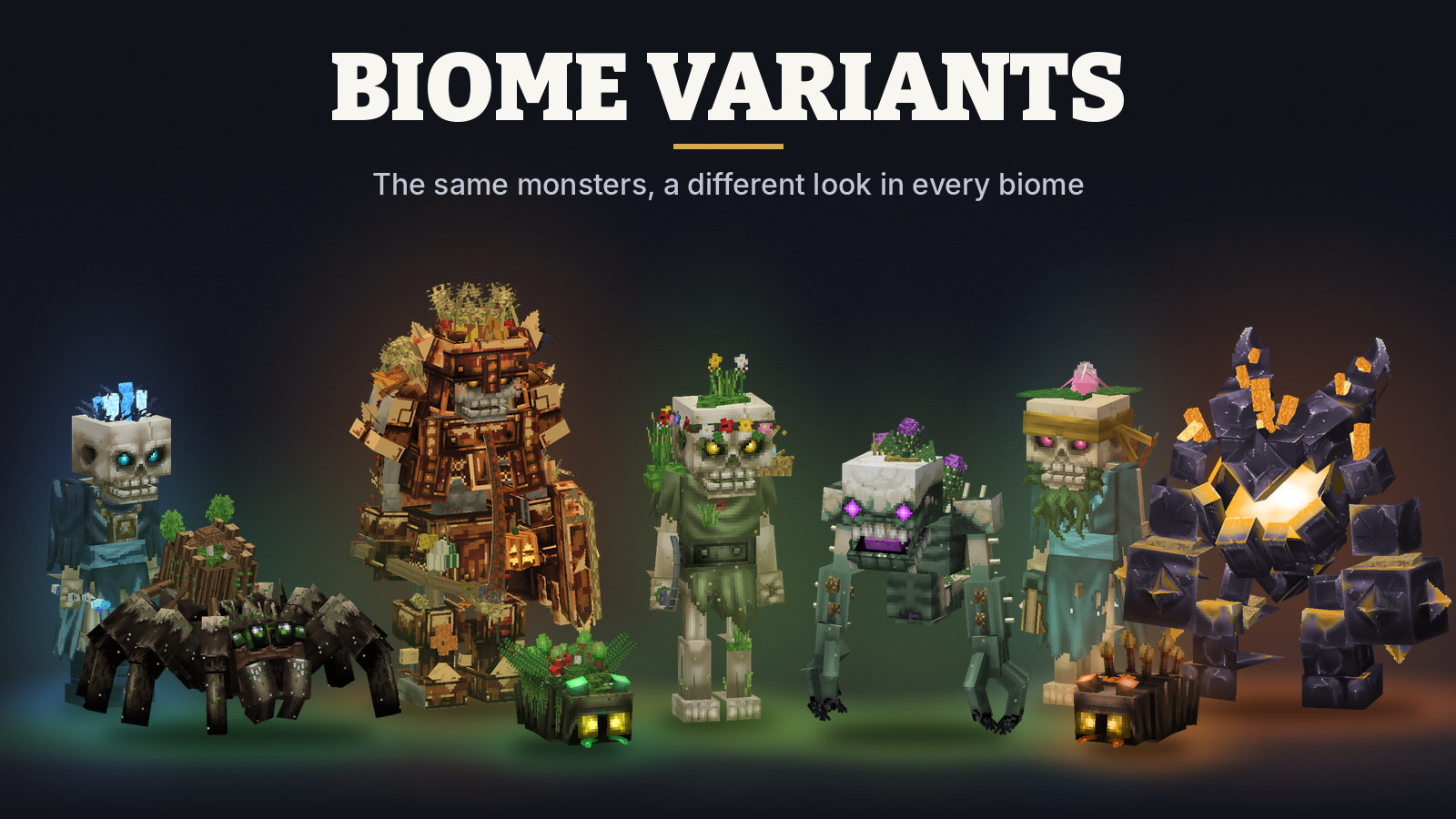
The same monsters, a different look in every biome.
In Hytale a skeleton looks the same whether you meet it in a meadow, in a swamp or on a mountain. Biome Variants changes that. Hostile creatures that spawn in certain biomes can take on a look that belongs there: flowers and grass on the plains, roots and fungus in the forest, moss in the swamp, rock and crystal in the mountains.
Only the look changes, and their weapons change with it. They fight, drop and behave exactly as before.
One creature, many looks
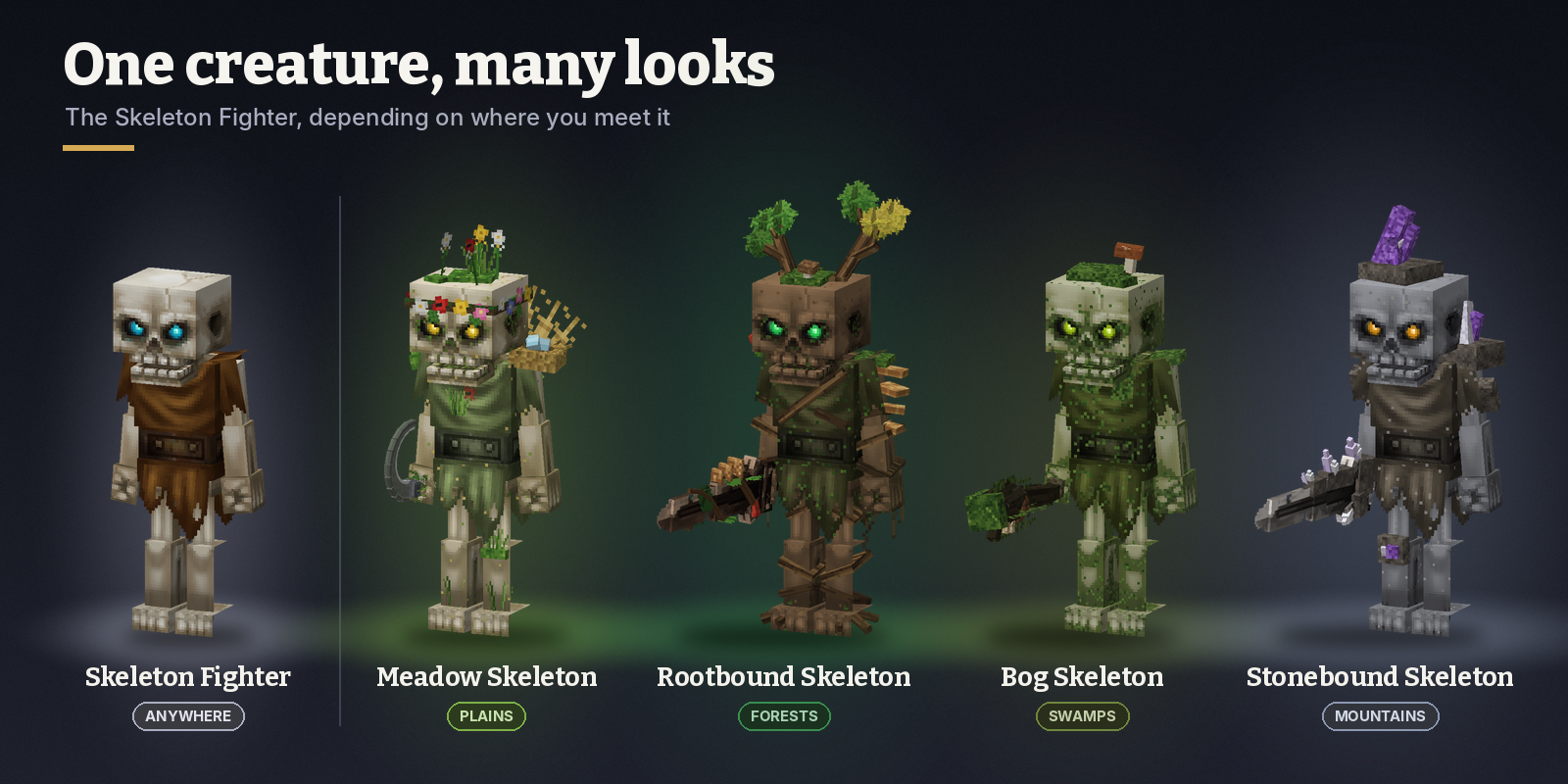
- 46 variants so far, across the starting lands, the deserts, the frozen north and the caves.
- Every variant belongs to a biome, and one creature can have several. The Skeleton Fighter alone has five.
- The normal creatures still spawn. By default about seven in ten creatures in a variant's biome get the new look, so you still meet both.
Armed to match
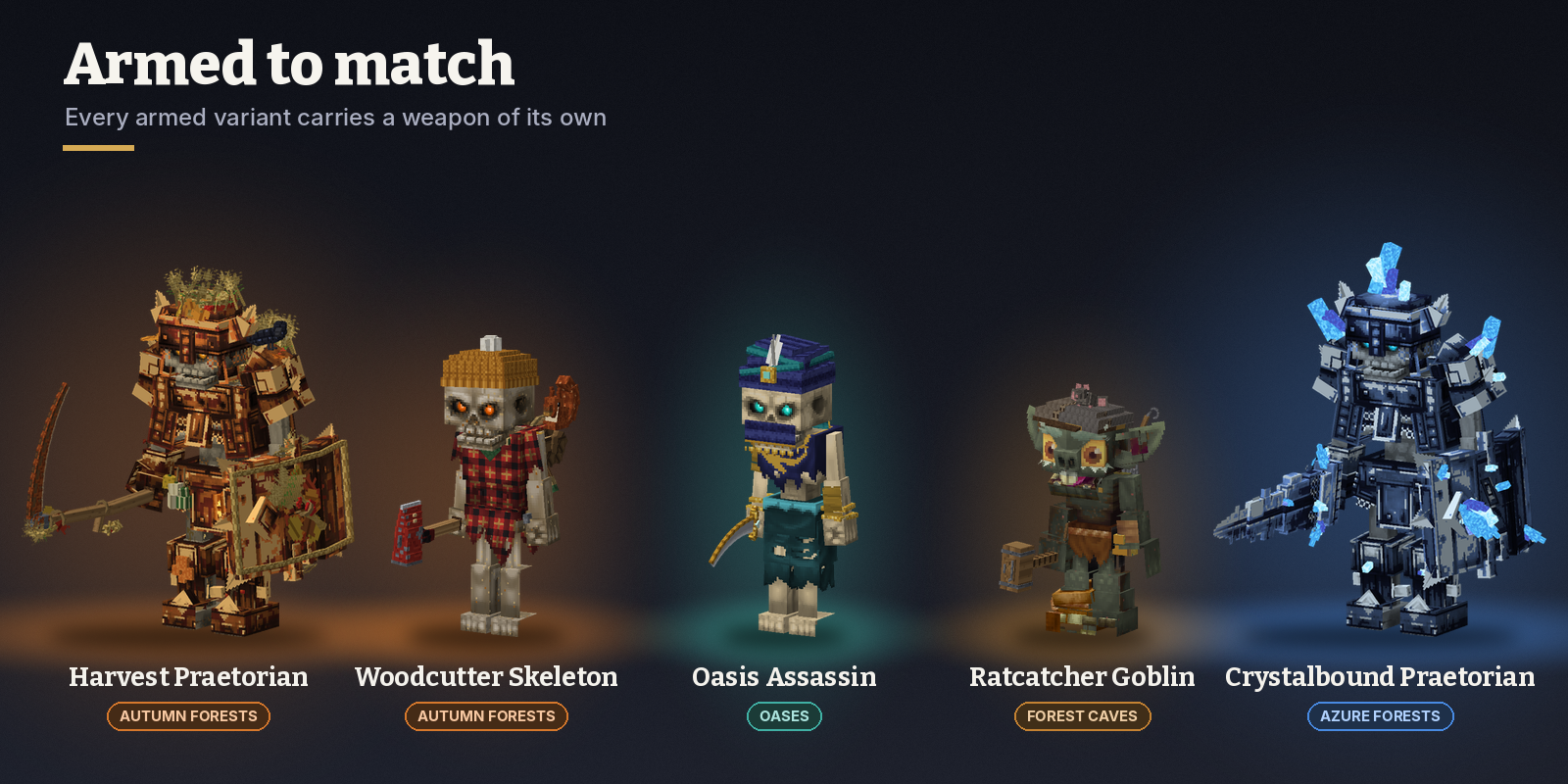
- 23 themed weapons and shields. The Harvest Praetorian swings a war-scythe with a corn dolly hanging from it, the Woodcutter Skeleton a splitting maul, the Ratcatcher a rat-whacker with rat tails tied to the handle, the Oasis Assassin curved gold daggers, and the Crystalbound Praetorian a sword and shield grown through with glowing crystal.
- Spells and spit in their own colours. The Azure and Lotus Mages, the Sunscorched, Storm, Mothwing and Wisplight Eyes and the Red Rock Seeker fire shots that glow in their own colours, with matching trails.
- Just as dangerous as before. Each weapon hits exactly like the one the creature normally carries.
A few of them
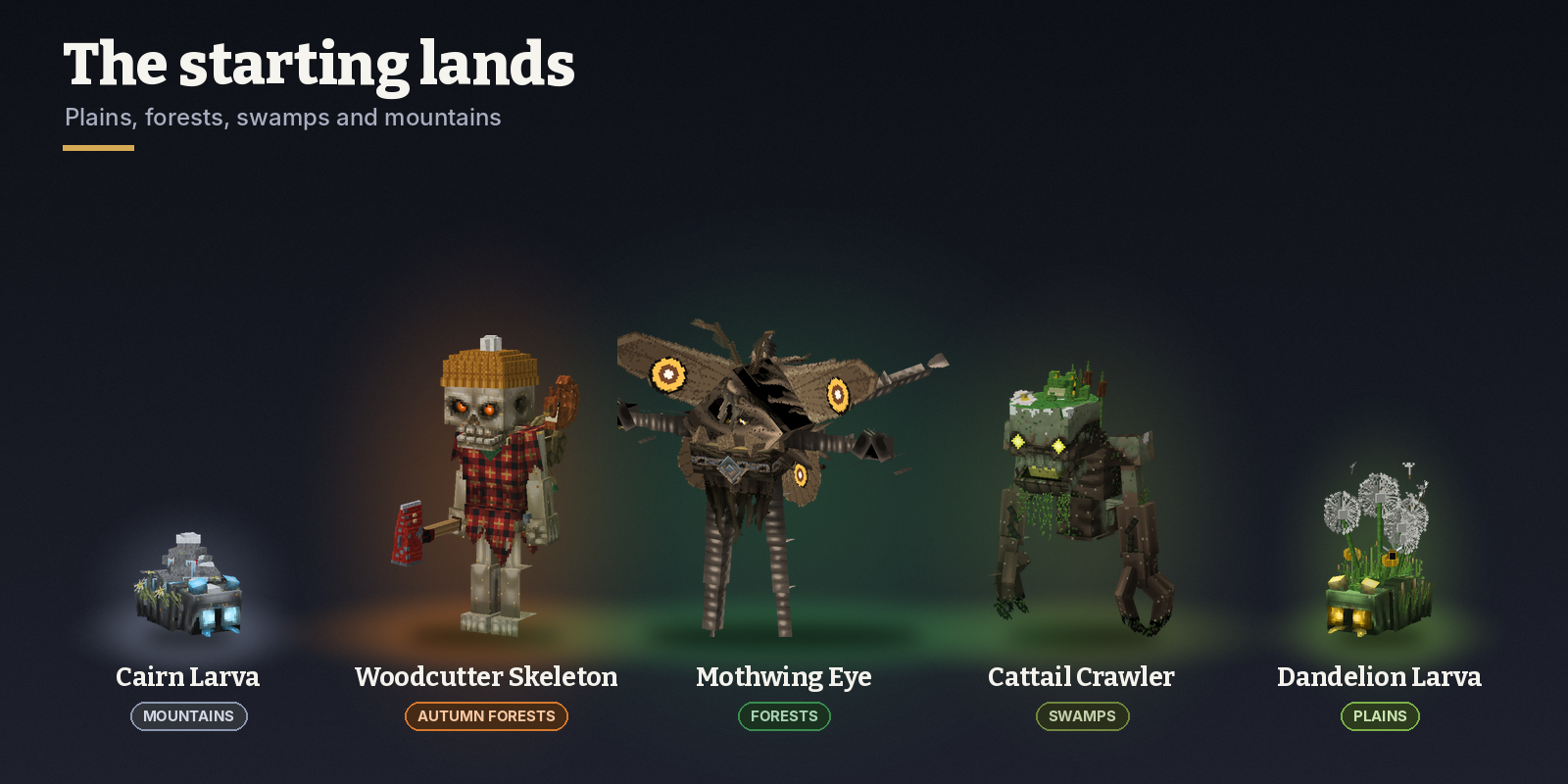
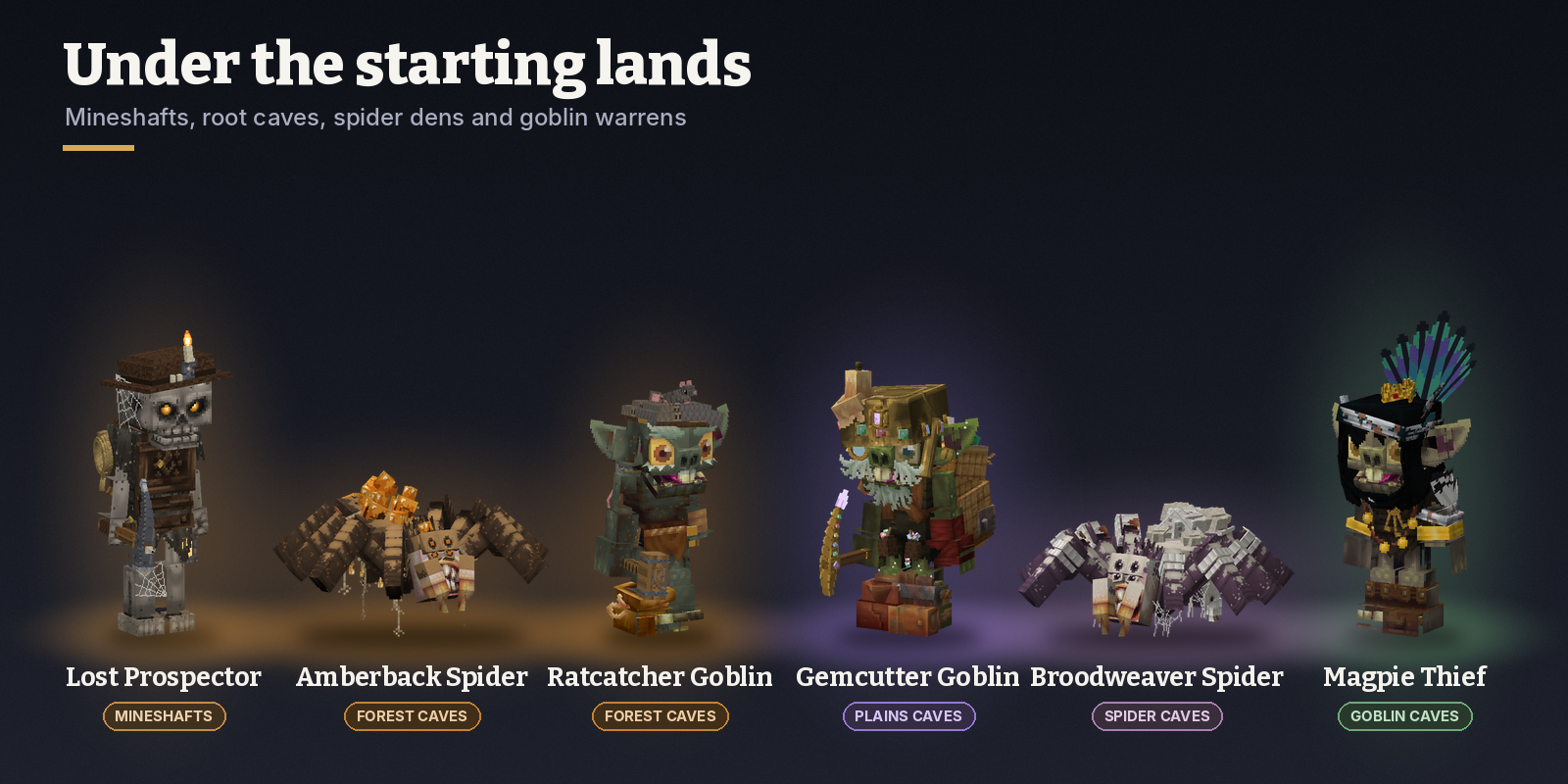
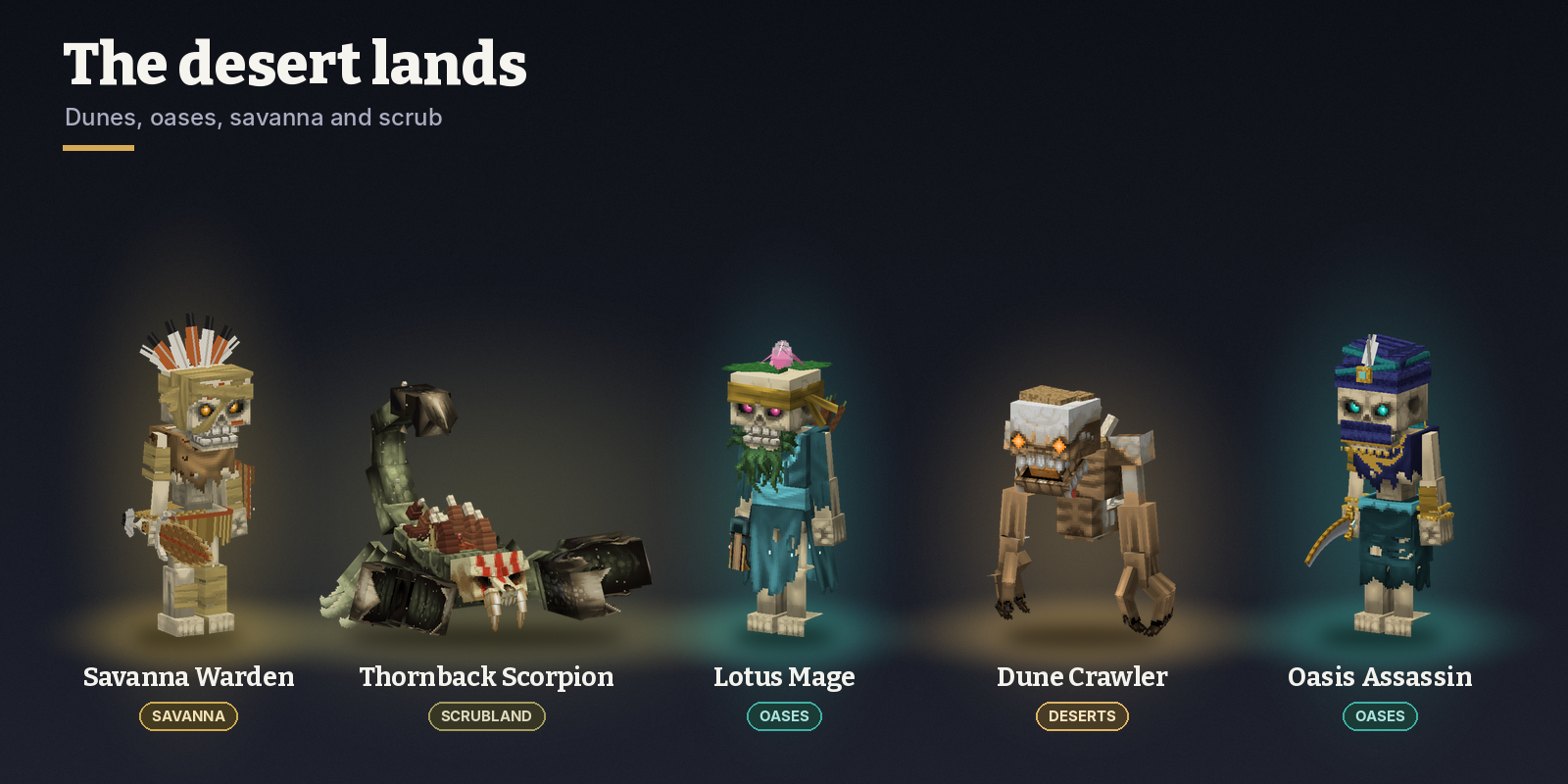
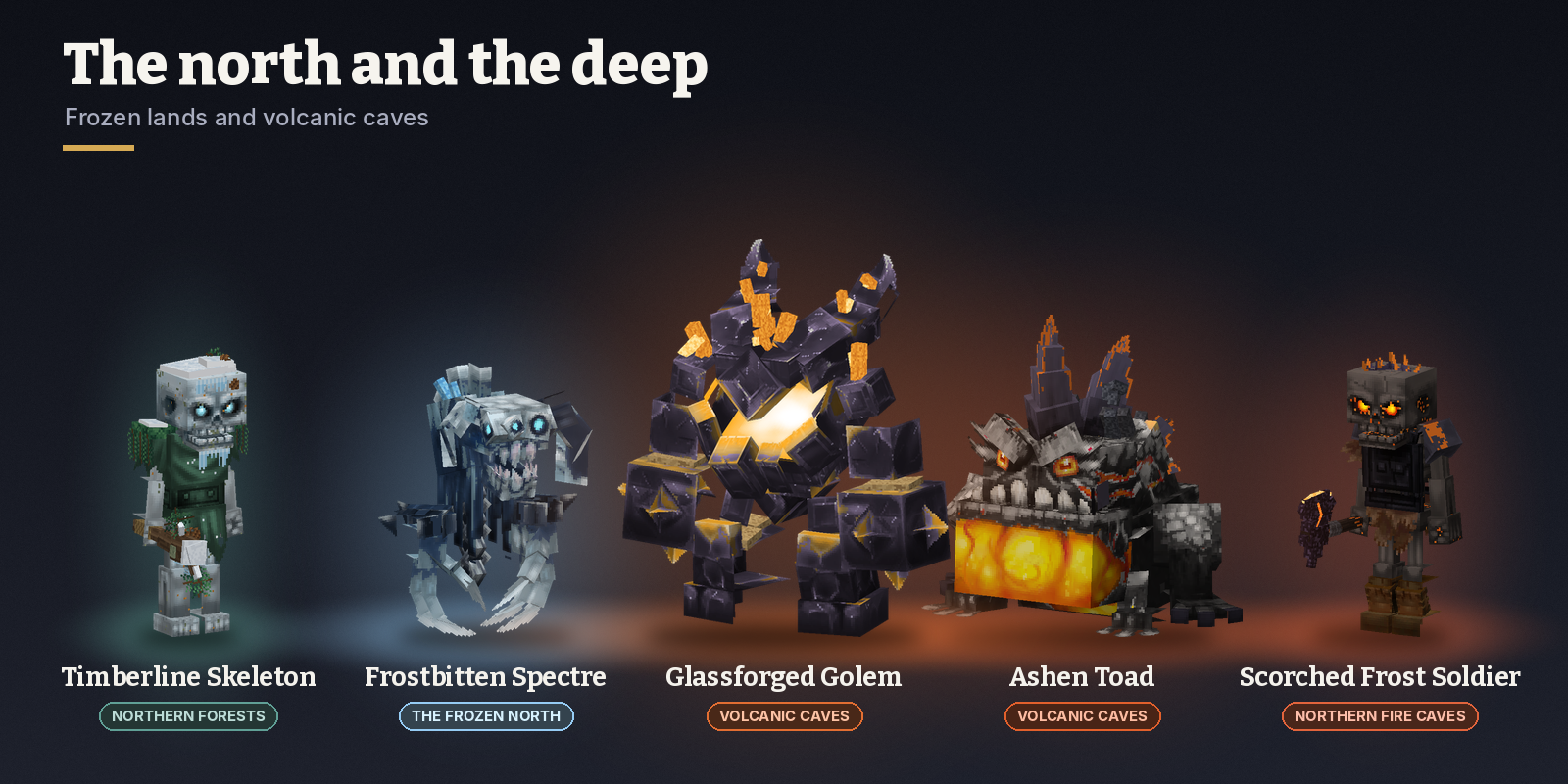
The rest are out there to find.
How it works
- A creature's look is picked when it spawns, from the biome it spawns in. A variant that wanders into another biome keeps its look.
- It works in worlds you already have. Creatures already walking around stay as they are, and new spawns can be variants.
- Variants are saved with the world, so they look the same after a restart.
- Monsters only: skeletons, void creatures, spiders, scorpions, goblins and the like. Wildlife such as wolves and bears is left alone.
Commands
| Command | What it does |
|---|---|
/bv |
Tells you which biome you are in and which variants spawn there |
/bv list |
Lists every variant with its biome |
/bv spawn <name> |
For admins: spawns a variant in front of you, in any biome. Add a number up to 9 for several |
/bv is short for /biomevariants. /bv spawn needs the biomevariants.spawn permission, which admins already have (and so does the world owner in single player).
Server owners
Biome Variants runs on the server, so players joining don't need to install anything. It works the same in single player.
Settings live in config.properties in the mod's data folder (GroundBeef_BiomeVariants). Restart the world or server after changing them.
| Setting | What it does | Default |
|---|---|---|
enabled |
true, or false to stop new variants. Creatures that already have a variant look keep it |
true |
variantChance |
How many of the creatures in a variant's biome get the variant look, in percent. 100 means only variants spawn there |
70 |
Installation
- Drop the Biome Variants jar into your
Modsfolder. - Enable Biome Variants for your world.
- Go exploring, or type
/bvto see what can spawn where you stand.
Good to know
- Built for Hytale 0.7.x. No other mods needed.
- With Insight installed, its label shows a variant's own name.
- Variants use their own textures, so a texture pack that repaints the normal creature won't show on its variants.
Found a variant with a piece out of place, or have an idea for one? Leave a comment. A screenshot and the biome you were in help a lot.
Project description from CurseForge.
Pick your setup
Biome Variants releases for each Hytale build.
Choose the version and loader you play, then open the matching release.
Check the dependencies, then try the file in a copied instance before changing a world you care about.
Recent files
Biome Variants releases and Hytale builds
BiomeVariants-1.0.1.jar
24 Nov 2026
Client Not supported Server Required Dependencies No extras listed Listed on Project page
Check the 0.7 setup 0.7 release
BiomeVariants-1.0.0.jar
21 Nov 2026
Client Not supported Server Required Dependencies No extras listed Listed on Project page
Check the 0.7 setup 0.7 release
Looking for an older file? The official CurseForge project page is in Resources.
 mod
CurseForge · Hytale
Adventure Quests
📦 Over 200 quests, characters and dialogues for vanilla Hytale, ready the moment your server starts.
 mod
CurseForge · Hytale
More Ore Rewards
Get more ore from mines
 mod
CurseForge · Hytale
Many Skills
Active skills for every weapon, each with its own skill tree.