Hytale version
Back to mods 
CurseForge · Hytale mod
Ore Glow
See ores clearly in dark caves — ore models stay fullbright. Not an x-ray.
Choose a version Pick your version below, then grab the matching file.
Quick answer
Which Ore Glow release should I use?
Latest stable file OreGlow-1.0.0.zip
Game version 0.7
Mod system Built-in Hytale mod system
Ore Glow OreGlow-1.0.0.zip targets 0.7. Do not install it as a separate client mod. Enable it on the world host—the local server in singleplayer or the dedicated server in multiplayer. No required dependencies listed for this file.
Where it goes
Where should Ore Glow be installed in Hytale?
Do not install it as a separate client mod. Enable it on the world host—the local server in singleplayer or the dedicated server in multiplayer.
Separate client mod Not supported
World host / dedicated server Required
Mod system for this release Built-in Hytale mod system
Required install it here Optional supported, not mandatory Not supported do not install here Source doesn’t say do not assume
Put Hytale mods on the world host or dedicated server. Singleplayer runs a local server too; Hytale does not use separate client mods.
What else does Ore Glow OreGlow-1.0.0.zip need?
OreGlow-1.0.0.zip. Change the file and its required mods may change too.
This file does not list any required mods. Do not add a library just because a different file uses it.
This file does not list any required or optional project dependencies. Check the creator notes before changing an existing world.
Before you install it
Add Ore Glow without breaking your instance.
Built for Ore Glow OreGlow-1.0.0.zip. Pick another file and the loader, install side or required mods may change.
- 01
Stick to this file
Use OreGlow-1.0.0.zip. It targets 0.7; another release may target a different game build or dependency set.
- 02
Bring the mods it needs
This file does not list any required mods. Do not add a library just because a different file uses it.
- 03
Enable it on the world host
Do not install it as a separate client mod. Enable it on the world host—the local server in singleplayer or the dedicated server in multiplayer.
- 04
Pick the file you checked
Use the “Get this file” button beside OreGlow-1.0.0.zip. It opens that exact file at the source.
About this project
What does Ore Glow add?
OreGlow
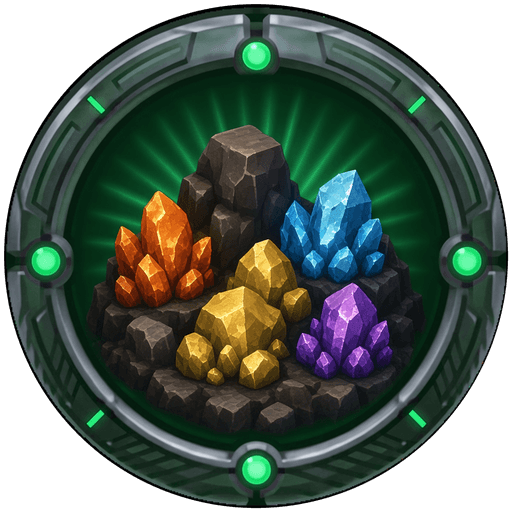
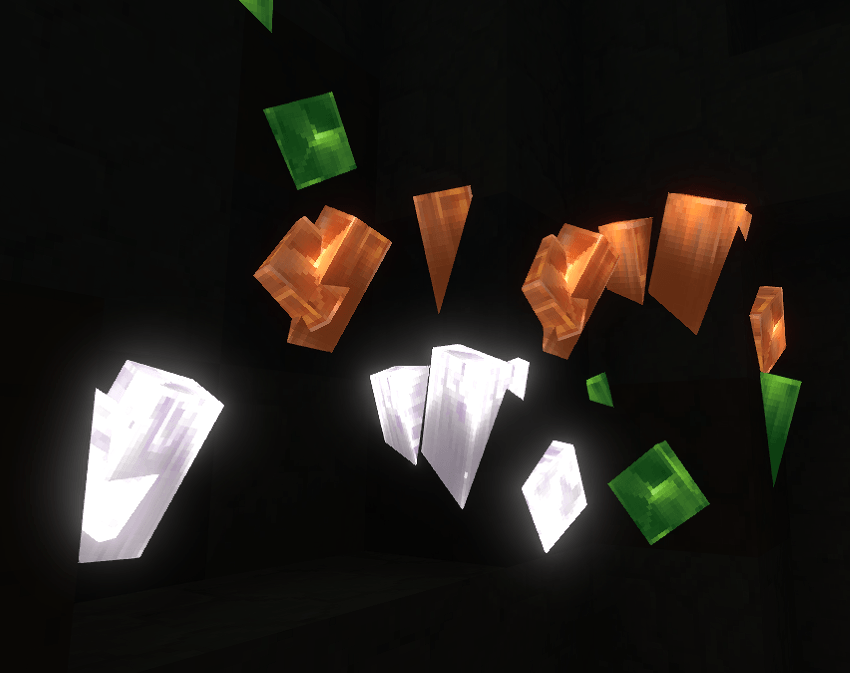
OreGlow makes ores easier to spot in dark caves. Ore models stay fullbright, so veins remain visible in low light without changing the rest of the world.
Features
- Ore models render fullbright, including stone, shale, basalt and other host-rock variants that share the vanilla ore model.
- Covers the standard ore set: copper, iron, gold, silver, cobalt, thorium, adamantite, mithril, onyxium and prisma.
- Does not change textures, drops, recipes or stack sizes.
- Tools, weapons, armor and non-ore blocks are left untouched.
- Not an x-ray: you still need a line of sight to the ore.
Compatibility
Built for current Hytale 0.7.x servers (ServerVersion ^0.7.0) and compatible 0.8 pre-releases.
Project description from CurseForge.
Pick your setup
Ore Glow releases for each Hytale build.
Choose the version and loader you play, then open the matching release.
Check the dependencies, then try the file in a copied instance before changing a world you care about.
Recent files
Ore Glow releases and Hytale builds
OreGlow-1.0.0.zip
27 Nov 2026
Client Not supported Server Required Dependencies No extras listed Listed on Project page
Check the 0.7 setup 0.7 release
Looking for an older file? The official CurseForge project page is in Resources.