BoxLib Needed by MacroCraft [NeoForge 1.20.6] v4.0.0
requiredMatching file found Matched file: [NeoForge 1.20.6] v13.3.4

CurseForge · Minecraft mod
Transform the way you play Minecraft with the ultimate automation companion.
Quick answer
MacroCraft [NeoForge 1.20.6] v4.0.0 targets 1.20.5, 1.20.6 with NeoForge. The project page does not say whether this file belongs on the client, dedicated server, or both. All 1 required mods have matching files.
Where it goes
The project page does not say whether this file belongs on the client, dedicated server, or both.
The source does not explicitly classify this release as client-only or server-only.
[NeoForge 1.20.6] v4.0.0. Change the file and its required mods may change too.
Install BoxLib first. We found matching files for this game-version and loader setup.
We only count dependency files that match this setup. A file for another loader does not fill the gap.
Before you install it
Built for MacroCraft [NeoForge 1.20.6] v4.0.0. Pick another file and the loader, install side or required mods may change.
Use [NeoForge 1.20.6] v4.0.0. It targets 1.20.5, 1.20.6 with NeoForge; another release may have different loader, side or dependency requirements.
Install BoxLib first. We found matching files for this game-version and loader setup.
The project page does not say whether this file belongs on the client, dedicated server, or both.
Use the “Get this file” button beside [NeoForge 1.20.6] v4.0.0. It opens that exact file at the source.
About this project

MacroCraft is a groundbreaking Minecraft mod designed to enhance your gameplay by enabling the automation of repetitive tasks through the use of recorded macros. This powerful tool allows you to capture keyboard and mouse actions and replay them with precision, freeing up your time for more creative and enjoyable pursuits in the world of Minecraft.
Versions 4.0.0+ of this mod require BoxLib, a Client-side library mod developed by me.
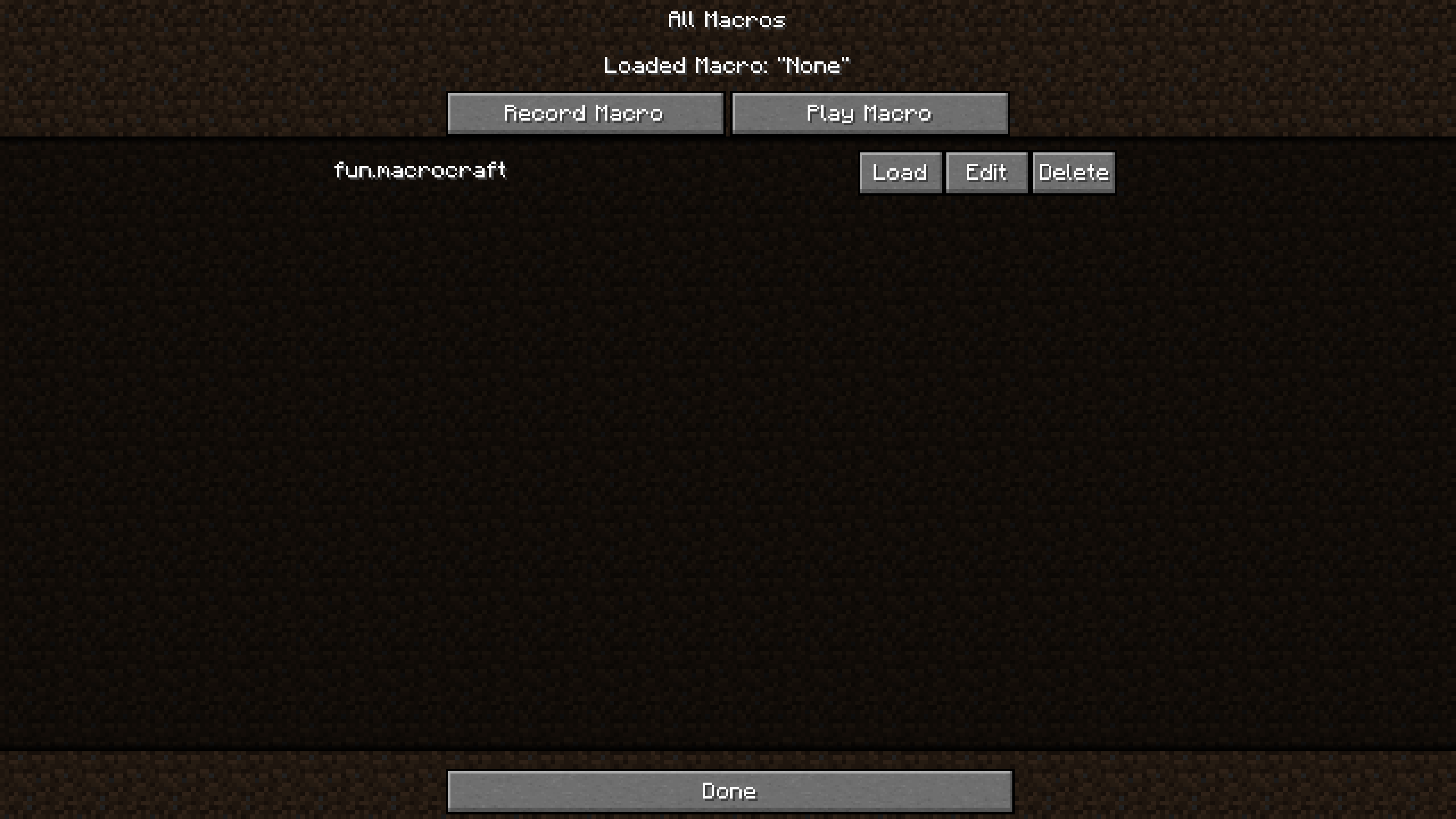 Easy-to-Use Interface: MacroCraft comes with a user-friendly GUI that lets you effortlessly manage all aspects of macro creation and execution, including:
Customizable Access: Access the MacroCraft GUI through multiple methods tailored to your preferences—be it a custom keybind, a command, or even a conveniently placed button on the pause screen. 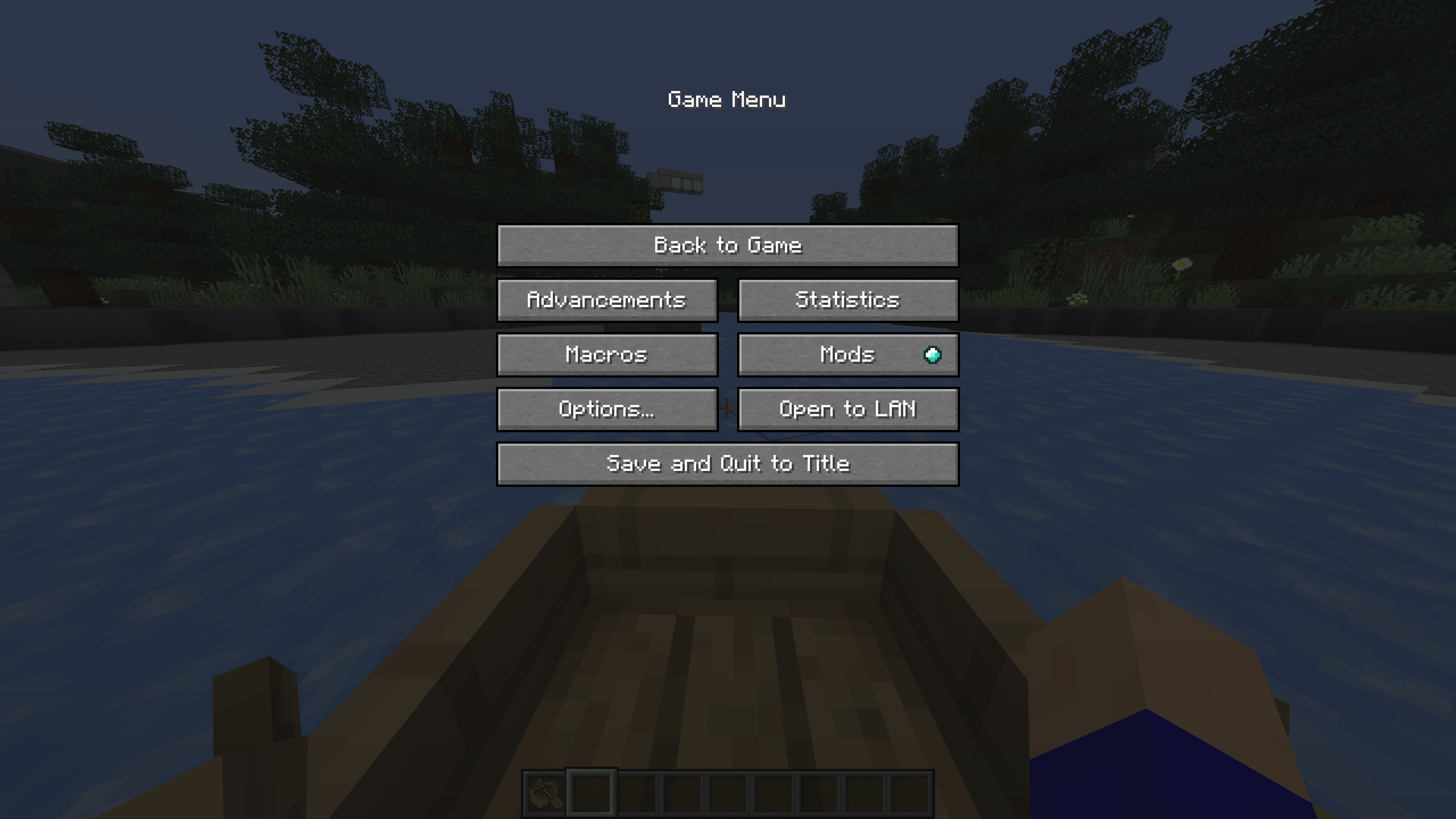
Advanced Configuration Options: Set up detailed configurations for each macro, including playback speed, number of repetitions, and conditional triggers based on in-game events. 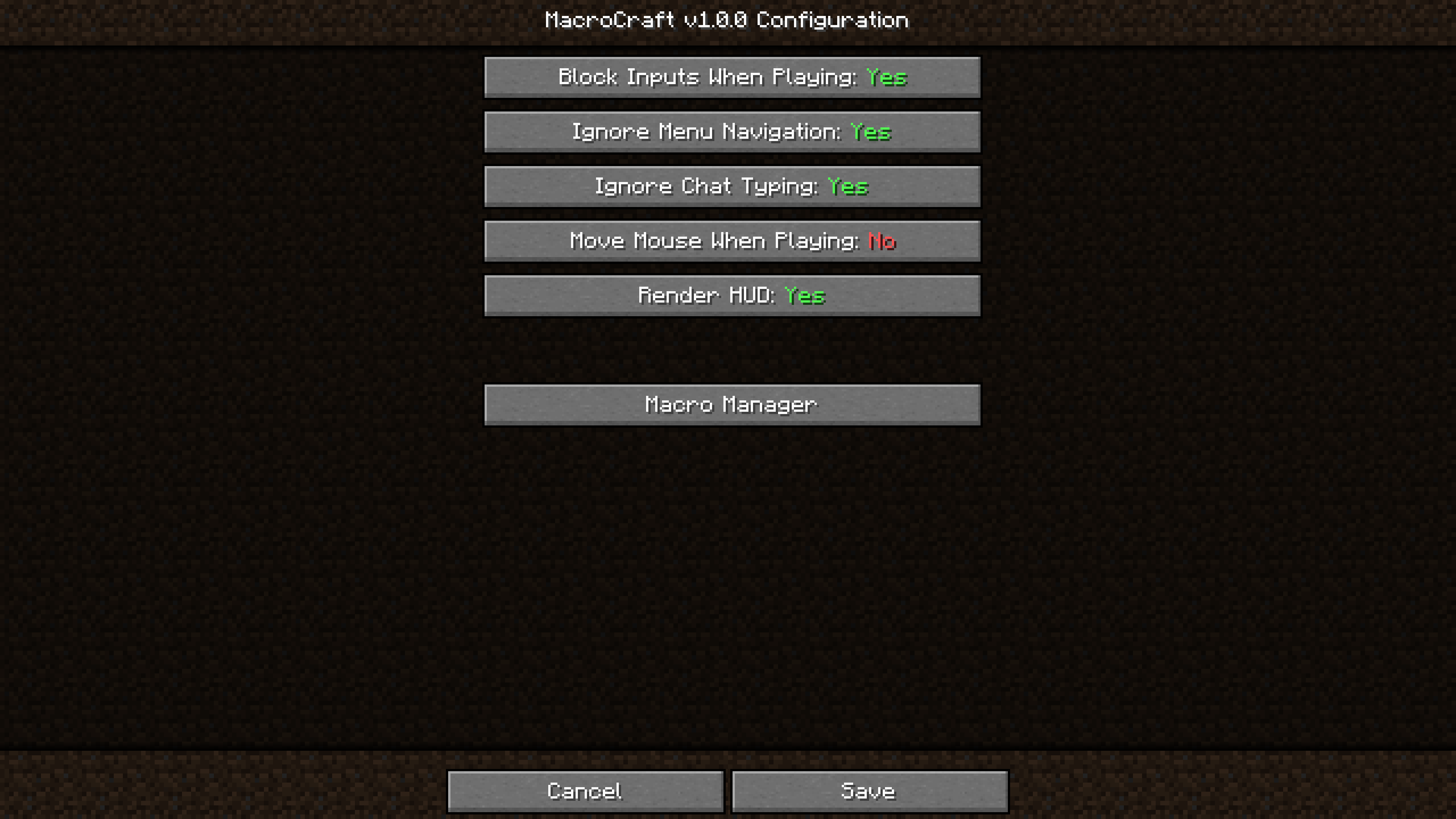
Compatibility and Performance: Designed to be compatible with a wide range of other Minecraft mods and optimized to ensure minimal impact on game performance.
Start by downloading and installing MacroCraft using Minecraft Forge or Fabric. Once installed, customize your access key or item and familiarize yourself with the GUI.
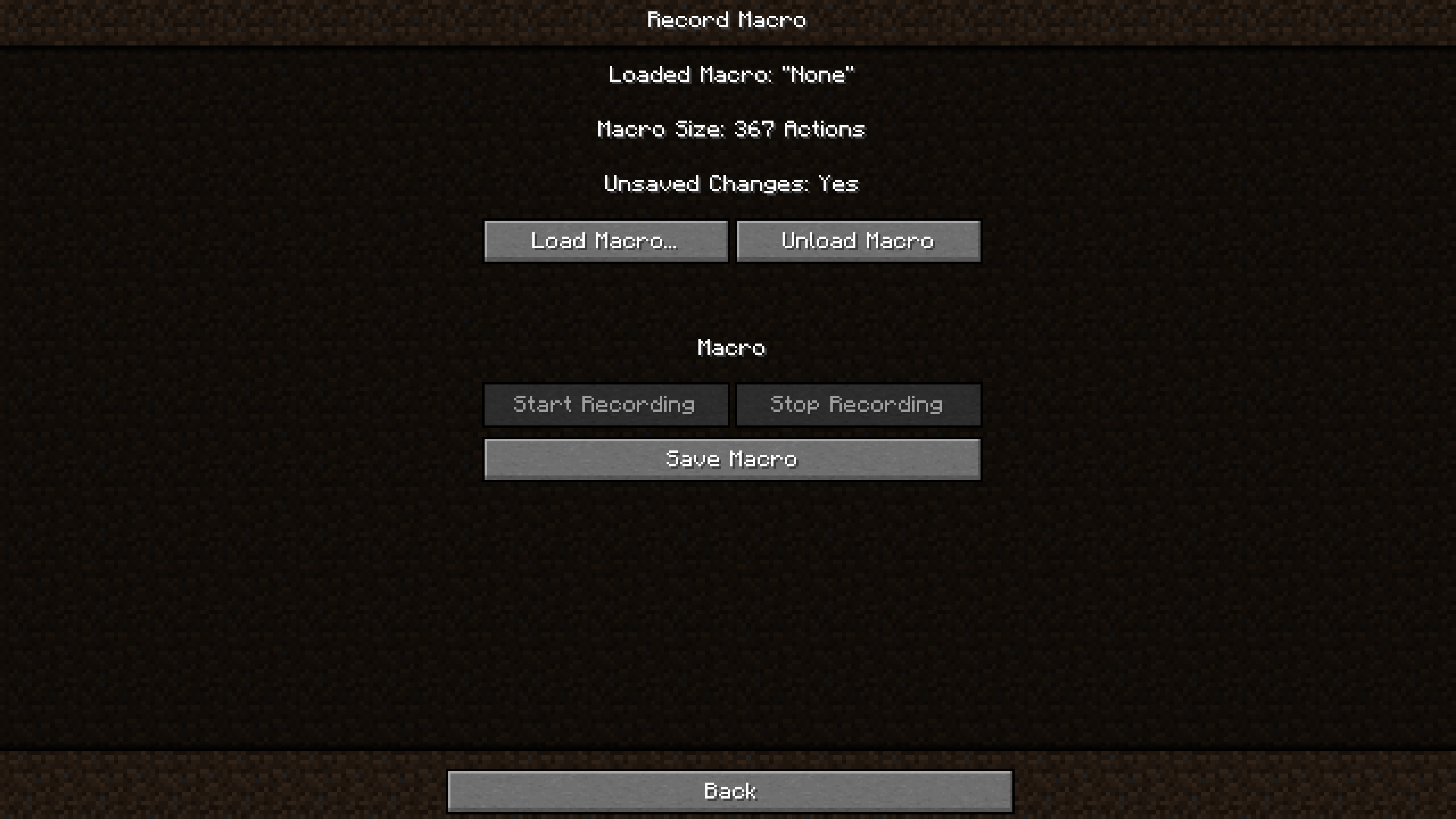
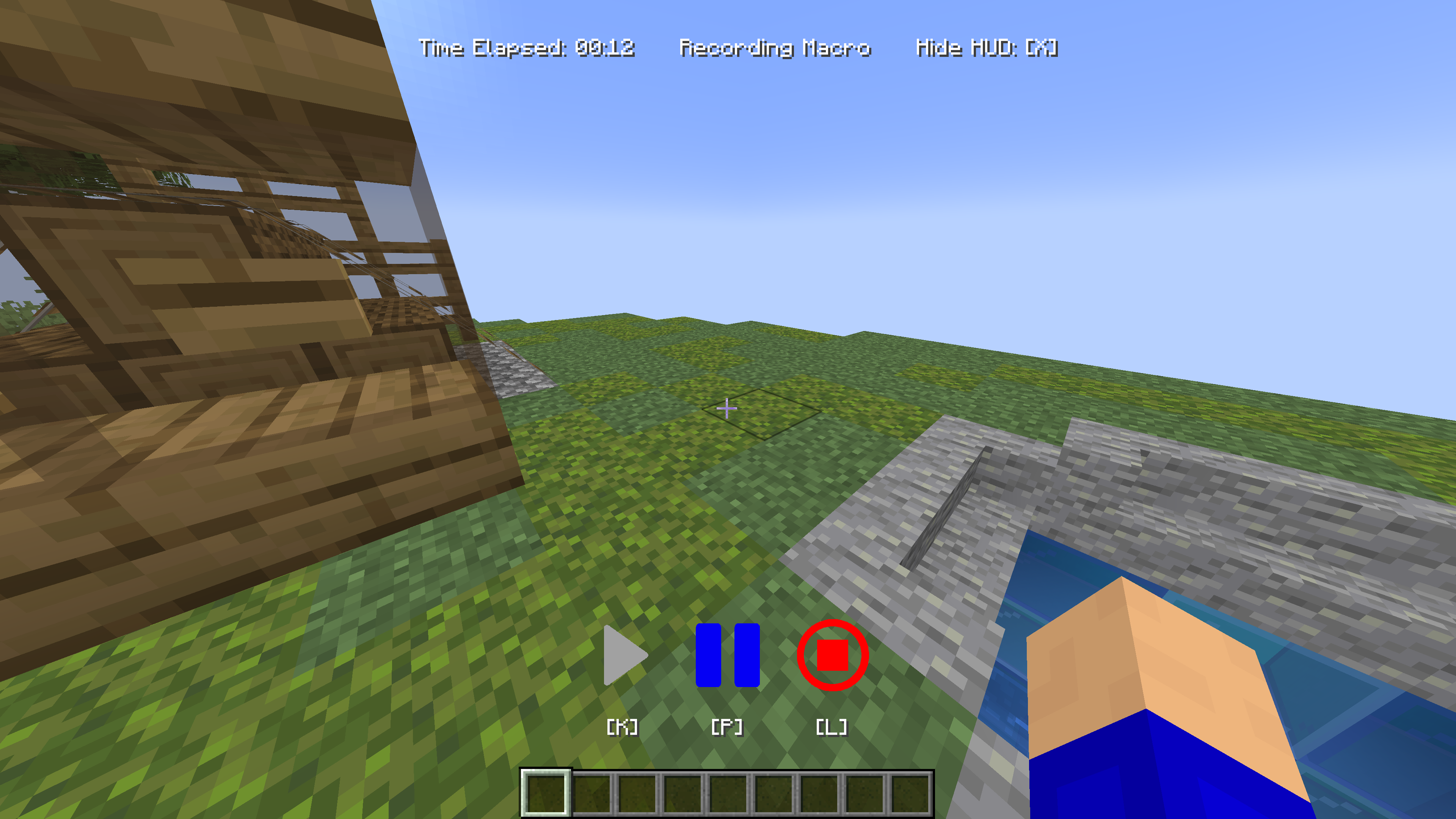
Activate the recording feature using your preferred method (keybind, pause menu, command). Perform the desired actions, such as building, mining, or farming. Once done, stop the recording.
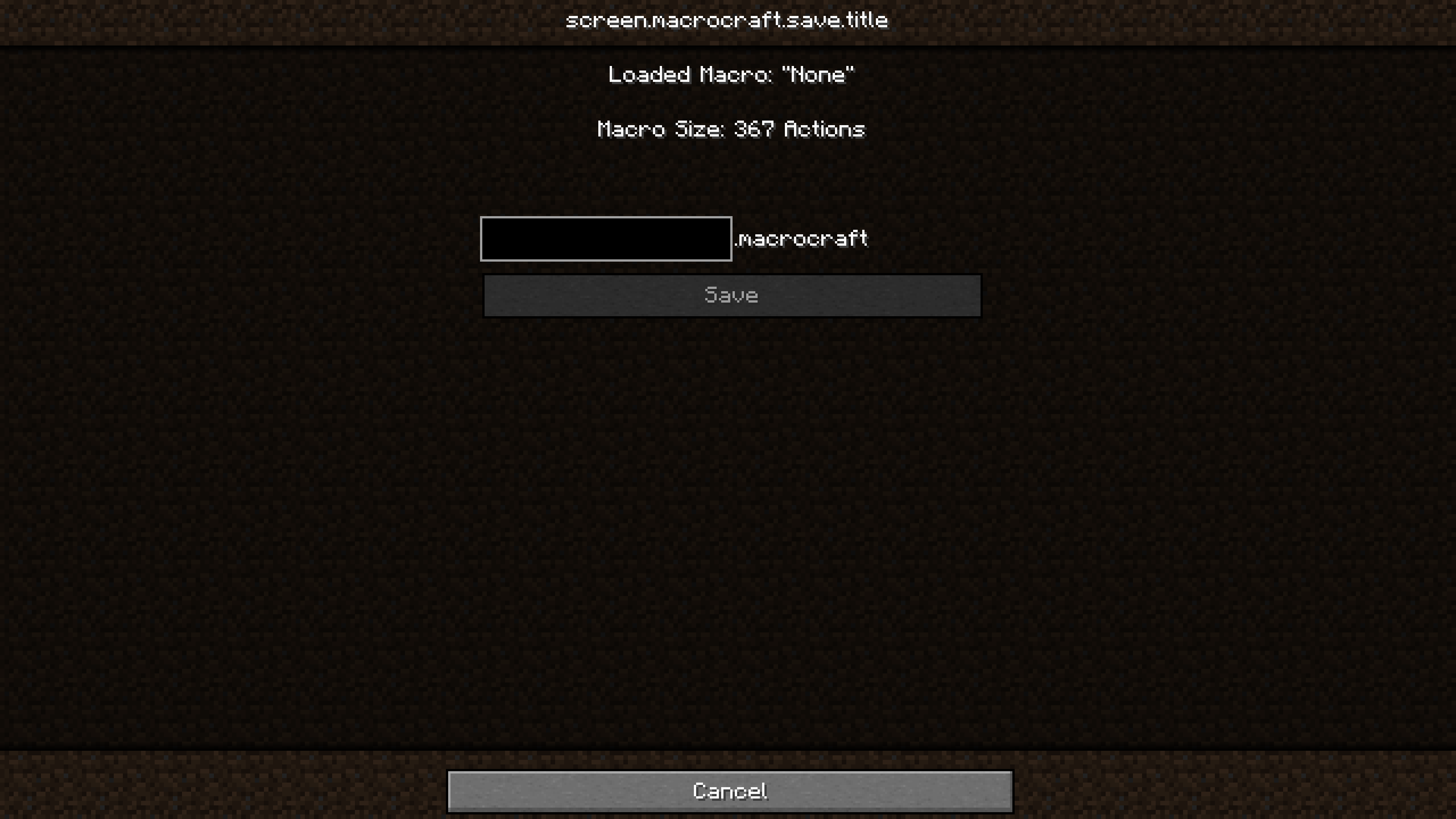
Navigate to the MacroCraft GUI to save your recorded macro. Be sure to give it a name!
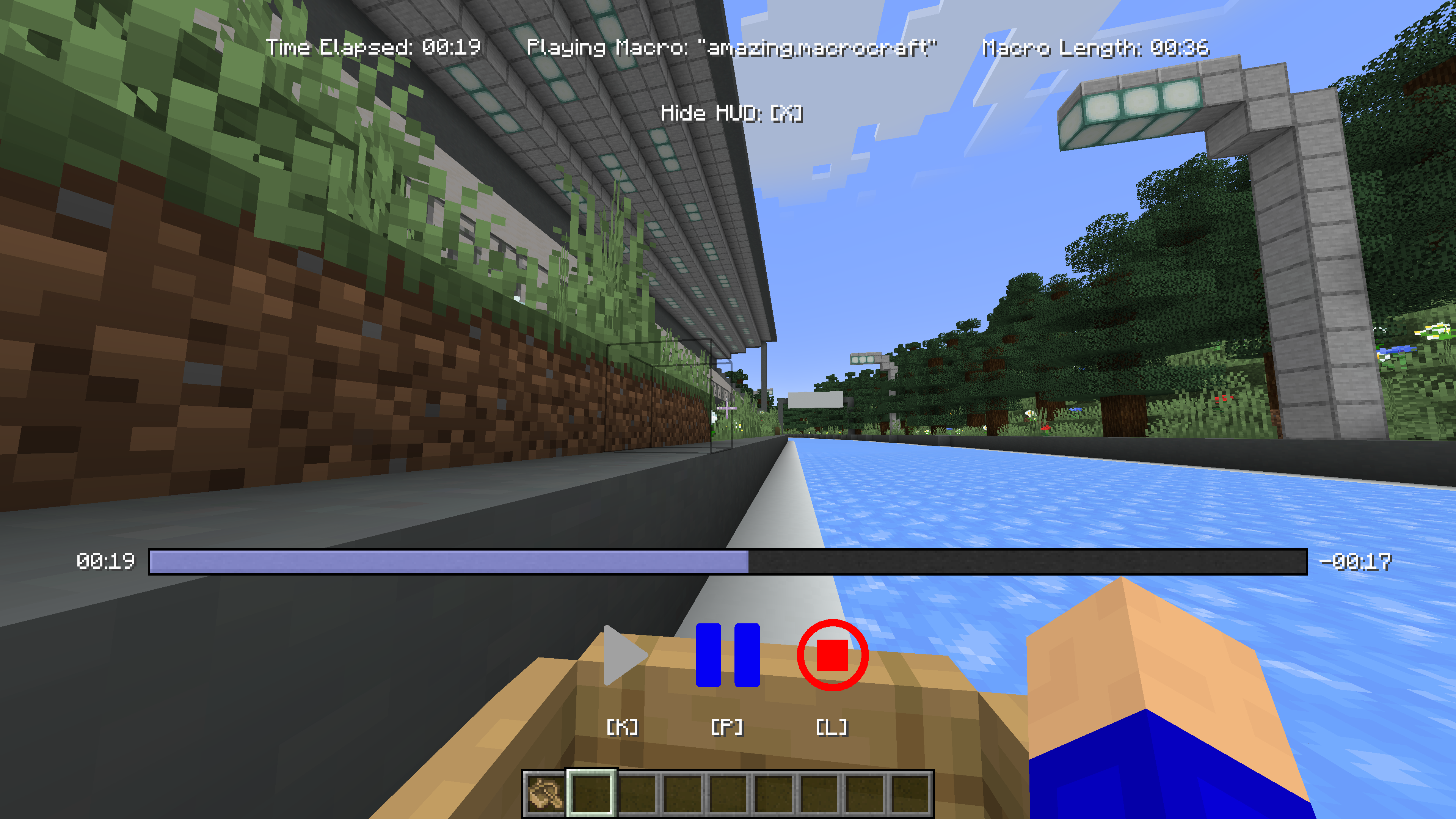
Whenever you need to perform the recorded task, simply select your macro and play it. You can adjust settings like playback speed or repetition based on the current needs.
.jar file into your Minecraft 'mods' folder.If you'd like to build this mod on your own machine, follow these steps.
Project description from CurseForge.
Pick your setup
Choose the version and loader you play, then open the matching release.
Check the dependencies, then try the file in a copied instance before changing a world you care about.
Recent files
macrocraft-neoforge-4.0.0.jar
24 May 2024
macrocraft-fabric-4.0.0.jar
24 May 2024
MacroCraft-3.0.0.jar
27 Apr 2024
MacroCraft-3.0.0.jar
27 Apr 2024
MacroCraft-2.0.0.jar
27 Apr 2024
MacroCraft-2.0.0.jar
27 Apr 2024
MacroCraft-1.0.0.jar
27 Apr 2024
MacroCraft-1.0.0.jar
27 Apr 2024
Looking for an older file? The official CurseForge project page is in Resources.
 mod
All-in-one mod that improves performance, reduces memory usage, and fixes many bugs. Compatible with all your favorite performance mods!
 mod
Putting more Magic in your Blood Magic.
 mod
Well-rounded client-side optimization mod. Extremely compatible Vulkan backend for 1.21.11-26.1.2. By Polyfrost, best with OneClient.