Fabric API Needed by Simple Keybinds 1.1.5-1.18.x
requiredMatching file found Matched file: [1.18/1.18.1] Fabric API 0.44.0+1.18

CurseForge · Minecraft mod
A Fabric/(Neo)Forge mod that adds simple(r) keybinds to Minecraft.
Quick answer
Simple Keybinds 1.1.5-1.18.x targets 1.18, 1.18.1 with Fabric. It must be installed on the client. Do not install it on the dedicated server. All 1 required mods have matching files.
Where it goes
It must be installed on the client. Do not install it on the dedicated server.
This file is marked client-only.
1.1.5-1.18.x on 1.18. Every mod below is checked against that same setup.
Install Fabric API first. We found matching files for this game-version and loader setup.
We only count dependency files that match this setup. A file for another loader does not fill the gap.
Before you install it
Built for Simple Keybinds 1.1.5-1.18.x on 1.18. Pick another file and the loader, install side or required mods may change.
Use 1.1.5-1.18.x. It targets 1.18, 1.18.1 with Fabric; another release may have different loader, side or dependency requirements.
Install Fabric API first. We found matching files for this game-version and loader setup.
It must be installed on the client. Do not install it on the dedicated server.
Use the “Get this file” button beside 1.1.5-1.18.x. It opens that exact file at the source.
About this project


Default Binding = V
Default Binding = ALT + V
Exclusive to version 1.4 and above.
Exclusive to version 1.2.8 and above.Exclusive to version 1.2.4 and above.Exclusive to version 1.2.5 and above.Exclusive to version 1.2.5 and above.Exclusive to version 1.2 and above.Exclusive to version 1.4.9 and above.Exclusive to version 1.3 and above.Created by Dillon8775.
Project description from CurseForge.
Pick your setup
Choose the version and loader you play, then open the matching release.
Showing the newest 12 of 40 game versions. Older files are in the list below.
Check the dependencies, then try the file in a copied instance before changing a world you care about.
Recent files
simple-keybinds-1.1.5_fabric-mc1.18.x.jar
3 Jan 2025
simple-keybinds-1.1.3_fabric-mc1.18.x.jar
1 Sept 2024
simple-keybinds-1.1.2_fabric-mc1.18.x.jar
20 Aug 2024
Looking for an older file? The official CurseForge project page is in Resources.
 mod
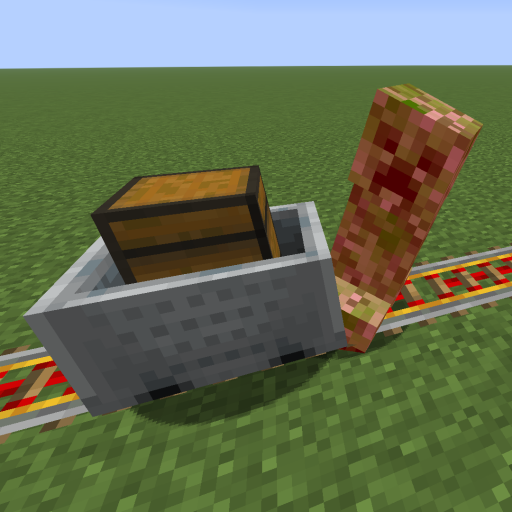
This mod increases damage to moving minecarts; the faster they move, the higher the damage, with virtually no damage limit!
 mod
Don’t mess with the server Play Minecraft with your friends in 2 clicks via P2P
 mod
A continuation of SodiumLeafCulling for Sodium/Embeddium. (Old: SodiumLeafCulling-Unofficial)