Thermal Foundation Needed by Thermal Numismatics ThermalNumismatics-0.1.4.jar
requiredMatching file found Matched file: thermal_foundation-1.20.1-11.0.6.70.jar
CurseForge · Minecraft mod
Port the Trade Station from C:A&B to 1.20.1 as its own unique block
Quick answer
Thermal Numismatics ThermalNumismatics-0.1.4.jar targets 1.20.1, 1.20 with NeoForge, Forge. The project page does not say whether this file belongs on the client, dedicated server, or both. All 3 required mods have matching files.
Where it goes
The project page does not say whether this file belongs on the client, dedicated server, or both.
The source does not explicitly classify this release as client-only or server-only.
ThermalNumismatics-0.1.4.jar. Change the file and its required mods may change too.
Install Thermal Foundation, Thermal Expansion, CoFH Core first. We found matching files for this game-version and loader setup. 1 comes through another mod in the chain.
1 extra mod was pulled in by another dependency. Indented rows show who needs each one. We only count dependency files that match this setup. A file for another loader does not fill the gap.
Before you install it
Built for Thermal Numismatics ThermalNumismatics-0.1.4.jar. Pick another file and the loader, install side or required mods may change.
Use ThermalNumismatics-0.1.4.jar. It targets 1.20.1, 1.20 with NeoForge, Forge; another release may have different loader, side or dependency requirements.
Install Thermal Foundation, Thermal Expansion, CoFH Core first. We found matching files for this game-version and loader setup. 1 comes through another mod in the chain.
The project page does not say whether this file belongs on the client, dedicated server, or both.
Use the “Get this file” button beside ThermalNumismatics-0.1.4.jar. It opens that exact file at the source.
About this project

DO NOT HEAD TO THE TEAM COFH DISCORD FOR HELP WITH THIS MOD, INSTEAD HEAD TO THE CREATE: GARNISHED (DakotaPride Central) DISCORD FOR ASSISTANCE
Team COFH Discord (credit for Thermal X mods)
Create Mod Discord (credit for C:A&B Trade Station)
Porting the Trade Station over from Create: Above And Beyond to 1.20.1, it takes on a new identity as more than just a redesigned Multiverso Press.
While there's a guide linked above, here's a guide on here, as well.
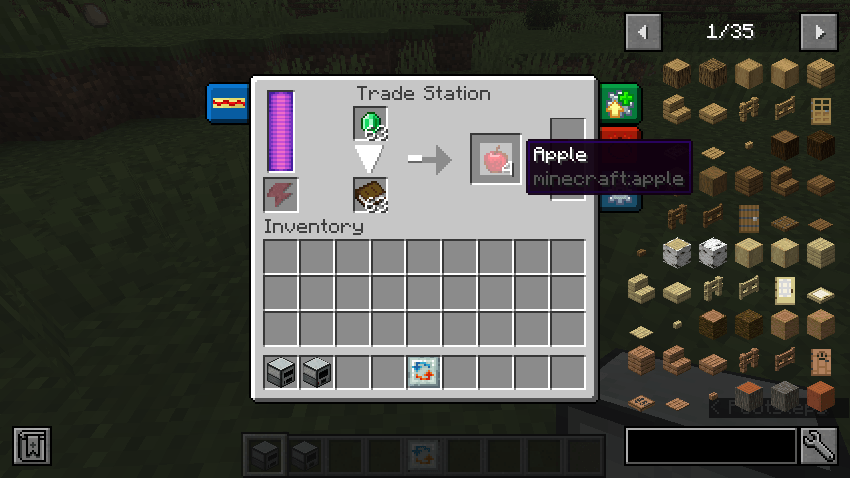
There are two input slots - one for the item being sold/traded and another for the "catalyst" item. This catalyst can either be consumed in the recipe process, which is by default, or it can remain once the recipe has commenced. If you wish for this catalyst to remain at the end of the recipe, you'll need to put the respective item into an item tag via the use of a datapack - which you'll need anyway to utilize this mod or any of its functionality.
Additionally, it's important to note that the Trade Station is not craftable by default as of right now and the right must be added by the player.
Create your base datapack files - data folder, pack.mcmeta, and pack.png
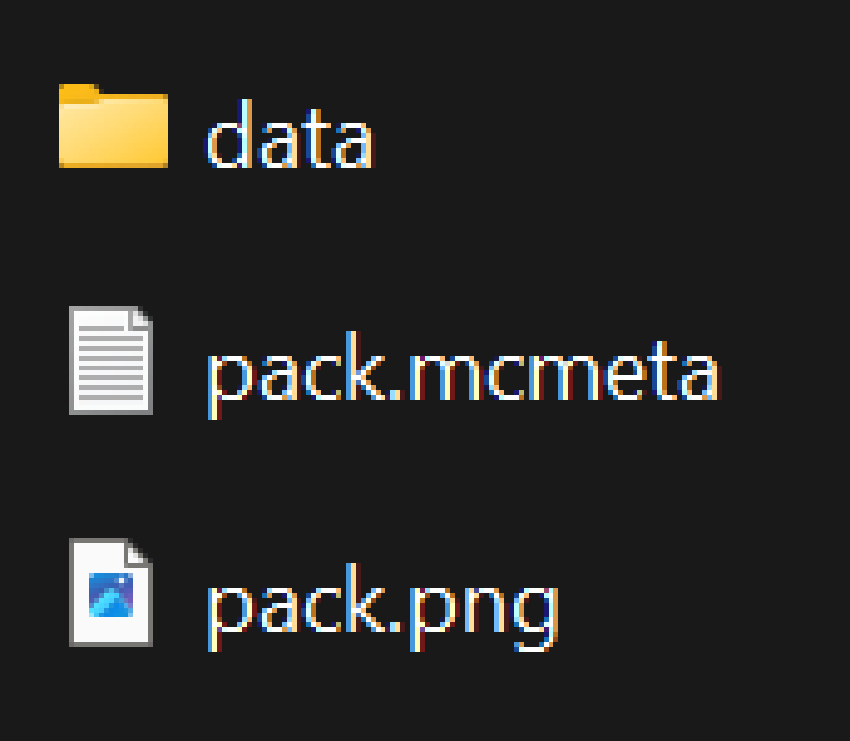 1. Your data folder contains the functionality and content of the pack
2. Your pack.mcmeta controls basic information such as the pack's format (official version released by Mojang for functionality to work)
3. Your pack.png simply controls the icon that your datapack uses. For this guide, the pack.png file can be ignored for now.
1. Your data folder contains the functionality and content of the pack
2. Your pack.mcmeta controls basic information such as the pack's format (official version released by Mojang for functionality to work)
3. Your pack.png simply controls the icon that your datapack uses. For this guide, the pack.png file can be ignored for now.Inside of your data folder, create the following directory - <modid>/recipes
Inside of your new recipes folder, you can now create your recipe files. These are json files that follow a given format, which is shown below.
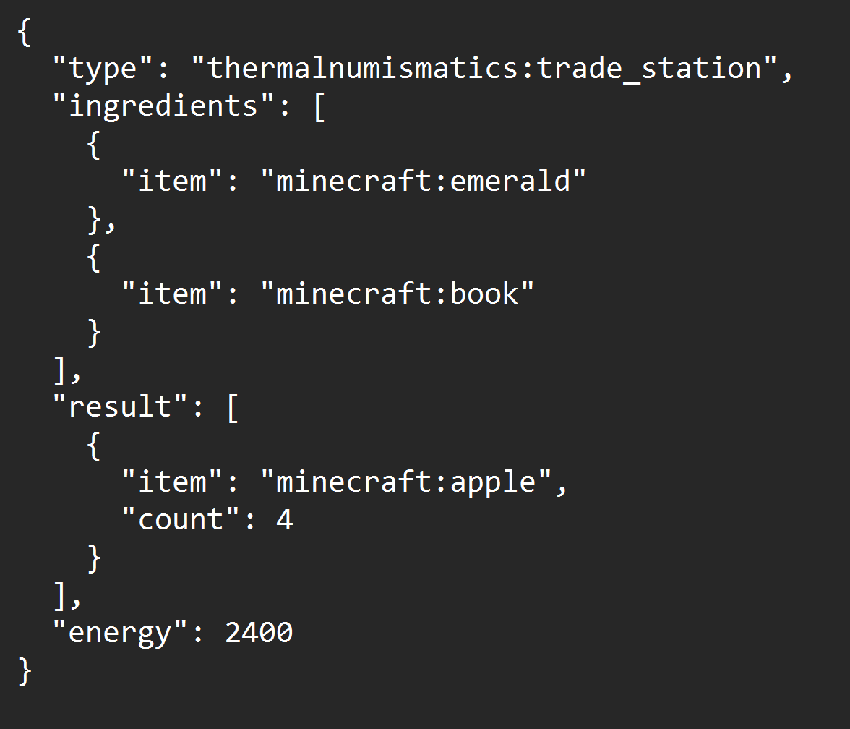
Utilize the information from "Understanding the GUI" to help you through creating similar recipes.
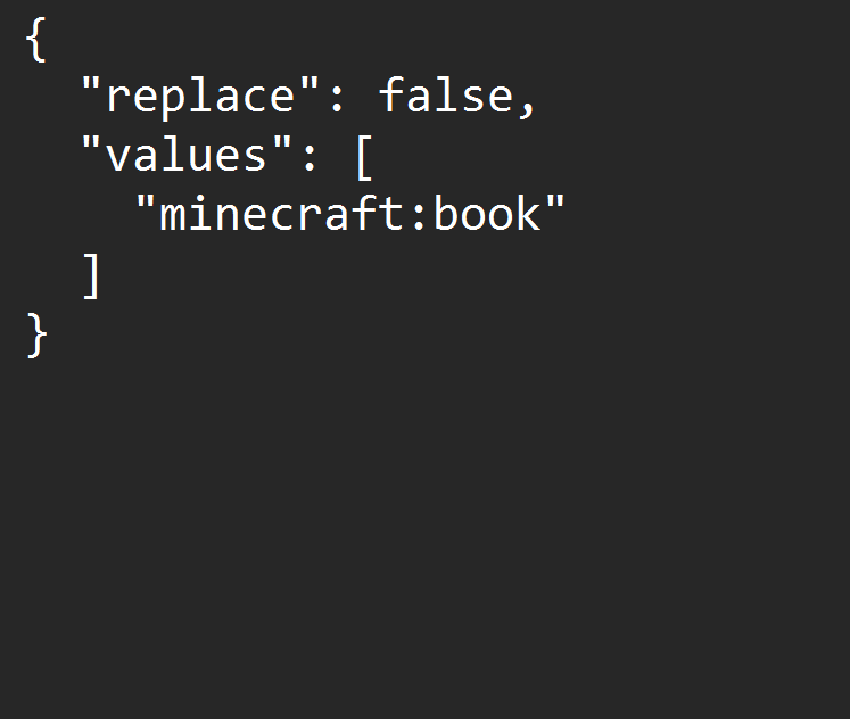
replace - Determines if this specific tag replaces any other instance of the tag. Typically, you'd want to keep this as "replace: false," which is recommended. However, since this mod is intended for modpacks, setting this to true will result in the default tag being ignored.
values - Determines the items that are considered a part of the tag. By default, any item placed inside of this array will be under the id "minecraft" unless otherwise specified, which can be accomplished by simply adding the id of the item to the front of it, similar to how it's shown below (adding minecraft to the beginning of the entry acts the same as if it wasn't there). For example, putting "trade_station" in the tag will result in the game looking for an item under the name "minecraft:trade_station." Instead, you'd want to put "thermalnumismatics:trade_station" for it to look for the correct item.
Project description from CurseForge.
Pick your setup
Choose the version and loader you play, then open the matching release.
Check the dependencies, then try the file in a copied instance before changing a world you care about.
Recent files
21 Jul 2024
18 May 2024
7 May 2024
Looking for an older file? The official CurseForge project page is in Resources.
 mod
modthis mod is meant to be used for servers and custom maps feel free to use from setting up fps match making, pve instanced match making replicate co op games, custom elo, storage, ect
 mod
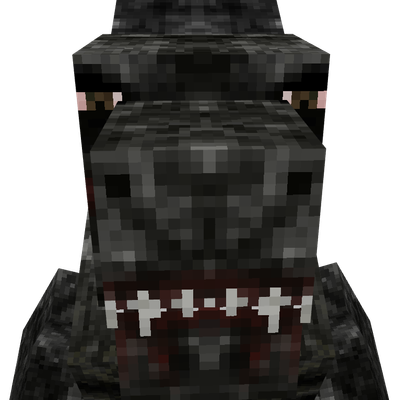
modAdds a very complex nametag variant to Dagonzilla from ben's titans
 mod
modAdds an interdimensional teleport command.