Create: Storage Create Storage [Fabric] 0.20 - 1.20.1 targets 1.20.1 with Fabric. The project page does not say whether this file belongs on the client, dedicated server, or both. All 2 required mods have matching files.
Where it goes
Is Create: Storage required on the client, server, or both?
The project page does not say whether this file belongs on the client, dedicated server, or both.
ClientSource doesn’t say
Dedicated serverSource doesn’t say
Loader for this releaseFabric
Required install it hereOptional supported, not mandatoryNot supported do not install hereSource doesn’t say do not assume
The source does not explicitly classify this release as client-only or server-only.
Matching file found Matched file: [1.20.1] Fabric API 0.92.12+1.20.1
1
extra mod was pulled in by another dependency.
Indented rows show who needs each one. We only count dependency files that match this setup. A file for another loader does not fill the gap.
Before you install it
Add Create: Storage without breaking your instance.
Built for Create: Storage Create Storage [Fabric] 0.20 - 1.20.1. Pick another file and the loader, install side or required mods may change.
01
Stick to this file
Use Create Storage [Fabric] 0.20 - 1.20.1. It targets 1.20.1 with Fabric; another release may have different loader, side or dependency requirements.
02
Bring the mods it needs
Install Create Fabric, Fabric API first. We found matching files for this game-version and loader setup. 1 comes through another mod in the chain.
03
Put it on the correct side
The project page does not say whether this file belongs on the client, dedicated server, or both.
04
Pick the file you checked
Use the “Get this file” button beside Create Storage [Fabric] 0.20 - 1.20.1. It opens that exact file at the source.
About this project
What does Create: Storage add?
This mod features a handful of Storage Boxes, each with different sized inventories as well as a handful of new upgradable backpacks.
Storage Boxes
Industrial Iron, Andesite, Copper, Brass and Hardened Storage Boxes
Each has a filter slot on the front to filter which items can be added or taken from
Features a screen on the front of each box showing how full the contents is
Each box has an indicator light to show if the box is full or empty
Boxes can be interacted with by the player to add or take items without having to open the GUI
Backpacks
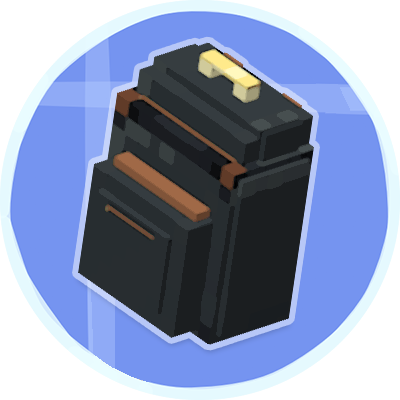
Industrial Iron, Andesite, Copper, Brass and Hardened Backpacks
Each backpack can hold 6 upgrades which affect how the backpack works when worn
Different variations of the backpack hold different amounts of items per slot
Each has 3 storage compartments:
Main Storage your bulk items and can be interacted with by hoppers / chutes etc.
A safe Tool Storage compartment for your tools and precious items (cannot be interacted with by hoppers)
Upgrade Slots
Backpack Upgrades
Magnet Upgrade:
Works when worn on the player's back or placed on the floor
Pulls item into the backpack's main inventory compartment from up to 5 blocks away
Item Pickup Upgrade:
Similar to the Magnet upgrade but only works when the back pack is worn
When the player touches an item entity, this puts the items into the backpack instead of the player inventory
Pick Block Upgrade:
Pick block items from your backpack
Refill Upgrade:
Refills the main hand or off-hand items from the backpack if they're available
Tool Swap Upgrade:
Swaps out any tool held in the player's main hand for the best available tool or weapon when mining a block or hitting an entity
Feeder Upgrade:
Automatically feeds the player fro the backpack when the player is hungry enough to eat
Jetpack Upgrade:
Turns any backpack into a fully functional jetpack with flight and hovering abilities.
Uses Create Backtankss for fuel (must be inside the backpack)
Fall Damage Upgrade:
Prevents the player taking fall damage while wearing the backpack
Project description from CurseForge.
Pick your setup
Create: Storage by Minecraft version and loader
Choose the version and loader you play, then open the matching release.
 mod
 mod
 mod