Just Enough Items (JEI) Optional for Architectury & Carpentry 0.1.0 Forge 1.20.1
optionalMatching file found Matched file: 15.75.0.242 for Forge 1.20.1

CurseForge · Minecraft mod
Build like never before! This mod elevates Minecraft with a massive collection of building blocks, including brand new decoratable pillars, walls, and more!
Quick answer
Architectury & Carpentry 0.1.0 Forge 1.20.1 targets 1.20.1 with Forge. The project page does not say whether this file belongs on the client, dedicated server, or both. No extra mods listed for this file.
Where it goes
The project page does not say whether this file belongs on the client, dedicated server, or both.
The source does not explicitly classify this release as client-only or server-only.
Architectury & Carpentry 0.1.0 Forge 1.20.1. Change the file and its required mods may change too.
This file does not list any required mods. Do not add a library just because a different file uses it.
2 extra mods were pulled in by other dependencies. Indented rows show who needs each one. We only count dependency files that match this setup. A file for another loader does not fill the gap.
Before you install it
Built for Architectury & Carpentry 0.1.0 Forge 1.20.1. Pick another file and the loader, install side or required mods may change.
Use Architectury & Carpentry 0.1.0 Forge 1.20.1. It targets 1.20.1 with Forge; another release may have different loader, side or dependency requirements.
This file does not list any required mods. Do not add a library just because a different file uses it.
The project page does not say whether this file belongs on the client, dedicated server, or both.
Use the “Get this file” button beside Architectury & Carpentry 0.1.0 Forge 1.20.1. It opens that exact file at the source.
About this project
Modrinth: https://modrinth.com/mod/architectury-and-carpentry
Unlock endless creative possibilities with a stunning array of new block variants and customizations! Elevate your builds with versatile, dynamic elements that seamlessly connect and transform. Experience innovative blocks that bring your imagination to life, and enjoy regular updates that keep your building adventures fresh and exciting. Transform your world like never before!


Lot of new block variants such as Mossy Chiseled Stone Bricks, Cobbled Andesite, Cobbled Granite, Cobbled Diorite, and much more!
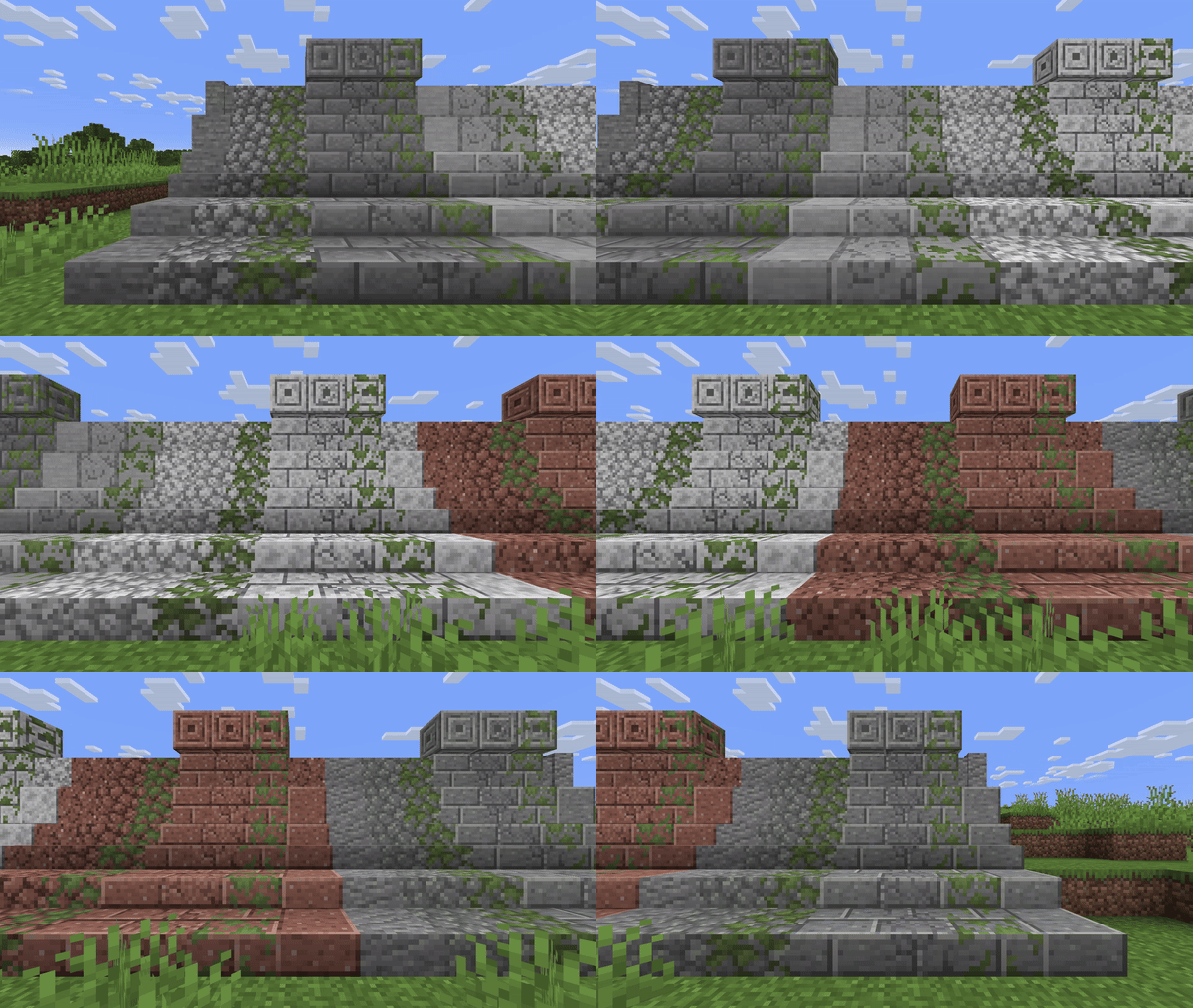
Also new blocks like Pillars and Thin Walls, that has lot of variants, and decoration types, that can be customized using Chisel and Hammer.

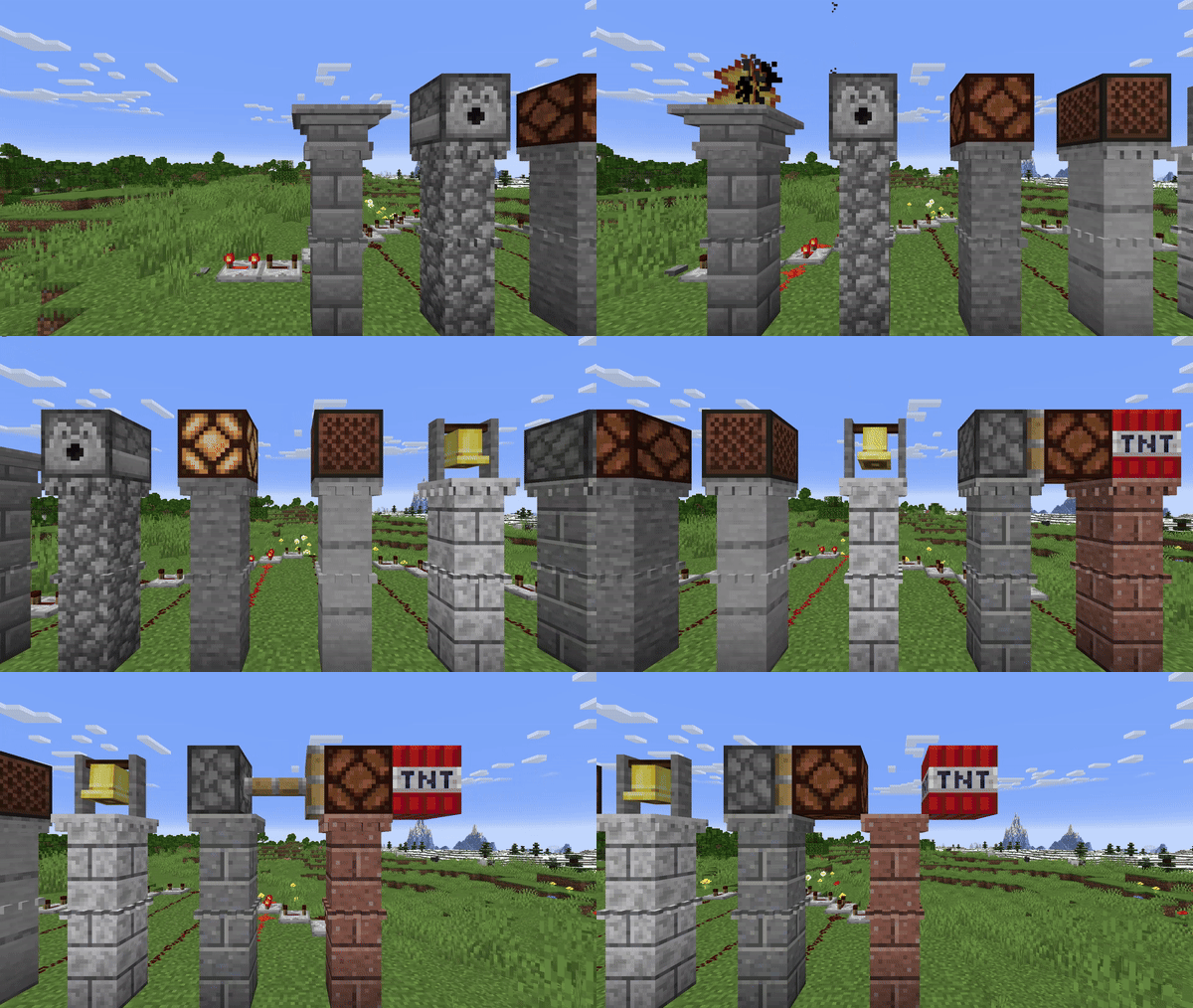
Pillar can be used in lot of cases. And it has ability to be customized by right clicking with chisel or hammer.
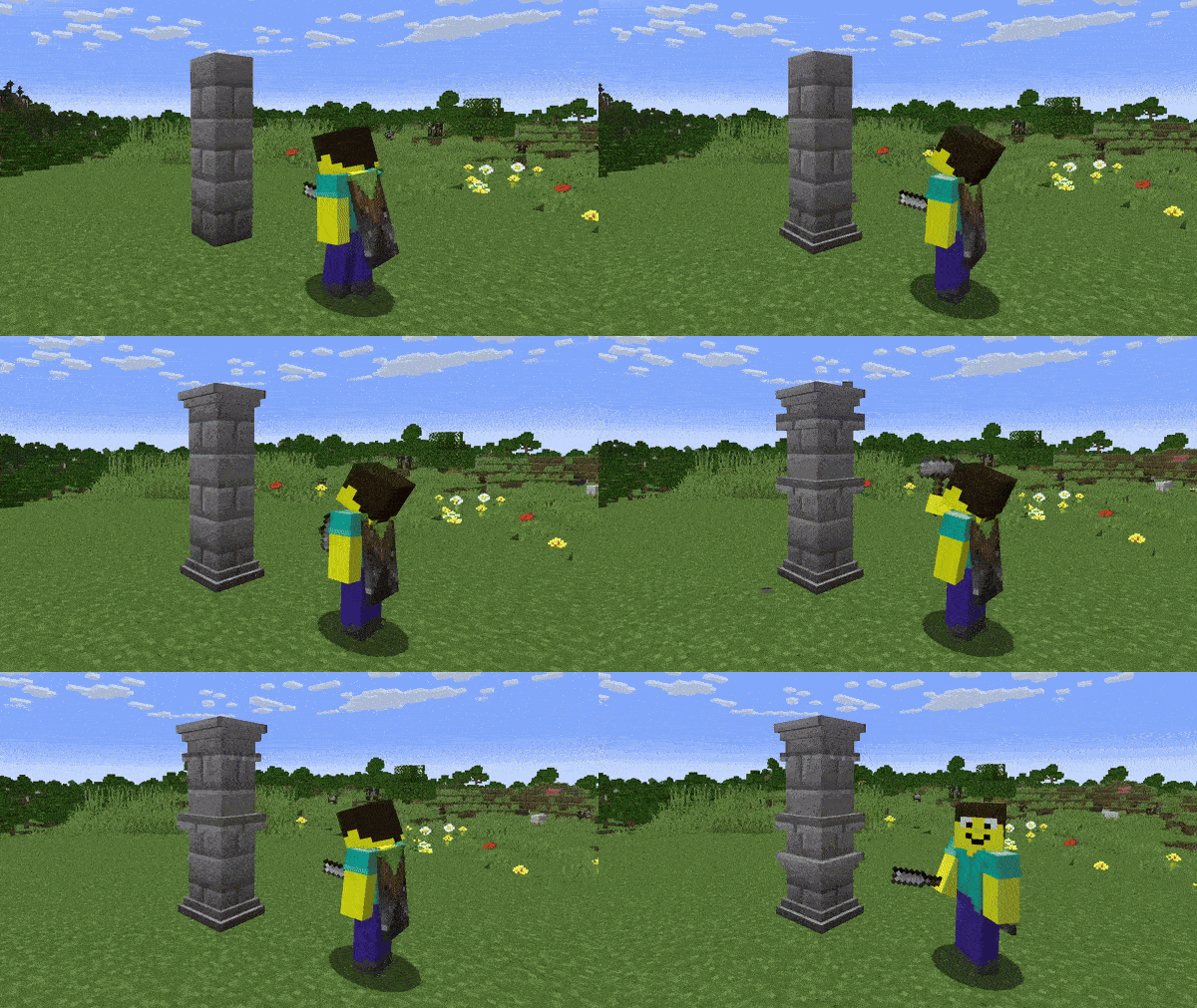
It also conducts redstone up, so you can place on it Redstone Lamp, Fire Brazier or anything you want, and it can be controled by powering the lowest pillar block it is on.

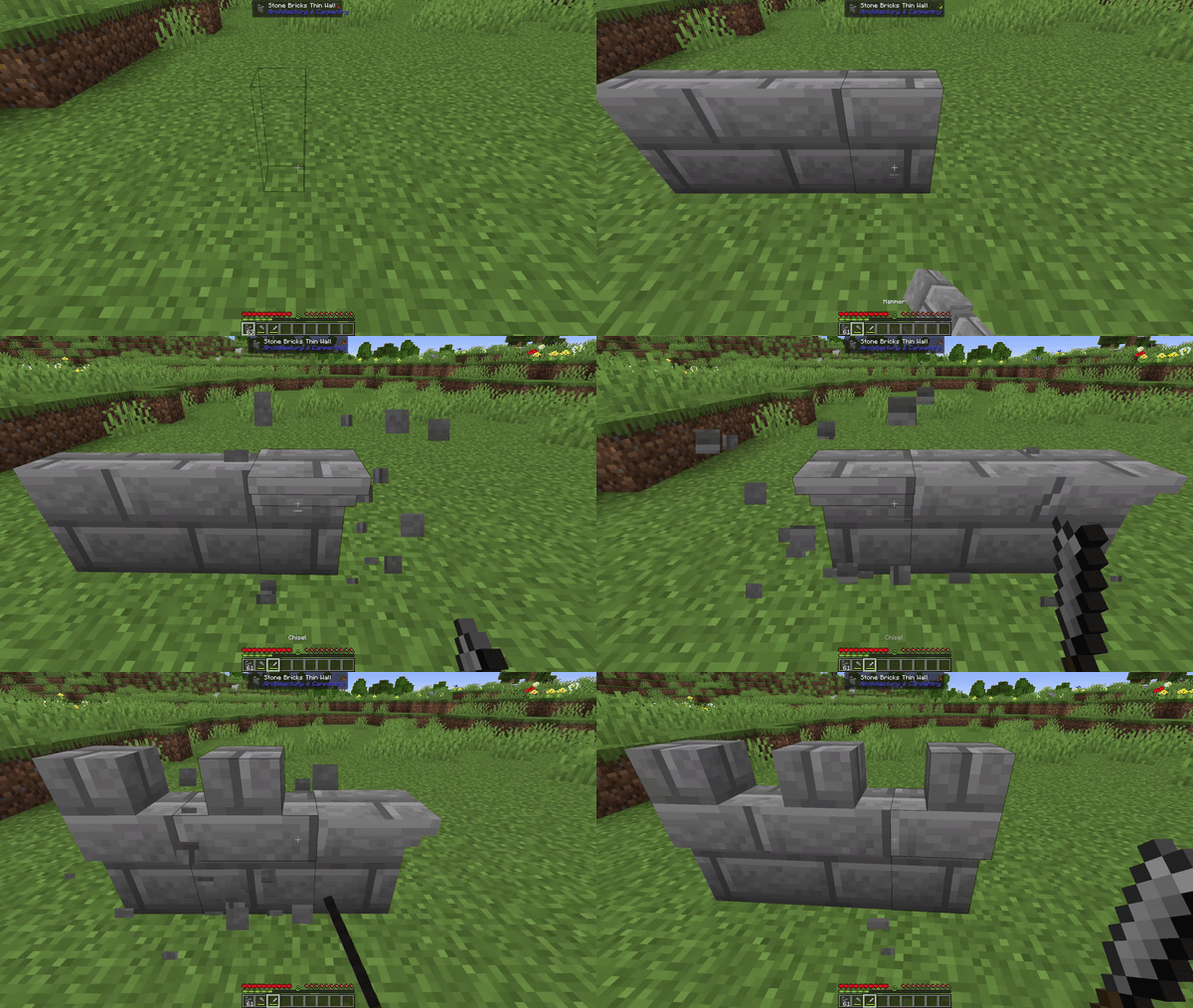
Thin wall is block that connects together, and to other full blocks. Can be customized by right cliking with chisel or hammer.
Chisel will change it's decoration type on top, and hammer can "Extend" clicked face to perfectly fit into grid.


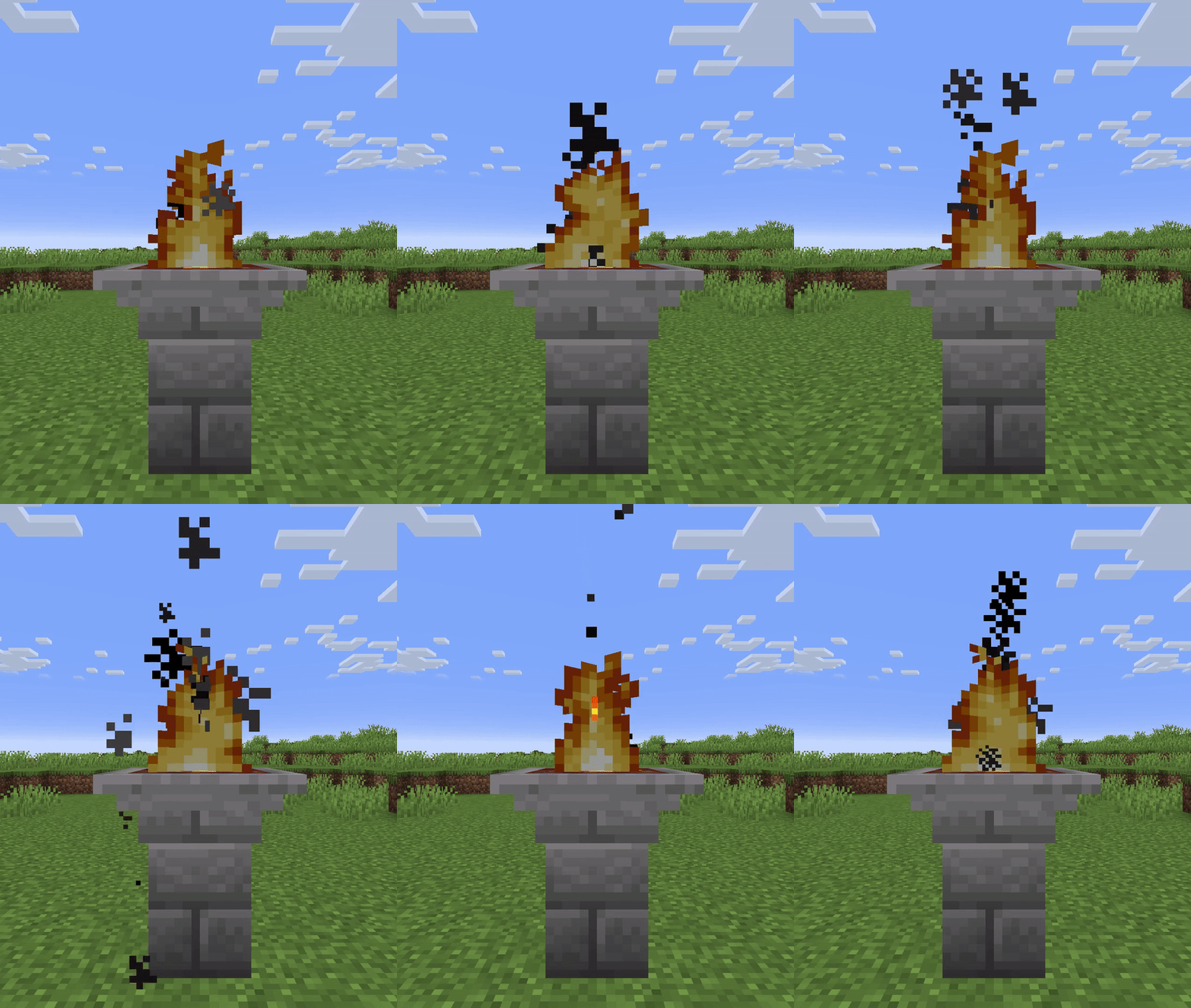
Fire Brazier is decorative block that can be connected with Redstone.
It contains fire, that can be turned on and off by Flint and Steel and Showel, or by Redstone

More blocks
Features
Items
Updates
Wooden update
Nether Update
End update
Archeology update



Project description from CurseForge.
Pick your setup
Choose the version and loader you play, then open the matching release.
Check the dependencies, then try the file in a copied instance before changing a world you care about.
Recent files
architectury_and_carpentry-0.1.0b-forge-1.20.1.jar
24 Jul 2024
architectury_and_carpentry-0.1.0b-neoforge-1.20.4.jar
27 May 2024
architectury_and_carpentry-0.1.0a-neoforge-1.20.4.jar
20 May 2024
Looking for an older file? The official CurseForge project page is in Resources.