Minecraft version
Back to mods 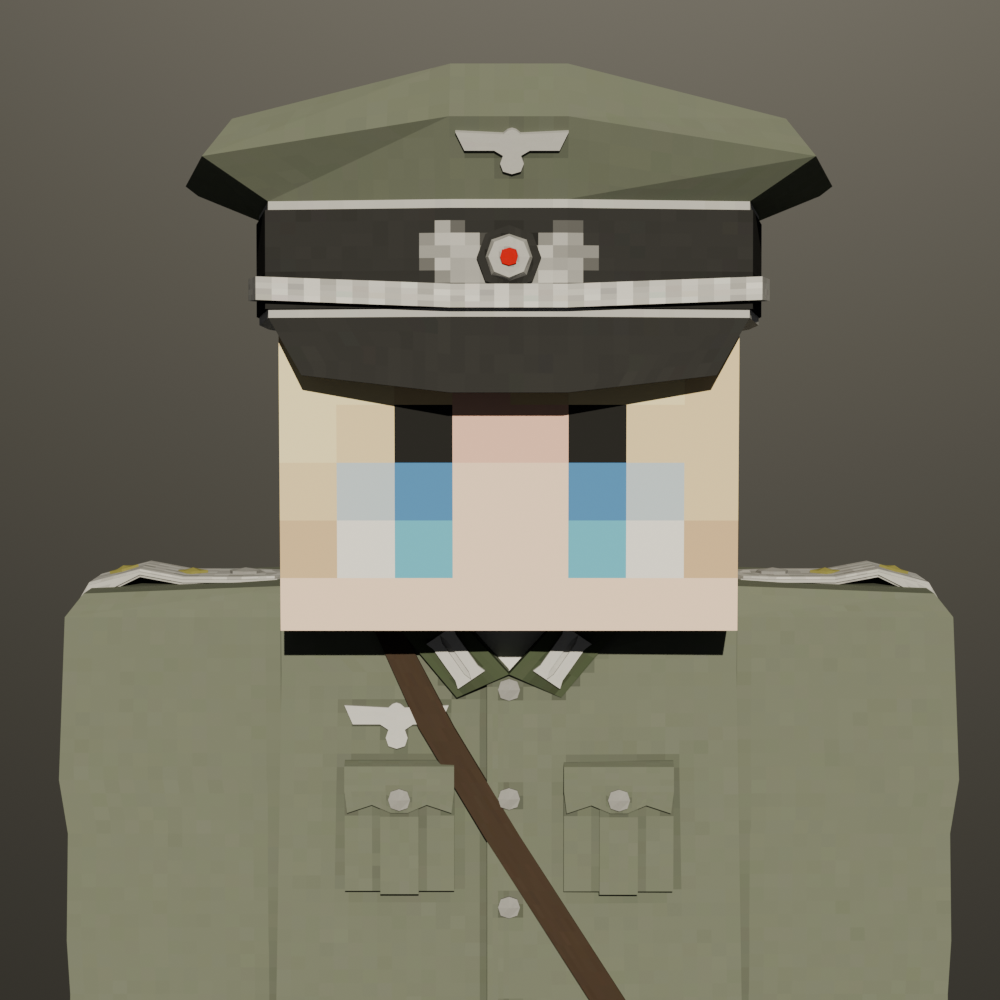
CurseForge · Minecraft mod
Plumepack: WW2
A WW2 1940 themed content pack!
Choose a version Pick your version below, then grab the matching file.
Quick answer
Which Plumepack: WW2 release should I use?
Latest stable file plumepack_ww2.jar
Game version 1.12.2
Loader Forge
Plumepack: WW2 plumepack_ww2.jar targets 1.12.2 with Forge. The project page does not say whether this file belongs on the client, dedicated server, or both. No extra mods listed for this file.
Where it goes
Is Plumepack: WW2 required on the client, server, or both?
The project page does not say whether this file belongs on the client, dedicated server, or both.
Client Source doesn’t say
Dedicated server Source doesn’t say
Loader for this release Forge
Required install it here Optional supported, not mandatory Not supported do not install here Source doesn’t say do not assume
The source does not explicitly classify this release as client-only or server-only.
What else does Plumepack: WW2 plumepack_ww2.jar need?
plumepack_ww2.jar. Change the file and its required mods may change too.
This file does not list any required mods. Do not add a library just because a different file uses it.
This file does not list any required or optional mods.
Before you install it
Add Plumepack: WW2 without breaking your instance.
Built for Plumepack: WW2 plumepack_ww2.jar. Pick another file and the loader, install side or required mods may change.
- 01
Stick to this file
Use plumepack_ww2.jar. It targets 1.12.2 with Forge; another release may have different loader, side or dependency requirements.
- 02
Bring the mods it needs
This file does not list any required mods. Do not add a library just because a different file uses it.
- 03
Put it on the correct side
The project page does not say whether this file belongs on the client, dedicated server, or both.
- 04
Pick the file you checked
Use the “Get this file” button beside plumepack_ww2.jar. It opens that exact file at the source.
About this project
What does Plumepack: WW2 add?
Plumepack: WW2 is a brand new World War Two content pack for Minecraft.
Curseforge.com is the only legitimate website where you can download this pack, all other websites offering to download the pack without going through Curseforge.com stole my content.
PLEASE FOLLOW THE TUTORIAL TO INSTALL PLUMEPACK:WW2!
- Download Forge 1.12.2, if you do not know how to install mods please follow a tutorial.
- Download Modular Warfare, install it into the mods folder, located in your %appdata%/Roaming/.minecraft. Please make sure to also install McGLTF, Modular Warfare's dependency.
- Create a ModularWarfare folder inside your .minecraft folder.
- Install Plumepack: WW2 into the ModularWarfare folder, launch the game!
This pack is 1940 themed, as such it heavily focuses on French, British and low-countries content, as well as early German content.
In the first release, you'll find french infantry uniforms, medical uniforms and officer uniform, as well as German wehrmacht infantry uniforms, medical uniform and officer uniform, also panzer crew uniforms.
There are currently no guns in the pack, they will be coming in a further update. Please visit the official plumepack website for an in-depth roadmap.
To play with this pack you need to install its depedency, Modular Warfare. Please follow the installation instructions provided by Modular Warfare. To get help, please visit the Plumepack discord server, where we provide support and we show WIP content for further plumepack updates.
Project description from CurseForge.
Pick your setup
Plumepack: WW2 by Minecraft version and loader
Choose the version and loader you play, then open the matching release.
Check the dependencies, then try the file in a copied instance before changing a world you care about.
Recent files
Plumepack: WW2 versions and loaders
plumepack_ww2.jar
26 Jul 2024
Client Source doesn’t say Server Source doesn’t say Dependencies No extras listed Listed on Release listing
Check the 1.12.2 · Forge setup Forge1.12.2 release
plumepack_ww2.jar
21 Jun 2024
Client Source doesn’t say Server Source doesn’t say Dependencies No extras listed Listed on Release listing
Check the 1.12.2 · Forge setup Forge1.12.2 release
First release
plumepack_ww2.jar
2 Jun 2024
Client Source doesn’t say Server Source doesn’t say Dependencies 1 required · 1 unchecked Listed on Release listing
Check the 1.12.2 · Forge setup Forge1.12.2 release
Looking for an older file? The official CurseForge project page is in Resources.
 mod
CurseForge + Modrinth · Minecraft
Modern Morph
A modern port of iChun's iconic Morph mod
 mod
CurseForge · Minecraft
Equestria: Mythical Creatures Legacy
An unofficial Forge 1.20.1 legacy port of MLP Mythical Creatures, restoring its creatures, bosses and chaotic combat.
 mod
CurseForge · Minecraft
SlashBlade Casket
Sword Box for SlashBlade: Resharped