Minecraft version
Back to mods 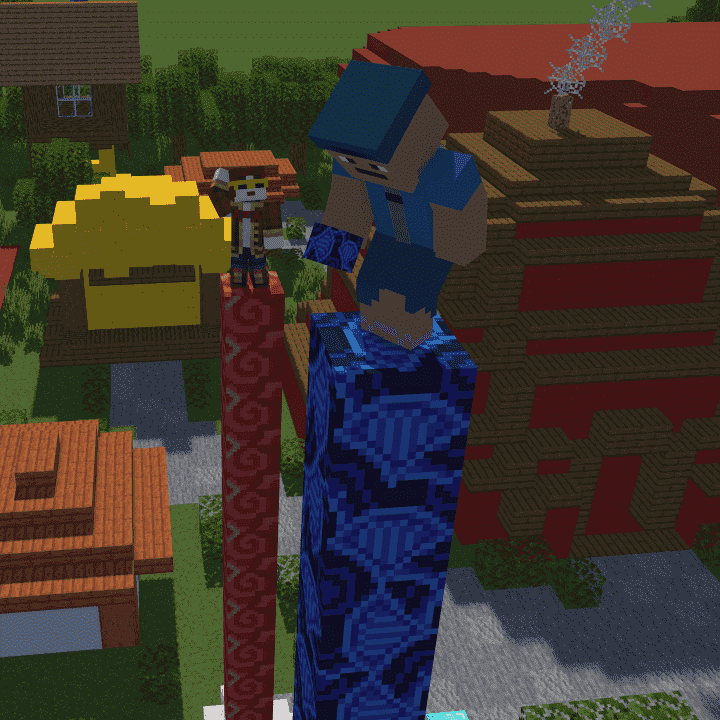
CurseForge · Minecraft mod
"Pillars" game
This mod will add you a fairly convenient interface for playing "Pillars"
Choose a version Pick your version below, then grab the matching file.
Quick answer
Which "Pillars" game release matches 1.20.1 Forge?
Best match for your filters block_stolb-1.0.0-forge-1.20.1.jar
Game version 1.20.1
Loader Forge
"Pillars" game block_stolb-1.0.0-forge-1.20.1.jar targets 1.20.1 with Forge. The project page does not say whether this file belongs on the client, dedicated server, or both. No extra mods listed for this file.
Where it goes
Is "Pillars" game required on the client, server, or both?
The project page does not say whether this file belongs on the client, dedicated server, or both.
Client Source doesn’t say
Dedicated server Source doesn’t say
Loader for this release Forge
Required install it here Optional supported, not mandatory Not supported do not install here Source doesn’t say do not assume
The source does not explicitly classify this release as client-only or server-only.
What else does "Pillars" game block_stolb-1.0.0-forge-1.20.1.jar need?
block_stolb-1.0.0-forge-1.20.1.jar on 1.20.1 Forge. Every mod below is checked against that same setup.
This file does not list any required mods. Do not add a library just because a different file uses it.
This file does not list any required or optional mods.
Before you install it
Add "Pillars" game without breaking your instance.
Built for "Pillars" game block_stolb-1.0.0-forge-1.20.1.jar on 1.20.1 Forge. Pick another file and the loader, install side or required mods may change.
- 01
Stick to this file
Use block_stolb-1.0.0-forge-1.20.1.jar. It targets 1.20.1 with Forge; another release may have different loader, side or dependency requirements.
- 02
Bring the mods it needs
This file does not list any required mods. Do not add a library just because a different file uses it.
- 03
Put it on the correct side
The project page does not say whether this file belongs on the client, dedicated server, or both.
- 04
Pick the file you checked
Use the “Get this file” button beside block_stolb-1.0.0-forge-1.20.1.jar. It opens that exact file at the source.
About this project
What does "Pillars" game add?
ATTENTION!!! Due to Minecraft bugs, the timer may slow down a little, but this is a visual bug, it will make up for the lost time.This mod allows you to play the game "Pillars" on any map. If anyone doesn’t know what this game is, here are the rules:
1) The game can be played by 2 to 4 players.
2) Before the game, players choose the color of their blocks and agree on the starting location and the border of the map.
3) By default, the game settings are set to medium, but if players want, they can change them using special commands (The list of commands is located below).
4) Having started the game, players are given an allotted period of time to hide the existing blocks on the map.
5) After the timer expires, the players are teleported to the start, after which the players are given some more time to search for other players’ blocks.6) at the end of the game, players must build pillars from the blocks they found. 7) whose pillar turned out to be higher, he won.Brief excursion

1) Teams:

/st - used to access the mod

/st config - used to configure the mod

/st team - used to select a team

/st start - used to start the game


More details about the setup:

The effect parameter is responsible for what effects will be given to the player when the game starts (some effects support the level of power with which they will act) By default, all are enabled and have a power of 5

The time parameter allows you to configure the time during which you will need to hide or find blocks Default 5 minutesThe timespeed parameter is used to set the tamer speed (IF THE TIMER WORKS PROPERLY, IT IS NOT RECOMMENDED TO TOUCH THIS PARAMETER!!!) Default 0.025

The blocks parameter allows you to configure the number of blocks issued

2) Keys:

Before starting the game, it is recommended to configure the keys

The first key allows you to teleport to spawn if the player is stuck and cannot get out

The second allows you to attract dropped items to you if you cannot pick them up
How to install the Fire in the Hole mod
0) The mod is designed for Minecraft version 1.20.11) Download the .jar file2) Open the minecraft root folder ".minecraft" Usually it is located along the path: "C:\Users\Username\AppData\Roaming\.minecraft"3) Open the “mods” folder and move it to it
file "block_stolb-1.0.0-forge-1.20.1.jar" 4) Launch Minecraft5) Enjoy!!
Project description from CurseForge.
Pick your setup
"Pillars" game by Minecraft version and loader
Choose the version and loader you play, then open the matching release.
Check the dependencies, then try the file in a copied instance before changing a world you care about.
Recent files
"Pillars" game versions and loaders
block_stolb-1.0.0-forge-1.20.1.jar
2 Jun 2024
Client Source doesn’t say Server Source doesn’t say Dependencies No extras listed Listed on Release listing
Check the 1.20.1 · Forge setup 1.20.1Forge release
Looking for an older file? The official CurseForge project page is in Resources.
 mod
CurseForge · Minecraft
Swedish Torch (Swedish fire)
Swedish Torch adds a new block to Minecraft, it creates a large cylindrical area that prevents hostile and natural mobs from spawning naturally. The mod features cooking functionality, and an optional visual display of the protected area.
 mod
CurseForge · Minecraft
Polis
A registry for land, contracts, money and a court - it records what players do and never prevents it.
 mod
Modrinth · Minecraft
Quick World Settings
This mod lets you easily change the time and weather!