Minecraft version
Back to mods 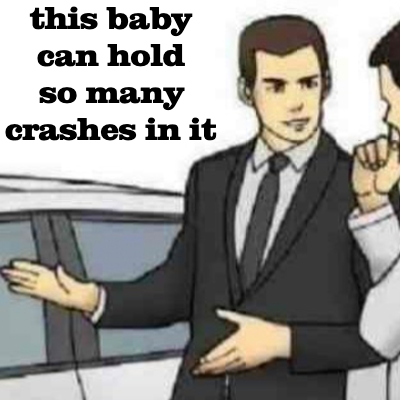
CurseForge · Minecraft mod
Missing Palette Exception Fix
Fixes game crashes from blocks not existing on the client when they do on the server.
Choose a version Pick your version below, then grab the matching file.
Quick answer
Which Missing Palette Exception Fix release matches 1.20.2 Forge?
Best match for your filters missingpalettefix-1.0.jar
Game version 1.20.2, 1.20.5, 1.20.2-Snapshot
Loader Forge
Missing Palette Exception Fix missingpalettefix-1.0.jar targets 1.20.2, 1.20.5, 1.20.2-Snapshot with Forge. The project page does not say whether this file belongs on the client, dedicated server, or both. No extra mods listed for this file.
Where it goes
Is Missing Palette Exception Fix required on the client, server, or both?
The project page does not say whether this file belongs on the client, dedicated server, or both.
Client Source doesn’t say
Dedicated server Source doesn’t say
Loader for this release Forge
Required install it here Optional supported, not mandatory Not supported do not install here Source doesn’t say do not assume
The source does not explicitly classify this release as client-only or server-only.
What else does Missing Palette Exception Fix missingpalettefix-1.0.jar need?
missingpalettefix-1.0.jar on 1.20.2 Forge. Every mod below is checked against that same setup.
This file does not list any required mods. Do not add a library just because a different file uses it.
This file does not list any required or optional mods.
Before you install it
Add Missing Palette Exception Fix without breaking your instance.
Built for Missing Palette Exception Fix missingpalettefix-1.0.jar on 1.20.2 Forge. Pick another file and the loader, install side or required mods may change.
- 01
Stick to this file
Use missingpalettefix-1.0.jar. It targets 1.20.2, 1.20.5, 1.20.2-Snapshot with Forge; another release may have different loader, side or dependency requirements.
- 02
Bring the mods it needs
This file does not list any required mods. Do not add a library just because a different file uses it.
- 03
Put it on the correct side
The project page does not say whether this file belongs on the client, dedicated server, or both.
- 04
Pick the file you checked
Use the “Get this file” button beside missingpalettefix-1.0.jar. It opens that exact file at the source.
About this project
What does Missing Palette Exception Fix add?
You ever randomly crash for no reason?
Is "Embeddium", "Rubidium", or whatever Sodium variant we're using now always listed as the cause, even though removing it doesn't fix anything?
Does the crash report say things like:
- "IllegalStateException: Exception copying block data for section: SectionPos{x=..., y=..., z=...}", or
- "Caused by: net.minecraft.world.level.chunk.MissingPaletteEntryException: Missing Palette entry for index ..."?
Then this will be a band-aid slapped on the issue!
Yeah so I don't know what's actually causing it, but somehow there's a block present on the server that isn't present on the client, so when the server says "alrighty Client, sending you another chunk!" the client goes "Server, I don't recognize this block ID. I'll handle this in a responsible manner and OH GOD OH F***" and crashes the game, sometimes even crashing to desktop through NotEnoughCrashes.
Just add this to your mods folder, and it'll make those pesky "unknown blocks" look like dragon eggs instead. Because those were the most noticeable blocks I could think of. This is so you can use the /setblock command to remove that unknown block from the world and fix the game for people who don't have it installed.
It's a bit of a janky fix, but in lieu of actually being able to figure out what the heck is causing it (which is really difficult because the whole chunk is stored as binary data so it's tough to find which exact block position is crashing the game), this will keep your game stable enough to keep playing.
Project description from CurseForge.
Pick your setup
Missing Palette Exception Fix by Minecraft version and loader
Choose the version and loader you play, then open the matching release.
Minecraft version
1.20.5-Snapshot
1 loader buildMinecraft version
1.20.5
1 loader buildMinecraft version
1.20.4
1 loader buildMinecraft version
1.20.3-Snapshot
1 loader buildMinecraft version
1.20.3
1 loader buildMinecraft version
1.20.2-Snapshot
1 loader buildMinecraft version
1.20.2
1 loader buildMinecraft version
1.20.1
1 loader buildMinecraft version
1.20-Snapshot
1 loader buildMinecraft version
1.20
1 loader buildCheck the dependencies, then try the file in a copied instance before changing a world you care about.
Recent files
Missing Palette Exception Fix versions and loaders
missingpalettefix-1.0.jar
9 Jun 2024
Client Source doesn’t say Server Source doesn’t say Dependencies No extras listed Listed on Release listing
Check the 1.20.2 · Forge setup 1.20.21.20.51.20.2-Snapshot1.20.5-Snapshot release
missingpalettefix-1.0-SNAPSHOT.jar
8 Jun 2024
Client Source doesn’t say Server Source doesn’t say Dependencies No extras listed Listed on Release listing
Check the 1.20.2 · Forge setup 1.20.21.20.51.20.2-Snapshot1.20.5-Snapshot release
Looking for an older file? The official CurseForge project page is in Resources.
 mod
CurseForge · Minecraft
Duck Money
Minecraft Economy for your worlds and servers.
 mod
CurseForge · Minecraft
BIG Vein Ore v2
Discover BIG Vein Ore V2, a Minecraft experience that transforms mining into an epic treasure hunt with gigantic natural ore deposits hidden deep underground!
 mod
CurseForge · Minecraft
No Trade Cycling, Just Pick
Stop rerolling villagers. Press Pick trade and select any 2 trades its profession can offer (max-level enchanted books included). Fast trade and saves time.