
Minecraft version
Back to mods 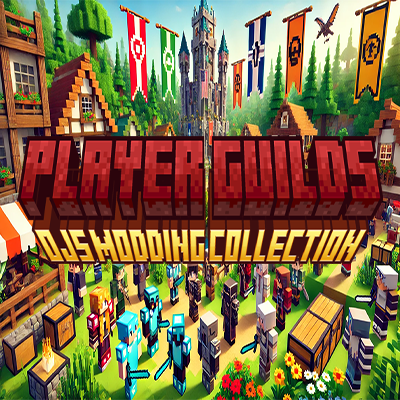
CurseForge · Minecraft mod
Player Guilds
a guild making mod for you and your friends!
Choose a version Pick your version below, then grab the matching file.
Quick answer
Which Player Guilds release matches 1.20.1 Forge?
Best match for your filters guild_mod-2.5.3-1.20.1
Game version 1.20.1
Loader Forge
Player Guilds guild_mod-2.5.3-1.20.1 targets 1.20.1 with Forge. The project page does not say whether this file belongs on the client, dedicated server, or both. No extra mods listed for this file.
Where it goes
Is Player Guilds required on the client, server, or both?
The project page does not say whether this file belongs on the client, dedicated server, or both.
Client Source doesn’t say
Dedicated server Source doesn’t say
Loader for this release Forge
Required install it here Optional supported, not mandatory Not supported do not install here Source doesn’t say do not assume
The source does not explicitly classify this release as client-only or server-only.
What else does Player Guilds guild_mod-2.5.3-1.20.1 need?
guild_mod-2.5.3-1.20.1 on 1.20.1 Forge. Every mod below is checked against that same setup.
This file does not list any required mods. Do not add a library just because a different file uses it.
This file does not list any required or optional mods.
Before you install it
Add Player Guilds without breaking your instance.
Built for Player Guilds guild_mod-2.5.3-1.20.1 on 1.20.1 Forge. Pick another file and the loader, install side or required mods may change.
- 01
Stick to this file
Use guild_mod-2.5.3-1.20.1. It targets 1.20.1 with Forge; another release may have different loader, side or dependency requirements.
- 02
Bring the mods it needs
This file does not list any required mods. Do not add a library just because a different file uses it.
- 03
Put it on the correct side
The project page does not say whether this file belongs on the client, dedicated server, or both.
- 04
Pick the file you checked
Use the “Get this file” button beside guild_mod-2.5.3-1.20.1. It opens that exact file at the source.
About this project
What does Player Guilds add?
Version: Forge 1.20.1
Author: OrangeJewce92
Description
Welcome to the Guild's Mod! This mod introduces an immersive guild system to Minecraft, enabling players to create, manage, and participate in guilds. Enhance your multiplayer experience by collaborating with friends, sharing resources, and enjoying guild-exclusive buffs and storage.
Features
- Create and Manage Guilds: Players can create their own guilds, invite others, and assign ranks.
- Guild Ranks: Assign ranks like Owner, Officer, Member, and Recruit to manage permissions within the guild.
- Guild Storage: Share items with guild members using a dedicated guild storage system.
- Guild Buffs: Gain special buffs for all guild members.
- Friendly Fire Config: Toggle friendly fire for guild members.
- Guild Name Display Config: Toggle Guild name to display above player head.
- Guild Leaderboard: View a leaderboard of all guilds and their owners.
- World-Specific Data: Guild data is saved per world to ensure unique experiences.
- Customizable Guild Colors: Specify a color for your guild name upon creation, which will be displayed in both chat and above players' heads. Available colors include:
BLACK,DARK_BLUE,DARK_GREEN,DARK_AQUA,DARK_RED,DARK_PURPLE,GOLD,GRAY,DARK_GRAY,BLUE,GREEN,AQUA,RED,LIGHT_PURPLE,YELLOW,WHITE. - Guild Chat System: Enable or disable guild-only chat using the command
/guild chat on/off. All chat messages will only be visible to members of the same guild when enabled.
Commands
- /guild create <name> <color>
- Description: Creates a new guild with the specified name and color.
- Usage:
/guild create Knights AQUA
- /guild join <name>
- Description: Join an existing guild if you have been invited.
- Usage:
/guild join Knights
- /guild leave
- Description: Leave your current guild.
- Usage:
/guild leave
- /guild status
- Description: Check the name of the guild you are currently in.
- Usage:
/guild status
- /guild invite <playerName>
- Description: Invite a player to join your guild. Only guild members can send invitations.
- Usage:
/guild invite Steve
- /guild accept <guildName>
- Description: Accept an invitation to join a guild.
- Usage:
/guild accept Knights
- /guild deny <guildName>
- Description: Deny an invitation to join a guild.
- Usage:
/guild deny Knights
- /guild list
- Description: List all members of your current guild and their ranks.
- Usage:
/guild list
- /guild leaderboard
- Description: Display a leaderboard of all guilds and their owners.
- Usage:
/guild leaderboard
- /guild additem
- Description: Add the item in your main hand to the guild storage.
- Usage:
/guild additem
- /guild addbuff <effectName> <duration> <amplifier>
- Description: Add a buff to your guild.
- Usage:
/guild addbuff speed 600 1
- /guild storage
- Description: Open the guild storage interface.
- Usage:
/guild storage
- /guild promote <playerName> <rank>
- Description: Promote a guild member to a higher rank.
- Usage:
/guild promote Steve Officer
- /guild demote <playerName> <rank>
- Description: Demote a guild member to a lower rank.
- Usage:
/guild demote Steve Recruit
- /guild info
- Description: View all members of your guild and their ranks.
- Usage:
/guild info
- /guild chat on/off
- Description: Enable or disable guild-only chat.
- Usage:
/guild chat onor/guild chat off
Configuration
- Friendly Fire: Toggle friendly fire for guild members in the config file located at
config/guild_mod-common.toml. - Guild Name Display: Toggle Guild Name in the config file located at
config/guild_mod-common.toml. - Add Buff Command: Toggle in the config file!
Enjoy managing and growing your guilds with the Guild's Mod! For any issues or suggestions, comment below, find me on Discord, join the Discord, or open an issue on the GitHub!
Project description from CurseForge.
Pick your setup
Player Guilds by Minecraft version and loader
Choose the version and loader you play, then open the matching release.
Check the dependencies, then try the file in a copied instance before changing a world you care about.
Recent files
Player Guilds versions and loaders
guild_mod-2.5.3-1.20.1
guild_mod-2.5.3-1.20.1.jar
26 Jul 2024
Client Source doesn’t say Server Source doesn’t say Dependencies No extras listed Listed on Release listing
Check the 1.20.1 · Forge setup 1.20.1Forge release
guild_mod-2.2.1-1.20.1
guild_mod-2.2.1-1.20.1.jar
14 Jul 2024
Client Source doesn’t say Server Source doesn’t say Dependencies No extras listed Listed on Release listing
Check the 1.20.1 · Forge setup 1.20.1Forge release
guild_mod-2.2.0-1.20.1
guild_mod-2.2.0-1.20.1.jar
14 Jul 2024
Client Source doesn’t say Server Source doesn’t say Dependencies No extras listed Listed on Release listing
Check the 1.20.1 · Forge setup 1.20.1Forge release
guild_mod-2.1.0-1.20.1
guild_mod-2.1.0-1.20.1.jar
29 Jun 2024
Client Source doesn’t say Server Source doesn’t say Dependencies No extras listed Listed on Release listing
Check the 1.20.1 · Forge setup 1.20.1Forge release
guild_mod-2.0.0-1.20.1
guild_mod-2.0.0-1.20.1.jar
9 Jun 2024
Client Source doesn’t say Server Source doesn’t say Dependencies No extras listed Listed on Release listing
Check the 1.20.1 · Forge setup 1.20.1Forge release
guild_mod-1.0.0-1.20.1
guild_mod-1.0.0-1.20.1.jar
8 Jun 2024
Client Source doesn’t say Server Source doesn’t say Dependencies No extras listed Listed on Release listing
Check the 1.20.1 · Forge setup 1.20.1Forge release
Looking for an older file? The official CurseForge project page is in Resources.
 mod
CurseForge · Minecraft
XP RPG: Average DPS
Real-time global damage meter
 mod
CurseForge · Minecraft
Epic RPG: Loot Sentinel
Blocks chest interaction when hostile mobs are nearby and targeting the player, enforcing combat before looting.
 mod
CurseForge · Minecraft
Life-saving experience
A challenge mod where you have to beat the game without hunger or health, using only experience. Experience now controls your health and hunger: running or taking damage consumes your experience. The main thing is to make sure it doesn't reach 0.