Minecraft version
Back to mods 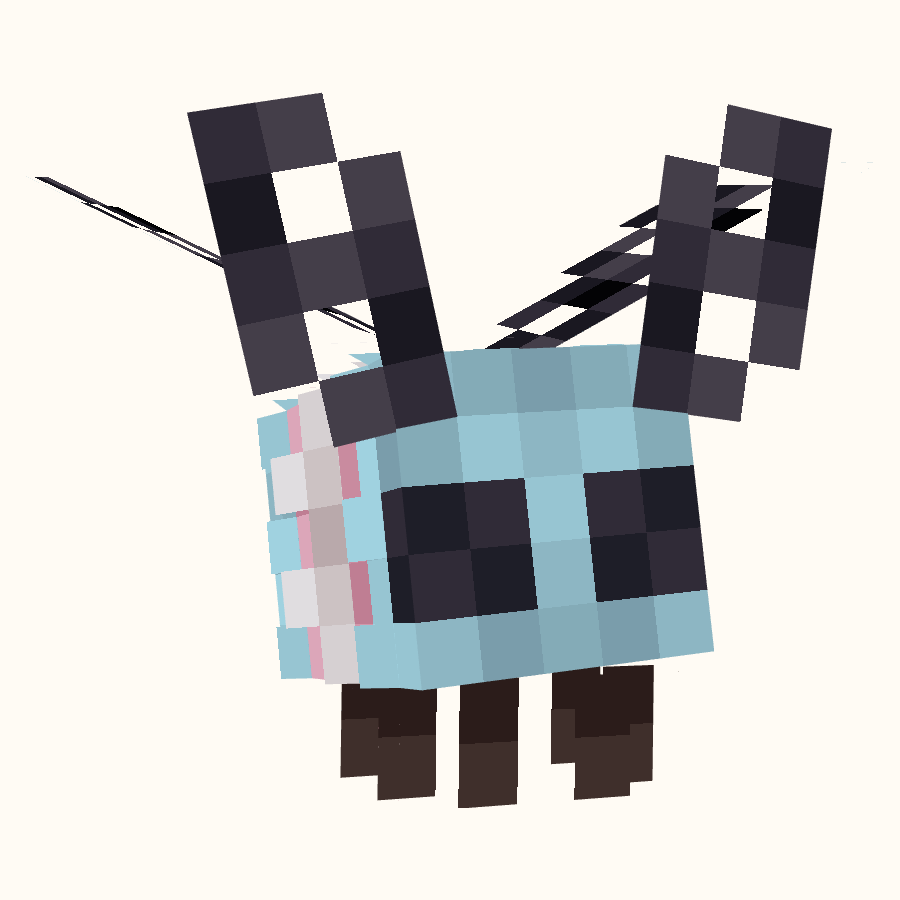
CurseForge · Minecraft mod
Happy Pride Moth!
Ever wanted to celebrate pride month, but didn't because there weren't any moths? Here you go!
Choose a version Pick your version below, then grab the matching file.
Quick answer
Which Happy Pride Moth! release should I use?
Latest stable file [Neoforge 1.21.11] Happy Pride Moth!
Game version 1.21.11
Loader NeoForge
Happy Pride Moth! [Neoforge 1.21.11] Happy Pride Moth! targets 1.21.11 with NeoForge. The project page does not say whether this file belongs on the client, dedicated server, or both. No extra mods listed for this file.
Where it goes
Is Happy Pride Moth! required on the client, server, or both?
The project page does not say whether this file belongs on the client, dedicated server, or both.
Client Source doesn’t say
Dedicated server Source doesn’t say
Loader for this release NeoForge
Required install it here Optional supported, not mandatory Not supported do not install here Source doesn’t say do not assume
The source does not explicitly classify this release as client-only or server-only.
What else does Happy Pride Moth! [Neoforge 1.21.11] Happy Pride Moth! need?
[Neoforge 1.21.11] Happy Pride Moth!. Change the file and its required mods may change too.
This file does not list any required mods. Do not add a library just because a different file uses it.
This file does not list any required or optional mods.
Before you install it
Add Happy Pride Moth! without breaking your instance.
Built for Happy Pride Moth! [Neoforge 1.21.11] Happy Pride Moth!. Pick another file and the loader, install side or required mods may change.
- 01
Stick to this file
Use [Neoforge 1.21.11] Happy Pride Moth!. It targets 1.21.11 with NeoForge; another release may have different loader, side or dependency requirements.
- 02
Bring the mods it needs
This file does not list any required mods. Do not add a library just because a different file uses it.
- 03
Put it on the correct side
The project page does not say whether this file belongs on the client, dedicated server, or both.
- 04
Pick the file you checked
Use the “Get this file” button beside [Neoforge 1.21.11] Happy Pride Moth!. It opens that exact file at the source.
About this project
What does Happy Pride Moth! add?



Available for Fabric & (Neo)Forge! (Should also work on Quilt)
Forge is currently only supported on Minecraft 1.20. On MC 1.21 and above, Neoforge is the modloader that's being supported.
This mod adds moths - that are pride-themed! If you want to transport these moths to distant lands, don't worry! You can put individual moths in Glass Jars (similar to axolotls with buckets).
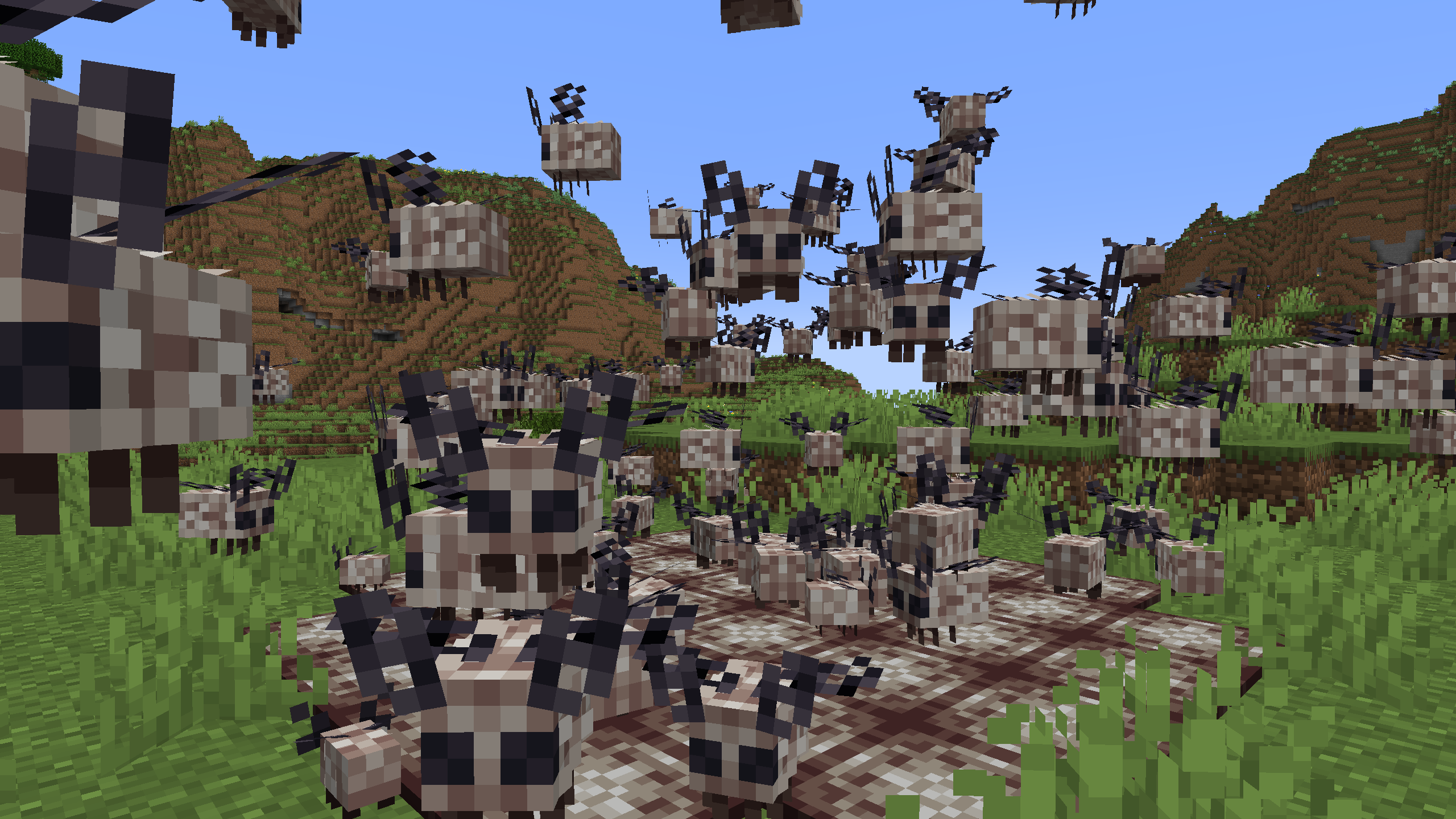
Happy Pride Moth! Wiki
Q&A
Can I use this in my Modpack/Modified Modpack?
Yes, you can! It would be appreciated if the mod were credited on the page itself, but is not required!
Will you support 1.X version of Minecraft?
Currently, 1.21+ is supported. When later versions of Minecraft are released, efforts will be made to port the mod as swiftly as possible.
What about supporting this mod on X modloader?
There is no builtin support for Quilt and currently support for Forge is being discontinued as the mod is ported over to Neoforge. Forge will most likely not return, but I will do my best to support those on 1.20.
Additional Kinetic Hosting Information

Project description from CurseForge.
Pick your setup
Happy Pride Moth! by Minecraft version and loader
Choose the version and loader you play, then open the matching release.
Minecraft version
1.21.10
2 loader buildsMinecraft version
1.21.8
3 loader buildsMinecraft version
1.21.7
3 loader buildsMinecraft version
1.21.6
3 loader buildsMinecraft version
1.21.5
3 loader buildsMinecraft version
1.21.4
3 loader buildsMinecraft version
1.21.1
3 loader buildsMinecraft version
1.21
3 loader buildsMinecraft version
1.20.4
2 loader buildsMinecraft version
1.20.3
2 loader buildsMinecraft version
1.20.2
4 loader buildsShowing the newest 12 of 22 game versions. Older files are in the list below.
Check the dependencies, then try the file in a copied instance before changing a world you care about.
Recent files
Happy Pride Moth! versions and loaders
[Neoforge 1.21.11] Happy Pride Moth!
pridemoths-1.9.5+1.21.11.jar
11 Jan 2026
Client Source doesn’t say Server Source doesn’t say Dependencies No extras listed Listed on Release listing
Check the 1.21.11 · NeoForge setup NeoForge1.21.11 release
[Fabric 1.21.11] Happy Pride Moth!
pride-moths-1.9.5+1.21.11.jar
11 Jan 2026
Client Source doesn’t say Server Source doesn’t say Dependencies No extras listed Listed on Release listing
Check the 1.21.11 · Fabric setup Fabric1.21.11 release
[Neoforge 1.21.10] Happy Pride Moth!
pridemoths-1.9.5+1.21.10.jar
13 Nov 2025
Client Source doesn’t say Server Source doesn’t say Dependencies No extras listed Listed on Release listing
Check the 1.21.10 · NeoForge setup NeoForge1.21.10 release
[Fabric 1.21.10] Happy Pride Moth!
pride-moths-1.9.5+1.21.10.jar
13 Nov 2025
Client Source doesn’t say Server Source doesn’t say Dependencies No extras listed Listed on Release listing
Check the 1.21.10 · Fabric setup Fabric1.21.10 release
[Fabric 1.21.6] Happy Pride Moth!
pride-moths-1.9.4+1.21.8.jar
27 Jul 2025
Client Source doesn’t say Server Source doesn’t say Dependencies 4 required · 4 unchecked Listed on Release listing
Check the 1.21.8 · Fabric setup Fabric1.21.81.21.71.21.6 release
[Neoforge 1.21.6] Happy Pride Moth!
pridemoths-1.9.4+1.21.6.jar
27 Jul 2025
Client Source doesn’t say Server Source doesn’t say Dependencies 2 required · 2 unchecked Listed on Release listing
Check the 1.21.8 · NeoForge setup 1.21.8NeoForge1.21.71.21.6 release
[Neoforge 1.21.5] Happy Pride Moth!
pridemoths-1.9.4+1.21.5.jar
27 Jul 2025
Client Source doesn’t say Server Source doesn’t say Dependencies 2 required · 2 unchecked Listed on Release listing
Check the 1.21.5 · NeoForge setup 1.21.5NeoForge release
[Neoforge 1.21.4] Happy Pride Moth!
pridemoths-1.9.4+1.21.4.jar
27 Jul 2025
Client Source doesn’t say Server Source doesn’t say Dependencies 2 required · 2 unchecked Listed on Release listing
Check the 1.21.4 · NeoForge setup 1.21.4NeoForge release
[Neoforge 1.21] Happy Pride Moth!
pridemoths-1.9.4+1.21.jar
27 Jul 2025
Client Source doesn’t say Server Source doesn’t say Dependencies 2 required · 2 unchecked Listed on Release listing
Check the 1.21.1 · NeoForge setup 1.21NeoForge1.21.1 release
[Fabric 1.21.5] Happy Pride Moth!
pride-moths-1.9.4+1.21.5.jar
27 Jul 2025
Client Source doesn’t say Server Source doesn’t say Dependencies 4 required · 4 unchecked Listed on Release listing
Check the 1.21.5 · Fabric setup 1.21.5FabricQuilt release
[Fabric 1.21.4] Happy Pride Moth!
pride-moths-1.9.4+1.21.4.jar
27 Jul 2025
Client Source doesn’t say Server Source doesn’t say Dependencies 4 required · 4 unchecked Listed on Release listing
Check the 1.21.4 · Fabric setup Fabric1.21.4Quilt release
[Fabric 1.21] Happy Pride Moth!
pride-moths-1.9.4+1.21.jar
27 Jul 2025
Client Source doesn’t say Server Source doesn’t say Dependencies 4 required · 4 unchecked Listed on Release listing
Check the 1.21.1 · Fabric setup 1.21Fabric1.21.1Quilt release
Looking for an older file? The official CurseForge project page is in Resources.
 mod
CurseForge + Modrinth · Minecraft
Pride Land (LGBTQIA+)
Adds a handful of lgbt / lgbtqia themed blocks, decorations, and tools making the gameplay more multihued
 mod
CurseForge · Minecraft
PaiMeng
《Genshin Impact》 Human module
 mod
CurseForge + Modrinth · Minecraft
[AdvancedChatHUD] Simply Updated
An update of the original Advanced Chat HUD(With fixes). A brand new chat HUD design for Minecraft with tons of features.