remove-dialog-warning Optional for MagicParticles 1.3.2+26.2
optionalMatching file found Matched file: 2.0.0+26.2
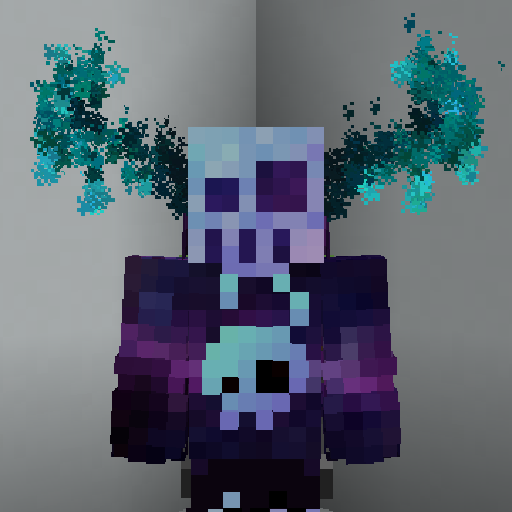
CurseForge · Minecraft mod
A server side cosmetics mod, that allows administrator to create custom particles using simple json files
Quick answer
MagicParticles 1.3.2+26.2 targets 26.2 with Fabric, Quilt. The project page does not say whether this file belongs on the client, dedicated server, or both. No extra mods listed for this file.
Where it goes
The project page does not say whether this file belongs on the client, dedicated server, or both.
The source does not explicitly classify this release as client-only or server-only.
MagicParticles 1.3.2+26.2. Change the file and its required mods may change too.
This file does not list any required mods. Do not add a library just because a different file uses it.
We only count dependency files that match this setup. A file for another loader does not fill the gap.
Before you install it
Built for MagicParticles 1.3.2+26.2. Pick another file and the loader, install side or required mods may change.
Use MagicParticles 1.3.2+26.2. It targets 26.2 with Fabric, Quilt; another release may have different loader, side or dependency requirements.
This file does not list any required mods. Do not add a library just because a different file uses it.
The project page does not say whether this file belongs on the client, dedicated server, or both.
Use the “Get this file” button beside MagicParticles 1.3.2+26.2. It opens that exact file at the source.
About this project

A fabric server side cosmetics mod, that allows administrator to create custom particles using simple json files
/mp - List all available magic particles - magic-particles.root/mp set [id] - Set current magic particle - magic-particles.particle/mp disable - Disable current magic particle - magic-particles.disable/mp reload - Reload magic particles and messages - magic-particles.reloadThis mod includes more than 40 default particles, which can be useful example files for understanding the format.
Each magic particle type needs a human friendly name and a list of particles it consists of
{
  "name": "Some name", // Human friendly name
  "particles": [
    // Particle definitions
  ]
}
There are currently 3 particle definition types (simple, image and bezier). All of these share a couple of common values in addition to their specialized ones.
{
  "type": "simple",
  "count": 1, // Amount of particles (optional)
  "pos": [1.0, 2.0, 0.0], // Offset from origin (affected by rotation)
  "delta": [0.1, 0.1, 0.1], // Particle area size (optional)
  "speed": 0, // Particle speed parameter, used by some particle types (optional)
  "particle_type": {
    "type": "minecraft:angry_villager" // Particle type: https://minecraft.wiki/w/Particles_(Java_Edition)#Types_of_particles
    // Some particles types have extra attributes, which need to be specified here
  },
  "anchor": "feet", // The particle origin ["feet"|"eyes"] (optional)
  "origin": [0.0, 0.5, 0.0], // Offset from origin (optional)
  "billboard": "fixed" // What rotation axis should affect "pos" ["fixed", "vertical", "horizontal", "center"] (optional)
}
{
  "type": "image",
  "image": "drex.png", // Path to the image, the image needs to be in config/magic-particles/images/<image>
  "size_x": 0.8, // The width of the particle image
  "size_y": 0.8, // The height of the particle image
  "pixel_size": 0.6, // The size of each individual particle
  "pos": [1.0, 2.0, 0.0], // Offset from origin (affected by rotation)
  "anchor": "feet", // The particle origin ["feet"|"eyes"] (optional)
  "origin": [0.0, 0.5, 0.0], // Offset from origin (optional)
  "billboard": "fixed" // What rotation axis should affect "pos" ["fixed", "vertical", "horizontal", "center"] (optional)
}
(Can't really recommend to use this, creating an image of the desired shape and using the image type is easier)
Project description from CurseForge.
Pick your setup
Choose the version and loader you play, then open the matching release.
Showing the newest 12 of 26 game versions. Older files are in the list below.
Check the dependencies, then try the file in a copied instance before changing a world you care about.
Recent files
magic-particles-1.3.2+26.2.jar
13 Jul 2026
magic-particles-1.3.2+26.1.jar
13 Jul 2026
magic-particles-1.3.2+1.21.8.jar
13 Jul 2026
magic-particles-1.3.2+1.21.5.jar
13 Jul 2026
magic-particles-1.3.2+1.21.11.jar
13 Jul 2026
magic-particles-1.3.2+1.21.10.jar
13 Jul 2026
magic-particles-1.3.2+1.21.1.jar
13 Jul 2026
magic-particles-1.3.1+26.2.jar
17 Jun 2026
magic-particles-1.3.1+26.1.jar
25 Mar 2026
magic-particles-1.3.1+1.21.11.jar
14 Dec 2025
magic-particles-1.3.0+1.21.11-rc2.jar
5 Dec 2025
magic-particles-1.3.0+1.21.9.jar
1 Oct 2025
Looking for an older file? The official CurseForge project page is in Resources.
 mod
modEnchantStats is the combat & magic sequel to AppleStats — enchanting your HUD with exact enchantment values, advanced tooltips, and monster combat stats.
 mod
modReduce MSPT spikes and server freezes caused by chunk generation and speed it up.
 mod
modA mod about curses and the like.