Minecraft version
Back to mods 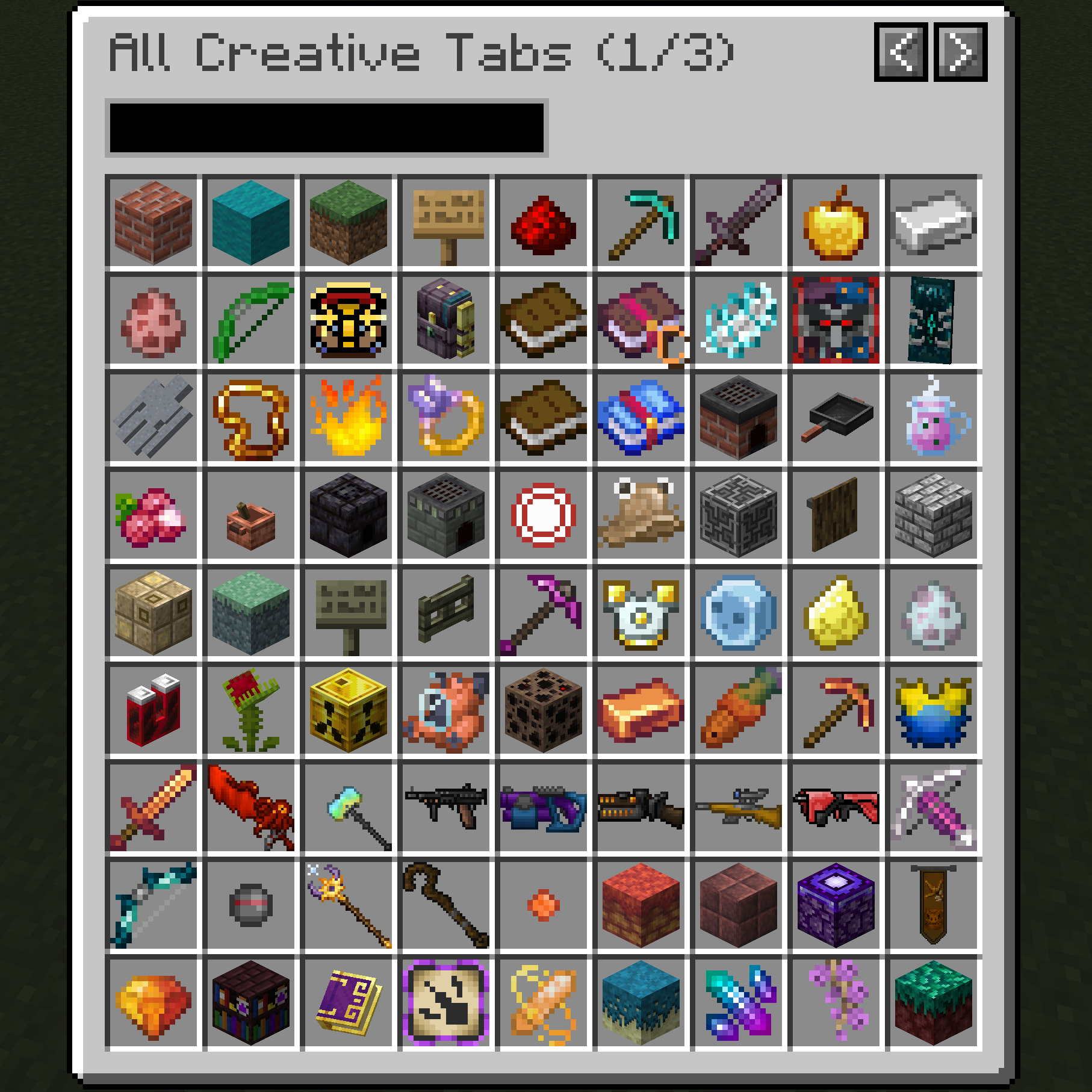
CurseForge · Minecraft mod
Better Creative Mode Tabs
Make navigating through creative tabs easier. No more flipping across 10 pages!
Choose a version Pick your version below, then grab the matching file.
Quick answer
Which Better Creative Mode Tabs release matches 26.1.2?
Best match for your filters better_creative_tabs-26.1.0.1.jar
Game version 26.1, 26.1.1, 26.1.2
Loader NeoForge
Better Creative Mode Tabs better_creative_tabs-26.1.0.1.jar targets 26.1, 26.1.1, 26.1.2 with NeoForge. The project page does not say whether this file belongs on the client, dedicated server, or both. No extra mods listed for this file.
Where it goes
Is Better Creative Mode Tabs required on the client, server, or both?
The project page does not say whether this file belongs on the client, dedicated server, or both.
Client Source doesn’t say
Dedicated server Source doesn’t say
Loader for this release NeoForge
Required install it here Optional supported, not mandatory Not supported do not install here Source doesn’t say do not assume
The source does not explicitly classify this release as client-only or server-only.
What else does Better Creative Mode Tabs better_creative_tabs-26.1.0.1.jar need?
better_creative_tabs-26.1.0.1.jar on 26.1.2. Every mod below is checked against that same setup.
This file does not list any required mods. Do not add a library just because a different file uses it.
This file does not list any required or optional mods.
Before you install it
Add Better Creative Mode Tabs without breaking your instance.
Built for Better Creative Mode Tabs better_creative_tabs-26.1.0.1.jar on 26.1.2. Pick another file and the loader, install side or required mods may change.
- 01
Stick to this file
Use better_creative_tabs-26.1.0.1.jar. It targets 26.1, 26.1.1, 26.1.2 with NeoForge; another release may have different loader, side or dependency requirements.
- 02
Bring the mods it needs
This file does not list any required mods. Do not add a library just because a different file uses it.
- 03
Put it on the correct side
The project page does not say whether this file belongs on the client, dedicated server, or both.
- 04
Pick the file you checked
Use the “Get this file” button beside better_creative_tabs-26.1.0.1.jar. It opens that exact file at the source.
About this project
What does Better Creative Mode Tabs add?
Discord: https://discord.gg/BCHNhsDMXz
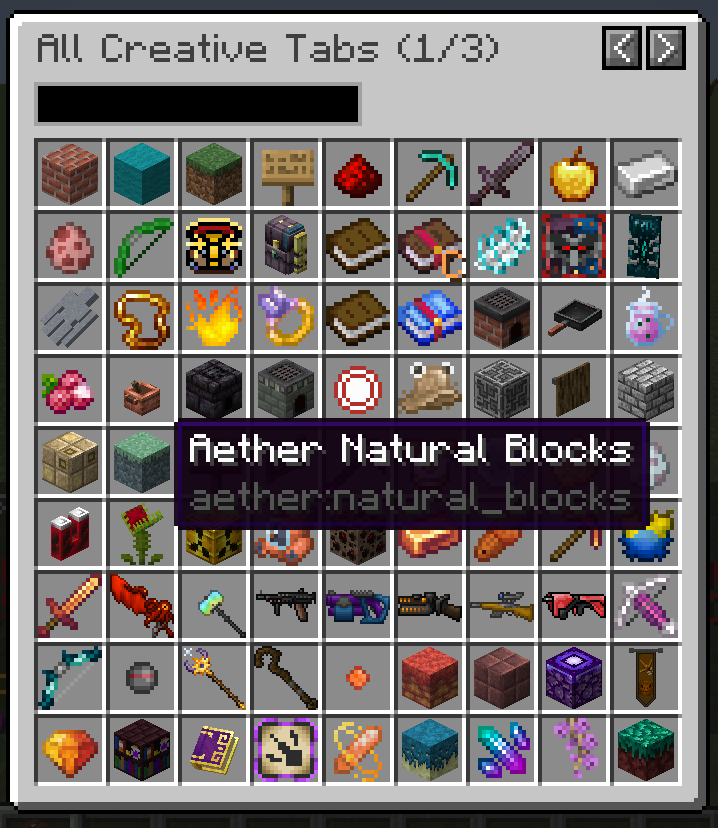
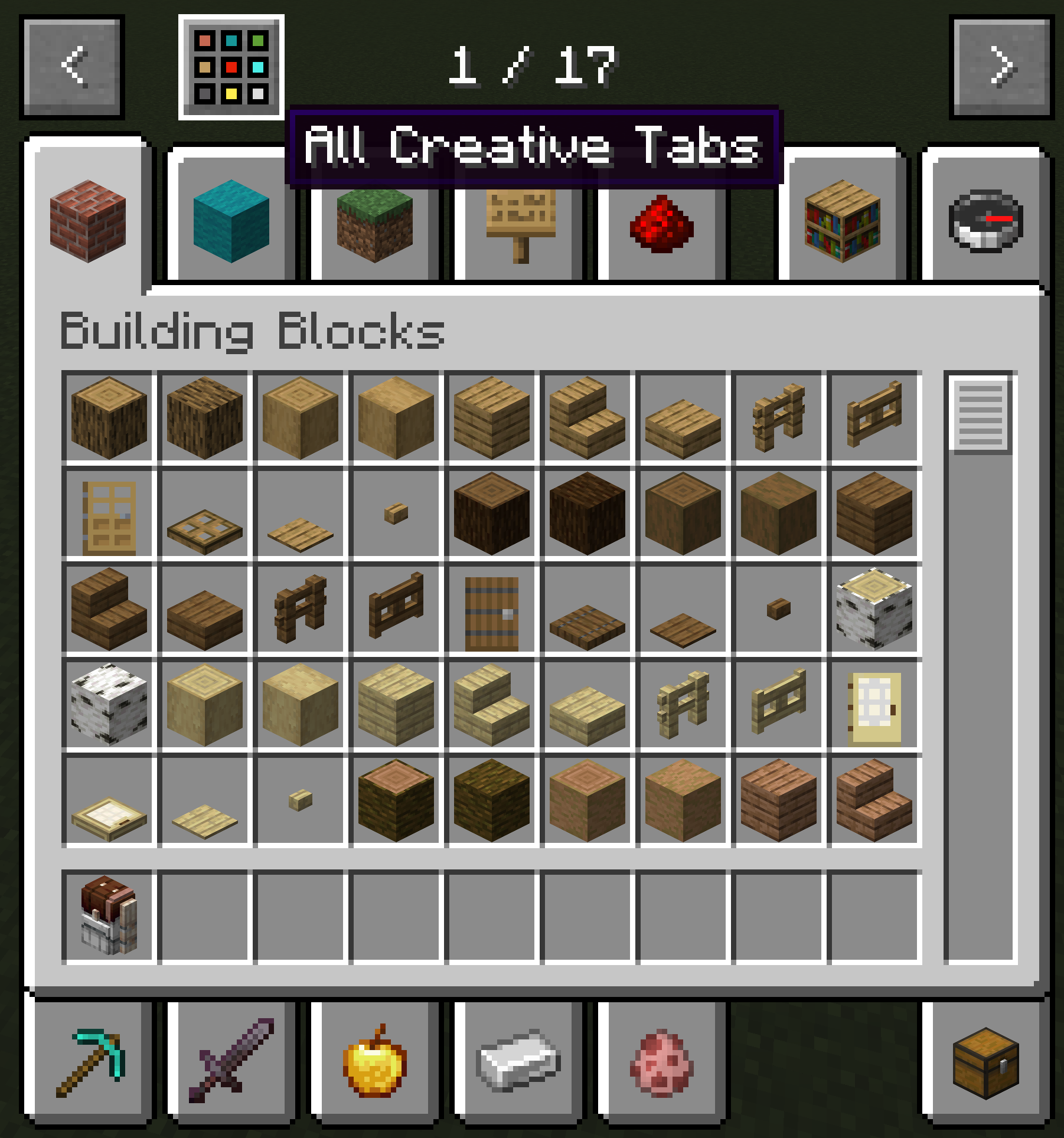
This mod adds a creative tab navigation screen for navigating all creative tabs at once, rather than flipping through 10 pages of tabs in the vanilla creative mode tab screen.
- To open the navigation menu, click the icon on top of creative tabs menu, or press keybind (default TAB).
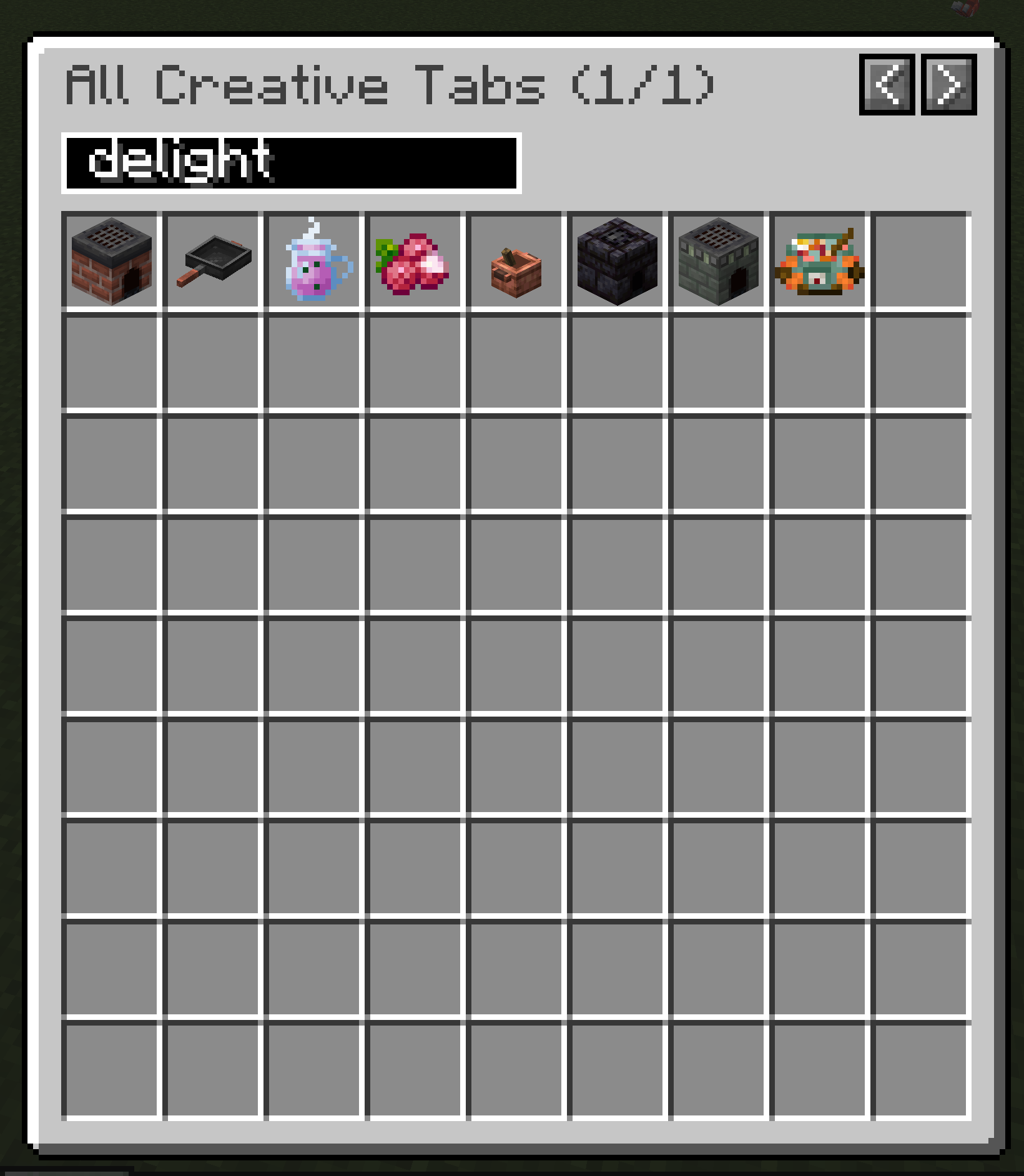
- You can search for mod ID or creative tab names, or flip page to see all tabs. Each page displays 81 tabs, far more than the 10 tabs per page vanilla menu.
- The navigation menu groups tabs by mod ID and depdendencies:
- By default the tabs are sorted by alphabetical order of mod ID. This means tabs of the same mod will be grouped together.
- Addon mod tabs will be after the main mod and grouped together, regardless of mod ID.
- Mods with multiple mandatory prerequisites will follow the one with the most addons. (Prerequisites without tabs doesn't count.)
- Minecraft tabs will always be displayed first. You can specify what other mods (and its addons) to be displayed first. (If you specify a library mods, all its dependencies will be grouped anyway)
Project description from CurseForge.
Pick your setup
Better Creative Mode Tabs by Minecraft version and loader
Choose the version and loader you play, then open the matching release.
Minecraft version
26.1.1
1 loader buildMinecraft version
26.1
1 loader buildMinecraft version
1.21.1
1 loader buildMinecraft version
1.21
1 loader buildMinecraft version
1.20.1
2 loader buildsCheck the dependencies, then try the file in a copied instance before changing a world you care about.
Recent files
Better Creative Mode Tabs versions and loaders
better_creative_tabs-26.1.0.1.jar
11 Jun 2026
Client Source doesn’t say Server Source doesn’t say Dependencies No extras listed Listed on Release listing
Check the 26.1.2 · NeoForge setup NeoForge26.126.1.126.1.2 release
better_creative_tabs-26.1.0.0.jar
11 Jun 2026
Client Source doesn’t say Server Source doesn’t say Dependencies No extras listed Listed on Release listing
Check the 26.1.2 · NeoForge setup NeoForge26.126.1.126.1.2 release
Looking for an older file? The official CurseForge project page is in Resources.
 mod
CurseForge + Modrinth · Minecraft
Field Guide
Discover Plants, Animals and Monsters with a Spyglass. Collect them all and take notes in your personal Field Guide!
 mod
CurseForge + Modrinth · Minecraft
Gouge
Slam your pickaxe into a wall mid-fall to slow your descent or lock yourself in place before you hit the ground.
 mod
CurseForge · Minecraft
Copper Fire
Verdigris Flame