YetAnotherConfigLib Needed by Effect Timer Plus v3.104.0+26.3-NeoForge
requiredNo matching file

CurseForge · Minecraft mod
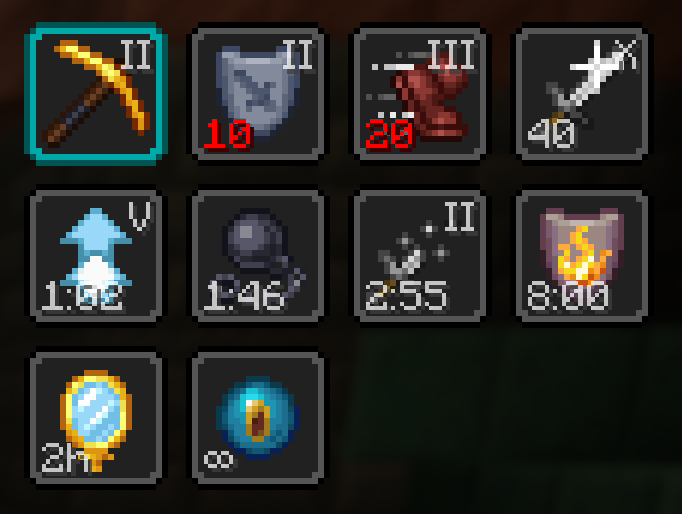
Adds a potency and time indicator overlay to status effect icons.
Quick answer
Effect Timer Plus v3.104.0+26.3-NeoForge targets 26.3 with NeoForge. The project page does not say whether this file belongs on the client, dedicated server, or both. 1 required mod needs a matching file.
Where it goes
The project page does not say whether this file belongs on the client, dedicated server, or both.
The source does not explicitly classify this release as client-only or server-only.
v3.104.0+26.3-NeoForge. Change the file and its required mods may change too.
Install YetAnotherConfigLib first, but 1 required mod has no matching file for this setup. Do not mix loader builds to force a match.
We only count dependency files that match this setup. A file for another loader does not fill the gap.
Before you install it
Built for Effect Timer Plus v3.104.0+26.3-NeoForge. Pick another file and the loader, install side or required mods may change.
Use v3.104.0+26.3-NeoForge. It targets 26.3 with NeoForge; another release may have different loader, side or dependency requirements.
Install YetAnotherConfigLib first, but 1 required mod has no matching file for this setup. Do not mix loader builds to force a match.
The project page does not say whether this file belongs on the client, dedicated server, or both.
Use the “Get this file” button beside v3.104.0+26.3-NeoForge. It opens that exact file at the source.
About this project
Adds a potency indicator and countdown overlay to status effect icons.
EffectTimerPlus is inspired by Status Effect Timer, but has a focus on customizability.
Fabric: Fabric API, ModMenu, YACL
NeoForge: YACL
Sometimes the scaling option can cause problems for other mods. If you encounter issues, please report on Discord or GitHub.
EffectTimerPlus began as an update of Status Effect Timer by magicus
EffectTimerPlus inherits the LGPL-3.0-only license from Status Effect Timer.
Project description from CurseForge.
Pick your setup
Choose the version and loader you play, then open the matching release.
Showing the newest 12 of 18 game versions. Older files are in the list below.
Check the dependencies, then try the file in a copied instance before changing a world you care about.
Recent files
effecttimerplus-neoforge-3.104.0+26.3.jar
15 Sept 2026
effecttimerplus-fabric-3.104.0+26.3.jar
15 Sept 2026
effecttimerplus-neoforge-3.103.1+26.2.jar
12 Sept 2026
effecttimerplus-fabric-3.103.1+26.2.jar
12 Sept 2026
effecttimerplus-neoforge-3.102.2+26.1.2.jar
12 Sept 2026
effecttimerplus-fabric-3.102.2+26.1.2.jar
12 Sept 2026
effecttimerplus-fabric-3.103.0+26.2.jar
20 Jun 2026
effecttimerplus-neoforge-3.103.0+26.2.jar
20 Jun 2026
effecttimerplus-fabric-3.102.1+26.1.2.jar
20 Jun 2026
effecttimerplus-neoforge-3.102.1+26.1.2.jar
20 Jun 2026
effecttimerplus-neoforge-3.2.0+26.1.2.jar
31 May 2026
effecttimerplus-fabric-3.2.0+26.1.2.jar
31 May 2026
Looking for an older file? The official CurseForge project page is in Resources.
 mod
modMod for simplified forging. It all.
 mod
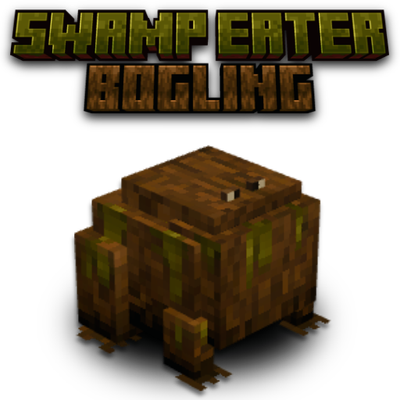
modAdds the Bogling, an amphibious swamp creature that can eat unwanted items and turn them to XP as well as automatically consume rotten flesh from the player's inventory. Keywords: Trashcan, Item Management, Clean-up Mob.
 mod
modAdd more recipes, crops and food into your game, to expand on your diet in the overworld!

