Minecraft version
Back to mods 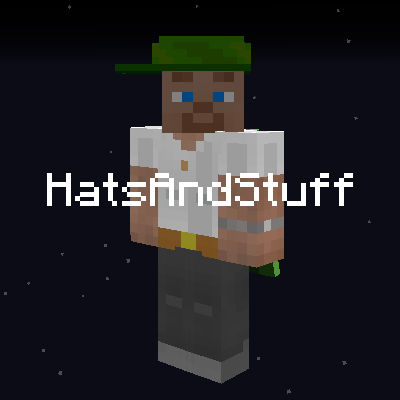
CurseForge · Minecraft mod
HatsAndStuff
Hats and some other things
Choose a version Pick your version below, then grab the matching file.
Quick answer
Which HatsAndStuff release should I use?
Latest stable file hatsandstuff-4.0-1.20.1_hotfix.jar
Game version 1.20.1
Loader Forge
hatsandstuff-4.0-1.20.1_hotfix.jar targets 1.20.1 with Forge. The project page does not say whether this file belongs on the client, dedicated server, or both. No extra mods listed for this file.
Where it goes
Is HatsAndStuff required on the client, server, or both?
The project page does not say whether this file belongs on the client, dedicated server, or both.
Client Source doesn’t say
Dedicated server Source doesn’t say
Loader for this release Forge
Required install it here Optional supported, not mandatory Not supported do not install here Source doesn’t say do not assume
The source does not explicitly classify this release as client-only or server-only.
What else does hatsandstuff-4.0-1.20.1_hotfix.jar need?
hatsandstuff-4.0-1.20.1_hotfix.jar. Change the file and its required mods may change too.
This file does not list any required mods. Do not add a library just because a different file uses it.
This file does not list any required or optional mods.
Before you install it
Add HatsAndStuff without breaking your instance.
Built for hatsandstuff-4.0-1.20.1_hotfix.jar. Pick another file and the loader, install side or required mods may change.
- 01
Stick to this file
Use hatsandstuff-4.0-1.20.1_hotfix.jar. It targets 1.20.1 with Forge; another release may have different loader, side or dependency requirements.
- 02
Bring the mods it needs
This file does not list any required mods. Do not add a library just because a different file uses it.
- 03
Put it on the correct side
The project page does not say whether this file belongs on the client, dedicated server, or both.
- 04
Pick the file you checked
Use the “Get this file” button beside hatsandstuff-4.0-1.20.1_hotfix.jar. It opens that exact file at the source.
About this project
What does HatsAndStuff add?
The mod has been tested in multiplayer and works - Version 4 and below. If zombies can pickup items, they should be able to wear these hats. Villagers can wear them too, use dispenser, baby villagers dont drop the hat on death. Hat models
This mod that adds a few hats, and a Mirror that you can edit the hat with.
You can change the position, size and roration, and also what color it has.

You can choose to wear a normal or a large, or anything in between. Using the Mirror to choose the hat you want to wear! This is the largest this Straw hat can have, but all hats are different. They can take any color you pick, but the starting color which the color is added to is the base model.

Display the hats on a wall, or on a counter. Glasses have a different way they are put in a itemframe.

Recipe for Hat Core Part and Hat Crafting Core
If you have the mod Create and JEI installed some hats are shown as the same in the stonecutter, but are different models used with the model shown. But all hats except the Easter egg hat are made in the stonecutter with the use of Hat Crafting Core. If you use Create and the Saw and dont specify what hat you want, it will pick them at random.


Using Stonecutter to make hats

Using Create to make hats
If you have the mod Create and JEI installed some hats are shown as the same in the stonecutter, but are different models used with the model shown. All hats except the hidden "Easter egg hat" and "Lilith Hat" are made in the stonecutter with the use of Hat Crafting Core. If you use Create and the Saw and dont specify what hat you want, it will pick them at random.

Crafting the Mirror and how it works:

If you place the Mirror and right click, it will open this gui/interface where the slot to the rigth is your head,
if you already have a hat equipped you dont have to do anything other than change the values you want,
if you havent put a hat on your head you can do so in that slot. You then can click the buttons under HAT. Pick any color in Red, Green or Blue under the COLOR to change the colors of the hat. The HEAD only lets you move the head of the your reflection. And what you see is the "reflection" so things to the right is right, even if you click the "B" it will still be right but you see your back (magic). If you click the RESET ALL everything on the hat will be removed/reset and if the hat has unique data a text will let you know when hovering that button.

Coloring hats, and rotating it:
To view the changes hold Shift and place the cursor over the hat in the slot of the mirror, outside the mirror the Rot will show 0.0
When a hat is on sale, you cant change how it looks or is positioned on the head, only by removing the tag with shears enables the edit.
Adding a name tag adds the "Hat for sale!" text to the hat, and locks the ability to change the hat in the mirror, you can remove the tag with shears.

Project description from CurseForge.
Pick your setup
HatsAndStuff by Minecraft version and loader
Choose the version and loader you play, then open the matching release.
Check the dependencies, then try the file in a copied instance before changing a world you care about.
Recent files
HatsAndStuff versions and loaders
hatsandstuff-4.0-1.20.1_hotfix.jar
9 Dec 2024
Client Source doesn’t say Server Source doesn’t say Dependencies No extras listed Listed on Release listing
Check the 1.20.1 · Forge setup 1.20.1Forge release
hatsandstuff-4.0-1.20.1.jar
9 Dec 2024
Client Source doesn’t say Server Source doesn’t say Dependencies No extras listed Listed on Release listing
Check the 1.20.1 · Forge setup 1.20.1Forge release
hatsandstuff-3.0-1.20.1.jar
25 Oct 2024
Client Source doesn’t say Server Source doesn’t say Dependencies No extras listed Listed on Release listing
Check the 1.20.1 · Forge setup 1.20.1Forge release
Looking for an older file? The official CurseForge project page is in Resources.
 mod
CurseForge · Minecraft
Classic Achievements
Restores the classic look of Minecraft's achievement interface, with new additions and quality-of-life improvements. Brings back the nostalgic feel of the old days while making achievements more convenient to use.
 mod
CurseForge · Minecraft
Optimized Block Entities
A client-side optimization mod to make block entities render faster
 mod
CurseForge · Minecraft
Gremlin's Elytra Transmogs
Using Gremlin's Transmogs, change the whole appearance of your Elytra!