Minecraft version
Back to mods 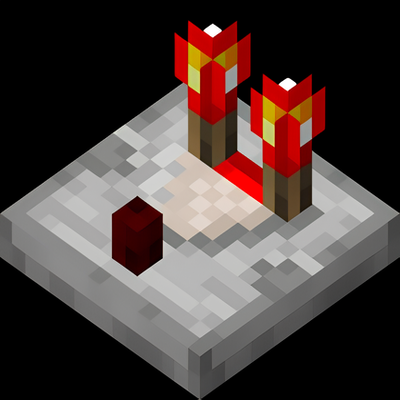
CurseForge · Minecraft mod
Niche Redstone
A mod that adds some niche redstone blocks to Minecraft
Choose a version Pick your version below, then grab the matching file.
Quick answer
Which Niche Redstone release should I use?
beta file NicheRedstone-0.1.5.jar
Game version 1.20.1
Loader Fabric
Niche Redstone NicheRedstone-0.1.5.jar targets 1.20.1 with Fabric. The project page does not say whether this file belongs on the client, dedicated server, or both. No extra mods listed for this file.
Where it goes
Is Niche Redstone required on the client, server, or both?
The project page does not say whether this file belongs on the client, dedicated server, or both.
Client Source doesn’t say
Dedicated server Source doesn’t say
Loader for this release Fabric
Required install it here Optional supported, not mandatory Not supported do not install here Source doesn’t say do not assume
The source does not explicitly classify this release as client-only or server-only.
What else does Niche Redstone NicheRedstone-0.1.5.jar need?
NicheRedstone-0.1.5.jar. Change the file and its required mods may change too.
This file does not list any required mods. Do not add a library just because a different file uses it.
This file does not list any required or optional mods.
Before you install it
Add Niche Redstone without breaking your instance.
Built for Niche Redstone NicheRedstone-0.1.5.jar. Pick another file and the loader, install side or required mods may change.
- 01
Stick to this file
Use NicheRedstone-0.1.5.jar. It targets 1.20.1 with Fabric; another release may have different loader, side or dependency requirements.
- 02
Bring the mods it needs
This file does not list any required mods. Do not add a library just because a different file uses it.
- 03
Put it on the correct side
The project page does not say whether this file belongs on the client, dedicated server, or both.
- 04
Pick the file you checked
Use the “Get this file” button beside NicheRedstone-0.1.5.jar. It opens that exact file at the source.
About this project
What does Niche Redstone add?
This mod allows you to fulfill your desires of remotely controlling your redstone contraptions from outside the game. The Remote Server Block connects to a docker container (code found here) and can be activated from a webpage.
When a player clicks on the Remote Server Block, it will be registered on the webserver and be displayed on the blocks page on the website. From here, players can send redstone signals to the blocks that are registered, which will then activate/emit a redstone signal in-game.
This mod is not recommended for (big) public servers (yet) as there is currently not much security around the creation of block IDs, so your base could be found. I do plan to change this at some point, also with having to login with a unique code for each player and hiding a players registered blocks behind this login.
Credit goes to Fundy, who made a video where he made a block similar to this as a supporting pillar for his project. I could not find if/where he had published the mod that contains that block (various sources say he doesn't publish his mods). So, I created this mod from scratch off that idea.
Project description from CurseForge.
Pick your setup
Niche Redstone by Minecraft version and loader
Choose the version and loader you play, then open the matching release.
Check the dependencies, then try the file in a copied instance before changing a world you care about.
Recent files
Niche Redstone versions and loaders
NicheRedstone-0.1.5.jar
22 Jul 2024
Client Source doesn’t say Server Source doesn’t say Dependencies No extras listed Listed on Release listing
Check the 1.20.1 · Fabric setup Fabric1.20.1 beta
NicheRedstone-0.1.4.jar
10 Jul 2024
Client Source doesn’t say Server Source doesn’t say Dependencies No extras listed Listed on Release listing
Check the 1.20.1 · Fabric setup Fabric1.20.1 beta
Looking for an older file? The official CurseForge project page is in Resources.
 mod
CurseForge · Minecraft
Arcane: Anime Magic & Morph
Fast-paced anime magic spells, 3D morphing (Bird flight, Giant, Tiny), and hide-and-seek camouflage with zero mana limits!
 mod
CurseForge + Modrinth · Minecraft
Modern Morph
A modern port of iChun's iconic Morph mod
 mod
CurseForge · Minecraft
TownTopia: Integrations
Connects TownTopia villages with Diorama, Xaero's, JourneyMap, FTB Teams and Quests, Waystones, Supplementaries, modded trees, Artifacts, Relics, Visual Workbench, Iron Furnaces, Jade and JEI. All optional.