Minecraft version
Back to mods 
CurseForge · Minecraft mod
FPS Boost
Want to optimize your game and improve performance? This mods is for you
Choose a version Pick your version below, then grab the matching file.
Quick answer
Which FPS Boost release matches 1.15.2 Forge?
Best match for your filters FPSboost-2.0
Game version 1.15.2
Loader Forge
FPS Boost FPSboost-2.0 targets 1.15.2 with Forge. The project page does not say whether this file belongs on the client, dedicated server, or both. No extra mods listed for this file.
Where it goes
Is FPS Boost required on the client, server, or both?
The project page does not say whether this file belongs on the client, dedicated server, or both.
Client Source doesn’t say
Dedicated server Source doesn’t say
Loader for this release Forge
Required install it here Optional supported, not mandatory Not supported do not install here Source doesn’t say do not assume
The source does not explicitly classify this release as client-only or server-only.
What else does FPS Boost FPSboost-2.0 need?
FPSboost-2.0 on 1.15.2 Forge. Every mod below is checked against that same setup.
This file does not list any required mods. Do not add a library just because a different file uses it.
This file does not list any required or optional mods.
Before you install it
Add FPS Boost without breaking your instance.
Built for FPS Boost FPSboost-2.0 on 1.15.2 Forge. Pick another file and the loader, install side or required mods may change.
- 01
Stick to this file
Use FPSboost-2.0. It targets 1.15.2 with Forge; another release may have different loader, side or dependency requirements.
- 02
Bring the mods it needs
This file does not list any required mods. Do not add a library just because a different file uses it.
- 03
Put it on the correct side
The project page does not say whether this file belongs on the client, dedicated server, or both.
- 04
Pick the file you checked
Use the “Get this file” button beside FPSboost-2.0. It opens that exact file at the source.
About this project
What does FPS Boost add?
FPS Boost
This mod allows you to improve your game's performance and stability, and also adds options such as cash‑ram clearing, rain disabling, clear‑lag, or chunk reloading. It is especially useful for low‑end or older computers, where every bit of optimization matters.
Version 2.0 Warning: This is a complete code overhaul. It is essential to report any bugs you encounter.


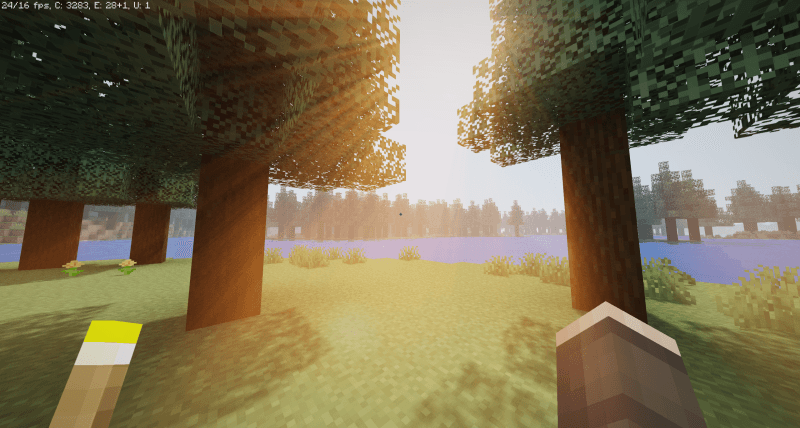
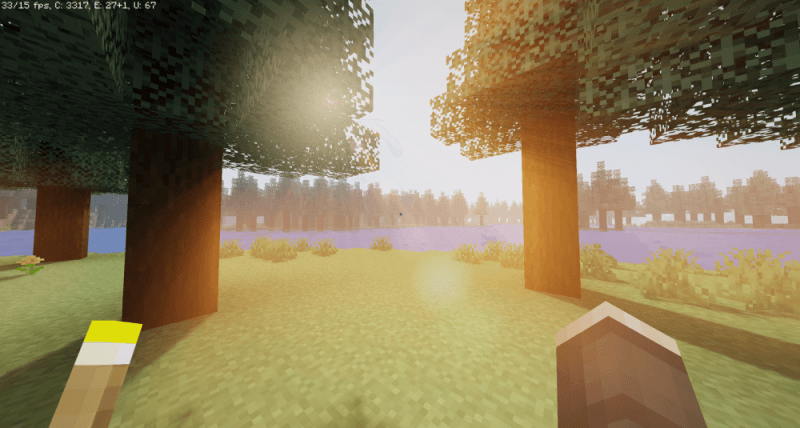
Extreme comparison test
FPS : ~20 FPS : ~30
Settings
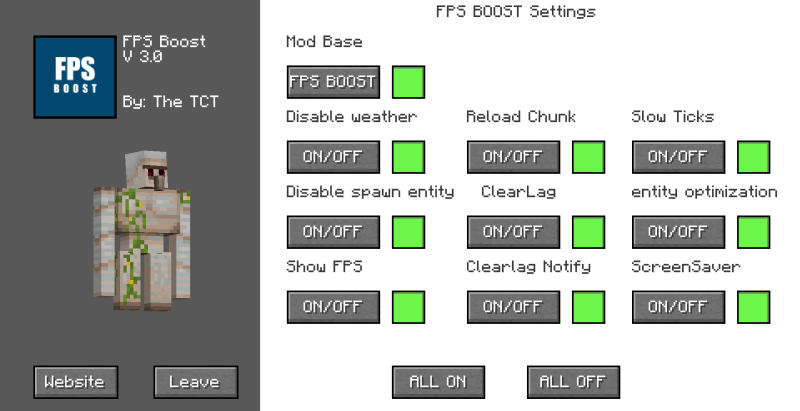
Disable weather : turn off rain
Reload chunk : simply reload the generated chunks
Disable spawn entity : disable entity spawning (entities may appear when new chunks are generated)
Clearlag : remove all items on the ground every 3 minutes
Entity optimization : reduces the amount of entity in the world
Show FPS : displays the FPS at the top of the screen
ClearLag Notify : enables or disables visual notifications related to clearlag
cash‑ram clearing : When you are AFK for more than a minute a screen saver will appear in order to reduce the consumption of your computer
⚠️This mods needs dependencies, TCTCore ⚠️

Enter the mods menu by clicking H
INFO
⚠️These mods allow you to save some resources for players who have a small machine, it is a simple little mod which combined with optifin allows you to put all your luck on your side to play with suitable performance⚠️
Project description from CurseForge.
Pick your setup
FPS Boost by Minecraft version and loader
Choose the version and loader you play, then open the matching release.
Minecraft version
26.1.2
1 loader buildMinecraft version
1.21.8
1 loader buildMinecraft version
1.21.4
1 loader buildMinecraft version
1.21.1
1 loader buildMinecraft version
1.20.6
1 loader buildMinecraft version
1.20.4
1 loader buildMinecraft version
1.20.1
2 loader buildsMinecraft version
1.19.4
2 loader buildsMinecraft version
1.19.2
1 loader buildMinecraft version
1.18.2
1 loader buildMinecraft version
1.17.1
1 loader buildShowing the newest 12 of 16 game versions. Older files are in the list below.
Check the dependencies, then try the file in a copied instance before changing a world you care about.
Recent files
FPS Boost versions and loaders
FPSboost-2.0
FPSboost-1.15.2.jar
16 Mar 2025
Client Source doesn’t say Server Source doesn’t say Dependencies No extras listed Listed on Release listing
Check the 1.15.2 · Forge setup 1.15.2Forge release
Looking for an older file? The official CurseForge project page is in Resources.