Minecraft version
Back to mods 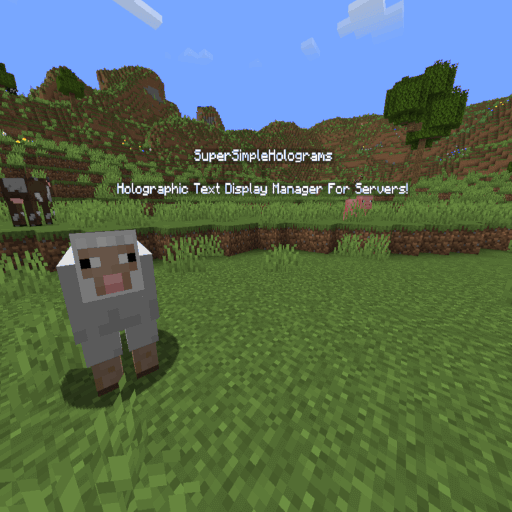
CurseForge · Minecraft mod
SuperSimpleHolograms
SuperSimpleHolograms - Holographic Text Display Manager For Servers!
Choose a version Pick your version below, then grab the matching file.
Quick answer
Which SuperSimpleHolograms release should I use?
Latest stable file 1.1.8-1.21.1
Game version 1.21.1
Loader Fabric
SuperSimpleHolograms 1.1.8-1.21.1 targets 1.21.1 with Fabric. The project page does not say whether this file belongs on the client, dedicated server, or both. No extra mods listed for this file.
Where it goes
Is SuperSimpleHolograms required on the client, server, or both?
The project page does not say whether this file belongs on the client, dedicated server, or both.
Client Source doesn’t say
Dedicated server Source doesn’t say
Loader for this release Fabric
Required install it here Optional supported, not mandatory Not supported do not install here Source doesn’t say do not assume
The source does not explicitly classify this release as client-only or server-only.
What else does SuperSimpleHolograms 1.1.8-1.21.1 need?
1.1.8-1.21.1. Change the file and its required mods may change too.
This file does not list any required mods. Do not add a library just because a different file uses it.
This file does not list any required or optional mods.
Before you install it
Add SuperSimpleHolograms without breaking your instance.
Built for SuperSimpleHolograms 1.1.8-1.21.1. Pick another file and the loader, install side or required mods may change.
- 01
Stick to this file
Use 1.1.8-1.21.1. It targets 1.21.1 with Fabric; another release may have different loader, side or dependency requirements.
- 02
Bring the mods it needs
This file does not list any required mods. Do not add a library just because a different file uses it.
- 03
Put it on the correct side
The project page does not say whether this file belongs on the client, dedicated server, or both.
- 04
Pick the file you checked
Use the “Get this file” button beside 1.1.8-1.21.1. It opens that exact file at the source.
About this project
What does SuperSimpleHolograms add?
Create Custom Holographic Text Displays Using Invisible Armor Stands.
Installation
To get Started, Simply Drop The .jar File Of The Latest Release In Your Mods Folder.
Commands
- hologram.create [_Name, Dimension, X, Y, Z_] - Create A New Display.
- hologram.add_line [_Name, Line_] - Add A New Line Of Text To A Display.
- hologram.replace_line [_Name, Index, NewLine_] - Replace The Content Of A Line.
- hologram.remove_line [_Name, Index_] - Remove A Line From A Display.
- hologram.move [_Name, Dimension, X, Y, Z_] - Move A Display.
- hologram.delete [_Name_] - Remove A Display.
- hologram.list - List All Displays.
- hologram.reload-config - Reload The Config, Without Restarting The Server.
Formatting
SuperSimpleHolograms Has The Following Formatters:
- <Server.Version> -> The Server's Current Minecraft Version.
- <Server.MOTD> -> The Server's Current Message Of The Day (MOTD).
- <Players.Current> -> The Current Online Player Count.
- <Players.Max> -> The Max Online Player Count.
- <Players.Random> -> A Random Player's Name.
- <&> -> "§" Symbol For Minecraft Format Codes.
Oh No! Something's Broken! (Troubleshooting)
Most Things Can Be Fixed, Either By Deleting All The Armour Stands (Respawning Them),
Or Resetting Your Config.
If Neither Things Work, Please Open An Issue.
Project description from CurseForge.
Pick your setup
SuperSimpleHolograms by Minecraft version and loader
Choose the version and loader you play, then open the matching release.
Minecraft version
1.21.3
1 loader buildMinecraft version
1.21.2
1 loader buildMinecraft version
1.21.1
1 loader buildMinecraft version
1.21
1 loader buildCheck the dependencies, then try the file in a copied instance before changing a world you care about.
Recent files
SuperSimpleHolograms versions and loaders
1.1.8-1.21.1
SuperSimpleHolograms-1.21.1.jar
10 Jan 2025
Client Source doesn’t say Server Source doesn’t say Dependencies No extras listed Listed on Release listing
Check the 1.21.1 · Fabric setup Fabric1.21.1 release
1.1.8-1.21.4
SuperSimpleHolograms-1.21.4.jar
10 Jan 2025
Client Source doesn’t say Server Source doesn’t say Dependencies No extras listed Listed on Release listing
Check the 1.21.4 · Fabric setup Fabric1.21.4 release
1.1.6-1.21.1
SuperSimpleHolograms-1.21.1.jar
8 Jan 2025
Client Source doesn’t say Server Source doesn’t say Dependencies No extras listed Listed on Release listing
Check the 1.21.1 · Fabric setup Fabric1.21.1 release
1.1.6-1.21.4
SuperSimpleHolograms-1.21.4.jar
8 Jan 2025
Client Source doesn’t say Server Source doesn’t say Dependencies No extras listed Listed on Release listing
Check the 1.21.4 · Fabric setup Fabric1.21.4 release
1.1.5-1.21.4
SuperSimpleHolograms-1.21.4.jar
8 Jan 2025
Client Source doesn’t say Server Source doesn’t say Dependencies No extras listed Listed on Release listing
Check the 1.21.4 · Fabric setup Fabric1.21.4 release
1.1.5-1.21.1
SuperSimpleHolograms-1.21.1.jar
8 Jan 2025
Client Source doesn’t say Server Source doesn’t say Dependencies No extras listed Listed on Release listing
Check the 1.21.1 · Fabric setup Fabric1.21.1 release
1.1.4
SuperSimpleHolograms-1.1.4.jar
5 Dec 2024
Client Source doesn’t say Server Source doesn’t say Dependencies No extras listed Listed on Release listing
Check the 1.21.4 · Fabric setup Fabric1.21.4 release
1.1.3
SuperSimpleHolograms-1.1.3.jar
18 Nov 2024
Client Source doesn’t say Server Source doesn’t say Dependencies No extras listed Listed on Release listing
Check the 1.21.3 · Fabric setup Fabric1.21.3 release
1.1.2
SuperSimpleHolograms-1.1.2.jar
12 Nov 2024
Client Source doesn’t say Server Source doesn’t say Dependencies No extras listed Listed on Release listing
Check the 1.21.3 · Fabric setup Fabric1.21.3 release
1.1.1
SuperSimpleHolograms-1.1.1.jar
8 Nov 2024
Client Source doesn’t say Server Source doesn’t say Dependencies No extras listed Listed on Release listing
Check the 1.21.3 · Fabric setup Fabric1.21.3 release
1.1.0
SuperSimpleHolograms-1.1.0.jar
26 Oct 2024
Client Source doesn’t say Server Source doesn’t say Dependencies No extras listed Listed on Release listing
Check the 1.21.3 · Fabric setup Fabric1.21.3 release
1.0.9
SuperSimpleHolograms-1.0.9.jar
23 Oct 2024
Client Source doesn’t say Server Source doesn’t say Dependencies No extras listed Listed on Release listing
Check the 1.21.2 · Fabric setup Fabric1.21.2 release
Looking for an older file? The official CurseForge project page is in Resources.
 mod
CurseForge · Minecraft
NULLzone
Introduces a multiblock structure that keeps monsters from spawning in inside the defined area.
 mod
CurseForge · Minecraft
Phoenix Excavate
A simple and easy to use VeinMiner mod with powerful config and ingame settings.
 mod
CurseForge · Minecraft
Artisans
Adds various items and blocks across different crafts.