Quick answer
Which Create: Dynamic Lights release matches 1.20.2 Forge?
beta file Forge 1.20.1+1.0.2-beta
Game version 1.20.2, 1.20.5, 1.20.3
Loader Forge
Create: Dynamic Lights Forge 1.20.1+1.0.2-beta targets 1.20.2, 1.20.5, 1.20.3 with Forge. The project page does not say whether this file belongs on the client, dedicated server, or both. 1 required mod needs a matching file.
Where it goes
Is Create: Dynamic Lights required on the client, server, or both?
The project page does not say whether this file belongs on the client, dedicated server, or both.
Client Source doesn’t say
Dedicated server Source doesn’t say
Loader for this release Forge
Required install it here Optional supported, not mandatory Not supported do not install here Source doesn’t say do not assume
The source does not explicitly classify this release as client-only or server-only.
What else does Create: Dynamic Lights Forge 1.20.1+1.0.2-beta need?
Forge 1.20.1+1.0.2-beta on 1.20.2 Forge. Every mod below is checked against that same setup.
Install Create first, but 1 required mod has no matching file for this setup. Do not mix loader builds to force a match.
Create Needed by Create: Dynamic Lights Forge 1.20.1+1.0.2-beta requiredNo matching file
We only count dependency files that match this setup. A file for another loader does not fill the gap.
Before you install it
Add Create: Dynamic Lights without breaking your instance.
Built for Create: Dynamic Lights Forge 1.20.1+1.0.2-beta on 1.20.2 Forge. Pick another file and the loader, install side or required mods may change.
- 01
Stick to this file
Use Forge 1.20.1+1.0.2-beta. It targets 1.20.2, 1.20.5, 1.20.3 with Forge; another release may have different loader, side or dependency requirements.
- 02
Bring the mods it needs
Install Create first, but 1 required mod has no matching file for this setup. Do not mix loader builds to force a match.
- 03
Put it on the correct side
The project page does not say whether this file belongs on the client, dedicated server, or both.
- 04
Pick the file you checked
Use the “Get this file” button beside Forge 1.20.1+1.0.2-beta. It opens that exact file at the source.
About this project
What does Create: Dynamic Lights add?
Create-Dynamic-Lights
Add dynamic lights to the Create mod.
Features
- Dynamic Lighting for Contraptions:
- Automatically create light blocks when Contraptions move.
- Support LambDynamicLights:
- Add and update light sources for LambDynamicLights mod as Contraptions move, allowing for smoother lighting effects.
Dependencies
Fabric
- Create-Fabric (Required)
- LambDynamicLights (Recommended)
Forge
- Create (Required)
- Embeddium/Rubidium Dynamic Lights (Recommended)
Server and Client Support
| [Feature] |
[Server Only] |
[Client Only] |
[Both Side] |
| Light Block |
Yes |
No |
Yes |
| Dynamic Lights |
No |
Yes |
Yes |
- Only installed on the server.
- You can use the Light Block to create light sources even if the client doesn't have the mod installed. The client will see the light sources, and the performance impact may be heavy.
- Only installed on the client.
- The client can see the light sources created by the LimbDynamicLights mod but the light sources only has visual effects and no actual light source is created.
Known Issues
- On Fabric, if the mod is installed only on the client side, the client will crash when you modify and save the server configuration.
- For servers, I recommend installing the mod even if you don't want to use the Light Block effect. This can prevent client crashes and exception logs on the server side.
Preview
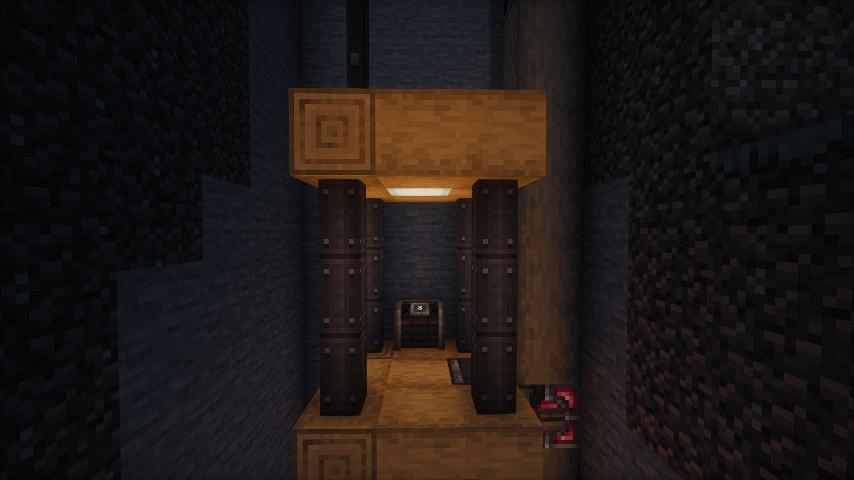 No dynamic light
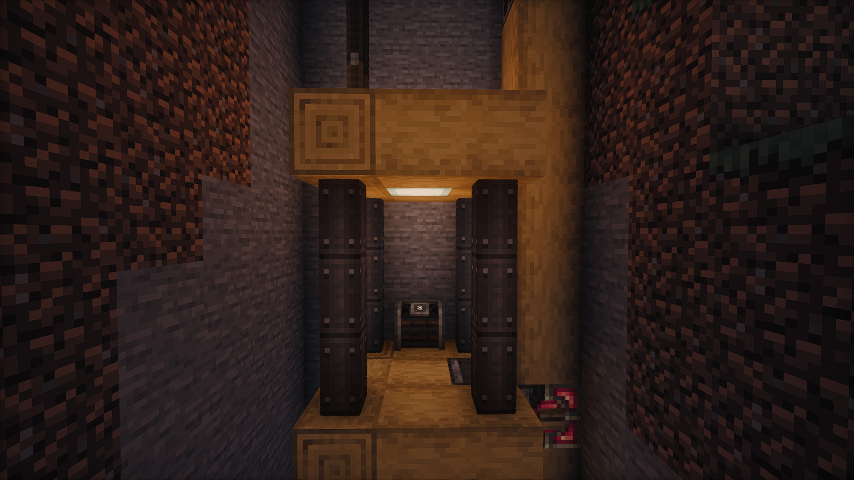 Default dynamic light
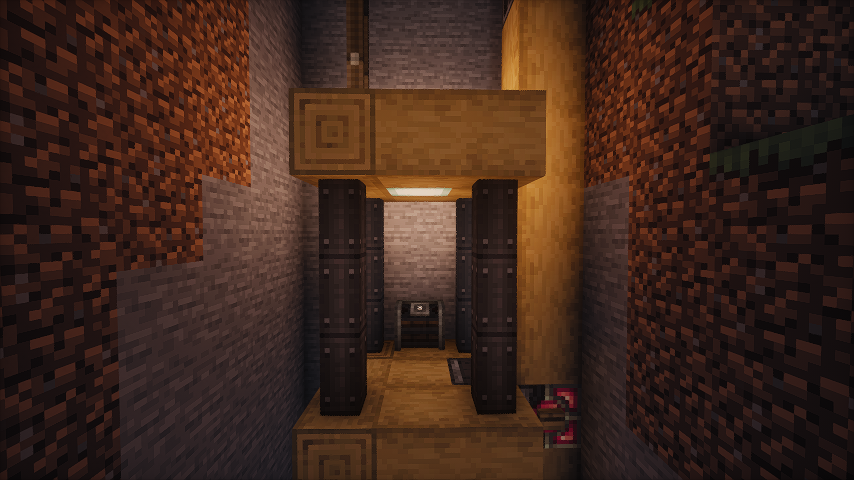 Brighter dynamic light (set the luminance multiplier to 1.2)
Some gifs
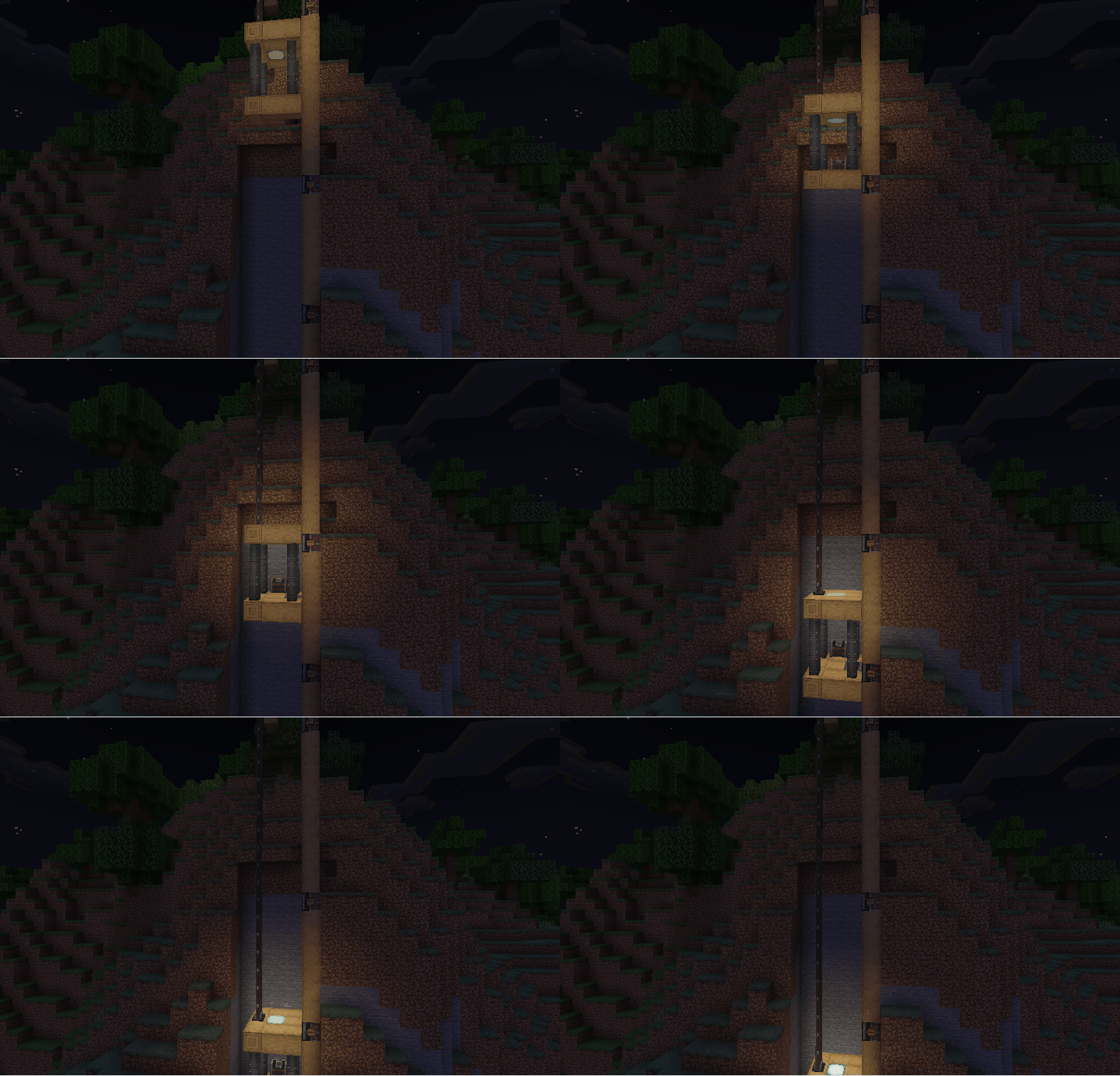
- As the elevator moves, the light illuminates the surrounding area.
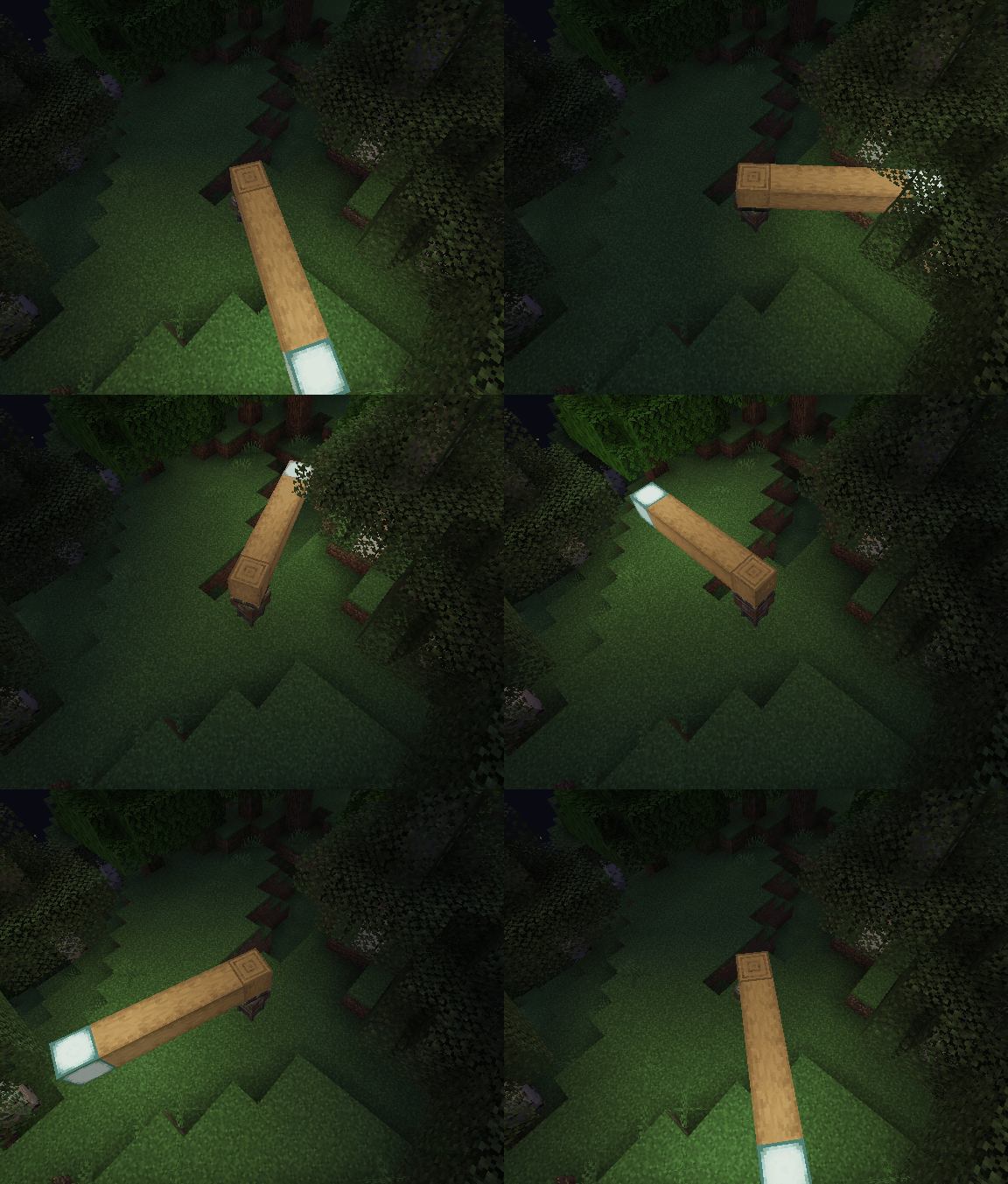
- Enable the light block. As the bearing moves, the light block is created and removed. You can see the light is a little flicker.
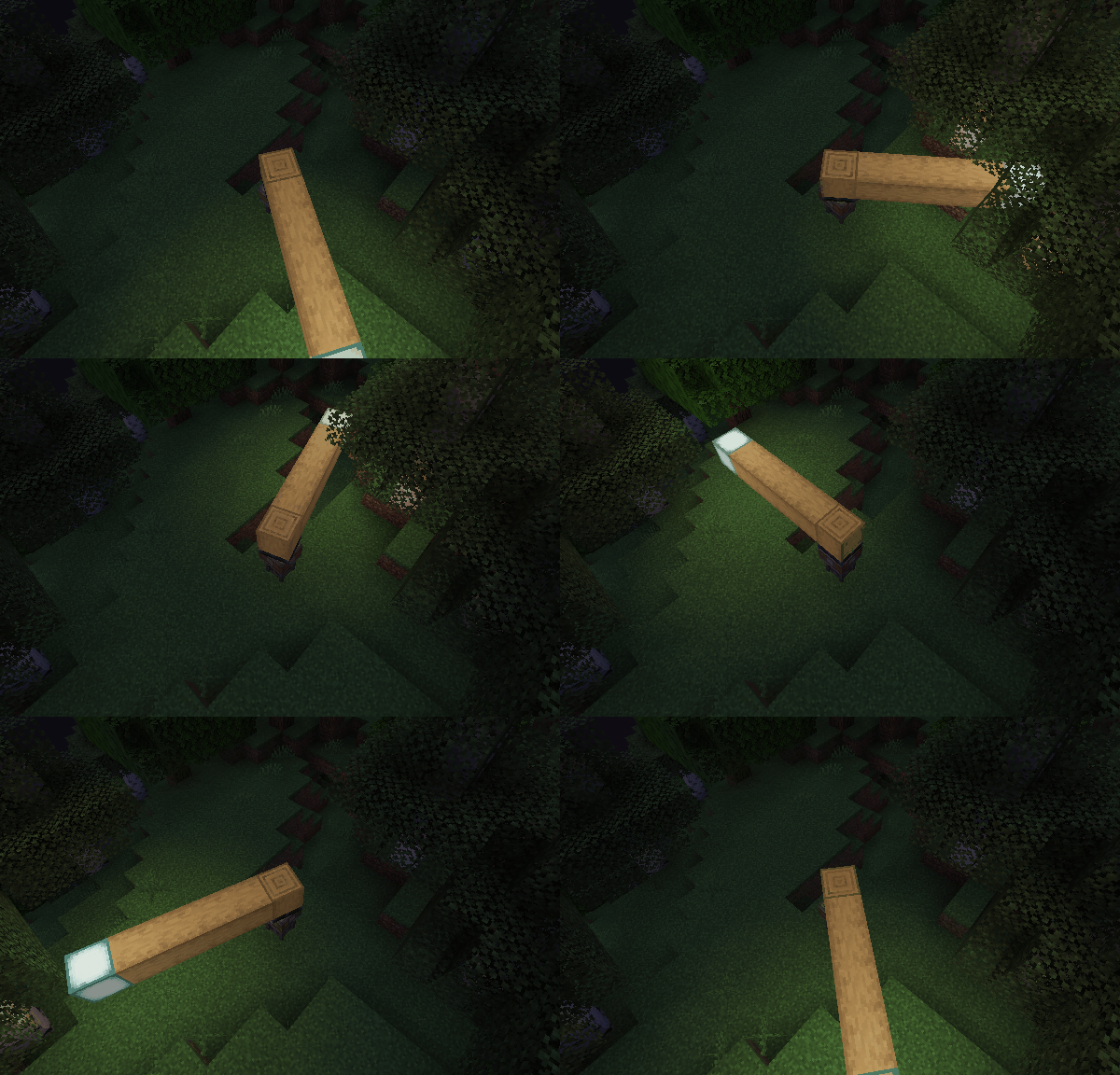
- Disable the light block and enable the LimbDynamicLight. There is no flicker, and the light is smoother.
Q&A
- Q: Why and when to use the light block?
- A: The Light Block is a block that emits light. It's invisible and intangible, making it ideal for creating light sources in the game world. It can affect the environment by melting ice or snow and preventing mob spawning. However, the Light Block can impact performance, and the light source isn’t smooth when the contraption moves. Therefore, I recommend using the LambDynamicLights mod for smoother lighting effects. There might be two reasons for using the Light Block:
- The client doesn't have the LambDynamicLights mod installed or this mod installed.
- You want to create a light source that can affect the environment, such as melting ice or snow.
Project description from CurseForge.
Pick your setup
Create: Dynamic Lights by Minecraft version and loader
Choose the version and loader you play, then open the matching release.
Minecraft version
1.21.1
1
loader build Minecraft version
1.20.6
2
loader builds Minecraft version
1.20.5
2
loader builds Minecraft version
1.20.4
2
loader builds Minecraft version
1.20.3
2
loader builds Minecraft version
1.20.2
2
loader builds Minecraft version
1.20.1
2
loader builds Minecraft version
1.20
1
loader build Minecraft version
1.19.4
2
loader builds Minecraft version
1.19.3
2
loader builds Minecraft version
1.19.2
2
loader builds Minecraft version
1.19.1
1
loader build Showing the newest 12 of 13 game versions.
Older files are in the list below.
Check the dependencies, then try the file in a copied instance before changing a world you care about.
Recent files
Create: Dynamic Lights versions and loaders
create-dyn-light-forge1.20.1+1.0.2.jar
15 Sept 2024
Client Source doesn’t say Server Source doesn’t say Dependencies 1 unmatched of 1 Listed on Release listing
Check the 1.20.2 · Forge setup → 1.20.21.20.51.20.31.20.1 beta
create-dyn-light-forge1.20.1+1.0.1.jar
25 Aug 2024
Client Source doesn’t say Server Source doesn’t say Dependencies 1 required · 1 unchecked Listed on Release listing
Check the 1.20.2 · Forge setup → 1.20.21.20.51.20.31.20.1 beta