Forge Config API Port Needed by Open Third Person OpenThirdPerson-1.20.1-1.0.3f.jar
requiredMatching file found Matched file: [FABRIC] [1.20.1] ForgeConfigAPIPort-v8.0.3
CurseForge · Minecraft mod
An open source third person camera control mod
Quick answer
Open Third Person OpenThirdPerson-1.20.1-1.0.3f.jar targets 1.20.2, 1.20.3, 1.20.1 with Fabric. The project page does not say whether this file belongs on the client, dedicated server, or both. All 2 required mods have matching files.
Where it goes
The project page does not say whether this file belongs on the client, dedicated server, or both.
The source does not explicitly classify this release as client-only or server-only.
OpenThirdPerson-1.20.1-1.0.3f.jar. Change the file and its required mods may change too.
Install Forge Config API Port, Fabric API first. We found matching files for this game-version and loader setup. 3 come through another mod in the chain.
3 extra mods were pulled in by other dependencies. Indented rows show who needs each one. We only count dependency files that match this setup. A file for another loader does not fill the gap.
Before you install it
Built for Open Third Person OpenThirdPerson-1.20.1-1.0.3f.jar. Pick another file and the loader, install side or required mods may change.
Use OpenThirdPerson-1.20.1-1.0.3f.jar. It targets 1.20.2, 1.20.3, 1.20.1 with Fabric; another release may have different loader, side or dependency requirements.
Install Forge Config API Port, Fabric API first. We found matching files for this game-version and loader setup. 3 come through another mod in the chain.
The project page does not say whether this file belongs on the client, dedicated server, or both.
Use the “Get this file” button beside OpenThirdPerson-1.20.1-1.0.3f.jar. It opens that exact file at the source.
About this project
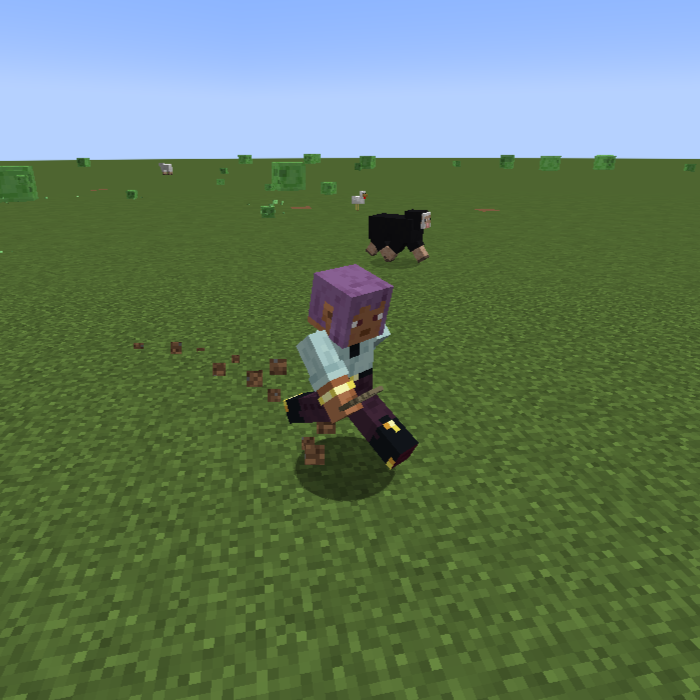
Open Third Person is an open source enhancement for the third person camera.
When in third person, you are able to move the camera around freely while holding the middle mouse button (can be rebound). This lets you position the camera exactly where you want it without interfering with the normal movement controls.

The cardinal mode allows to move in 8 directions using the regular movement keys. Your player will automatically face the way you're moving. Using the camera button (default middle mouse) will force your player to look where your camera is looking.


Config Options
Project description from CurseForge.
Pick your setup
Choose the version and loader you play, then open the matching release.
Check the dependencies, then try the file in a copied instance before changing a world you care about.
Recent files
8 Oct 2024
8 Oct 2024
8 Oct 2024
6 Oct 2024
6 Oct 2024
6 Oct 2024
17 Aug 2024
17 Aug 2024
16 Aug 2024
16 Aug 2024
15 Aug 2024
14 Aug 2024
Looking for an older file? The official CurseForge project page is in Resources.
 mod
Adds a wearable backpack with easy access.
 mod
A client-side utility that unifies the menus, skill trees, and UIs of major Jujutsu Kaisen mods into a single, clean dashboard.
 mod
Organize Create schematics into folders and search them from the Schematic Table.