GeckoLib Needed by Shut Your Eyes Shut_Your_Eyes - 1.20.1 - V 2.0.5.jar
requiredMatching file found Matched file: geckolib-forge-1.20.1-4.8.4.jar
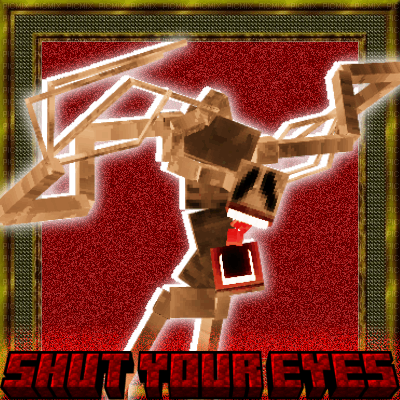
CurseForge · Minecraft mod
Do you wanna play a game?
Quick answer
Shut Your Eyes Shut_Your_Eyes - 1.20.1 - V 2.0.5.jar targets 1.20.1 with Forge. The project page does not say whether this file belongs on the client, dedicated server, or both. All 1 required mods have matching files.
Where it goes
The project page does not say whether this file belongs on the client, dedicated server, or both.
The source does not explicitly classify this release as client-only or server-only.
Shut_Your_Eyes - 1.20.1 - V 2.0.5.jar. Change the file and its required mods may change too.
Install GeckoLib first. We found matching files for this game-version and loader setup.
We only count dependency files that match this setup. A file for another loader does not fill the gap.
Before you install it
Built for Shut Your Eyes Shut_Your_Eyes - 1.20.1 - V 2.0.5.jar. Pick another file and the loader, install side or required mods may change.
Use Shut_Your_Eyes - 1.20.1 - V 2.0.5.jar. It targets 1.20.1 with Forge; another release may have different loader, side or dependency requirements.
Install GeckoLib first. We found matching files for this game-version and loader setup.
The project page does not say whether this file belongs on the client, dedicated server, or both.
Use the “Get this file” button beside Shut_Your_Eyes - 1.20.1 - V 2.0.5.jar. It opens that exact file at the source.
About this project

*REQUIRES GECKOLIB*
This entity will stalk you throughout your Minecraft world.
It will attack when you are most vulnerable.
Shut Your Eyes to prevent him from killing you. Only Open Them When The Sound Cue Indicates That He Is Gone.
Shut Your Eyes Key Is Set To "G" As The Default.
Hold Your Breath Key Is Set To "ENTER" As The Default.
This mod is early access, so there most likely will me several bugs.
(In order to access the config, you need to go to saves, go to the world you want to change settings for, and go to serverconfig)
 Encounters:
Project description from CurseForge.
Pick your setup
Choose the version and loader you play, then open the matching release.
Check the dependencies, then try the file in a copied instance before changing a world you care about.
Recent files
17 Oct 2024
17 Oct 2024
17 Oct 2024
17 Oct 2024
14 Oct 2024
14 Oct 2024
14 Oct 2024
14 Oct 2024
14 Oct 2024
14 Oct 2024
4 Oct 2024
4 Oct 2024
Looking for an older file? The official CurseForge project page is in Resources.
 mod
modA mod that emulates popular Roblox game Deepwoken in Minecraft
 mod
modcontent from the start till modded ENDGAME
 mod
modThis mod adds most of the items from Paladium and some things different from the official server (for example, trading with villagers).