Minecraft version
Back to mods 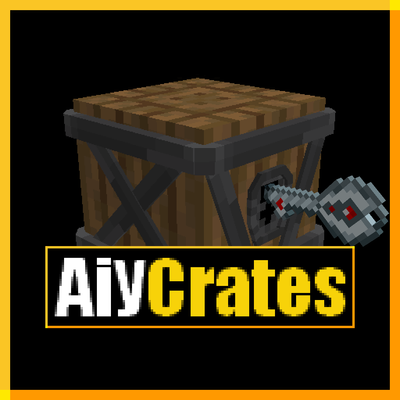
CurseForge · Minecraft mod
Aiycrates
A mod that adds Crates and keys
Choose a version Pick your version below, then grab the matching file.
Quick answer
Which Aiycrates release should I use?
Latest stable file aiycrates-1.1.0-neoforge-1.21.1.jar
Game version 1.21.1
Loader NeoForge
aiycrates-1.1.0-neoforge-1.21.1.jar targets 1.21.1 with NeoForge. The project page does not say whether this file belongs on the client, dedicated server, or both. No extra mods listed for this file.
Where it goes
Is Aiycrates required on the client, server, or both?
The project page does not say whether this file belongs on the client, dedicated server, or both.
Client Source doesn’t say
Dedicated server Source doesn’t say
Loader for this release NeoForge
Required install it here Optional supported, not mandatory Not supported do not install here Source doesn’t say do not assume
The source does not explicitly classify this release as client-only or server-only.
What else does aiycrates-1.1.0-neoforge-1.21.1.jar need?
aiycrates-1.1.0-neoforge-1.21.1.jar. Change the file and its required mods may change too.
This file does not list any required mods. Do not add a library just because a different file uses it.
This file does not list any required or optional mods.
Before you install it
Add Aiycrates without breaking your instance.
Built for aiycrates-1.1.0-neoforge-1.21.1.jar. Pick another file and the loader, install side or required mods may change.
- 01
Stick to this file
Use aiycrates-1.1.0-neoforge-1.21.1.jar. It targets 1.21.1 with NeoForge; another release may have different loader, side or dependency requirements.
- 02
Bring the mods it needs
This file does not list any required mods. Do not add a library just because a different file uses it.
- 03
Put it on the correct side
The project page does not say whether this file belongs on the client, dedicated server, or both.
- 04
Pick the file you checked
Use the “Get this file” button beside aiycrates-1.1.0-neoforge-1.21.1.jar. It opens that exact file at the source.
About this project
What does Aiycrates add?
A Mod that adds several Crates and keys.
The key of a crate (slot key) can be anything even nothing
Only the Decorative Crate is craftable
Designed for servers that need LootCrates.
[Content:]-Decorative crate (craftable)
-Crate changer (changes the model of the Custom Crate (10 variants)
[12 Crates]
-Nostalgic (the old HG crates)
-Old (basic texture)
-Rarity (Common -> Sacred +vote)
-Custom (10 variants) use "crate changer" item
-Compound The block below is now a crate (anything).
[26 Keys]
-7 Rarity (C->S+v)
-Special Key (funny name)
-Invisible Key
-7 classic Keys (bronze -> emerald)
-10 custom keys (3D but only 2 are different)
[How it Work]
- You can put items in a crate. Depending on the chance, allow it to drop what you want (you can also use an item in the key slot to require something to open the crate).
The crates have 3 interfaces 10 slots, 20 slots, 50 slots - The 10 & 20 slots can be customized for the percentage chance of each slot and otherwise have default percentages.
Leaving an empty slot will give you air (10 & 20 +% only). - The 50 slots work as follows: the number of slots used equals the chance per slot.
(e.g., 3 leather, 2 cobblestone, 1 gold nugget = 3 slots -> 1/3 chance per slot) up to 1/50. - The compound block can be placed anywhere, and the block below it will become a crate, regardless of which one.
You can make it invisible with Sneak + right-click on the small invisible hitbox above the block. - The Extend block allows you to place blocks in a chain to open a crate from further away.
The half version does the same but is half a block that can be placed in any direction.
You can use Sneak + right-click, moving from the extend to the crate; they will become invisible. - The Key enchantment has been added. You can add this enchantment to items in your hand using the /setkey command.
This is the only enchantment for which the crates will check if the Key item has it.
[Informations]
To modify the content of a crate or to change the appearance of crates,
***You must be in creative mode with level 3 (OP) permissions.***The Key slot checks the item, the name, the [Key] enchantment, and the quantity.
To set a slot percentage (10%/20%), use the textbox and type slot:%chance.
Like this: (01:23.4) = slot 1: 23.4% chance (min 00.0 max 99.9)
The custom keys and crates are designed to be modified by servers, so not all models have been created.
(I ran out of ideas, sorry). you will find an official resource pack here to let you change the models
https://www.curseforge.com/minecraft/texture-packs/aiycrates-configuration
Terms of Use:
Do NOT reupload this mod anywhere without permission.
You can freely include this mod in any modpack!
Project description from CurseForge.
Pick your setup
Aiycrates by Minecraft version and loader
Choose the version and loader you play, then open the matching release.
Minecraft version
1.20.1
1 loader buildMinecraft version
1.18.2
1 loader buildMinecraft version
1.16.5
1 loader buildCheck the dependencies, then try the file in a copied instance before changing a world you care about.
Recent files
Aiycrates versions and loaders
aiycrates-1.1.0-neoforge-1.21.1.jar
19 Aug 2026
Client Source doesn’t say Server Source doesn’t say Dependencies No extras listed Listed on Release listing
Check the 1.21.1 · NeoForge setup 1.21.1NeoForge release
aiycrates-1.1.0-forge-1.20.1.jar
19 Aug 2026
Client Source doesn’t say Server Source doesn’t say Dependencies No extras listed Listed on Release listing
Check the 1.20.1 · Forge setup 1.20.1Forge release
aiycrates-1.1.0-forge-1.18.2.jar
19 Aug 2026
Client Source doesn’t say Server Source doesn’t say Dependencies No extras listed Listed on Release listing
Check the 1.18.2 · Forge setup Forge1.18.2 release
aiycrates-1.1.0-forge-1.16.5.jar
19 Aug 2026
Client Source doesn’t say Server Source doesn’t say Dependencies No extras listed Listed on Release listing
Check the 1.16.5 · Forge setup 1.16.5Forge release
aiycrates 1.21.1-1.0.0-neoforge.jar
26 Nov 2024
Client Source doesn’t say Server Source doesn’t say Dependencies No extras listed Listed on Release listing
Check the 1.21.1 · NeoForge setup 1.21.1NeoForge release
aiycrates 1.20.1-1.0.0.jar
AiyCrates 1.20.1 - 1.0.0.jar
27 Aug 2024
Client Source doesn’t say Server Source doesn’t say Dependencies No extras listed Listed on Release listing
Check the 1.20.1 · Forge setup 1.20.1Forge release
aiycrates 1.18.2-1.0.0.jar
AiyCrates 1.18.2 - 1.0.0.jar
27 Aug 2024
Client Source doesn’t say Server Source doesn’t say Dependencies No extras listed Listed on Release listing
Check the 1.18.2 · Forge setup 1.18.2Forge release
aiycrates 1.16.5-1.0.0.jar
AiyCrates 1.16.5 - 1.0.0.jar
27 Aug 2024
Client Source doesn’t say Server Source doesn’t say Dependencies No extras listed Listed on Release listing
Check the 1.16.5 · Forge setup 1.16.5Forge release
Looking for an older file? The official CurseForge project page is in Resources.
 mod
mod CurseForge · Minecraft
Paisley's Summoning x Summonity: A Terramity Addon of an Addon
Integrates and adds compatibility to Paisley's Summoning and Summonity, two Terramity addons that add summoning.
 mod
mod CurseForge · Minecraft
Arcadia Pets
Collect pets, level their skills, fuse them up, and duel other players. Summon them to walk beside you or ride on your shoulder !
 mod
mod CurseForge · Minecraft
Ambi (Ambient Sounds)
A lightweight client-side audio mod that dynamically shifts environmental soundscapes based on biomes, weather, time, indoor shelters, and deep caves.