Minecraft version
Back to mods 
CurseForge · Minecraft mod
Minion
Utility library for Minecraft modders
Choose a version Pick your version below, then grab the matching file.
Quick answer
Which Minion release should I use?
Latest stable file minion-0.1.2.jar
Game version 1.21.1
Loader NeoForge
minion-0.1.2.jar targets 1.21.1 with NeoForge. The project page does not say whether this file belongs on the client, dedicated server, or both. No extra mods listed for this file.
Where it goes
Is Minion required on the client, server, or both?
The project page does not say whether this file belongs on the client, dedicated server, or both.
Client Source doesn’t say
Dedicated server Source doesn’t say
Loader for this release NeoForge
Required install it here Optional supported, not mandatory Not supported do not install here Source doesn’t say do not assume
The source does not explicitly classify this release as client-only or server-only.
What else does minion-0.1.2.jar need?
minion-0.1.2.jar. Change the file and its required mods may change too.
This file does not list any required mods. Do not add a library just because a different file uses it.
This file does not list any required or optional mods.
Before you install it
Add Minion without breaking your instance.
Built for minion-0.1.2.jar. Pick another file and the loader, install side or required mods may change.
- 01
Stick to this file
Use minion-0.1.2.jar. It targets 1.21.1 with NeoForge; another release may have different loader, side or dependency requirements.
- 02
Bring the mods it needs
This file does not list any required mods. Do not add a library just because a different file uses it.
- 03
Put it on the correct side
The project page does not say whether this file belongs on the client, dedicated server, or both.
- 04
Pick the file you checked
Use the “Get this file” button beside minion-0.1.2.jar. It opens that exact file at the source.
About this project
What does Minion add?
Minion
Minion is a small utility library for modded Minecraft. It contains a (thus far) relatively small number of helpers and APIs that I find useful and use often in my modding endeavours.
So, I'm sharing it here on CurseForge just in case it scratches anyone else's itch.
Upcoming Features
Dynamic Texture Generation
With thanks to Dynamic Asset Generator (DynAssetGen) - and a huge amount of gratitude to its author, of course(!) - Minion is able to offer a thin wrapper around DynAssetGen's multitude of image manipulation APIs. This started off as a single API to generate multi-layered, overlayed textures at run-time but it will surely grow more wrappers as time passes.
Custom Server-side Persistent Data
Vanilla Minecraft supports level-attached, saved data, giving modders the basics to save and persist their own game data. However its API is, at least to me, far from perfect. So I've tried to create a slightly improved server-persisting data storage API with a couple of new filesystem-storage backends including raw JSON (via codecs) and gzip-compressed JSON, which is very similar to Minecraft's own gzip-compressed NBT that is the backing store for vanilla's SavedData subsystem.
Project description from CurseForge.
Pick your setup
Minion by Minecraft version and loader
Choose the version and loader you play, then open the matching release.
Check the dependencies, then try the file in a copied instance before changing a world you care about.
Recent files
Minion versions and loaders
minion-0.1.2.jar
31 Aug 2024
Client Source doesn’t say Server Source doesn’t say Dependencies No extras listed Listed on Release listing
Check the 1.21.1 · NeoForge setup NeoForge1.21.1 release
minion-0.1.1-alpha.1.jar
28 Aug 2024
Client Source doesn’t say Server Source doesn’t say Dependencies No extras listed Listed on Release listing
Check the 1.21.1 · NeoForge setup NeoForge1.21.1 release
Looking for an older file? The official CurseForge project page is in Resources.
 mod
CurseForge + Modrinth · Minecraft
Gingerbread houses
The all-in-one Christmas mod: gingerbread houses and decorated trees in the snow, presents you wrap for friends, an advent calendar, reindeer (watch for the red-nosed one), gingerbread men, Krampus, festive food, lights and decorations.
 mod
CurseForge · Minecraft
Eclipse Core
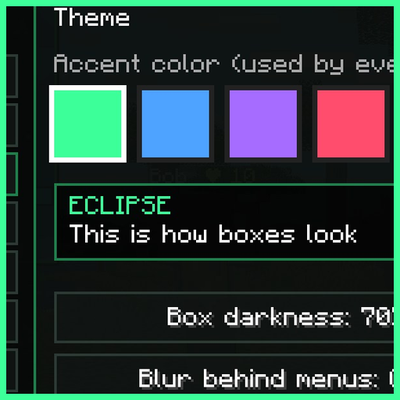
One black and green menu that every Eclipse mod plugs into, with themes, a HUD editor, presets and a settings search.
 mod
CurseForge · Minecraft
Full Stack Computing
Most detailed realistic minecraft computer mod