Minecraft version
Back to mods 
CurseForge · Minecraft mod
WorldWarps
A mod that allows you to create warps to different locations in the world.
Choose a version Pick your version below, then grab the matching file.
Quick answer
Which WorldWarps release should I use?
beta file worldwarps-v1.21-forge-1.0.0.jar
Game version 1.21, 1.21.1
Loader Forge
worldwarps-v1.21-forge-1.0.0.jar targets 1.21, 1.21.1 with Forge. The project page does not say whether this file belongs on the client, dedicated server, or both. No extra mods listed for this file.
Where it goes
Is WorldWarps required on the client, server, or both?
The project page does not say whether this file belongs on the client, dedicated server, or both.
Client Source doesn’t say
Dedicated server Source doesn’t say
Loader for this release Forge
Required install it here Optional supported, not mandatory Not supported do not install here Source doesn’t say do not assume
The source does not explicitly classify this release as client-only or server-only.
What else does worldwarps-v1.21-forge-1.0.0.jar need?
worldwarps-v1.21-forge-1.0.0.jar. Change the file and its required mods may change too.
This file does not list any required mods. Do not add a library just because a different file uses it.
This file does not list any required or optional mods.
Before you install it
Add WorldWarps without breaking your instance.
Built for worldwarps-v1.21-forge-1.0.0.jar. Pick another file and the loader, install side or required mods may change.
- 01
Stick to this file
Use worldwarps-v1.21-forge-1.0.0.jar. It targets 1.21, 1.21.1 with Forge; another release may have different loader, side or dependency requirements.
- 02
Bring the mods it needs
This file does not list any required mods. Do not add a library just because a different file uses it.
- 03
Put it on the correct side
The project page does not say whether this file belongs on the client, dedicated server, or both.
- 04
Pick the file you checked
Use the “Get this file” button beside worldwarps-v1.21-forge-1.0.0.jar. It opens that exact file at the source.
About this project
What does WorldWarps add?
WorldWarps
WorldWarps is a Minecraft mod designed to manage warp points in the game, allowing players to create, remove, and teleport to various locations. This mod is especially useful for servers where players need to quickly navigate between different areas.
Installation
- Ensure you have Forge installed.
- Download the latest version of WorldWarps.
- Place the downloaded .jar file into your
modsfolder. - Start your server or game.
Commands
Write /warp in chat to see all available commands.
The main command provided by WorldWarps is /warp, which has several subcommands:
/warp <name>: Teleports the player to the specified warp./warp list: Lists all available warps./warp list public: Lists all public warps./warp list personal: Lists all personal warps./warp info <name>: Displays information about the specified warp.
The /warpmgr command is used for managing warps:
/warpmgr create <name>: Creates a new warp at the player's current location./warpmgr create <name> <x> <y> <z> <yaw> <pitch> <world>: Creates a new warp at the specified coordinates./warpmgr create <name> <owner> <x> <y> <z> <yaw> <pitch> <world>: Creates a new warp with the specified owner and coordinates./warpmgr remove <name>: Removes the specified warp./warpmgr list: Lists all warps./warpmgr list public: Lists all public warps./warpmgr list personal: Lists all personal warps./warpmgr list all: Lists all warps./warpmgr visibility <name>: Toggles the visibility of the specified warp./warpmgr update <name> <x> <y> <z> <yaw> <pitch>: Updates the specified warp with new coordinates.
Configuration
WorldWarps has a configuration file located at world/serverconfig/worldwarps-server.toml. Here are the available configuration options:
warpLimit: The maximum number of warps a player can have. (WIP)canWarpPermissionLevel: The permission level required to warp.canChangeTypePermissionLevel: The permission level required to change warp type.canCreateWarpPermissionLevel: The permission level required to create a warp.warpAdminPermissionLevel: The permission level required to be a warp admin.
Permissions
WorldWarps has a permissions integration, which allows you to set permissions for each command. Here are the permissions:
worldwarps.can_warp: Allows the player to use the/warpcommand.worldwarps.can_create_warp: Allows the player to use the/warpmgr createcommand.worldwarps.can_change_type: Allows the player to use the/warpmgr visibilitycommand.worldwarps.warp_admin: Allows the player to use admin-level warp commands.
License
WorldWarps is licensed under the MIT License. See the LICENSE file for more details.
Project description from CurseForge.
Pick your setup
WorldWarps by Minecraft version and loader
Choose the version and loader you play, then open the matching release.
Minecraft version
1.21
1 loader buildMinecraft version
1.20.6
1 loader buildMinecraft version
1.20.4
1 loader buildMinecraft version
1.20.3
1 loader buildMinecraft version
1.20.2
1 loader buildMinecraft version
1.20.1
1 loader buildCheck the dependencies, then try the file in a copied instance before changing a world you care about.
Recent files
WorldWarps versions and loaders
worldwarps-v1.21-forge-1.0.0.jar
29 Aug 2024
Client Source doesn’t say Server Source doesn’t say Dependencies No extras listed Listed on Release listing
Check the 1.21.1 · Forge setup 1.21Forge1.21.1 beta
worldwarps-v1.20.6-forge-1.0.0.jar
29 Aug 2024
Client Source doesn’t say Server Source doesn’t say Dependencies No extras listed Listed on Release listing
Check the 1.20.6 · Forge setup Forge1.20.6 beta
worldwarps-v1.20.2-forge-1.0.0.jar
29 Aug 2024
Client Source doesn’t say Server Source doesn’t say Dependencies No extras listed Listed on Release listing
Check the 1.20.4 · Forge setup 1.20.21.20.3Forge1.20.4 beta
worldwarps-v1.20.1-forge-1.0.0.jar
29 Aug 2024
Client Source doesn’t say Server Source doesn’t say Dependencies No extras listed Listed on Release listing
Check the 1.20.1 · Forge setup 1.20.1Forge beta
Looking for an older file? The official CurseForge project page is in Resources.
 mod
CurseForge + Modrinth · Minecraft
Runeborn | Soulslike RPG progression
A soulslike RPG overhaul: earn runes, level eight attributes at Ember Shrines, wield 74 scaling armaments and hunt seven Sovereigns.
 mod
CurseForge · Minecraft
Vive Interactive (Vivecraft Addon)
Grab, throw, and catch items in VR, bat blocks midair, climb walls with craftable gloves, and recall enchanted weapons with a flick of your wrist. Built for Vivecraft on Fabric 1.21.1, with seated play and multiplayer support.
 mod
CurseForge · Minecraft
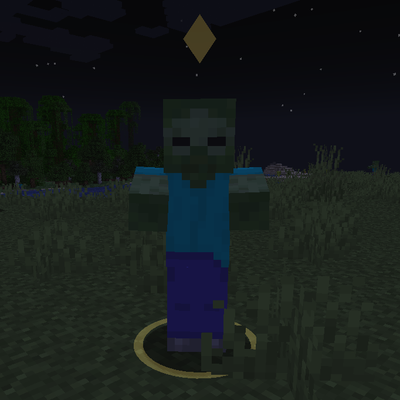
Target Highlight
Marks the enemy nearest your crosshair with a soft ground ring and a small marker above its head. Client-side only and fully configurable.