Minecraft version
Back to mods 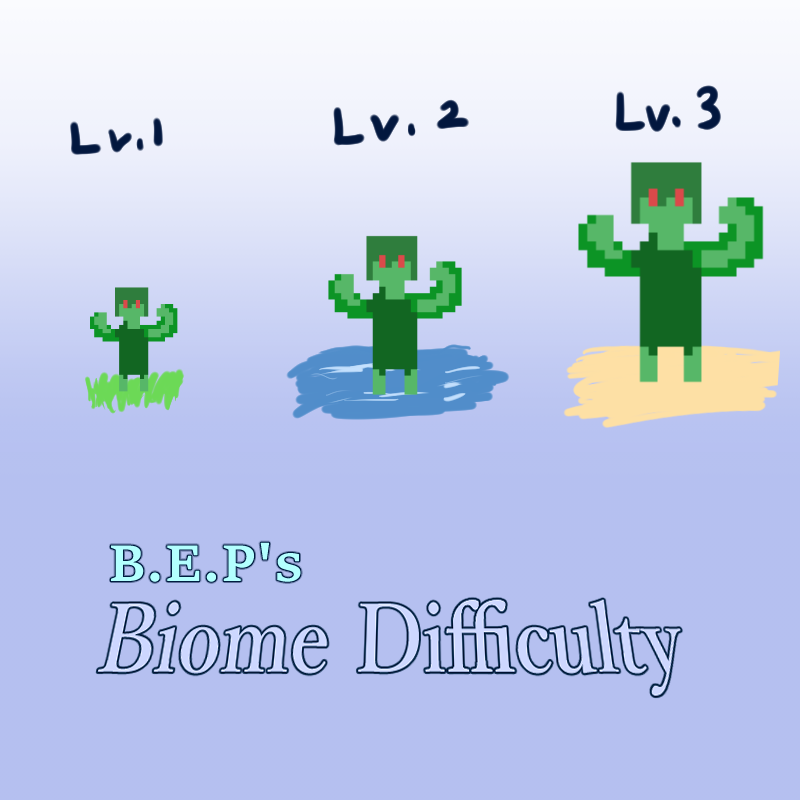
CurseForge · Minecraft mod
Biome Difficulty
Give each biome a setting to modify the “Attributes” of hostile MOBs.
Choose a version Pick your version below, then grab the matching file.
Quick answer
Which Biome Difficulty release should I use?
Latest stable file biomedifficulty-1.19.2-Forge-1.0.2.jar
Game version 1.19.2
Loader Forge
Biome Difficulty biomedifficulty-1.19.2-Forge-1.0.2.jar targets 1.19.2 with Forge. The project page does not say whether this file belongs on the client, dedicated server, or both. No extra mods listed for this file.
Where it goes
Is Biome Difficulty required on the client, server, or both?
The project page does not say whether this file belongs on the client, dedicated server, or both.
Client Source doesn’t say
Dedicated server Source doesn’t say
Loader for this release Forge
Required install it here Optional supported, not mandatory Not supported do not install here Source doesn’t say do not assume
The source does not explicitly classify this release as client-only or server-only.
What else does Biome Difficulty biomedifficulty-1.19.2-Forge-1.0.2.jar need?
biomedifficulty-1.19.2-Forge-1.0.2.jar. Change the file and its required mods may change too.
This file does not list any required mods. Do not add a library just because a different file uses it.
This file does not list any required or optional mods.
Before you install it
Add Biome Difficulty without breaking your instance.
Built for Biome Difficulty biomedifficulty-1.19.2-Forge-1.0.2.jar. Pick another file and the loader, install side or required mods may change.
- 01
Stick to this file
Use biomedifficulty-1.19.2-Forge-1.0.2.jar. It targets 1.19.2 with Forge; another release may have different loader, side or dependency requirements.
- 02
Bring the mods it needs
This file does not list any required mods. Do not add a library just because a different file uses it.
- 03
Put it on the correct side
The project page does not say whether this file belongs on the client, dedicated server, or both.
- 04
Pick the file you checked
Use the “Get this file” button beside biomedifficulty-1.19.2-Forge-1.0.2.jar. It opens that exact file at the source.
About this project
What does Biome Difficulty add?
*Caution!
This mod is intended for those who have some command knowledge.
(At least you need to know about “Attribute” to be able to use it.)
The default settings also assume that the player's maximum health can be increased to some extent.
*Overview
This mod allows each Biome to adjust its "Attribute",
such as HP and attack power, when hostile monsters appear.
After installing and running the mod, a folder "biomedifficulty/biomesettings" will be created in the Config folder, and a .json file containing the settings for each biome will be created in that folder.
(For example, “biomedifficulty/biomesettings/minecraft/forest.json” for the Forest biome.)
These file and folder names are necessary for identification within the mod and should not be configured or renamed!
By default, settings are made for various vanilla biomes.
*How to Setup
Open the .json file and you will find the following file settings.
ice_spikes.json

{
  "UseSetting": true,
  "StatFactor": {
    "minecraft:generic.movement_speed": 0.1,
    "minecraft:generic.max_health": 1.5
  },
  "StatOffset": {
    "biomedifficulty:mob.truedamagevalue": 0.5,
    "biomedifficulty:mob.damagefactor": 0.75,
    "minecraft:knockback_resistance": 0.4,
    "biomedifficulty:mob.bonusexpfactor": 1.0,
    "minecraft:generic.armor": 6.0,
    "minecraft:generic.armor_toughness": 2.0
  }
}
"UseSetting" :
Use this mod setting with this biome.
If set to false, this biome will not compensate Entity.
(Default:false)
"StatFactor" :
Enumerate additional corrections due to magnification in this biome in the form of a list of target “Attribute” and values. For example
"minecraft:generic.max_health": 1.5
will result in a +150% correction to maximum health.
Each value is separated by Comma(,)
"StatOffset" :
Additional direct value corrections for this biome are listed in the form of a list of target “Attribute” and values. For example
"minecraft:generic.armor": 6.0,
will add 6.0 (3 armor marks) to the defense value.
Each value is separated by Comma(,)
*bonus
This mod adds the following three "Attributes".
"biomedifficulty:mob.damagefactor" :
Corrects for the damage done by the entity; at 1.0,
the entity does twice as much damage.
"biomedifficulty:mob.truedamagevalue" :
The amount of damage an entity does when it deals damage,
ignoring any resistances; at 2.0,
the target's health is reduced by one heart when the attack hits.
"biomedifficulty:mob.bonusexpfactor" :
This is the percentage of the amount of experience bonus that an entity drops.
If 1.0, the same amount of bonus experience is dropped as usual
If set, the minimum experience gained is increased by 1.
======================
(日本語説明)
*注意!
このMODはある程度コマンドの知識を持っている人向けです。
(少なくとも"Attribute"について知っていないと使いこなすのは難しいです。) また、デフォルト設定ではある程度プレイヤーの最大HPを増やすことを前提とした設定になっています。
*概要
このMODはBiome毎に敵対的なモンスターの出現時に
HPや攻撃力などの"Attribute"に補正をかけることが出来ます。
このMODを導入し起動を行うことで、
Configフォルダ内に"biomedifficulty/biomesettings"フォルダが生成され、
その中のフォルダにてバイオームごとの設定が入った.jsonファイルが生成されます。
(例えば、Forestバイオームの場合は"biomedifficulty/biomesettings/minecraft/forest.json"です。)
これらのファイル名やフォルダ名はMOD内での識別に必要なため、構成や名前を変更しないでください!
デフォルトでは各種バニラのバイオームに対して設定が行われています。
*設定方法
.jsonファイルを開くと以下のようなファイル設定があります。
ice_spikes.json

{
  "UseSetting": true,
  "StatFactor": {
    "minecraft:generic.movement_speed": 0.1,
    "minecraft:generic.max_health": 1.5
  },
  "StatOffset": {
    "biomedifficulty:mob.truedamagevalue": 0.5,
    "biomedifficulty:mob.damagefactor": 0.75,
    "minecraft:knockback_resistance": 0.4,
    "biomedifficulty:mob.bonusexpfactor": 1.0,
    "minecraft:generic.armor": 6.0,
    "minecraft:generic.armor_toughness": 2.0
  }
}
"UseSetting" :
このバイオームでこのMODの設定を使用するか。
falseにするとこのバイオームはMOBに補正を与えません。
(デフォルト:false)
"StatFactor" :
このバイオームでの倍率による追加補正を対象の"Attribute"と値のリスト形式で列挙します。例えば
"minecraft:generic.max_health": 1.5
とすることで、最大体力に+150%の補正がかかります。
それぞれの値は,(カンマ)で区切ります。
"StatOffset" :
このバイオームでの直接値による追加補正を対象の"Attribute"と値のリスト形式で列挙します。例えば
"minecraft:generic.armor": 6.0,
とすることで、防御値に6.0(鎧マーク3個分)の補正が加わります。
それぞれの値は,(カンマ)で区切ります。
*おまけ
このMODでは以下の3つの"Attribute"を追加しています。
"biomedifficulty:mob.damagefactor" :
エンティティが与えるダメージに補正を与えます。
1.0の場合、エンティティは2倍のダメージを与えます。
"biomedifficulty:mob.truedamagevalue" :
エンティティがダメージを与えた時、あらゆる耐性を無視して与えるダメージ量です。
2.0の場合、攻撃が命中した時点でその対象のヘルスをハート1個分減らします。
"biomedifficulty:mob.bonusexpfactor" :
エンティティがドロップする経験値のボーナス量の割合です。
1.0の場合、普段と同じ量のボーナス経験値をドロップします(実質入手経験値2倍)
設定されている場合、最低でも得られる経験値は1増加します。
Project description from CurseForge.
Pick your setup
Biome Difficulty by Minecraft version and loader
Choose the version and loader you play, then open the matching release.
Check the dependencies, then try the file in a copied instance before changing a world you care about.
Recent files
Biome Difficulty versions and loaders
biomedifficulty-1.19.2-Forge-1.0.2.jar
7 Sept 2024
Client Source doesn’t say Server Source doesn’t say Dependencies No extras listed Listed on Release listing
Check the 1.19.2 · Forge setup 1.19.2Forge release
biomedifficulty-1.19.2-Forge-1.0.1.jar
31 Aug 2024
Client Source doesn’t say Server Source doesn’t say Dependencies No extras listed Listed on Release listing
Check the 1.19.2 · Forge setup 1.19.2Forge release
biomedifficulty-1.19.2-Forge-1.0.0.jar
31 Aug 2024
Client Source doesn’t say Server Source doesn’t say Dependencies No extras listed Listed on Release listing
Check the 1.19.2 · Forge setup 1.19.2Forge release
Looking for an older file? The official CurseForge project page is in Resources.
 mod
Modrinth · Minecraft
Christmas Dweller
The Christmas dweller is a modification inspired by Gargin's Cave dweller. Beware, this festive character will track and seize you when the chance arises. NOTE: GeckoLib is required for this mod to work.
 mod
CurseForge · Minecraft
Etched: Hosted Audio
Play your hosted audio through Etched while downloading, then cache it locally for future playback.
 mod
CurseForge · Minecraft
Shhh Brightness Toggle
A simple client-side brightness and fullbright mod for Minecraft 26.3. Lets you toggle brightness with a hotkey, adjust levels between 10% and 100%, and configure settings in-game without potion effects or particles.