Minecraft version
Back to mods 
CurseForge · Minecraft mod
Alchemist's Arsenal
Magical Engineering for every Alchemist's Delight
Choose a version Pick your version below, then grab the matching file.
Quick answer
Which Alchemist's Arsenal release should I use?
Latest stable file AlchemistArsenal-Neoforge1.21.1-v1.0.0.5.jar
Game version 1.21.1
Loader NeoForge
Alchemist's Arsenal AlchemistArsenal-Neoforge1.21.1-v1.0.0.5.jar targets 1.21.1 with NeoForge. The project page does not say whether this file belongs on the client, dedicated server, or both. No extra mods listed for this file.
Where it goes
Is Alchemist's Arsenal required on the client, server, or both?
The project page does not say whether this file belongs on the client, dedicated server, or both.
Client Source doesn’t say
Dedicated server Source doesn’t say
Loader for this release NeoForge
Required install it here Optional supported, not mandatory Not supported do not install here Source doesn’t say do not assume
The source does not explicitly classify this release as client-only or server-only.
What else does Alchemist's Arsenal AlchemistArsenal-Neoforge1.21.1-v1.0.0.5.jar need?
AlchemistArsenal-Neoforge1.21.1-v1.0.0.5.jar. Change the file and its required mods may change too.
This file does not list any required mods. Do not add a library just because a different file uses it.
This file does not list any required or optional mods.
Before you install it
Add Alchemist's Arsenal without breaking your instance.
Built for Alchemist's Arsenal AlchemistArsenal-Neoforge1.21.1-v1.0.0.5.jar. Pick another file and the loader, install side or required mods may change.
- 01
Stick to this file
Use AlchemistArsenal-Neoforge1.21.1-v1.0.0.5.jar. It targets 1.21.1 with NeoForge; another release may have different loader, side or dependency requirements.
- 02
Bring the mods it needs
This file does not list any required mods. Do not add a library just because a different file uses it.
- 03
Put it on the correct side
The project page does not say whether this file belongs on the client, dedicated server, or both.
- 04
Pick the file you checked
Use the “Get this file” button beside AlchemistArsenal-Neoforge1.21.1-v1.0.0.5.jar. It opens that exact file at the source.
About this project
What does Alchemist's Arsenal add?

Alchemist's Arsenal aims to add a variety of weapons, utilities and other forms of equipment to the game, centered around a blend of an alchemy and steampunk
aesthetics, all the while trying to give more uses to some of the vanilla resources.
Content:
Potions:
Potion of Engorgement I-III
Increase size by 100% per level
Potion of Shrinkage I-III
Decrease size by 25% per level
Potion of Strider I-III
Increase Step Height by 1 block per level, allowing to easily climb fences and higher walls
Potion of Reacher I-III:
Increase Interaction Range by 1.5 block per level, allowing to hit enemies, place blocks and more from farther away
Flasks:
Special kinds of potions that grant special effects, crafted from an unstable concoction
Infernal Flask:
Attacking enemies sets them on fire
Poisonous Flask:
Attacking enemies inflicts them with poison
Fertilizer:
An improved substitute for bone meal that grows plants in a 3x3 area. It's enhanced version grows plants faster and in a 5x5 area
Weapons:
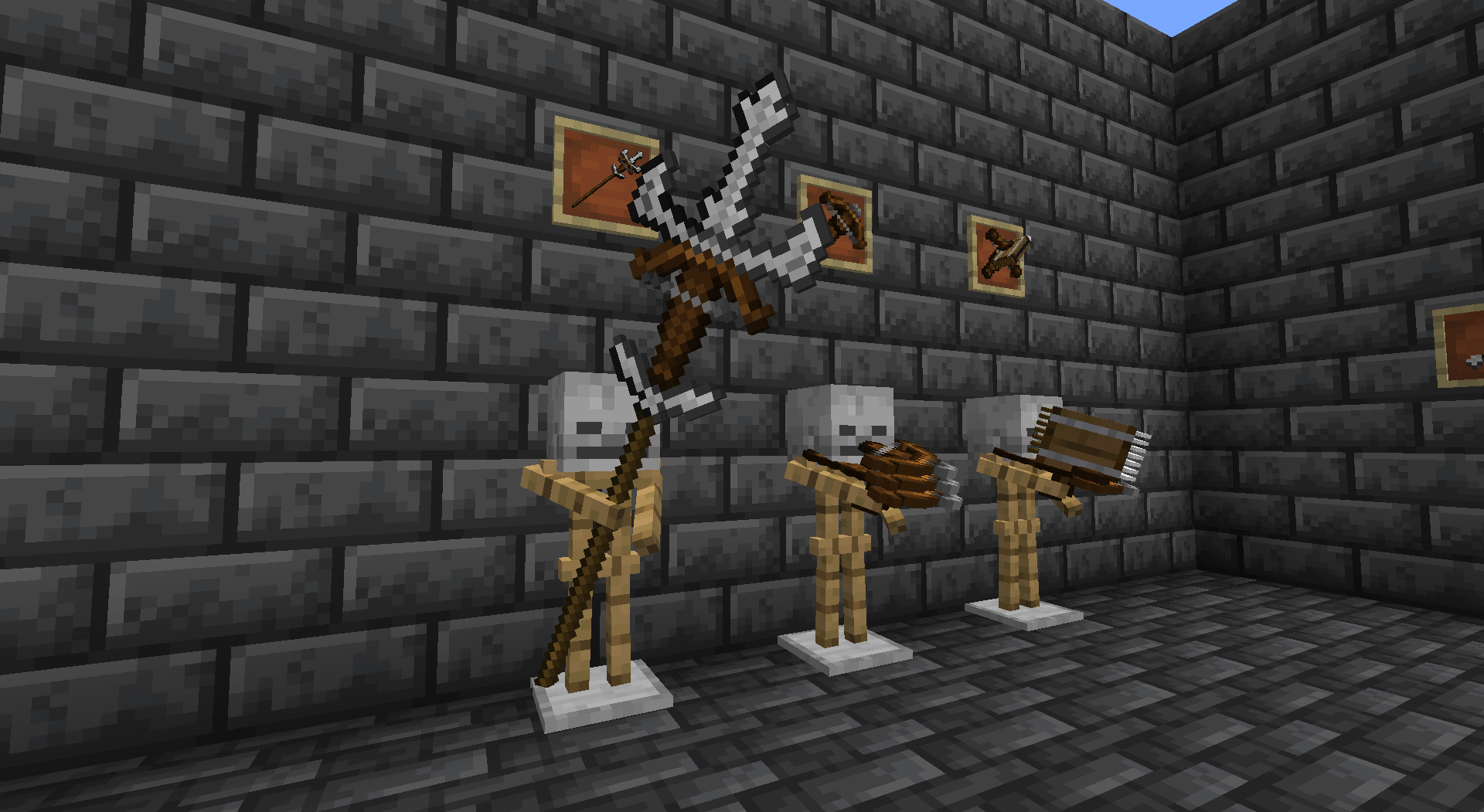
Crossbow Scythe:
Part crossbow, part warscythe, this weapon has all the functionality of a crossbow while being a strong melee weapon that can reach enemies from 2.5 blocks farther away
Repeating Crossbow:
Charge up to 3 projectiles in this stronger upgrade of the crossbow, and shoot them one at a time or in fast succession.
Automatic Crossbow:
Once charged, this weapons can fire non-stop any arrow from your inventory in a quick succession without reloading, or once at a time. It requires manual recharge after 24 uses
Equipment
Steampunk Wings:
Late game upgrade to the elytra: Boost your flight with B, consuming fuel in your inventory. Fuel is set to coal/charcoal but can be changed with a datapack with the "steampunk_wings_fuel" item tag. The texture of the wings can be changed for each instance of the item trough data component "alkhars:custom_wings_texture" and a custom resourcepack. This allows for giving different textured wings to different players/teams
Steampunk Armour:
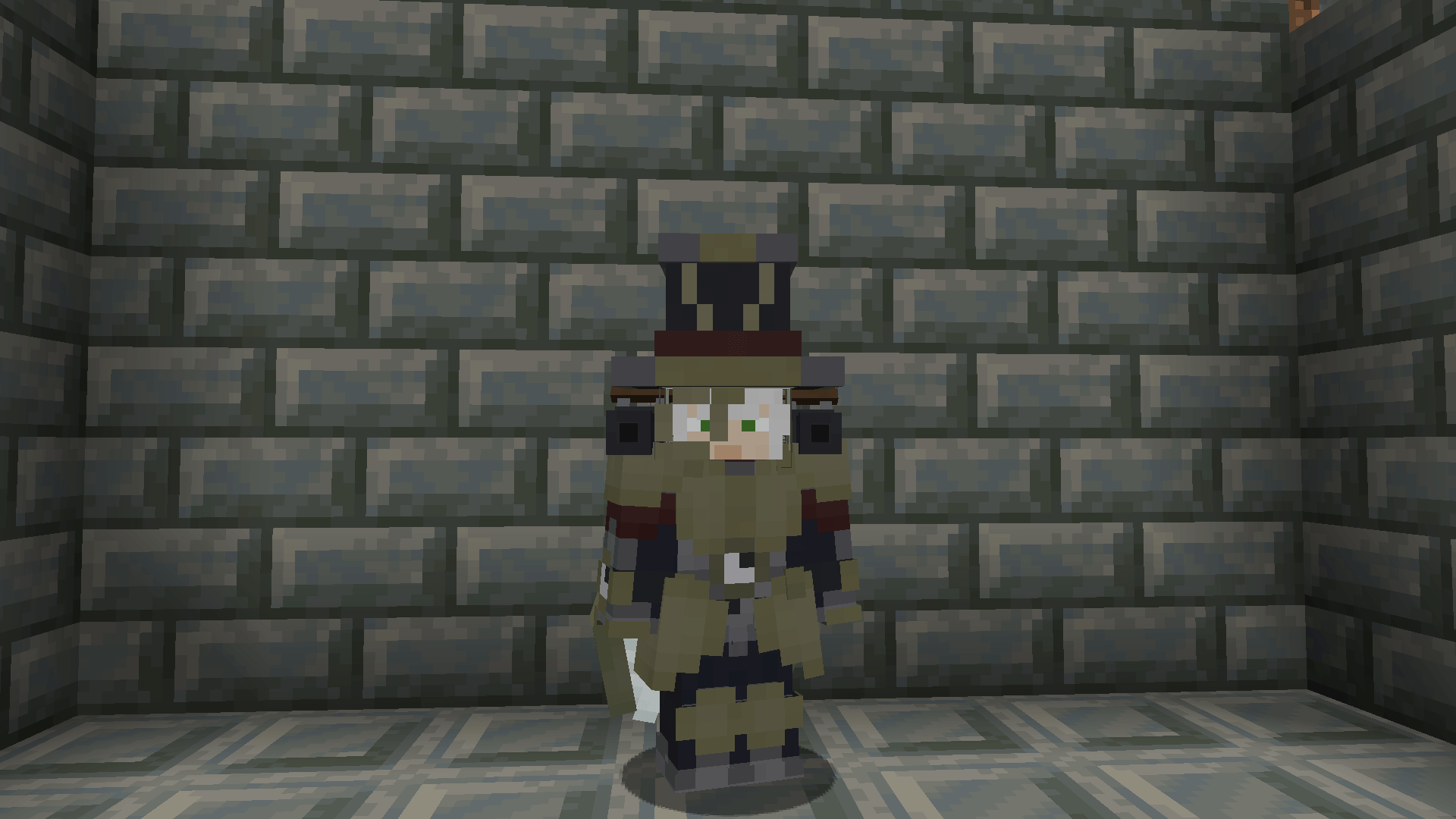
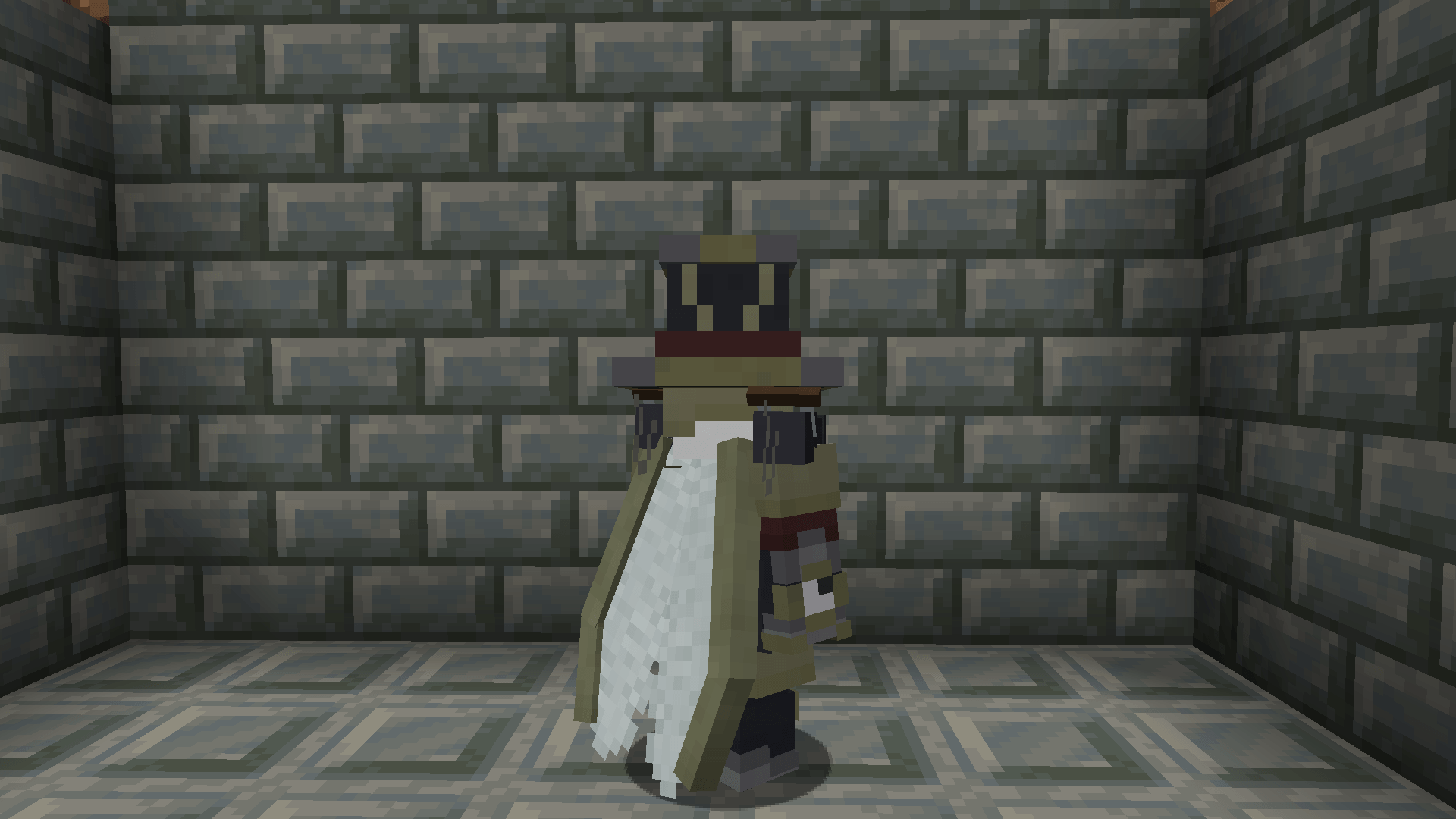
Late game armour set that grants various bonuses while being on par with netherite. Each piece gives different bonuses such as increased speed or jump height. The Steampunk Chestplate is equipped with built-in Steampunk Wings and possesses all of its functionality, other than being equipped with two launchers capable of shooting firework rockets upon your enemies (keybind: Left Alt)
Turtle Master Armour:
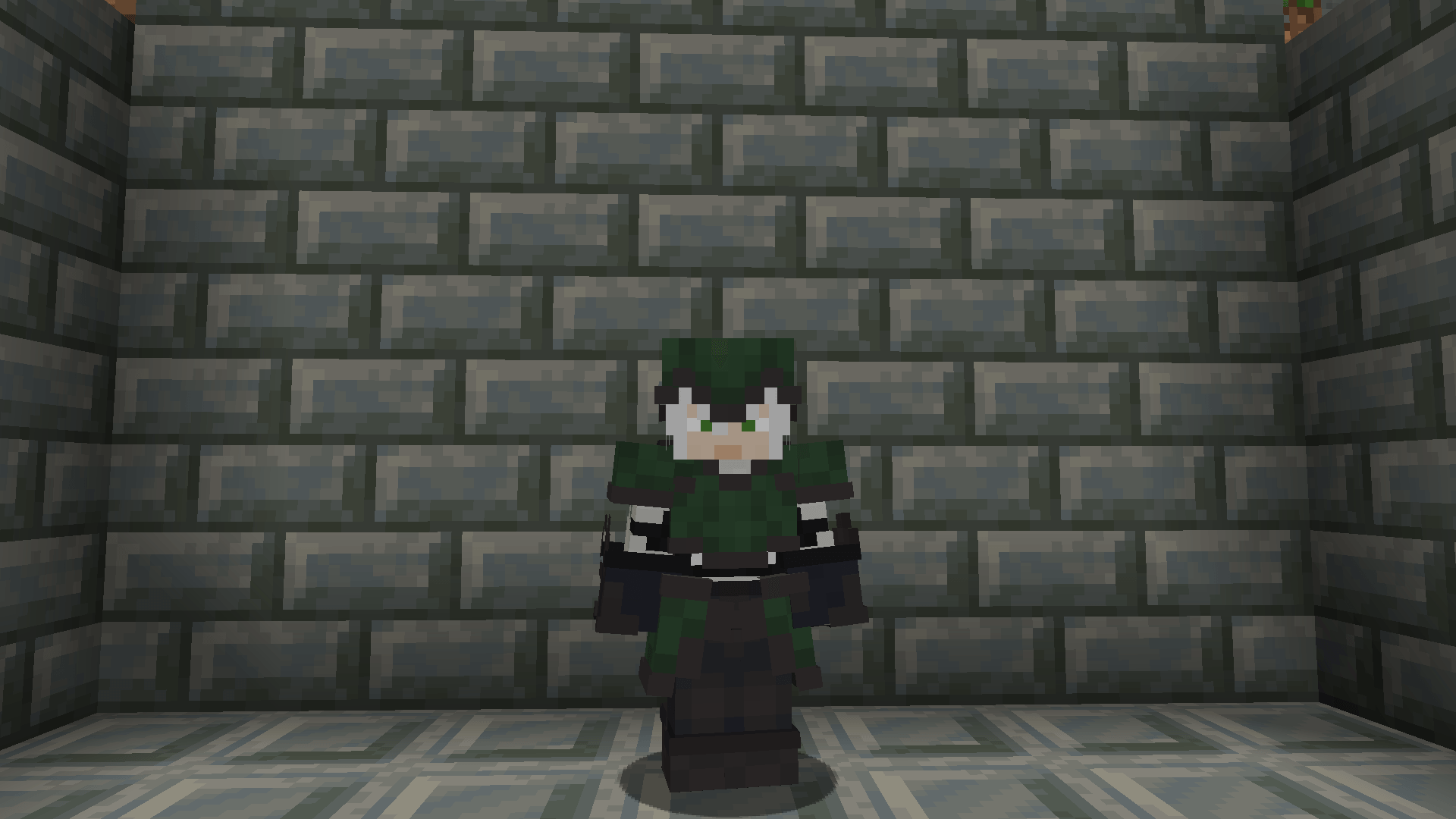
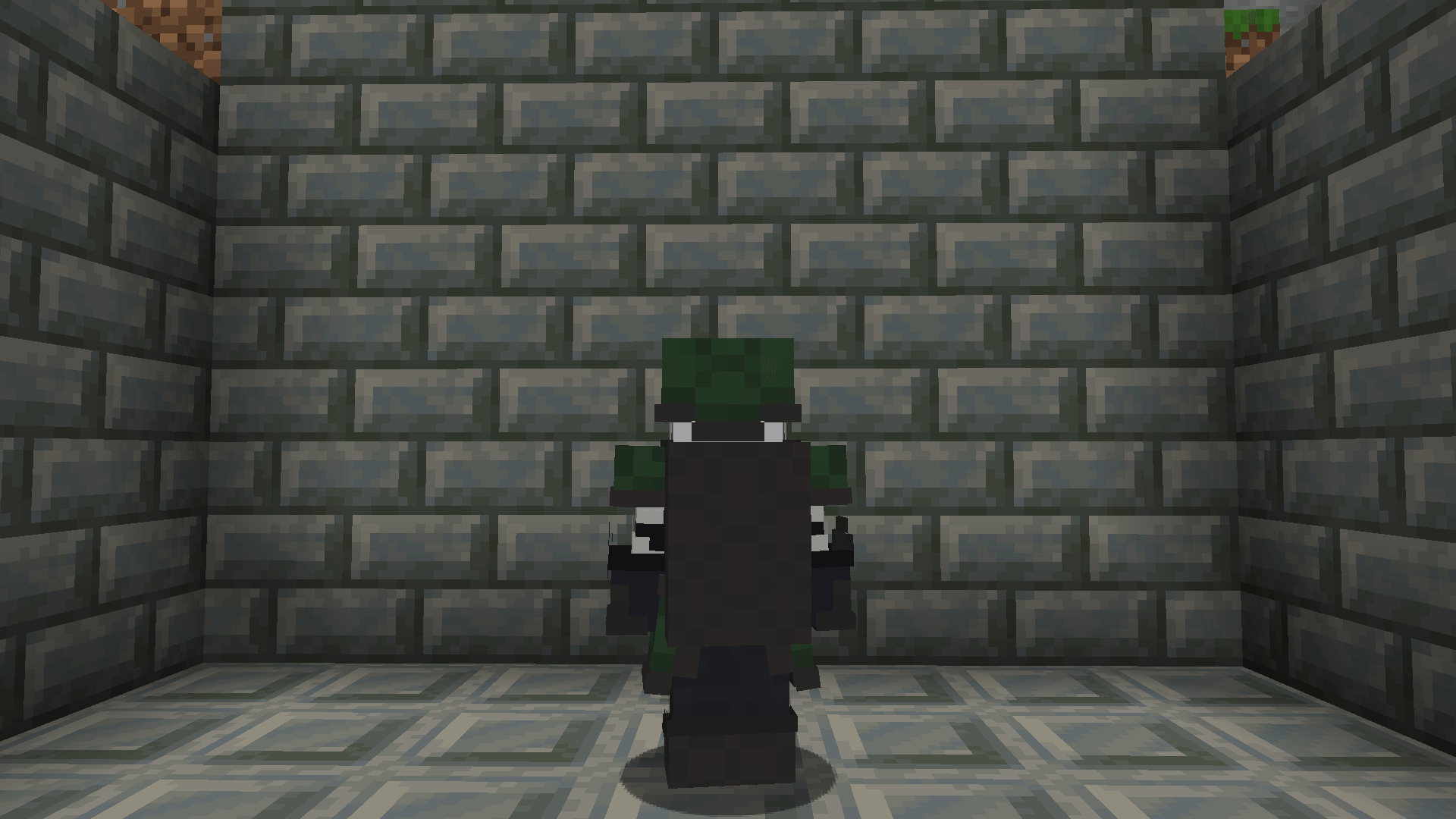
Late game armour much stronger than netherite that grants a great bonus to defence, toughness, knockback resistance and health but comes at the cost of a noticeable decrease in movement speed, a low enchantability value and a dramatic increase in fall damage taken, capable of nullifying the health increase and killing the player from height that they would normally survive otherwise.
Arrows:
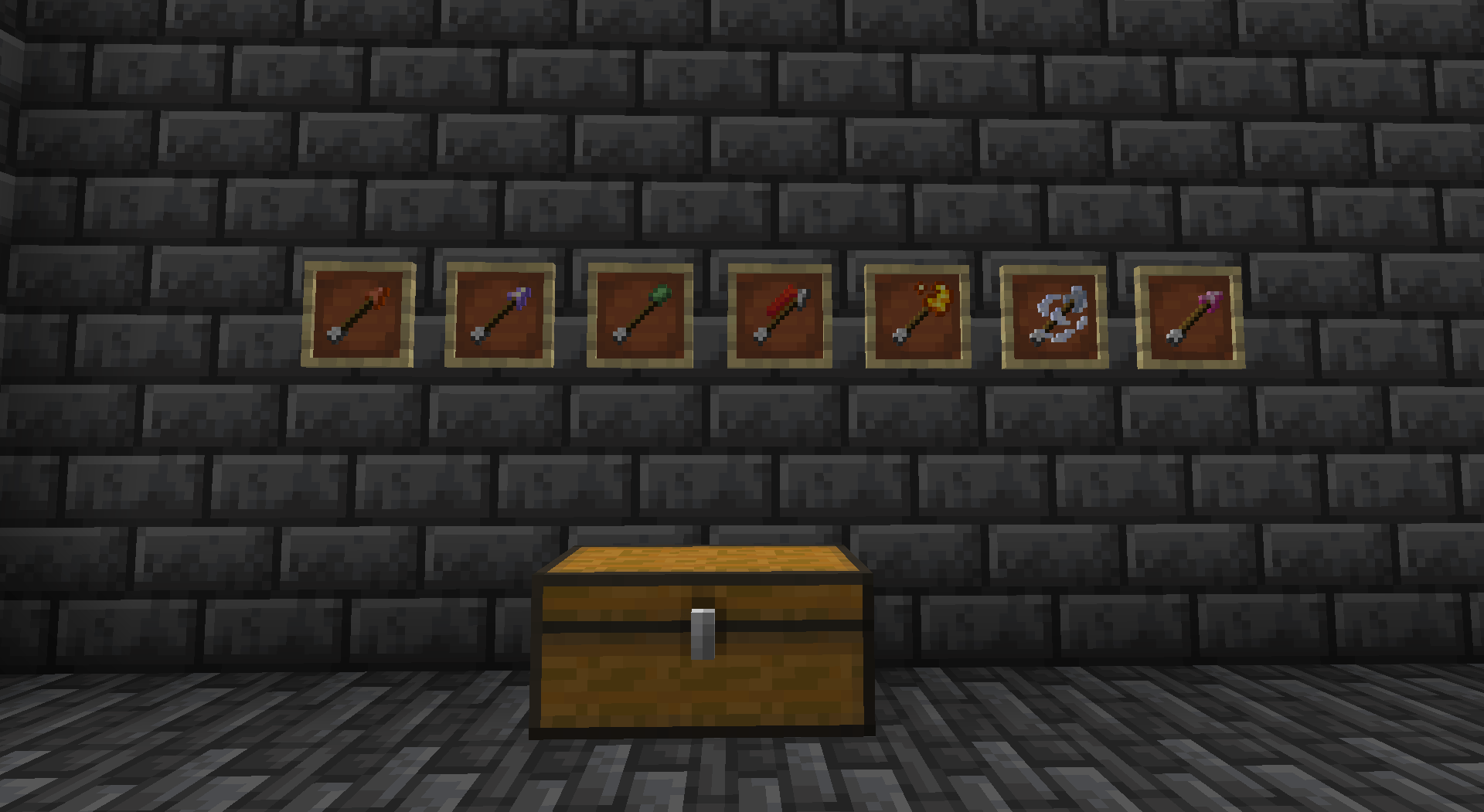
- Bouncy Arrow: Bounces up to 3 times on blocks
- Copper Arrow: Small chance to summon lightning during thunderstorms
- Amethyst Arrow: Explodes into shrapnels on hit
- Flaming Arrow: sets entities and blocks on fire
- Explosive Arrow: creates a small explosion on impact
- Wind Arrow: Creates a Wind Charge explosion with increased knockback and range on impact
- Dragon Arrow: Creates a small pool of dragon breath on impact
Project description from CurseForge.
Pick your setup
Alchemist's Arsenal by Minecraft version and loader
Choose the version and loader you play, then open the matching release.
Minecraft version
1.21
2 loader buildsCheck the dependencies, then try the file in a copied instance before changing a world you care about.
Recent files
Alchemist's Arsenal versions and loaders
AlchemistArsenal-Neoforge1.21.1-v1.0.0.5.jar
12 Jan 2025
Client Source doesn’t say Server Source doesn’t say Dependencies No extras listed Listed on Release listing
Check the 1.21.1 · NeoForge setup NeoForge1.21.1 release
AlchemistArsenal-Neoforge1.21.1-v1.0.0.4.jar
5 Jan 2025
Client Source doesn’t say Server Source doesn’t say Dependencies No extras listed Listed on Release listing
Check the 1.21.1 · NeoForge setup NeoForge1.21.1 release
AlchemistsArsenal-Neoforge1.21.1-v1.1.0.1
AlchemistsArsenal-Neoforge1.21-v1.1.0.1.jar
28 Sept 2024
Client Source doesn’t say Server Source doesn’t say Dependencies No extras listed Listed on Release listing
Check the 1.21.1 · NeoForge setup 1.21NeoForge1.21.1 release
AlchemistsArsenal-Neoforge1.21.1-v1.1.0.0.jar
AlchemistsArsenal-Neoforge1.21-v1.1.0.0.jar
27 Sept 2024
Client Source doesn’t say Server Source doesn’t say Dependencies No extras listed Listed on Release listing
Check the 1.21.1 · NeoForge setup 1.21NeoForge1.21.1 release
AlchemistsArsenal-Forge1.21-v1.0.0.2.jar
8 Sept 2024
Client Source doesn’t say Server Source doesn’t say Dependencies No extras listed Listed on Release listing
Check the 1.21.1 · Forge setup 1.21Forge1.21.1 release
AlchemistsArsenal-Neoforge1.21-v1.0.02.jar
8 Sept 2024
Client Source doesn’t say Server Source doesn’t say Dependencies No extras listed Listed on Release listing
Check the 1.21.1 · NeoForge setup 1.21NeoForge1.21.1 release
AlchemistsArsenal-Neoforge1.21-v1.0.01.jar
7 Sept 2024
Client Source doesn’t say Server Source doesn’t say Dependencies No extras listed Listed on Release listing
Check the 1.21.1 · NeoForge setup 1.21NeoForge1.21.1 release
Alchemist'sArsenal-Neoforge1.21-v1.0.0.3
AlchemistsArsenal-Neoforge1.21-v1.0.jar
6 Sept 2024
Client Source doesn’t say Server Source doesn’t say Dependencies No extras listed Listed on Release listing
Check the 1.21.1 · NeoForge setup 1.21NeoForge1.21.1 release
Looking for an older file? The official CurseForge project page is in Resources.
 mod
CurseForge · Minecraft
Fae Folio: Hagcraft
Become a hag, learn wyrd magic, fight new bosses, or use salt and iron to keep your home safe from those who have embraced the magics of the first night.
 mod
CurseForge · Minecraft
You Are Sheep !
Become a fluffy sheep by wearing wool! Cap mob damage at 6 HP, bleat when hurt, and embrace your inner newbie!
 mod
CurseForge · Minecraft
Savage Ender Dragon
Overhauled ender dragon fight with new mechanics