Just Enough Items (JEI) Optional for Laser Assembly laserassembly-1.0.0+1.21.1.jar
optionalMatching file found Matched file: 19.69.0.457 for NeoForge 1.21.1
CurseForge · Minecraft mod
An assembly table fed by lasers. Fit them with lenses to cut, weld and engrave, run recipes in steps, tune each beam's intensity and keep the table cool. BuildCraft's idea, redesigned, all in datapacks.
Quick answer
Laser Assembly laserassembly-1.0.0+1.21.1.jar targets 1.21, 1.21.1 with NeoForge. The project page does not say whether this file belongs on the client, dedicated server, or both. No extra mods listed for this file.
Where it goes
The project page does not say whether this file belongs on the client, dedicated server, or both.
The source does not explicitly classify this release as client-only or server-only.
laserassembly-1.0.0+1.21.1.jar. Change the file and its required mods may change too.
This file does not list any required mods. Do not add a library just because a different file uses it.
2 extra mods were pulled in by other dependencies. Indented rows show who needs each one. We only count dependency files that match this setup. A file for another loader does not fill the gap.
Before you install it
Built for Laser Assembly laserassembly-1.0.0+1.21.1.jar. Pick another file and the loader, install side or required mods may change.
Use laserassembly-1.0.0+1.21.1.jar. It targets 1.21, 1.21.1 with NeoForge; another release may have different loader, side or dependency requirements.
This file does not list any required mods. Do not add a library just because a different file uses it.
The project page does not say whether this file belongs on the client, dedicated server, or both.
Use the “Get this file” button beside laserassembly-1.0.0+1.21.1.jar. It opens that exact file at the source.
About this project
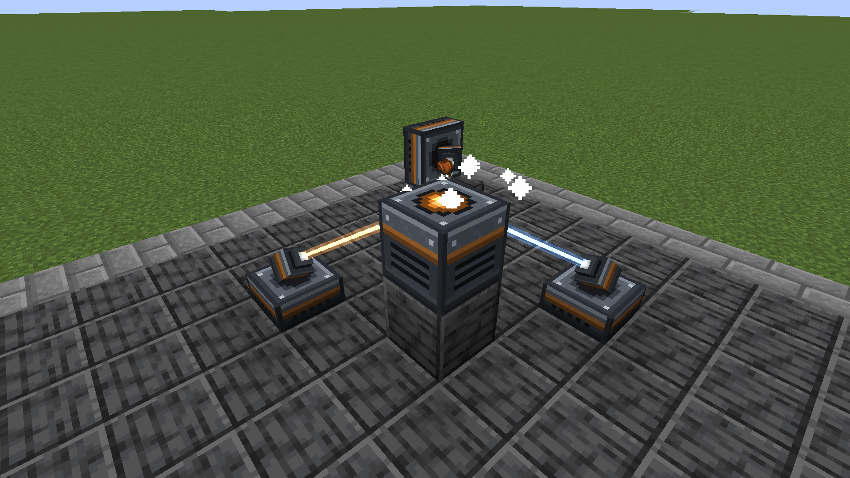
Build an Assembly Table, aim lasers at it, and it makes what no crafting grid can: saddles, tridents, chainmail, horse armour, and the lenses and augments that make the lasers better. The table takes no power of its own; every bit of work is a beam arriving at it. The lasers run on Forge Energy: play it with a mod that makes some.
It is BuildCraft's Assembly Table, redesigned rather than copied: lasers carry lenses, recipes come in steps, beams have an intensity, and pushing them too hard heats the table.

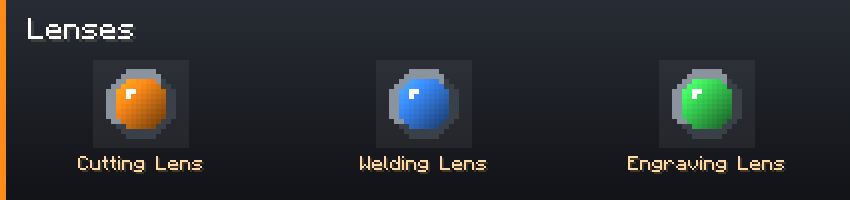
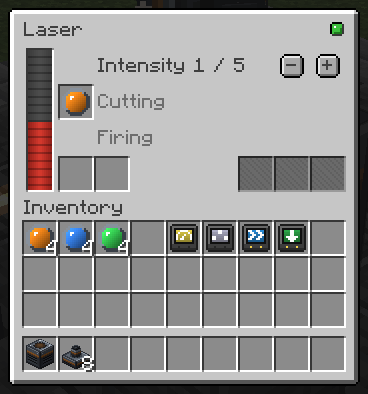

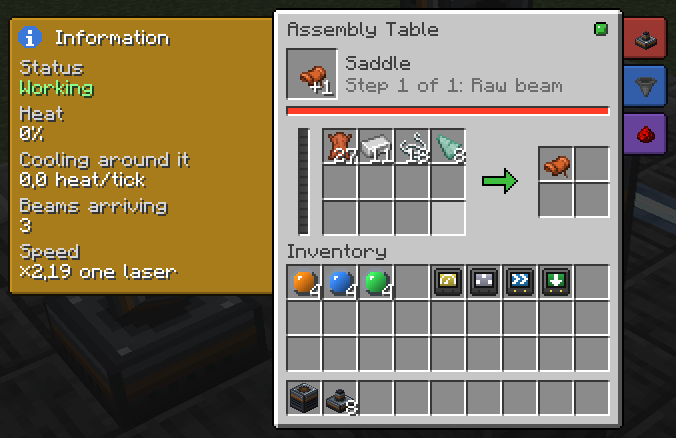

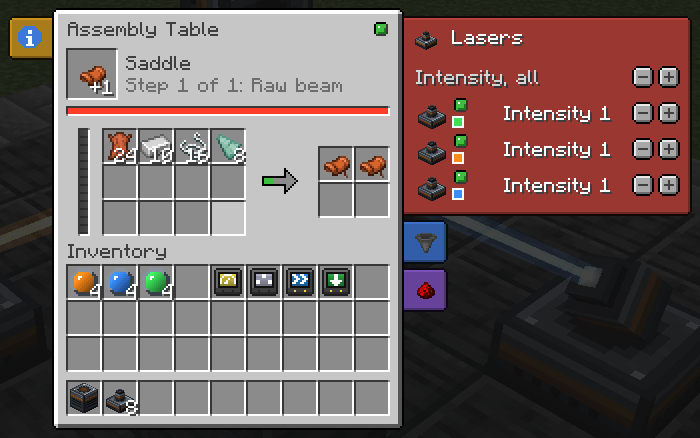
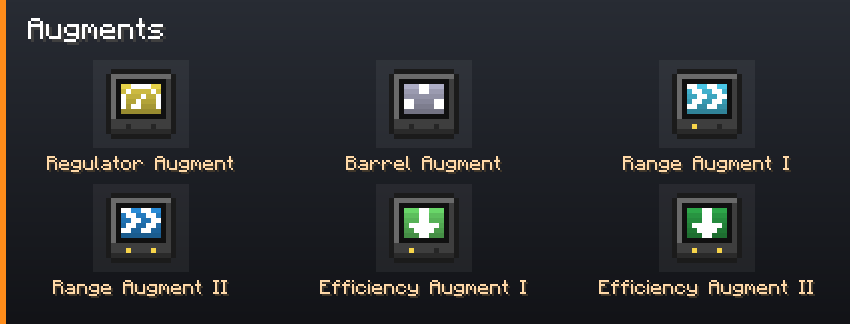

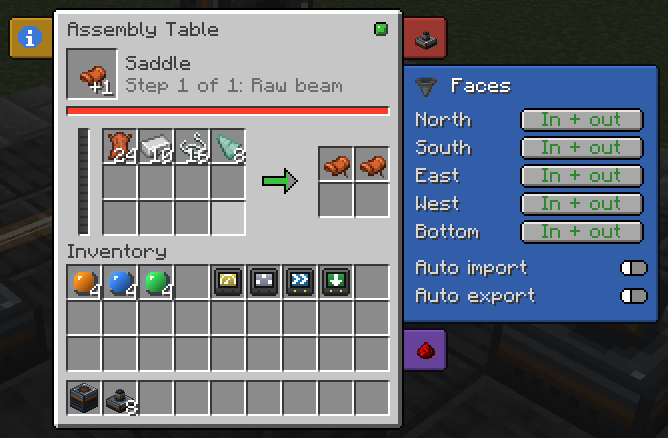
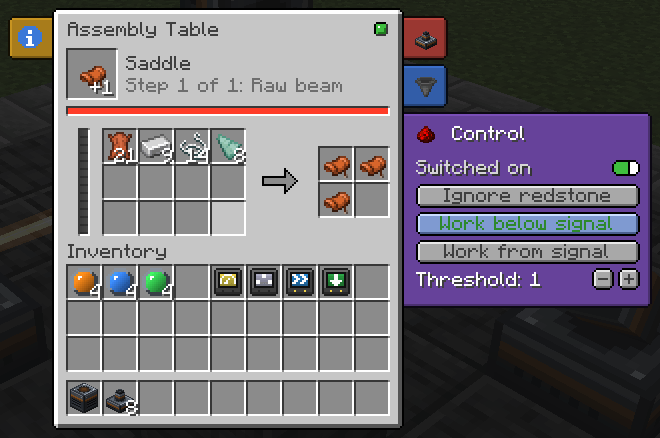

Recipes, beam types, augments and coolants are datapack files. Each lens and augment is its own item, so tags, KubeJS, CraftTweaker and JEI see plain item ids. The vanilla recipes sit in a built-in datapack you can turn off. The server config sets thresholds, the raw beam, stacking, heat and range.
| Loader | NeoForge |
| An energy mod (required) | anything that makes Forge Energy: the lasers run on it |
| JEI (optional) | every recipe, with the lens each step needs |
| Jade (optional) | what a table makes, its step and its heat |
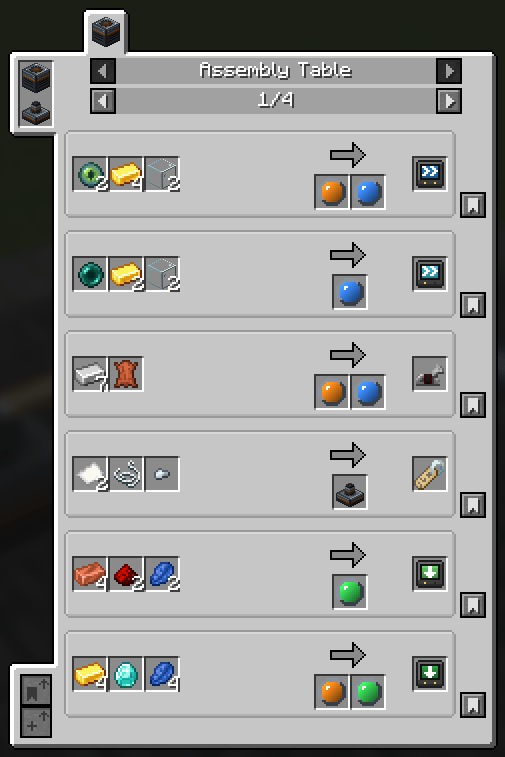
Needed on both the client and the server.
Does the table need power? No. Power the lasers with Forge Energy from any mod; they bring the work.
Can I add recipes, beams or augments? Yes, with datapack files. A new beam or augment needs an item to stand for it, from KubeJS or another mod.
Fabric? No.
Can I put it in my modpack? Yes. No need to ask.
Modpacks: yes. No permission needed, no message required, public or private, monetised or not, on any platform or launcher.
Credit is appreciated and never required.
Forks and addons: yes, under the MIT terms. Please do not publish a fork under the name Laser Assembly: the name is not covered by the licence.
Assets (textures, GUI artwork, logo) are the one exception: redistribute them with the mod freely, but do not lift them into another project.
Project description from CurseForge.
Pick your setup
Choose the version and loader you play, then open the matching release.
Check the dependencies, then try the file in a copied instance before changing a world you care about.
Recent files
6 Oct 2026
Looking for an older file? The official CurseForge project page is in Resources.
 mod
modFaster EMI loading with optimized recipe lookups and parallel search indexing.
 mod
modAdventure time inspired dungeon crawler on a train. Procedurally generated carriages on a infinite sable physics train. Rich narrative, with custom made mods for a completely unique experience.
 mod
modDyed chests, and the buttons a chest should always have had