Minecraft version
Back to mods 
CurseForge · Minecraft mod
AdaptiveHUD
A variable based HUD mod. Adds FPS, coords, light, etc, directly on your screen! A mini-F3!
Choose a version Pick your version below, then grab the matching file.
Quick answer
Which AdaptiveHUD release should I use?
Latest stable file v1.0.1+1.21.2.jar
Game version 1.21.3, 1.21.2
Loader Fabric
AdaptiveHUD v1.0.1+1.21.2.jar targets 1.21.3, 1.21.2 with Fabric. The project page does not say whether this file belongs on the client, dedicated server, or both. No extra mods listed for this file.
Where it goes
Is AdaptiveHUD required on the client, server, or both?
The project page does not say whether this file belongs on the client, dedicated server, or both.
Client Source doesn’t say
Dedicated server Source doesn’t say
Loader for this release Fabric
Required install it here Optional supported, not mandatory Not supported do not install here Source doesn’t say do not assume
The source does not explicitly classify this release as client-only or server-only.
What else does AdaptiveHUD v1.0.1+1.21.2.jar need?
v1.0.1+1.21.2.jar. Change the file and its required mods may change too.
This file does not list any required mods. Do not add a library just because a different file uses it.
This file does not list any required or optional mods.
Before you install it
Add AdaptiveHUD without breaking your instance.
Built for AdaptiveHUD v1.0.1+1.21.2.jar. Pick another file and the loader, install side or required mods may change.
- 01
Stick to this file
Use v1.0.1+1.21.2.jar. It targets 1.21.3, 1.21.2 with Fabric; another release may have different loader, side or dependency requirements.
- 02
Bring the mods it needs
This file does not list any required mods. Do not add a library just because a different file uses it.
- 03
Put it on the correct side
The project page does not say whether this file belongs on the client, dedicated server, or both.
- 04
Pick the file you checked
Use the “Get this file” button beside v1.0.1+1.21.2.jar. It opens that exact file at the source.
About this project
What does AdaptiveHUD add?

Description



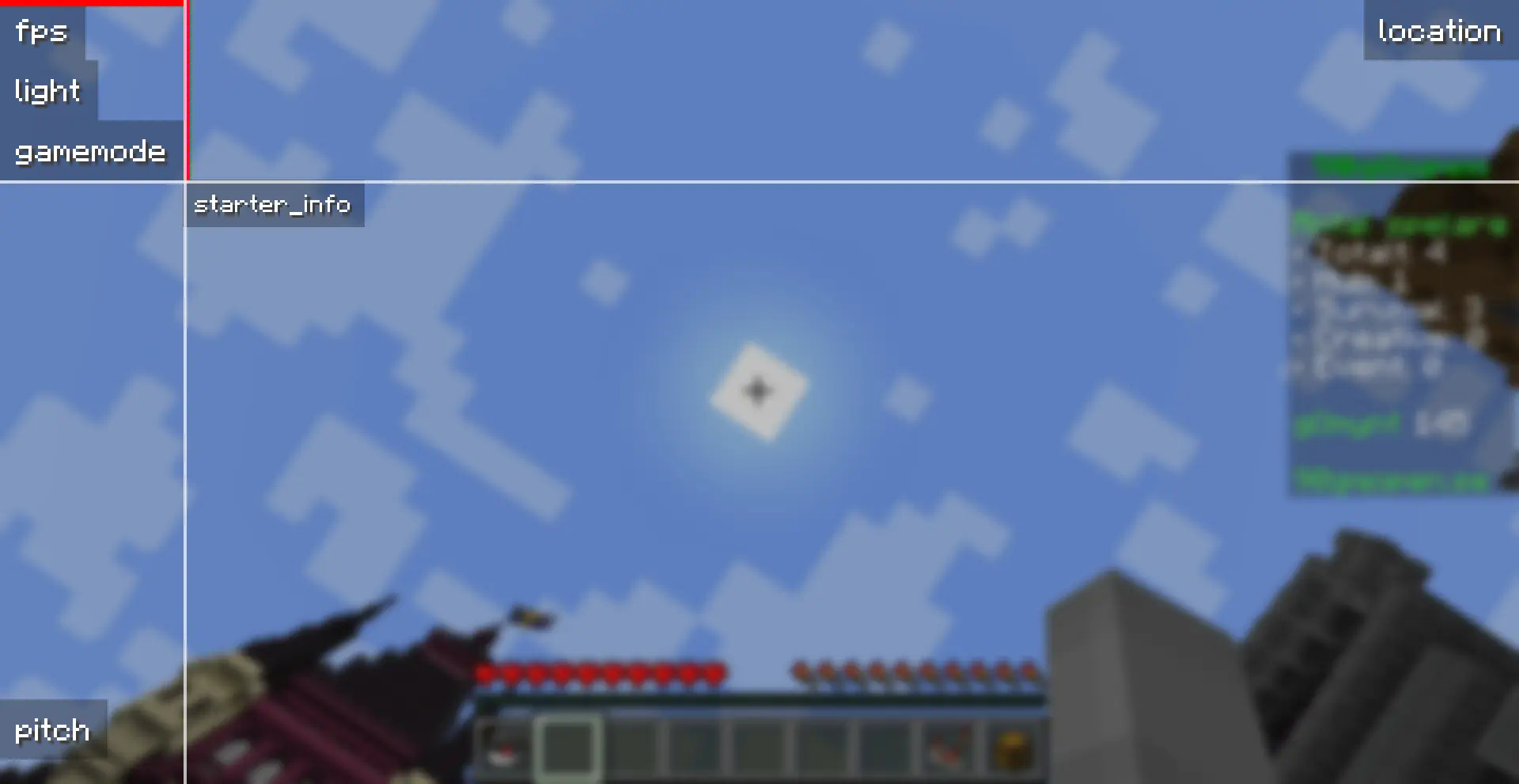
AdaptiveHUD is a highly customizable HUD mod, it is based on variables meaning you can make it display pretty much anything you want! From your current FPS to the amount of outgoing packets, anything is possible. While there are other mods like this, AdaptiveHUD gives you the ability to position these elements wherever you want (through a dragging-screen), you can change the padding, the background, the colors, shadows, scale and much more.
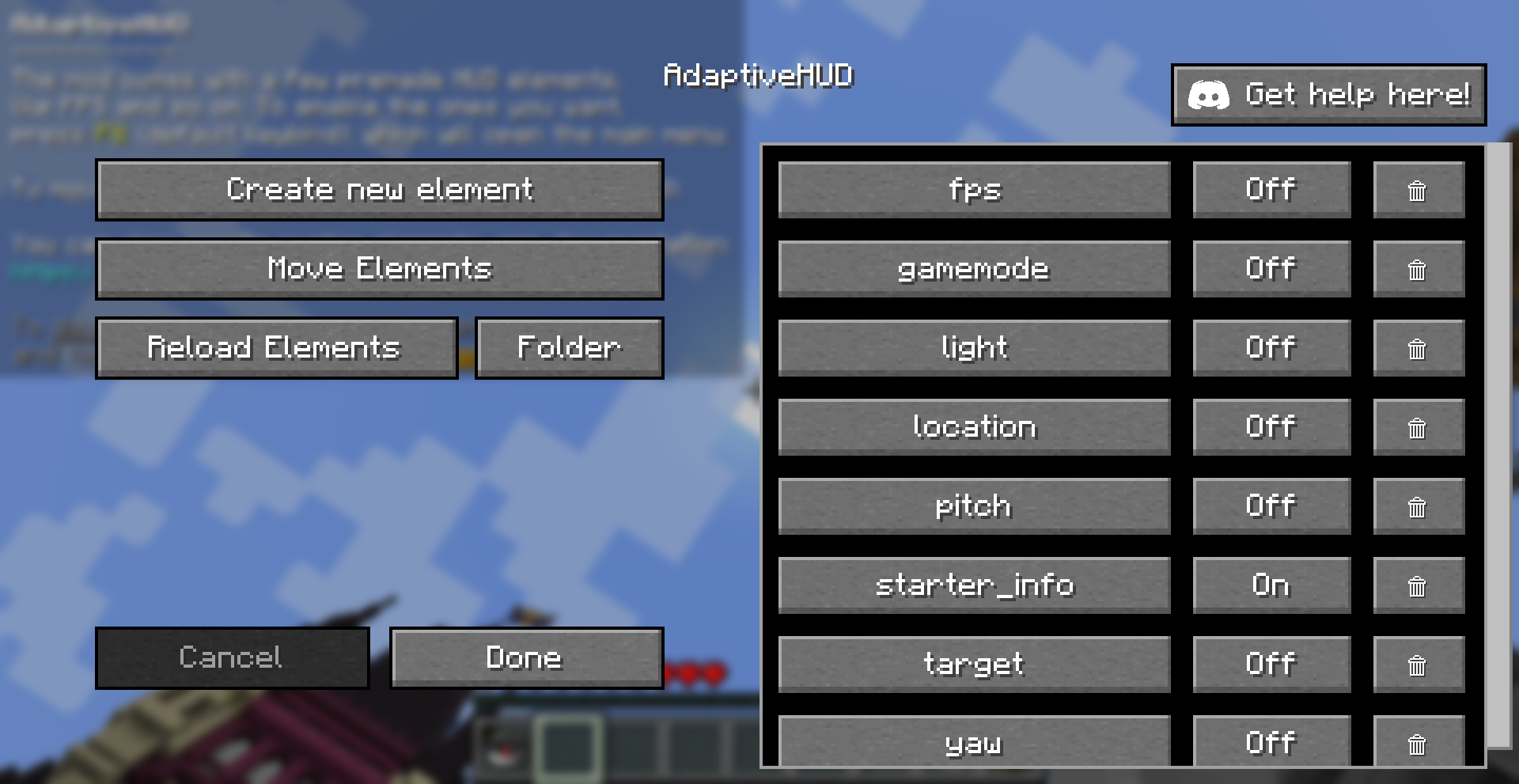
When you create a new element you use variables to display what you want. For example you could enter something like FPS: {fps}, which then would display your current FPS like FPS: 103. The mod has many different variables, and you can find them all by checking out the documentation.
Why does this mod exist?
While there are a few other mods like this, they all have some missing features that I would have liked.
Minihud: Lacks customization, while you can display a lot of information, you can't move each induvidually, it isn't variable based (meaning the text is set), also you can't change colors, scale, padding and such as easily.
CustomHUD: Not that user-friendly. While CustomHUD is able to scale, change colors and more, it isn't that easy to use since you must edit the files manually. CustomHUD also focuses more on paragraphs of text, while AdaptiveHUD has each variable as an individual element.
Example Profile
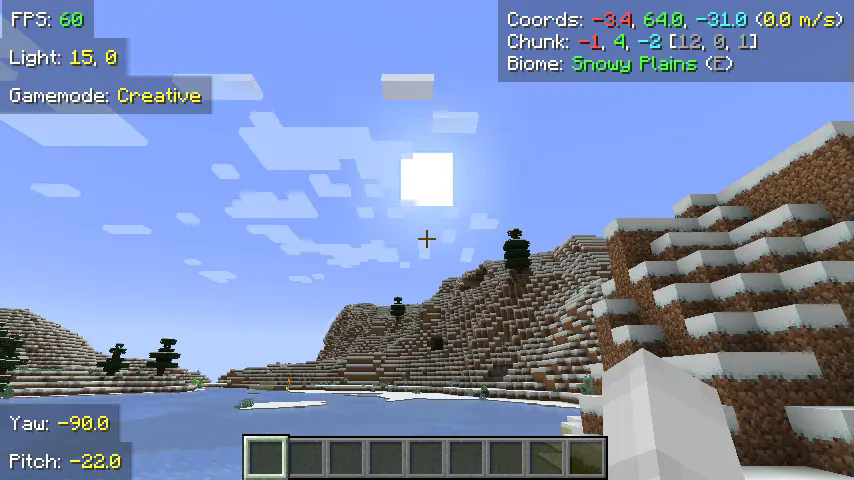
Editing Screen
Moving Screen
The mod is currently only available for Fabric, but might get ported to other loaders in the future.
Project description from CurseForge.
Pick your setup
AdaptiveHUD by Minecraft version and loader
Choose the version and loader you play, then open the matching release.
Minecraft version
1.21.2
1 loader buildMinecraft version
1.21.1
1 loader buildMinecraft version
1.21
1 loader buildMinecraft version
1.20.6
1 loader buildMinecraft version
1.20.5
1 loader buildMinecraft version
1.20.4
1 loader buildMinecraft version
1.20.3
1 loader buildCheck the dependencies, then try the file in a copied instance before changing a world you care about.
Recent files
AdaptiveHUD versions and loaders
v1.0.1+1.21.2.jar
adaptivehud-1.0.1+1.21.2.jar
1 Nov 2024
Client Source doesn’t say Server Source doesn’t say Dependencies No extras listed Listed on Release listing
Check the 1.21.3 · Fabric setup Fabric1.21.31.21.2 release
v1.0.1
adaptivehud-1.0.1+1.21.jar
19 Sept 2024
Client Source doesn’t say Server Source doesn’t say Dependencies No extras listed Listed on Release listing
Check the 1.21.1 · Fabric setup 1.21Fabric1.21.1 release
v1.0.1
adaptivehud-1.0.1+1.20.6.jar
19 Sept 2024
Client Source doesn’t say Server Source doesn’t say Dependencies No extras listed Listed on Release listing
Check the 1.20.6 · Fabric setup 1.20.5Fabric1.20.6 release
v1.0.1
adaptivehud-1.0.1+1.20.4.jar
19 Sept 2024
Client Source doesn’t say Server Source doesn’t say Dependencies No extras listed Listed on Release listing
Check the 1.20.4 · Fabric setup Fabric1.20.31.20.4 release
Looking for an older file? The official CurseForge project page is in Resources.
 mod
CurseForge · Minecraft
The Nédyisvé
Adds a new dimension, end game tools, and a portal link mechanic for end-game fast travel.
 mod
CurseForge · Minecraft
Caldarium
Generators, batteries, chargers and cables for Forge Energy. Nine generators that each run on something different, eight tiers, and an artificial sun that powers solar panels day and night.
 mod
CurseForge · Minecraft
Minecraft Borderless Window
Borderless fullscreen with a 3-mode system and configurable F11, plus a growing set of video and quality-of-life options Minecraft doesn't expose. Every setting defaults to vanilla. Client-side, no dependencies, optional Sodium integration.