MCPitanLib Needed by Block Entity Wrench BlockEntityWrench-neoforge-1.0.5.jar
requiredMatching file found Matched file: mcpitanlib-4.0.9-26.2-neoforge.jar
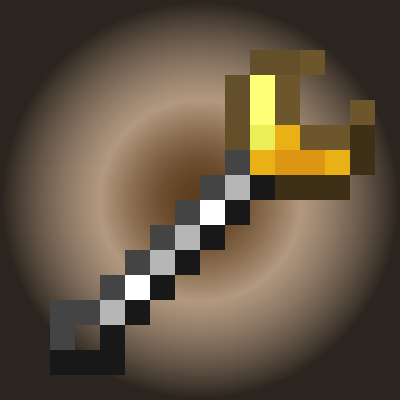
CurseForge · Minecraft mod
Add wrench to save block entity data etc
Quick answer
Block Entity Wrench BlockEntityWrench-neoforge-1.0.5.jar targets 1.21, 1.21.8, 1.21.5 with NeoForge. The project page does not say whether this file belongs on the client, dedicated server, or both. All 2 required mods have matching files.
Where it goes
The project page does not say whether this file belongs on the client, dedicated server, or both.
The source does not explicitly classify this release as client-only or server-only.
BlockEntityWrench-neoforge-1.0.5.jar on 26.2. Every mod below is checked against that same setup.
Install MCPitanLib, MCPitanLib first. We found matching files for this game-version and loader setup.
We only count dependency files that match this setup. A file for another loader does not fill the gap.
Before you install it
Built for Block Entity Wrench BlockEntityWrench-neoforge-1.0.5.jar on 26.2. Pick another file and the loader, install side or required mods may change.
Use BlockEntityWrench-neoforge-1.0.5.jar. It targets 1.21, 1.21.8, 1.21.5 with NeoForge; another release may have different loader, side or dependency requirements.
Install MCPitanLib, MCPitanLib first. We found matching files for this game-version and loader setup.
The project page does not say whether this file belongs on the client, dedicated server, or both.
Use the “Get this file” button beside BlockEntityWrench-neoforge-1.0.5.jar. It opens that exact file at the source.
About this project
Add wrench to save block entity data, etc.
A wrench that allows you to block that has block entity data and rotate blocks.
/bew76 [config | reload] : Use this command to manage or reload configuration settings.The config file is stored at config/bew76.yml, and you can either edit it directly or modify settings via commands.
You can either modify the settings via commands or directly edit the config/bew76.yml file.
Fabric API (Fabric only)
Project description from CurseForge.
Pick your setup
Choose the version and loader you play, then open the matching release.
Showing the newest 12 of 25 game versions. Older files are in the list below.
Check the dependencies, then try the file in a copied instance before changing a world you care about.
Recent files
8 Apr 2026
8 Apr 2026
Looking for an older file? The official CurseForge project page is in Resources.
 mod
A Minecraft mod that adds giant swords and shields to the game. A re-make of the original Asgard Shield, made popular by the 1.5 modpack Hexxit.
 mod
An update of the original Advanced Chat HUD(With fixes). A brand new chat HUD design for Minecraft with tons of features.
 mod
This mod adds the possibility to grab villager, easy transportation no more boat or minecart.