YetAnotherConfigLib (YACL) Needed by ExplosionVisualizer 2.3.0-fabri-0.15.11-1.21+
requiredMatching file found Matched file: 3.8.2+1.21.3-fabric

CurseForge · Minecraft mod
Use real-time 3D rendering to display various information about the explosion
Quick answer
ExplosionVisualizer 2.3.0-fabri-0.15.11-1.21+ targets 1.21, 1.21.1, 1.21.2 with Fabric. It must be installed on the client. Do not install it on the dedicated server. All 4 required mods have matching files.
Where it goes
It must be installed on the client. Do not install it on the dedicated server.
This file is marked client-only.
2.3.0-fabri-0.15.11-1.21+. Change the file and its required mods may change too.
Install YetAnotherConfigLib (YACL), Mod Menu, Fabric API, Text Placeholder API first. We found matching files for this game-version and loader setup. 2 come through another mod in the chain.
2 extra mods were pulled in by other dependencies. Indented rows show who needs each one. We only count dependency files that match this setup. A file for another loader does not fill the gap.
Before you install it
Built for ExplosionVisualizer 2.3.0-fabri-0.15.11-1.21+. Pick another file and the loader, install side or required mods may change.
Use 2.3.0-fabri-0.15.11-1.21+. It targets 1.21, 1.21.1, 1.21.2 with Fabric; another release may have different loader, side or dependency requirements.
Install YetAnotherConfigLib (YACL), Mod Menu, Fabric API, Text Placeholder API first. We found matching files for this game-version and loader setup. 2 come through another mod in the chain.
It must be installed on the client. Do not install it on the dedicated server.
Use the “Get this file” button beside 2.3.0-fabri-0.15.11-1.21+. It opens that exact file at the source.
About this project
This mod is a powerful tool. It can simulate and display various details of explosions in real-time, including explosion rays, blocks that will be destroyed, the explosion center, estimated damage to nearby entities, and sample points of entities about to be affected. #IMPORTANT Please check the Changelog for the latest updates!
BASIC COMMANDS /explosionVisualizer mainRender <toggle> <- #Enable Rendering
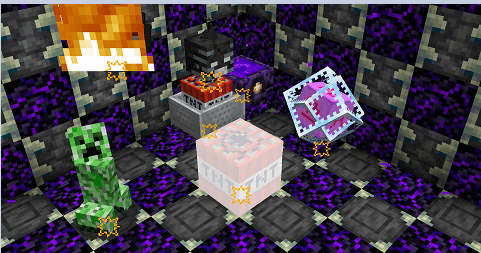
/explosionVisualizer renderBlockDestruction <toggle> <- #Enable block destruction projection rendering Block destruction projection
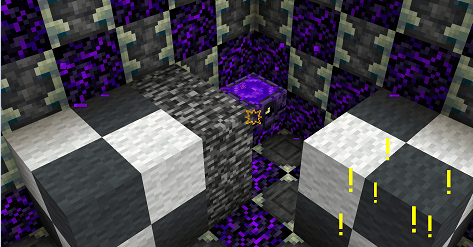
/explosionVisualizer rendererEntityDamage <toggle> <- #Enable entity damage projection rendering Replace this with a description
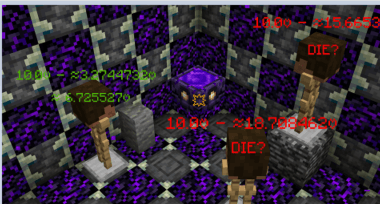
/explosionVisualizer rendererEntityRaycast <toggle> <- #Enable entity sample-points & raycast rendering Replace this with a description
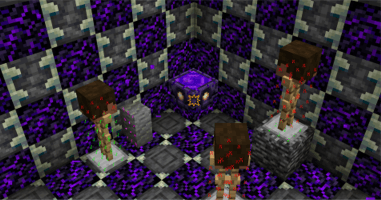
/explosionVisualizer renderExplosionBlockDetectionRay <toggle> <- #Enable explosion sample-points & raycast rendering Replace this with a description
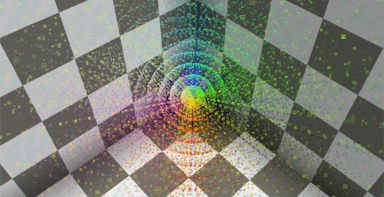
ADDITIONAL COMMANDS /explosionVisualizer fakeExplosion add <name> <x> <y> <z> <power> <IgnorBlockInSide(Boolean)> <-#create fake explosions Replace this with a description
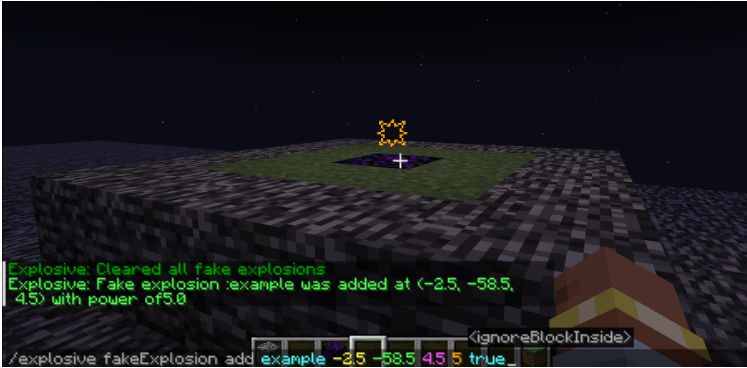
/explosionVisualizer fakeExplosion add <name> <x> <y> <z> <power> <IgnorBlockInside(Boolean)>
<name> : <String>(a name) <x> <y> <z> : <Float> <Float> <Float> (Explosion center's position) <power> : <Float> (Explosion power) <ignoreBlockInside> : <Boolean> (Sometimes the explosion center is inside a block, which affects the evaluation of the explosion. Enabling this option will ignore the block at the explosion center) /explosionVisualizer fakeExplosions remove <name> <-#remove the fake explosion by name
/explosionVisualizer fakeExplosions removeall <-#remove all the fake explosions Replace this with a description
/explosionVisualizer blockDamageRayRendererSettings range <Xmax> <Xmin> <Ymax> <Ymin> <Zmax> <Zmin>
/explosionVisualizer blockDamageRayRendererSettings range <Xmax> <Xmin> <Ymax> <Ymin> <Zmax> <Zmin>
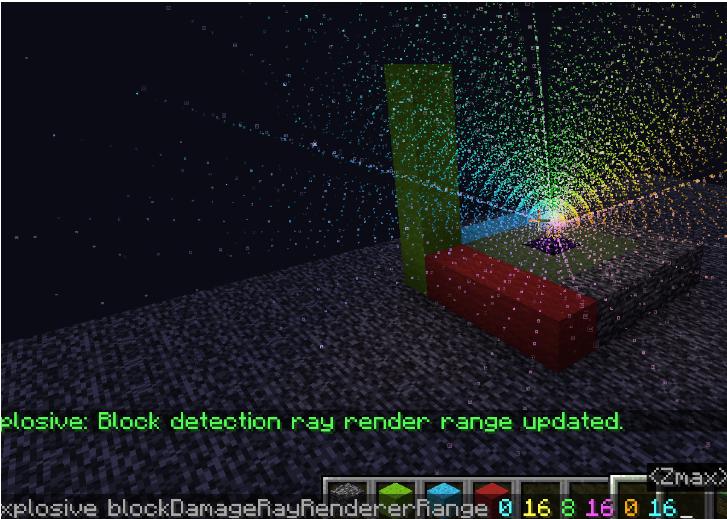
<Xmax> : <Int(0<sub>16)> <Xmin> : <Int(0</sub>16)> <Ymax> : <Int(0<sub>16)> <Ymin> : <Int(0</sub>16)> <Zmax> : <Int(0<sub>16)> <Zmin> : <Int(0</sub>16)> In Minecraft, 1532 rays are emitted from the center of the explosion towards the outermost layer of a 16x16x16 voxel grid surrounding the explosion center. (See" https://minecraft.fandom.com/wiki/Explosion" for details.)
Displaying them all together can look very cluttered. This command allows you to slice these rays for easier viewing.
<Xmax> : <Int(0<sub>16)> <Xmin> : <Int(0</sub>16)> <Ymax> : <Int(0<sub>16)> <Ymin> : <Int(0</sub>16)> <Zmax> : <Int(0<sub>16)> <Zmin> : <Int(0</sub>16)> are filters to limit the range. Here are some examples..
(0 16 0 16 88)
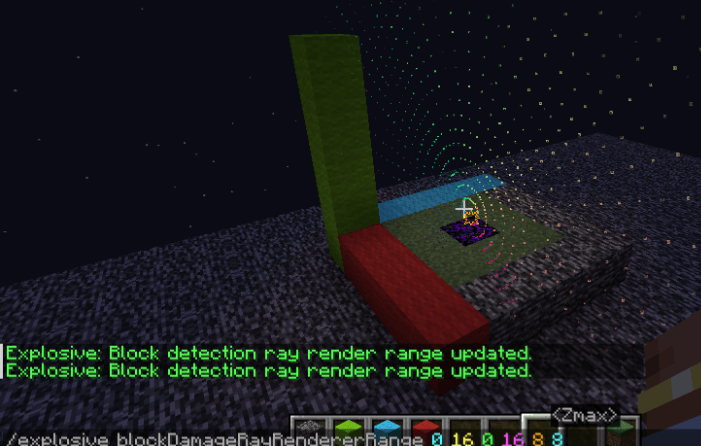
(0 7 5 16 6 16)
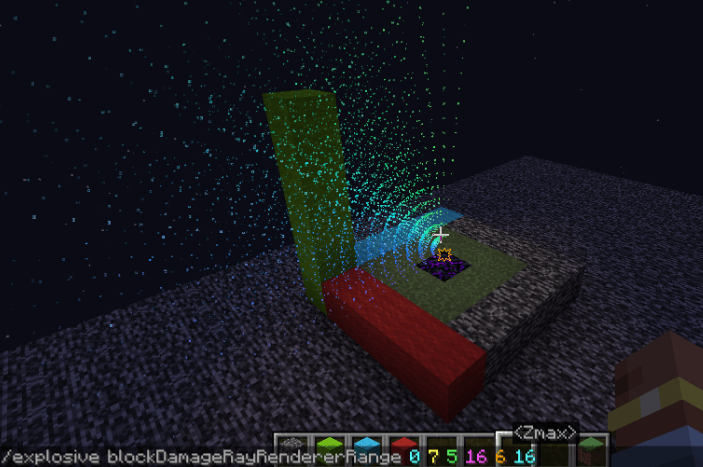
(0 16 8 16 0 16)
Project description from CurseForge.
Pick your setup
Choose the version and loader you play, then open the matching release.
Check the dependencies, then try the file in a copied instance before changing a world you care about.
Recent files
ExplosionVisualizer-2.3.0-fabri-0.15.11-1.21+.jar
1 Dec 2024
29 Sept 2024
ExplosionVisualizer-2.1.0-fabri-0.15.11-1.21+.jar
22 Sept 2024
ExplosionVisualizer-2.1.0-fabri-0.15.11-1.21+.jar
19 Sept 2024
ExplosionVisualizer-1.1.0.jar
8 Sept 2024
Looking for an older file? The official CurseForge project page is in Resources.
 mod
A Minecraft mod that lets you cycle through paintings using the brush!
 mod
Neon Frontier is a futuristic mod for Minecraft Java 1.21.1 with Fabric, combining exploration, industry, and combat.
 mod
Tech mod where you shoot down stars for energy, send mining rockets to asteroids and upgrade yourself with implants.