Catalogue Optional for Archeological-neoforge-1.21.1-1.2.2.jar
optionalMatching file found Matched file: Catalogue 1.11.2

CurseForge · Minecraft mod
Vanilla + expansion to the archeology experience🏺
Quick answer
Archeological-neoforge-1.21.1-1.2.2.jar targets 1.21.1 with NeoForge. The project page does not say whether this file belongs on the client, dedicated server, or both. No extra mods listed for this file.
Where it goes
The project page does not say whether this file belongs on the client, dedicated server, or both.
The source does not explicitly classify this release as client-only or server-only.
Archeological-neoforge-1.21.1-1.2.2.jar. Change the file and its required mods may change too.
This file does not list any required mods. Do not add a library just because a different file uses it.
2 extra mods were pulled in by other dependencies. Indented rows show who needs each one. We only count dependency files that match this setup. A file for another loader does not fill the gap.
Before you install it
Built for Archeological-neoforge-1.21.1-1.2.2.jar. Pick another file and the loader, install side or required mods may change.
Use Archeological-neoforge-1.21.1-1.2.2.jar. It targets 1.21.1 with NeoForge; another release may have different loader, side or dependency requirements.
This file does not list any required mods. Do not add a library just because a different file uses it.
The project page does not say whether this file belongs on the client, dedicated server, or both.
Use the “Get this file” button beside Archeological-neoforge-1.21.1-1.2.2.jar. It opens that exact file at the source.
About this project

What archaeology should have been!

Archeological is a vanilla + style expansion to archeology, offering a more entertaining and dynamic experience to your explorations, with new items, decorative blocks and new structures.
Use the new Archeology table to duplicate pottery templates, get items from ancient Remains, find Petroglyphs in the underground, Statues with different expressions, Dark urns in the depths, Idols of different mobs, get effects with Runestones and many new ruins across the Overworld!.

Project description from CurseForge.
Pick your setup
Choose the version and loader you play, then open the matching release.
Check the dependencies, then try the file in a copied instance before changing a world you care about.
Recent files
16 Dec 2025
16 Dec 2025
20 Oct 2025
19 Oct 2025
5 Oct 2025
5 Oct 2025
16 Jul 2025
16 Jul 2025
12 Apr 2025
12 Apr 2025
29 Sept 2024
Looking for an older file? The official CurseForge project page is in Resources.
 mod
A mod with chinese cultivation elements
 mod
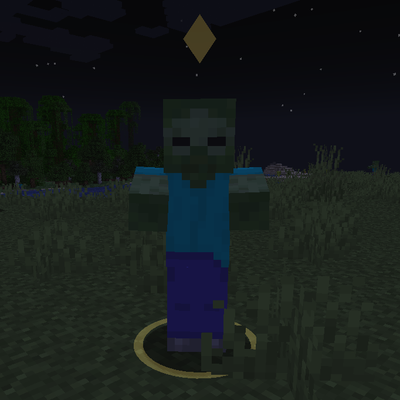
Marks the enemy nearest your crosshair with a soft ground ring and a small marker above its head. Client-side only and fully configurable.
 mod
A compat mod between Ice and Fire and TFC, focused on dragons