Minecraft version
Back to mods 
CurseForge · Minecraft mod
AutoShutdown
Automatically stop/shutdown your server after no players have been online for a specific amount of time
Choose a version Pick your version below, then grab the matching file.
Quick answer
Which AutoShutdown release should I use?
Latest stable file autoshutdown-fabric-1.0.1.jar
Game version 1.19.3, 1.20.2, 1.21.2-Snapshot
Loader Fabric, Quilt
autoshutdown-fabric-1.0.1.jar targets 1.19.3, 1.20.2, 1.21.2-Snapshot with Fabric, Quilt. The project page does not say whether this file belongs on the client, dedicated server, or both. No extra mods listed for this file.
Where it goes
Is AutoShutdown required on the client, server, or both?
The project page does not say whether this file belongs on the client, dedicated server, or both.
Client Source doesn’t say
Dedicated server Source doesn’t say
Loader for this release Fabric, Quilt
Required install it here Optional supported, not mandatory Not supported do not install here Source doesn’t say do not assume
The source does not explicitly classify this release as client-only or server-only.
What else does autoshutdown-fabric-1.0.1.jar need?
autoshutdown-fabric-1.0.1.jar. Change the file and its required mods may change too.
This file does not list any required mods. Do not add a library just because a different file uses it.
This file does not list any required or optional mods.
Before you install it
Add AutoShutdown without breaking your instance.
Built for autoshutdown-fabric-1.0.1.jar. Pick another file and the loader, install side or required mods may change.
- 01
Stick to this file
Use autoshutdown-fabric-1.0.1.jar. It targets 1.19.3, 1.20.2, 1.21.2-Snapshot with Fabric, Quilt; another release may have different loader, side or dependency requirements.
- 02
Bring the mods it needs
This file does not list any required mods. Do not add a library just because a different file uses it.
- 03
Put it on the correct side
The project page does not say whether this file belongs on the client, dedicated server, or both.
- 04
Pick the file you checked
Use the “Get this file” button beside autoshutdown-fabric-1.0.1.jar. It opens that exact file at the source.
About this project
What does AutoShutdown add?
AutoShutdown
Automatically stop/shutdown your server after no players have been online for a specific amount of time. Nothing more, nothing less.
Why? This frees up resources on your system and can minimize the risk of unwanted attention to your server while no one is there to monitor it.
Installation
- Put the .jar file in your plugins or mods folder (depending on server loader you are using).
- Run the server once to generate the config file and stop it again
- Change any config values if wanted
- Run the server again
- The plugin/mod should now be working
Config
| value | loader * | explanation |
|---|---|---|
| initial_delay | bukkit, fabric | Specifies the delay before the first check for 'online players'. |
| polling_delay | fabric | The amount of time between each check for 'online players' |
| shutdown_delay | bukkit, fabric | Timeframe after the last person has left the server (or after the initial delay has ended), until the server is actually shut down. If a new player joins the server within this timeframe, the shutdown process will be cancelled. |
| enable_logging | bukkit, fabric | Whether or not basic information should be logged to the console. When disabled, warnings and errors will still be logged but no basic information. |
* Depending on the version of the plugin/mod you are using (e.g. bukkit or fabric) some values might or might not be relevant to you and thus not exist within your config file. The plugin/mod itself however will still work perfectly fine :). For the values that do exist, you can find their explanation here.
Help! Which version do I use?
- For any minecraft servers based on fabric (e.g. fabric, quilt, etc.) use the version annotated with [fabric].
- For servers based on bukkit (e.g. craftbukkit, spigot, paper, etc.) use the [bukkit] annotated version.
Questions, bugs or feature requests?
Please use the github issues page for this as I will probably not read this cursforge page that often.
Project description from CurseForge.
Pick your setup
AutoShutdown by Minecraft version and loader
Choose the version and loader you play, then open the matching release.
Minecraft version
26.1.2
3 loader buildsMinecraft version
26.1.1
3 loader buildsMinecraft version
26.1
3 loader buildsMinecraft version
1.21.11
3 loader buildsMinecraft version
1.21.10
3 loader buildsMinecraft version
1.21.9
3 loader buildsMinecraft version
1.21.8
3 loader buildsMinecraft version
1.21.7
3 loader buildsMinecraft version
1.21.6
3 loader buildsMinecraft version
1.21.5
3 loader buildsMinecraft version
1.21.4
3 loader buildsShowing the newest 12 of 89 game versions. Older files are in the list below.
Check the dependencies, then try the file in a copied instance before changing a world you care about.
Recent files
AutoShutdown versions and loaders
autoshutdown-fabric-1.0.1.jar
23 Sept 2024
Client Source doesn’t say Server Source doesn’t say Dependencies No extras listed Listed on Release listing
Check the 26.2 · Fabric setup 1.19.31.20.21.21.2-Snapshot1.21 release
autoshutdown-fabric-1.0.0.jar
23 Sept 2024
Client Source doesn’t say Server Source doesn’t say Dependencies No extras listed Listed on Release listing
Check the 1.19.1 · Fabric setup 1.16-Snapshot1.17.11.16.31.15-Snapshot release
bukkit-1.0.0
AutoShutdown-bukkit-1.0.0.jar
22 Sept 2024
Client Not supported Server Required Dependencies No extras listed Listed on Release listing
Check the 26.2 · bukkit setup 1.101.10.11.10.21.11 release
Looking for an older file? The official CurseForge project page is in Resources.
 mod
CurseForge · Minecraft
Flan's Ultimate 2: Wolff's NPC Vehicles and Soldiers
Custom NPCs use Flan’s Mod guns, drive tanks, fly planes and fight team battles as soldiers and factions.
 mod
CurseForge · Minecraft
Flan's Ultimate 2: Warfare 44 Pack
A large World War II content pack for Flan's Mod Ultimate 2 featuring weapons, vehicles, aircraft and equipment from multiple nations.
 mod
CurseForge · Minecraft
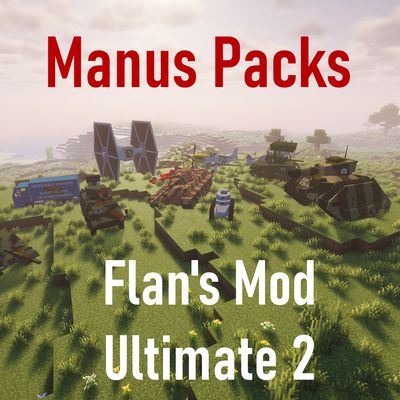
Flan's Ultimate 2: Manus Packs
The classic Manus content packs, updated for Flan's Mod Ultimate 2 with WWII, civilian vehicles, aircraft and parts.