Minecraft version
Back to mods 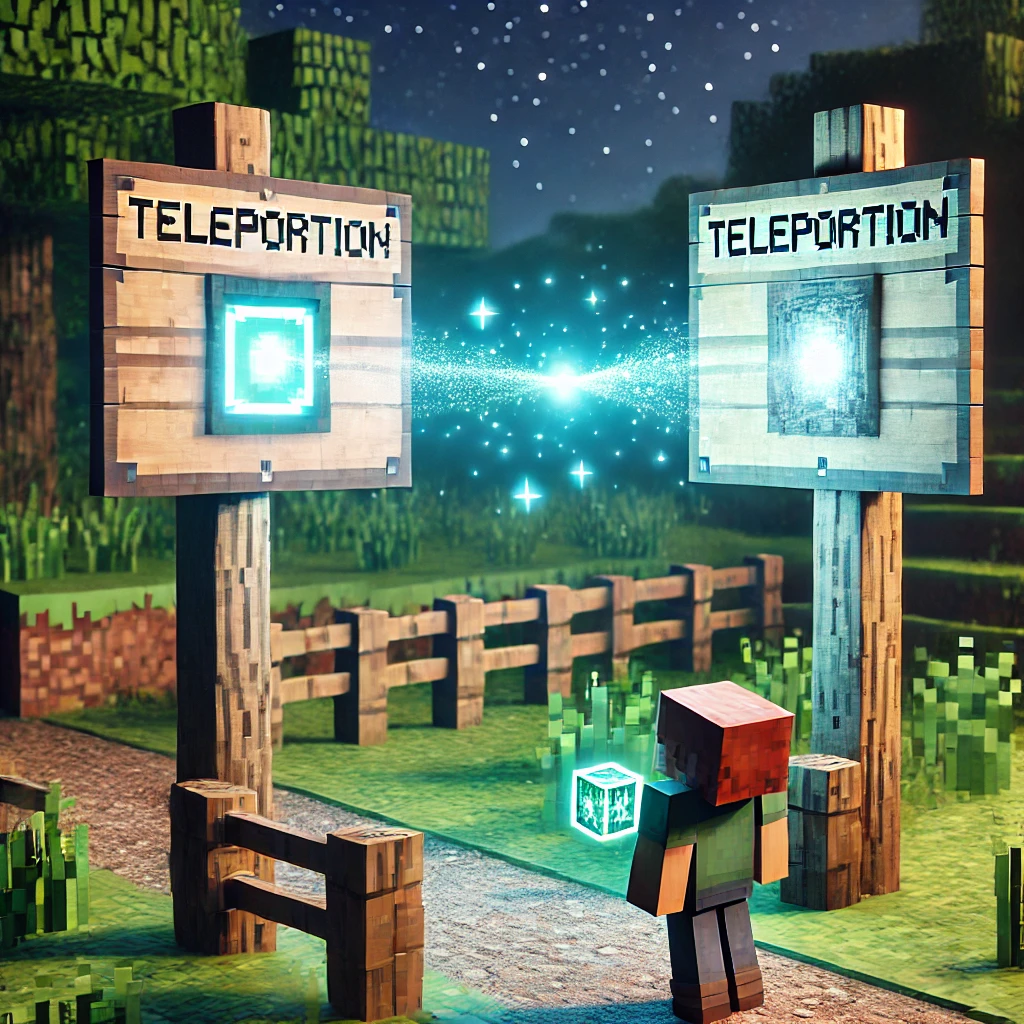
CurseForge · Minecraft mod
Teleport Sign
The Teleport mod is a server-side mod that allows players to link two signs and teleport between them. It is designed for use on multiplayer servers and allows administrators to configure and manage teleport links.
Choose a version Pick your version below, then grab the matching file.
Quick answer
Which Teleport Sign release should I use?
Latest stable file teleport-mod-1.4-stable.jar
Game version 1.21.2-Snapshot, 1.21, 1.21.1-Snapshot
Loader Fabric
Teleport Sign teleport-mod-1.4-stable.jar targets 1.21.2-Snapshot, 1.21, 1.21.1-Snapshot with Fabric. The project page does not say whether this file belongs on the client, dedicated server, or both. No extra mods listed for this file.
Where it goes
Is Teleport Sign required on the client, server, or both?
The project page does not say whether this file belongs on the client, dedicated server, or both.
Client Source doesn’t say
Dedicated server Source doesn’t say
Loader for this release Fabric
Required install it here Optional supported, not mandatory Not supported do not install here Source doesn’t say do not assume
The source does not explicitly classify this release as client-only or server-only.
What else does Teleport Sign teleport-mod-1.4-stable.jar need?
teleport-mod-1.4-stable.jar. Change the file and its required mods may change too.
This file does not list any required mods. Do not add a library just because a different file uses it.
This file does not list any required or optional mods.
Before you install it
Add Teleport Sign without breaking your instance.
Built for Teleport Sign teleport-mod-1.4-stable.jar. Pick another file and the loader, install side or required mods may change.
- 01
Stick to this file
Use teleport-mod-1.4-stable.jar. It targets 1.21.2-Snapshot, 1.21, 1.21.1-Snapshot with Fabric; another release may have different loader, side or dependency requirements.
- 02
Bring the mods it needs
This file does not list any required mods. Do not add a library just because a different file uses it.
- 03
Put it on the correct side
The project page does not say whether this file belongs on the client, dedicated server, or both.
- 04
Pick the file you checked
Use the “Get this file” button beside teleport-mod-1.4-stable.jar. It opens that exact file at the source.
About this project
What does Teleport Sign add?
Teleport Mod
The Teleport Mod is a server-side mod for Minecraft that allows players to link two signs and teleport between them. It is designed for use on multiplayer servers and allows administrators to configure and manage teleport links.
Features
- Link two wooden signs using obsidian to create a teleport link.
- Only administrators with a configurable permission level can configure or destroy links.
- Players can use linked signs to teleport from one point to another.
/teleportmod reloadcommand to reload configuration and language files without restarting the server.
Requirements
- Minecraft 1.21 or later
- Fabric API
Installation
- Place the mod's
.jarfile in themodsfolder of the Minecraft server. - Start the server to generate configuration files.
Configuration
Once the server is started, configuration files will be generated in the config/teleportmod/ folder:
- config.json: Configuration file where you can set the permission level required to create or destroy teleport links.
- language.txt: Language file where you can customize the messages shown to players.
Configuring config.json
The config.json file includes a property for the administrator permission level:
{
  "permissionLevel": 4
}
permissionLevel: Specifies the minimum permission level required to create or destroy teleport links. The default permission level is4(administrator).
Configuring language.txt
The language.txt file allows you to customize the messages players see when using the mod. Here is an example of how it looks:
sign_a_selected=Sign A selected!
teleport_link_set=Teleport link set between A and B!
teleported_to=Teleported to
no_permission_to_destroy=You don't have permission to destroy this sign!
error_already_linked=Error: One of the signs is already linked!
You can edit the messages as you wish, maintaining the key=value structure.
How to Use the Mod

Create a Teleport Link:
- Equip an obsidian block in the main hand.
- Right-click on a wooden sign. This will select the first teleport point.
- Right-click on a second wooden sign to link the two points.
Teleport:
- Once the link is created, any player can click on one of the signs to be teleported to the other.
Remove a Teleport Link:
- Administrators can destroy one of the signs to remove the link. Players without the required permission level cannot destroy linked signs.
Reload Configuration:
- Use the
/teleportmod reloadcommand to reload configuration and language files without restarting the server.
- Use the
Commands
/teleportmod reload: Reload the configuration and language files.
Notes
- Ensure players have the correct permission level to use the mod's administrative features (configurable via
config.json). - Remember to back up the
teleport_links.jsonfile to preserve created teleport links.
Project description from CurseForge.
Pick your setup
Teleport Sign by Minecraft version and loader
Choose the version and loader you play, then open the matching release.
Minecraft version
1.21.1-Snapshot
1 loader buildMinecraft version
1.21.1
1 loader buildMinecraft version
1.21-Snapshot
1 loader buildMinecraft version
1.21
1 loader buildCheck the dependencies, then try the file in a copied instance before changing a world you care about.
Recent files
Teleport Sign versions and loaders
teleport-mod-1.4-stable.jar
teleport-mod-1.4-1.21-stable.jar
6 Oct 2024
Client Source doesn’t say Server Source doesn’t say Dependencies No extras listed Listed on Release listing
Check the 1.21.2-Snapshot · Fabric setup 1.21.2-Snapshot1.21Fabric1.21.1-Snapshot release
Looking for an older file? The official CurseForge project page is in Resources.
 mod
mod CurseForge + Modrinth · Minecraft
Dungeon Train: A Lore-Rich Roguelite RPG Adventure
Adventure time inspired dungeon crawler on a train. Procedurally generated carriages on a infinite sable physics train. Rich narrative, with custom made mods for a completely unique experience.
 mod
mod CurseForge + Modrinth · Minecraft
Extended Block Shapes - Blockus
The mod adds extende shapes for Blockus mod, based on Extende Block Shapes mod.
 mod
mod CurseForge · Minecraft
Copper Golem Refined
Smarter copper golems with item filters, stock replenishment, shared chest access and chest-minecart unloading.