Minecraft version
Back to mods 
CurseForge · Minecraft mod
Daylight Dynamics
Mod that lets you manipulate day time length
Choose a version Pick your version below, then grab the matching file.
Quick answer
Which Daylight Dynamics release should I use?
Latest stable file dd-26.7.0-neoforge-1.21.11.jar
Game version 1.21.11
Loader NeoForge
Daylight Dynamics dd-26.7.0-neoforge-1.21.11.jar targets 1.21.11 with NeoForge. The project page does not say whether this file belongs on the client, dedicated server, or both. No extra mods listed for this file.
Where it goes
Is Daylight Dynamics required on the client, server, or both?
The project page does not say whether this file belongs on the client, dedicated server, or both.
Client Source doesn’t say
Dedicated server Source doesn’t say
Loader for this release NeoForge
Required install it here Optional supported, not mandatory Not supported do not install here Source doesn’t say do not assume
The source does not explicitly classify this release as client-only or server-only.
What else does Daylight Dynamics dd-26.7.0-neoforge-1.21.11.jar need?
dd-26.7.0-neoforge-1.21.11.jar. Change the file and its required mods may change too.
This file does not list any required mods. Do not add a library just because a different file uses it.
This file does not list any required or optional mods.
Before you install it
Add Daylight Dynamics without breaking your instance.
Built for Daylight Dynamics dd-26.7.0-neoforge-1.21.11.jar. Pick another file and the loader, install side or required mods may change.
- 01
Stick to this file
Use dd-26.7.0-neoforge-1.21.11.jar. It targets 1.21.11 with NeoForge; another release may have different loader, side or dependency requirements.
- 02
Bring the mods it needs
This file does not list any required mods. Do not add a library just because a different file uses it.
- 03
Put it on the correct side
The project page does not say whether this file belongs on the client, dedicated server, or both.
- 04
Pick the file you checked
Use the “Get this file” button beside dd-26.7.0-neoforge-1.21.11.jar. It opens that exact file at the source.
About this project
What does Daylight Dynamics add?
This mod lets you manipulate day length.
Features:
- custom day length
- timezone sync
- you can set any real timezone to have the same hour in game as irl.
To set custom day length use command
- /daylength mode custom/timezone (to set in which mode it works).
- /daylength start/stop (to run the mod).
GAMERULE DoDaylightCycle must be set to false!

Is there anything you would like to see added to this mod? Or maybe you have found a bug? Join our discord and get into our community!

For more specific info or support visit our website at https://cookiecraftmods.com

Thanks for downloading :)
Project description from CurseForge.
Pick your setup
Daylight Dynamics by Minecraft version and loader
Choose the version and loader you play, then open the matching release.
Minecraft version
1.21.1
2 loader buildsMinecraft version
1.20.4
1 loader buildMinecraft version
1.20.3
1 loader buildMinecraft version
1.20.2
1 loader buildMinecraft version
1.20.1
2 loader buildsMinecraft version
1.20
1 loader buildMinecraft version
1.19.4
1 loader buildMinecraft version
1.19.3
1 loader buildMinecraft version
1.19.2
1 loader buildMinecraft version
1.19.1
1 loader buildCheck the dependencies, then try the file in a copied instance before changing a world you care about.
Recent files
Daylight Dynamics versions and loaders
dd-26.7.0-neoforge-1.21.11.jar
12 Jul 2026
Client Source doesn’t say Server Source doesn’t say Dependencies No extras listed Listed on Release listing
Check the 1.21.11 · NeoForge setup NeoForge1.21.11 release
daylightdynamics-26.7.0.jar
12 Jul 2026
Client Source doesn’t say Server Source doesn’t say Dependencies No extras listed Listed on Release listing
Check the 1.21.1 · NeoForge setup 1.21.1NeoForge release
dd-26.5.0-fabric-1.21.1.jar
17 May 2026
Client Source doesn’t say Server Source doesn’t say Dependencies No extras listed Listed on Release listing
Check the 1.21.1 · Fabric setup Fabric1.21.1 release
dd-26.5.0-fabric-1.20.1.jar
17 May 2026
Client Source doesn’t say Server Source doesn’t say Dependencies No extras listed Listed on Release listing
Check the 1.20.1 · Fabric setup Fabric1.20.1 release
dd-26.5.0-forge-1.20.1.jar
17 May 2026
Client Source doesn’t say Server Source doesn’t say Dependencies No extras listed Listed on Release listing
Check the 1.20.1 · Forge setup 1.20.1Forge release
DaylightDynamics-26.4.1.jar
16 Apr 2026
Client Source doesn’t say Server Source doesn’t say Dependencies No extras listed Listed on Release listing
Check the 1.20.1 · Forge setup 1.20.1Forge1.20 release
DaylightDynamics-26.4.0.jar
15 Apr 2026
Client Source doesn’t say Server Source doesn’t say Dependencies No extras listed Listed on Release listing
Check the 1.20.4 · Forge setup 1.20.21.20.1Forge1.20 release
DaylightDynamics-0.4.2.jar
20 Oct 2024
Client Source doesn’t say Server Source doesn’t say Dependencies No extras listed Listed on Release listing
Check the 1.20.4 · Forge setup 1.19.31.20.21.19.41.20.1 release
TimeAdjustmentMod-0.2.2.jar
12 Oct 2024
Client Source doesn’t say Server Source doesn’t say Dependencies No extras listed Listed on Release listing
Check the 1.20.4 · Forge setup 1.20.21.20.31.20.1Forge beta
Looking for an older file? The official CurseForge project page is in Resources.
 mod
CurseForge · Minecraft
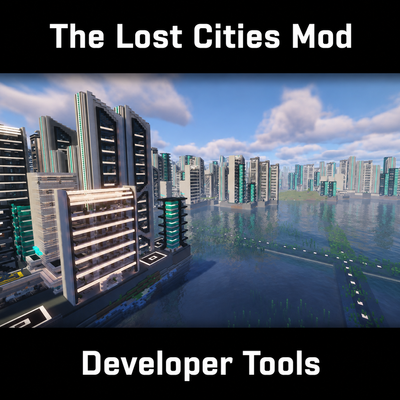
The Lost Cities - DevTool
Build Lost Cities packs in game or from schematics, or open one you already have. Comments and .json5 in your files, mistakes caught at load time with a line number, and every step runs from a console. KubeJS compatible.
 mod
GitHub · Minecraft
modpacks-ch-github-test
Disposable public fixture for testing the Modpacks.ch GitHub catalogue flow
 mod
CurseForge · Minecraft
AnnoyeDcrocs
Mod for server