
Minecraft version
Back to mods 
CurseForge · Minecraft mod
Reload World Button
Speed up reloading a world to allow for quicker dynamic registry changes. Client-side & Singleplayer only!
Choose a version Pick your version below, then grab the matching file.
Quick answer
Which Reload World Button release should I use?
Latest stable file [1.21.9] Reload World Button 1.0
Game version 1.21.9
Loader Fabric
Reload World Button [1.21.9] Reload World Button 1.0 targets 1.21.9 with Fabric. The project page does not say whether this file belongs on the client, dedicated server, or both. No extra mods listed for this file.
Where it goes
Is Reload World Button required on the client, server, or both?
The project page does not say whether this file belongs on the client, dedicated server, or both.
Client Source doesn’t say
Dedicated server Source doesn’t say
Loader for this release Fabric
Required install it here Optional supported, not mandatory Not supported do not install here Source doesn’t say do not assume
The source does not explicitly classify this release as client-only or server-only.
What else does Reload World Button [1.21.9] Reload World Button 1.0 need?
[1.21.9] Reload World Button 1.0. Change the file and its required mods may change too.
This file does not list any required mods. Do not add a library just because a different file uses it.
This file does not list any required or optional mods.
Before you install it
Add Reload World Button without breaking your instance.
Built for Reload World Button [1.21.9] Reload World Button 1.0. Pick another file and the loader, install side or required mods may change.
- 01
Stick to this file
Use [1.21.9] Reload World Button 1.0. It targets 1.21.9 with Fabric; another release may have different loader, side or dependency requirements.
- 02
Bring the mods it needs
This file does not list any required mods. Do not add a library just because a different file uses it.
- 03
Put it on the correct side
The project page does not say whether this file belongs on the client, dedicated server, or both.
- 04
Pick the file you checked
Use the “Get this file” button beside [1.21.9] Reload World Button 1.0. It opens that exact file at the source.
About this project
What does Reload World Button add?
Adds a simple shortcut; when holding SHIFT or CTRL "Save and Quit to Title" becomes "Reload World".
📌 Reloading a world is done by saving and shutting down the internal server completely, and then loading the world again. It is designed to work exactly as it would be coming from the Level Selection screen, to stay minimally invasive and keep compatibility with other mod behaviour.
Project description from CurseForge.
Pick your setup
Reload World Button by Minecraft version and loader
Choose the version and loader you play, then open the matching release.
Minecraft version
1.21.8
1 loader buildMinecraft version
1.21.7
1 loader buildMinecraft version
1.21.6
1 loader buildMinecraft version
1.21.4
1 loader buildMinecraft version
1.21.3
1 loader buildMinecraft version
1.21.2
1 loader buildMinecraft version
1.21.1
1 loader buildMinecraft version
1.21
1 loader buildCheck the dependencies, then try the file in a copied instance before changing a world you care about.
Recent files
Reload World Button versions and loaders
[1.21.9] Reload World Button 1.0
reload-world-button-1.0+1.21.9.jar
30 Sept 2025
Client Source doesn’t say Server Source doesn’t say Dependencies No extras listed Listed on Release listing
Check the 1.21.9 · Fabric setup Fabric1.21.9 release
[1.21.6] Reload World Button 1.2
reload-world-button-1.0+1.21.6.jar
30 Sept 2025
Client Source doesn’t say Server Source doesn’t say Dependencies No extras listed Listed on Release listing
Check the 1.21.8 · Fabric setup Fabric1.21.81.21.71.21.6 release
[1.21.x] Reload World Button 1.0
reload-world-button-1.0+1.21.jar
19 Oct 2024
Client Source doesn’t say Server Source doesn’t say Dependencies 1 required · 1 unchecked Listed on Release listing
Check the 1.21.4 · Fabric setup 1.21Fabric1.21.41.21.3 release
Looking for an older file? The official CurseForge project page is in Resources.
 mod
CurseForge · Minecraft
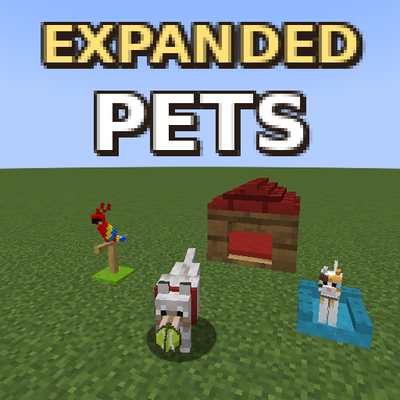
Pets Expanded
Play with your pets, make them beds, and give them armored collars!
 mod
CurseForge · Minecraft
VUEQuests
A graph and linear based questing mod for Neoforge and Fabric!
 mod
CurseForge · Minecraft
Staff Detector
Global Vanish Tracker Detects in real-time when a staff member enters vanish mode. The mod monitors the player list (TAB) and alerts you instantly if someone hides without actually disconnecting from the server—works regardless of distance!