CraftTweaker Optional for novelties-1.1.1.jar
optionalMatching file found Matched file: CraftTweaker2-1.12-4.1.20.718.jar
CurseForge · Minecraft mod
Random novelties for the player's world
Quick answer
novelties-1.1.1.jar targets 1.12, 1.12.2 with Forge. The project page does not say whether this file belongs on the client, dedicated server, or both. No extra mods listed for this file.
Where it goes
The project page does not say whether this file belongs on the client, dedicated server, or both.
The source does not explicitly classify this release as client-only or server-only.
novelties-1.1.1.jar. Change the file and its required mods may change too.
This file does not list any required mods. Do not add a library just because a different file uses it.
We only count dependency files that match this setup. A file for another loader does not fill the gap.
Before you install it
Built for novelties-1.1.1.jar. Pick another file and the loader, install side or required mods may change.
Use novelties-1.1.1.jar. It targets 1.12, 1.12.2 with Forge; another release may have different loader, side or dependency requirements.
This file does not list any required mods. Do not add a library just because a different file uses it.
The project page does not say whether this file belongs on the client, dedicated server, or both.
Use the “Get this file” button beside novelties-1.1.1.jar. It opens that exact file at the source.
About this project
This mod adds a collection of features, listed below. Additional info can be found in the linked Wiki!
Eruption Spawner Block:
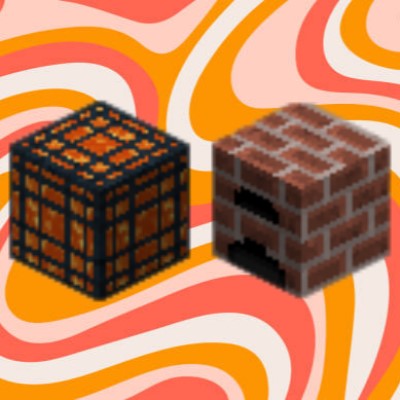
This block shoots falling blocks upward. Every aspect of the 'eruption' can be tweaked via its NBT-tags, and won't do anything when spawned without said tags.
Below is an example command:
/setblock ~ ~ ~ eruptionspawner:eruptor_block 0 replace {spawnrateMin:30, spawnrateMax:80, blocksSpawned:20, velocity:1.0f, yOffset:1.0f, angle:45.0f, weightedListBlocks:[{blockId:"minecraft:stone",weight:3},{blockId:"minecraft:cobblestone",meta:0,weight:1},{blockId:"minecraft:sand",meta:0,weight:2}]}
Oven Block:
This block smelts up to 9 ingredients to make one output. It requires fuel to run, and can provide XP-per-craft. Each recipe can have a variable smelt-time. These recipes are provided via CraftTweaker, example below:
import mods.novelties.Oven;
var breadgrain = <ore:breadgrain>;
var grain = <ore:grain>;
var milk = <ore:listAllMilk>;
var sugar = <ore:sugar>;
var egg = <ore:egg>;
recipes.addShaped(<novelties:oven>, [[<minecraft:brick_block>, <minecraft:brick_block>, <minecraft:brick_block>],[<minecraft:brick_block>, null, <minecraft:brick_block>], [<minecraft:brick_block>, <minecraft:brick_block>, <minecraft:brick_block>]]);
//shapeless recipes
//alloys
Oven.addShapeless(<contenttweaker:bronze>, [<deeperdepths:material:4>, <deeperdepths:material:4>, <deeperdepths:material:4>, <deeperdepths:material:4>, <deeperdepths:material:4>, <deeperdepths:material:4>, <contenttweaker:tinnugget>, <contenttweaker:tinnugget>, <contenttweaker:tinnugget>], 200, 1.0);
Oven.addShapeless(<contenttweaker:electrum>, [<minecraft:gold_nugget>, <minecraft:gold_nugget>, <minecraft:gold_nugget>, <minecraft:gold_nugget>, <minecraft:gold_nugget>, <minecraft:gold_nugget>, <contenttweaker:silvernugget>, <contenttweaker:silvernugget>, <contenttweaker:silvernugget>], 200, 1.0);
Oven.addShapeless(<contenttweaker:steel>, [<minecraft:iron_ingot>, <contenttweaker:coke>], 200, 1.0);
Oven.addShapeless(<contenttweaker:hepatizon>, [<minecraft:gold_nugget>, <contenttweaker:tinnugget>, <deeperdepths:material:4>, <deeperdepths:material:4>, <deeperdepths:material:4>, <deeperdepths:material:4>, <deeperdepths:material:4>, <deeperdepths:material:4>, <deeperdepths:material:4>], 200, 1.0);
//misc
Oven.addShapeless(<projectred-transmission:wire>, [<deeperdepths:material:0>, <ore:dustRedstone>], 200, 1.0);
Oven.addShapeless(<contenttweaker:phosphorus>, [<contenttweaker:coke>, <minecraft:quartz>, <contenttweaker:phosphorusore>], 200, 1.0);
Oven.addShapeless(<colorfulslimes:slime_block/black>, [<charset:slime_block_colored:15>, <contenttweaker:sulfur>], 200, 1.0);
Oven.addShapeless(<colorfulslimes:slime_block/blue>, [<charset:slime_block_colored:11>, <contenttweaker:sulfur>], 200, 1.0);
Oven.addShapeless(<colorfulslimes:slime_block/brown>, [<charset:slime_block_colored:12>, <contenttweaker:sulfur>], 200, 1.0);
Oven.addShapeless(<colorfulslimes:slime_block/cyan>, [<charset:slime_block_colored:9>, <contenttweaker:sulfur>], 200, 1.0);
Oven.addShapeless(<colorfulslimes:slime_block/gray>, [<charset:slime_block_colored:7>, <contenttweaker:sulfur>], 200, 1.0);
Oven.addShapeless(<colorfulslimes:slime_block/green>, [<minecraft:slime>, <contenttweaker:sulfur>], 200, 1.0);
Oven.addShapeless(<colorfulslimes:slime_block/light_blue>, [<charset:slime_block_colored:3>, <contenttweaker:sulfur>], 200, 1.0);
Oven.addShapeless(<colorfulslimes:slime_block/silver>, [<charset:slime_block_colored:8>, <contenttweaker:sulfur>], 200, 1.0);
Oven.addShapeless(<colorfulslimes:slime_block/lime>, [<charset:slime_block_colored:5>, <contenttweaker:sulfur>], 200, 1.0);
Oven.addShapeless(<colorfulslimes:slime_block/magenta>, [<charset:slime_block_colored:2>, <contenttweaker:sulfur>], 200, 1.0);
Oven.addShapeless(<colorfulslimes:slime_block/orange>, [<charset:slime_block_colored:1>, <contenttweaker:sulfur>], 200, 1.0);
Oven.addShapeless(<colorfulslimes:slime_block/pink>, [<charset:slime_block_colored:6>, <contenttweaker:sulfur>], 200, 1.0);
Oven.addShapeless(<colorfulslimes:slime_block/purple>, [<charset:slime_block_colored:10>, <contenttweaker:sulfur>], 200, 1.0);
Oven.addShapeless(<colorfulslimes:slime_block/red>, [<charset:slime_block_colored:14>, <contenttweaker:sulfur>], 200, 1.0);
Oven.addShapeless(<colorfulslimes:slime_block/white>, [<charset:slime_block_colored:0>, <contenttweaker:sulfur>], 200, 1.0);
Oven.addShapeless(<colorfulslimes:slime_block/yellow>, [<charset:slime_block_colored:4>, <contenttweaker:sulfur>], 200, 1.0);
//shaped recipes
//vanilla bread
Oven.addShaped(<minecraft:bread>, [breadgrain, grain, grain, null, null, null, null, null, null], 200, 0.35);
Oven.addShaped(<minecraft:bread>, [grain, breadgrain, grain, null, null, null, null, null, null], 200, 0.35);
Oven.addShaped(<minecraft:bread>, [grain, grain, breadgrain, null, null, null, null, null, null], 200, 0.35);
//vanilla cake
Oven.addShaped(<minecraft:cake>, [milk, milk, milk, sugar, <ore:egg>, sugar, grain, grain, grain], 200, 0.35,[<minecraft:bucket>, <minecraft:bucket>, <minecraft:bucket>, null, null, null, null, null, null]);
//Shaped mirrored recipes
<ore:ingotGeneric>.add(<minecraft:gold_ingot>);
<ore:ingotGeneric>.add(<minecraft:iron_ingot>);
Oven.addShapedMirrored(<minecraft:apple>, [
null,null,null,
<ore:ingotGeneric>, <ore:ingotGeneric>, null,
null, <ore:ingotGeneric>, null
], 20, 0.5);
Future Plans:
========================================================================
What should I do if I run into an issue?
If you encounter unexpected behaviors or incompatibilities, please report it to the Github Issues page.
Will you update or backport this mod to my favorite version?
No, but if you would like, you can do it yourself.
Where can I ask for a feature or suggest something?
The Curseforge comment section would be preferred.
Can I include this in my modpack?
Yes! Curseforge mods in a Curseforge pack are always allowed. You can add this to your non-Curseforge modpack, too.
========================================================================
Special Thanks:
-penteractgaming for commissioning this mod
Project description from CurseForge.
Pick your setup
Choose the version and loader you play, then open the matching release.
Check the dependencies, then try the file in a copied instance before changing a world you care about.
Recent files
25 Sept 2025
novelties-1.1.0.jar
25 Sept 2025
22 Oct 2024
Looking for an older file? The official CurseForge project page is in Resources.
 mod
RDPL - Resource and Datapack loading to a new level. Run the same packs on any supported version of Minecraft. Restoring JOY back to Modpack building! The API that should have been. By MCT.
 mod
Adds a new dimension, end game tools, and a portal link mechanic for end-game fast travel.
 mod
Maestro is a lightweight client-side automation copilot. It is designed for single-player automation and for servers that support the mod.