Architectury API Needed by Lovely Crops [1.21.3] NeoForge 1.1.0
requiredMatching file found Matched file: [NeoForge 1.21.2/3] v14.0.4
CurseForge · Minecraft mod
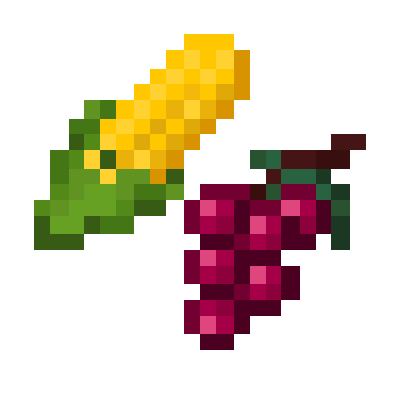
Add Grapes and Corn to Minecraft
Quick answer
Lovely Crops [1.21.3] NeoForge 1.1.0 targets 1.21.3, 1.21.2 with NeoForge. The project page does not say whether this file belongs on the client, dedicated server, or both. All 1 required mods have matching files.
Where it goes
The project page does not say whether this file belongs on the client, dedicated server, or both.
The source does not explicitly classify this release as client-only or server-only.
[1.21.3] NeoForge 1.1.0. Change the file and its required mods may change too.
Install Architectury API first. We found matching files for this game-version and loader setup.
We only count dependency files that match this setup. A file for another loader does not fill the gap.
Before you install it
Built for Lovely Crops [1.21.3] NeoForge 1.1.0. Pick another file and the loader, install side or required mods may change.
Use [1.21.3] NeoForge 1.1.0. It targets 1.21.3, 1.21.2 with NeoForge; another release may have different loader, side or dependency requirements.
Install Architectury API first. We found matching files for this game-version and loader setup.
The project page does not say whether this file belongs on the client, dedicated server, or both.
Use the “Get this file” button beside [1.21.3] NeoForge 1.1.0. It opens that exact file at the source.
About this project

Corn and Grapes to MinecraftCorn Seeds and Grape Seeds from breaking short grassGrapes and CornGrape Juice or Corn Soup by putting 6 produce on the top of a crafting table, and one bowl in the bottom middle.Thank you KeepMeow for creating the textures (via Corn+ and Grapes+)
Project description from CurseForge.
Pick your setup
Choose the version and loader you play, then open the matching release.
Check the dependencies, then try the file in a copied instance before changing a world you care about.
Recent files
lovelycrops-neoforge-1.21.3-1.1.0.jar
4 Nov 2024
lovelycrops-fabric-1.21.3-1.1.0.jar
4 Nov 2024
lovelycrops-neoforge-1.21-1.1.0.jar
4 Nov 2024
lovelycrops-fabric-1.21-1.1.0.jar
4 Nov 2024
lovelycrops-neoforge-1.20.6-1.1.0.jar
4 Nov 2024
lovelycrops-fabric-1.20.6-1.1.0.jar
4 Nov 2024
lovelycrops-fabric-1.20.4-1.1.0.jar
4 Nov 2024
lovelycrops-neoforge-1.21.3-1.0.1.jar
28 Oct 2024
lovelycrops-fabric-1.21.3-1.0.1.jar
28 Oct 2024
lovelycrops-neoforge-1.21.3-1.0.0.jar
24 Oct 2024
lovelycrops-fabric-1.21.3-1.0.0.jar
24 Oct 2024
lovelycrops-neoforge-1.21-1.0.0.jar
24 Oct 2024
Looking for an older file? The official CurseForge project page is in Resources.
 mod
A flexible and expandable accessory/equipment API for users and developers.
 mod
Disposable public fixture for testing the Modpacks.ch GitHub catalogue flow
 mod
A stupid mod designed for friends that adds a pumpkin that makes noises