Minecraft version
Back to mods 
CurseForge · Minecraft mod
Locks: Continue
Adds locked loot chests, four interactive lockpicking minigames, lockpicking tools, and player-installed locks.
Choose a version Pick your version below, then grab the matching file.
Quick answer
Which Locks: Continue release should I use?
Latest stable file Locks Continue-1.20.1-forge-1.1
Game version 1.20.1
Loader Forge
Locks: Continue Locks Continue-1.20.1-forge-1.1 targets 1.20.1 with Forge. The project page does not say whether this file belongs on the client, dedicated server, or both. No extra mods listed for this file.
Where it goes
Is Locks: Continue required on the client, server, or both?
The project page does not say whether this file belongs on the client, dedicated server, or both.
Client Source doesn’t say
Dedicated server Source doesn’t say
Loader for this release Forge
Required install it here Optional supported, not mandatory Not supported do not install here Source doesn’t say do not assume
The source does not explicitly classify this release as client-only or server-only.
What else does Locks: Continue Locks Continue-1.20.1-forge-1.1 need?
Locks Continue-1.20.1-forge-1.1. Change the file and its required mods may change too.
This file does not list any required mods. Do not add a library just because a different file uses it.
This file does not list any required or optional mods.
Before you install it
Add Locks: Continue without breaking your instance.
Built for Locks: Continue Locks Continue-1.20.1-forge-1.1. Pick another file and the loader, install side or required mods may change.
- 01
Stick to this file
Use Locks Continue-1.20.1-forge-1.1. It targets 1.20.1 with Forge; another release may have different loader, side or dependency requirements.
- 02
Bring the mods it needs
This file does not list any required mods. Do not add a library just because a different file uses it.
- 03
Put it on the correct side
The project page does not say whether this file belongs on the client, dedicated server, or both.
- 04
Pick the file you checked
Use the “Get this file” button beside Locks Continue-1.20.1-forge-1.1. It opens that exact file at the source.
About this project
What does Locks: Continue add?
Locks Continue
Locks Continue makes finding the chest only half the challenge.
Locked chests can appear throughout the world, turning ordinary loot containers into small lockpicking challenges that must be solved before you can claim what's inside.
🔒 Four Lockpicking Minigames
Locks Continue currently includes four different types of locks, each with its own gameplay:
Pin Lock
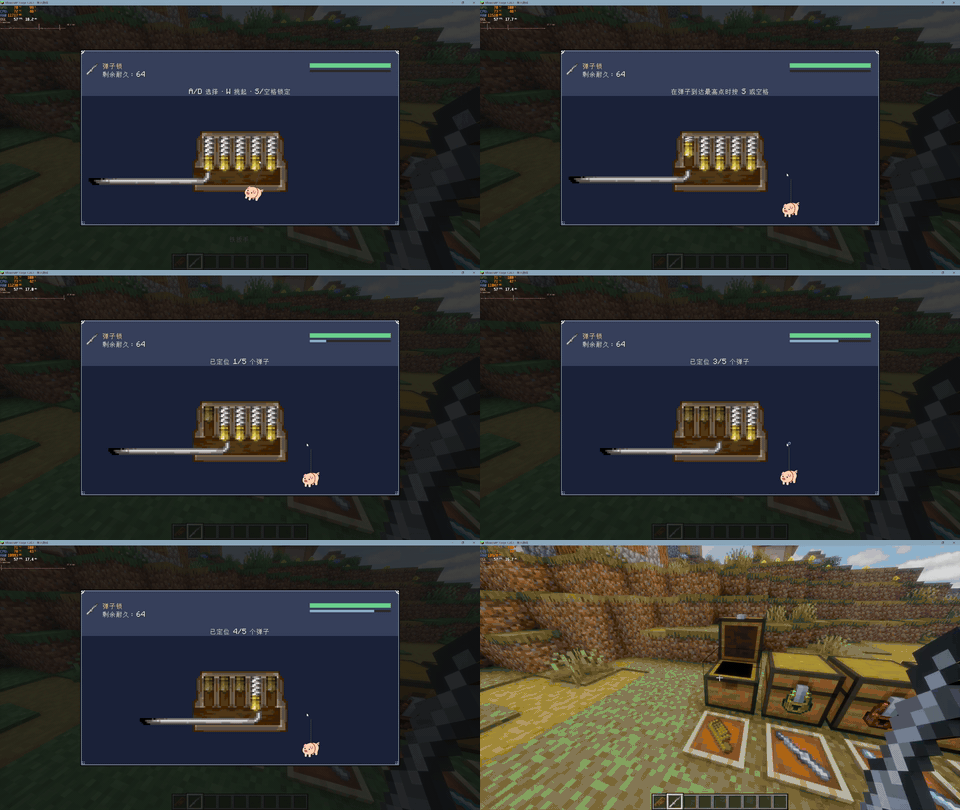
Carefully manipulate the pins and find the correct positions to open the lock.
Pipe Lock
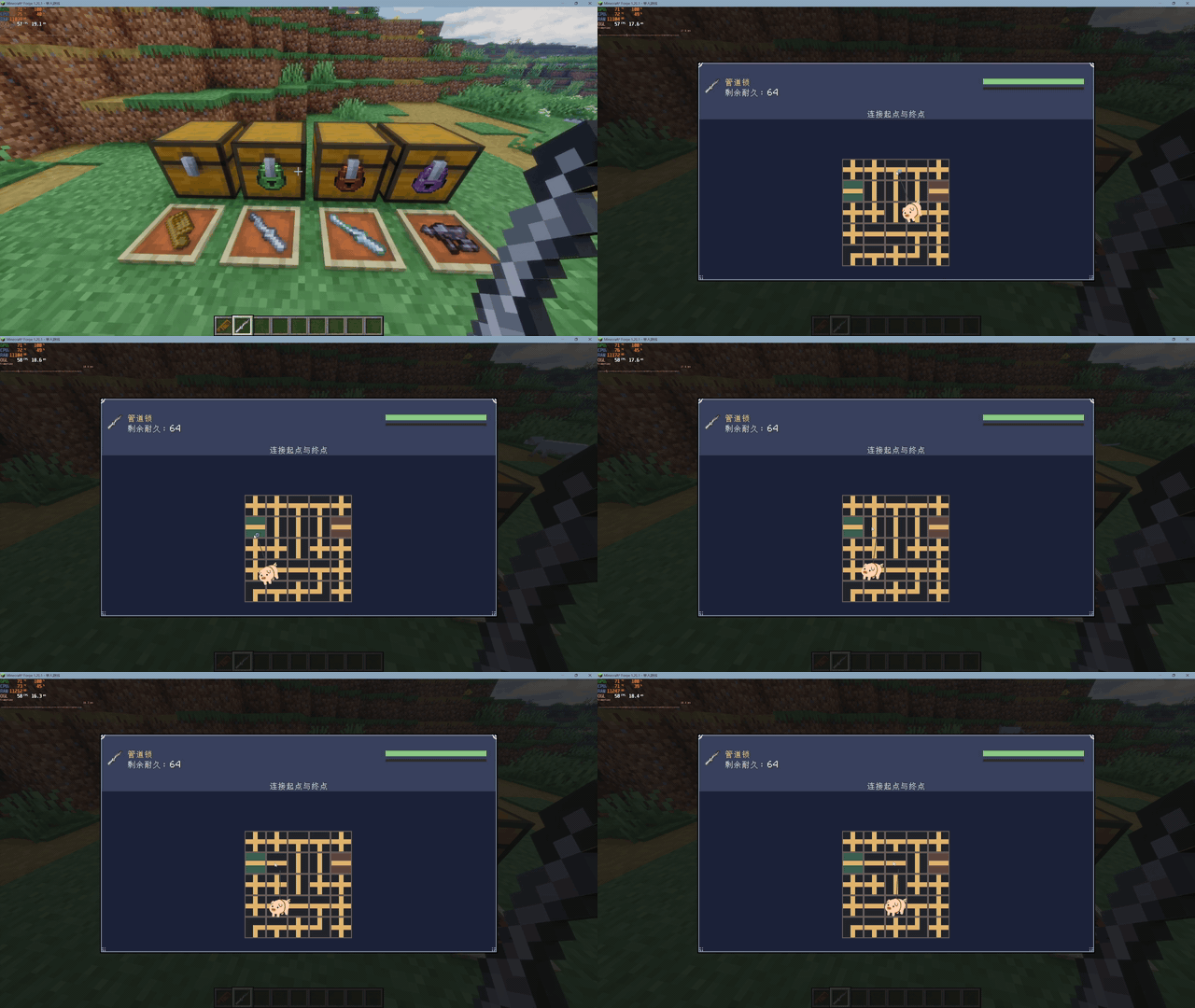
Rotate the pipe pieces and connect the path from one side of the mechanism to the other.
Rotary Lock
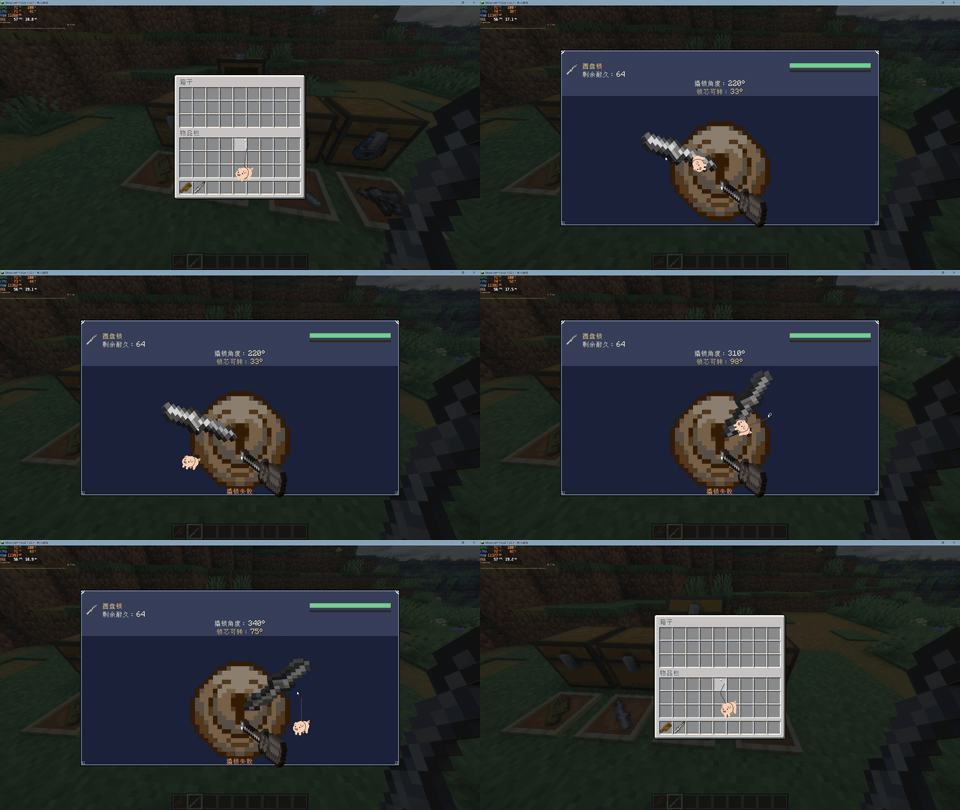
Manipulate the rotating mechanism and search for the correct unlocking position.
Memory Lock
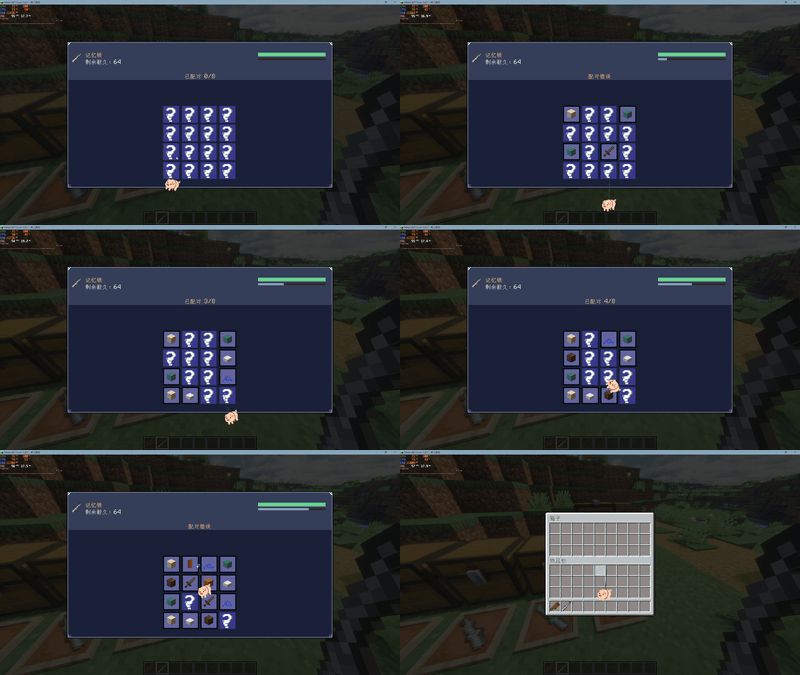
Memorize the revealed items, then find and match the hidden pairs.
🧰 Lockpicking Tools
Several tiers of lockpicking tools are available:
- Wooden Comb
- Iron Wrench
- Diamond Wrench
- Netherite Pick Gun
Better tools provide increased durability, allowing you to tackle more locks while exploring.
🗺️ Locked Loot
Loot chests found while exploring can automatically receive locks.
Instead of simply opening every chest you discover, you may need to bring lockpicking equipment and complete a minigame before accessing its contents.
The generation chance can be configured to better suit different modpacks and playstyles.
Features
- Four unique lockpicking minigames
- Locks on naturally encountered loot chests
- Configurable locked-chest generation chance
- Player-installed chest locks
- Multiple tiers of lockpicking tools
- Custom lock interfaces, animations and sounds
- Multiplayer-aware lock interactions
- Designed to make exploration and loot collection more interactive
Find the loot. Pick the lock. Take what's inside.
Project description from CurseForge.
Pick your setup
Locks: Continue by Minecraft version and loader
Choose the version and loader you play, then open the matching release.
Check the dependencies, then try the file in a copied instance before changing a world you care about.
Recent files
Locks: Continue versions and loaders
Locks Continue-1.20.1-forge-1.1
Locks Continue-1.20.1-forge-1.1.jar
18 Sept 2026
Client Source doesn’t say Server Source doesn’t say Dependencies No extras listed Listed on Release listing
Check the 1.20.1 · Forge setup 1.20.1Forge release
Locks Continue-1.20.1-forge-1.0
Locks Continue-1.20.1-forge-1.0.jar
17 Sept 2026
Client Source doesn’t say Server Source doesn’t say Dependencies No extras listed Listed on Release listing
Check the 1.20.1 · Forge setup 1.20.1Forge release
Looking for an older file? The official CurseForge project page is in Resources.
 mod
mod CurseForge · Minecraft
RPG Waypoints Map Addon
Map addon for RPG Waypoints and Compass, supporting custom map images!
 mod
mod CurseForge · Minecraft
Legends Skills
Simple and easy-to-edit Skill Tree mod.
 mod
mod CurseForge · Minecraft
Legends Class
Choose your race, class and difficulty, fully customizable.