Oh The Trees You'll Grow Needed by Woodlands : The Core Woodlands_Vanilla-Universal-1.21.1-v1.2.2.jar
requiredMatching file found Matched file: Oh-The-Trees-You'll-Grow-NeoForge-1.21.1-5.3.6
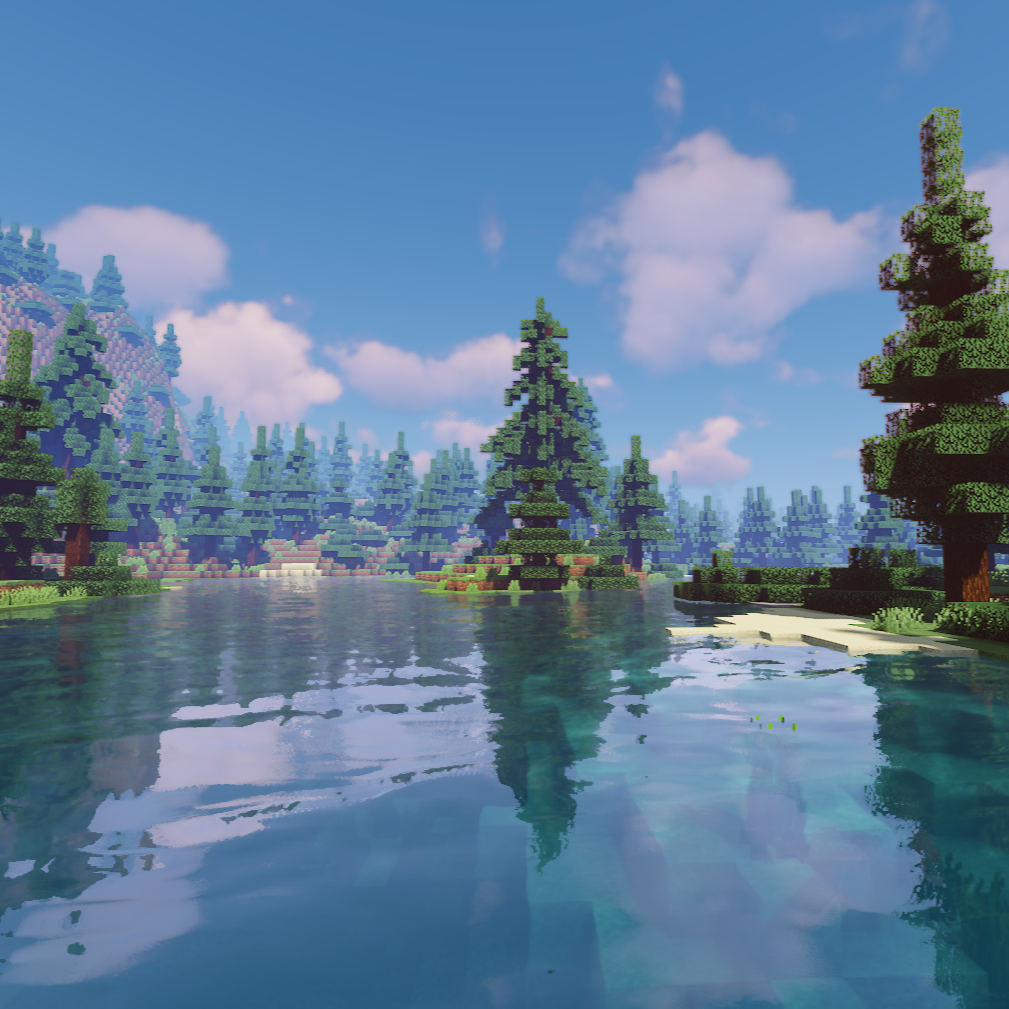
CurseForge · Minecraft mod
Vanilla biomes overhaul, bigger and more realistic trees as well as other small visual improvements
Quick answer
Woodlands : The Core Woodlands_Vanilla-Universal-1.21.1-v1.2.2.jar targets 1.21.1 with Fabric, NeoForge, Forge. The project page does not say whether this file belongs on the client, dedicated server, or both. All 1 required mods have matching files.
Where it goes
The project page does not say whether this file belongs on the client, dedicated server, or both.
The source does not explicitly classify this release as client-only or server-only.
Woodlands_Vanilla-Universal-1.21.1-v1.2.2.jar. Change the file and its required mods may change too.
Install Oh The Trees You'll Grow first. We found matching files for this game-version and loader setup.
We only count dependency files that match this setup. A file for another loader does not fill the gap.
Before you install it
Built for Woodlands : The Core Woodlands_Vanilla-Universal-1.21.1-v1.2.2.jar. Pick another file and the loader, install side or required mods may change.
Use Woodlands_Vanilla-Universal-1.21.1-v1.2.2.jar. It targets 1.21.1 with Fabric, NeoForge, Forge; another release may have different loader, side or dependency requirements.
Install Oh The Trees You'll Grow first. We found matching files for this game-version and loader setup.
The project page does not say whether this file belongs on the client, dedicated server, or both.
Use the “Get this file” button beside Woodlands_Vanilla-Universal-1.21.1-v1.2.2.jar. It opens that exact file at the source.
About this project

Woodlands: The Core (Vanilla) changes some aspects of a worldgen, like trees, flowers, ground cover etc, using only vanilla blocks and vanilla biome distribution.
This project ia also a part of Woodlands:Extra, if you're interested in custom biomes (that use only vanilla blocks as well!) you can check it up! Don't install both!
Dependencies:
"Undecaying leaves on trees" problem hacks:
That's not a real issue, that's the nature of handmade complex trees, used in a mod.
This could be very annoying though, so here are the solutions:
Config example:
treechop-common.toml
[mod]
	#Set to false to disable TreeChop without having to uninstall the mod
	enabled = true
	#Let TreeChop print to the log
	printDebugInfo = true

[permissions]

	[permissions.choppingEnabled]
		canBeFalse = true
		canBeTrue = true

	[permissions.fellingEnabled]
		canBeFalse = true
		canBeTrue = true

	[permissions.sneakBehavior]
		canBeInvertChopping = true
		canBeInvertFelling = true
		canBeNone = true

	[permissions.treeMustHaveLeaves]
		canBeFalse = true
		canBeTrue = true

	[permissions.chopInCreativeMode]
		canBeFalse = true
		canBeTrue = true

[general]
	#If false, log items will be destroyed when chopping
	dropLootForChoppedBlocks = true
	#If true, chopped logs will drop a log item immediately instead of waiting for the tree to be felled, restoring legacy behavior. Does nothing if dropLootForChoppedBlocks is false
	dropLootOnFirstChop = false

[treeDetection]
	#Maximum number of log blocks that can be detected to belong to one tree
	#Range: 1 ~ 8096
	maxTreeBlocks = 1024
	#Maximum number of leaves blocks that can destroyed when a tree is felled
	#Range: 1 ~ 8096
	maxLeavesBlocks = 1024
	#Destroy leaves when a tree is felled
	breakLeaves = true
	#Non-decayable leaves are ignored when detecting leaves
	ignorePersistentLeaves = false
	#Maximum distance from log blocks to destroy leaves blocks when felling
	#Range: 0 ~ 16
	maxBreakLeavesDistance = 13

	[treeDetection.logs]
		#Blocks that should be considered choppable
		#For block lists, specify using registry names (mod:block), tags (#mod:tag), namespaces (@mod), and Java-style regular expressions
		#Regular expressions must match the whole resource name, including the colon. Some simple examples are:
		# - To match any block ending in _log: ".*_log", where .* is a wildcard
		# - You can also specify a mod: "treemod:.*_log"
		# - To also match stripped versions: ".*_log(_stripped)?", where ? means that the text in the parenthesis is optional
		#For more help, see https://github.com/hammertater/treechop/wiki/Configuration
		blocks = ["#treechop:choppables", "#minecraft:logs"]
		#Blocks that should never be chopped, even if included in the list above
		#Specify using registry names (mod:block), tags (#mod:tag), and namespaces (@mod)
		exceptions = ["minecraft:bamboo", "#dynamictrees:branches", "dynamictrees:trunk_shell"]

	[treeDetection.leaves]
		#Blocks that should be considered leaves
		#Specify using registry names (mod:block), tags (#mod:tag), and namespaces (@mod)
		blocks = ["#treechop:leaves_like", "#minecraft:leaves", "pamhc2trees:pam[a-z]+"]
		#Blocks that should never be considered leaves, even if included in the list above
		#Specify using registry names (mod:block), tags (#mod:tag), and namespaces (@mod)
		exceptions = []

[chopCounting]
	#Method to use for computing the number of chops needed to fell a tree
	#Allowed Values: LINEAR, LOGARITHMIC
	algorithm = "LOGARITHMIC"
	#How to round the number of chops needed to fell a tree; this is more meaningful for smaller trees
	#Allowed Values: DOWN, NEAREST, UP
	rounding = "NEAREST"
	#Felling a tree can require more chops than the number of blocks in the tree
	canRequireMoreChopsThanBlocks = false

	#See https://github.com/hammertater/treechop/#logarithmic
	[chopCounting.logarithmic]
		#Determines the number of chops required to fell a tree; higher values require more chops for bigger trees
		#Range: 0.0 ~ 10000.0
		a = 10.0

	#See https://github.com/hammertater/treechop/#linear
	[chopCounting.linear]
		#The number of chops per block required to fell a tree; if chopsPerBlock = 0.5, it will take 50 chops to fell a 100 block tree
		#Range: 0.0 ~ 7.0
		chopsPerBlock = 1.0
		#The base number of chops required to fell a tree regardless of its size
		#Range: -10000.0 ~ 10000.0
		baseNumChops = 0.0

[compatibility]
	#https://www.curseforge.com/minecraft/mc-mods/carry-on
	#https://modrinth.com/mod/carry-on
	#Small fixes.
	carryOn = true
	#https://www.curseforge.com/minecraft/mc-mods/project-mmo
	#https://modrinth.com/mod/project-mmo
	#Award woodcutting XP for chopping.
	projectMMO = true
	#https://www.curseforge.com/minecraft/mc-mods/the-one-probe
	#https://modrinth.com/mod/the-one-probe
	#Shows the number of chops required to fell a tree and what loot will drop.
	theOneProbe = true
	#https://github.com/TerraformersMC
	#Fixes starting chop radius for small logs from Terraformers mods (Terrestria, etc.)
	terraformers = true
	#https://github.com/AtomicStryker/atomicstrykers-minecraft-mods
	#Fixes bad behavior
	multiMine = true
	#https://www.curseforge.com/minecraft/mc-mods/apotheosis
	#Adds compatibility with the "chainsaw" enchantment.
	apotheosis = true

	[compatibility.general]
		#Only chop when using the correct tool for drops, if any (does nothing in vanilla, but some mods add tool requirements to logs
		choppingRequiresCorrectToolForDrops = true
		#Only chop when using a tool that increases block breaking speed (such as axes for logs)
		choppingRequiresFastBreakingTool = false
		#Prevent chopping when right-clicking blocks
		preventChoppingOnRightClick = false
		#Prevent infinite loops when chopping; fixes crashes when using modded items that break multiple blocks
		preventChopRecursion = true

		[compatibility.general.blacklist]
			#Whether the listed items should be blacklisted or whitelisted
			#Allowed Values: BLACKLIST, WHITELIST
			blacklistOrWhitelist = "BLACKLIST"
			#List of item registry names (mod:item), tags (#mod:tag), and namespaces (@mod) for items that should not chop when used to break a log
			#- Items in this list that have special support for TreeChop will not be blacklisted; see https://github.com/hammertater/treechop/blob/main/docs/compatibility.md#blacklist
			items = ["botania:terra_axe", "@lumberjack", "mekanism:atomic_disassembler", "practicaltools:diamond_greataxe", "practicaltools:golden_greataxe", "practicaltools:iron_greataxe", "practicaltools:netherite_greataxe", "twilightforest:giant_pickaxe"]

		#The chop settings used by non-player entities, such as robots and machine blocks
		[compatibility.general.fakePlayerChopSettings]
			#Use with caution! May cause conflicts with some mods, e.g. https://github.com/hammertater/treechop/issues/71
			choppingEnabled = false
			#Felling only matters if chopping is enabled; probably best to leave this on
			fellingEnabled = true
			treesMustHaveLeaves = true

	#A set of alternate tree detection strategies for oddly shaped trees
	#For block lists, specify using registry names (mod:block), tags (#mod:tag), namespaces (@mod), and Java-style regular expressions
	#Regular expressions must match the whole resource name, including the colon. Some simple examples are:
	# - To match any block ending in _log: ".*_log", where .* is a wildcard
	# - You can also specify a mod: "treemod:.*_log"
	# - To also match stripped versions: ".*_log(_stripped)?", where ? means that the text in the parenthesis is optional
	#For more help, see https://github.com/hammertater/treechop/wiki/Configuration
	[compatibility.trees]

		[compatibility.trees.hugeMushrooms]
			logs = ["#forge:mushroom_stems"]
			leaves = ["#forge:mushroom_caps"]

		[compatibility.trees.hugeFungi]
			logs = ["#minecraft:crimson_stems", "#minecraft:warped_stems"]
			leaves = ["#minecraft:wart_blocks", "minecraft:shroomlight"]

		[compatibility.trees.problematicLeavesTrees]
			logs = ["tropicraft:.*_log(_.*)?", "mysticbiomes:.*_log", "betternether:.*_bark", "betternether:.*_log", "alexscaves:.*_log", "alexscaves:pewen_wood"]
			leaves = ["tropicraft:.*_leaves(_.*)?", "betternether:.*_leaves", "regions_unexplored:brimwood_leaves", "alexscaves:.*_branch", "alexscaves:pewen_pines"]

	[compatibility.silentgear]
		#https://www.curseforge.com/minecraft/mc-mods/tinkers-construct
		#https://modrinth.com/mod/tinkers-construct
		#Makes saws do more chops.
		enabled = true
		#Number of chops a saw should perform on a single block break
		#Range: 1 ~ 10000
		sawChops = 5

	[compatibility.tinkersConstruct]
		#https://www.curseforge.com/minecraft/mc-mods/tinkers-construct
		#https://modrinth.com/mod/tinkers-construct
		#Makes AOE tools do more chops.
		enabled = true
		#Number of chops that tree breaking tools (like broad axes) should perform on a single block break
		#Range: 1 ~ 10000
		treeBreakingTools = 5
		#Number of chops that wood breaking tools (like hand axes) should perform on a single block break
		#Range: 1 ~ 10000
		woodBreakingTools = 1
		#The chop count multiplier for each level of the expanded upgrade
		#Range: 1.0 ~ 10000.0
		expandedMultiplier = 2.0

	[compatibility.API]
		#Log information about TreeChop API usage. May be useful for debugging mod compatibility issues.
		verbose = false
2)TreeHarvestermod
Config example:
treeharvester.json5
{
	// If enabled, tree harvesting only works when a player is holding an axe in the main hand.
	"mustHoldAxeForTreeHarvest": true,
	// If enabled, tree harvesting works when not holding the sneak button. If disabled it's reversed, and only works when sneaking.
	"treeHarvestWithoutSneak": false,
	// Whether the mod should attempt to find the actual bottom log of the tree and start there. This means you can break a tree in the middle and it will still completely be felled.
	"automaticallyFindBottomBlock": true,
	// If enabled, the leaves around a broken tree will quickly disappear. Only works with 'instantBreakLeavesAround' disabled.
	"enableFastLeafDecay": true,
	// If enabled, the warped stem/crimson trees in the nether will also be chopped down quickly.
	"enableNetherTrees": true,
	// If enabled, giant/huge mushrooms will also be chopped down quickly.
	"enableHugeMushrooms": true,
	// If enabled, trees with leaves placed by players won't be destroyed.
	"ignorePlayerMadeTrees": false,
	// If enabled, automatically replaces the sapling from the drops when a tree is harvested.
	"replaceSaplingOnTreeHarvest": false,
	// If enabled, automatically replaces the sapling from the drops when a huge mushroom is harvested and 'enableHugeMushrooms' is enabled.
	"replaceMushroomOnMushroomHarvest": true,
	// If enabled, for every log harvested, the axe held loses durability.
	"loseDurabilityPerHarvestedLog": true,
	// Here you can set how much durability chopping down a tree should take from the axe. For example if set to 0.1, this means that every 10 logs take 1 durability.
	// min: 0.001, max: 1.0
	"loseDurabilityModifier": 1.0,
	// If enabled, players' exhaustion level increases 0.005 per harvested log (Minecraft's default per broken block) * increaseExhaustionModifier.
	"increaseExhaustionPerHarvestedLog": true,
	// This determines how much exhaustion should be added to the player per harvested log. By default 0.005 * 1.0.
	// min: 0.001, max: 1.0
	"increaseExhaustionModifier": 1.0,
	// If enabled, harvesting time will increase per existing log in the tree. The amount is determined by 'increasedHarvestingTimePerLogModifier'.
	"increaseHarvestingTimePerLog": true,
	// How much longer it takes to harvest a tree with 'increaseHarvestingTimePerLog' enabled. The actual speed is: newSpeed = originalSpeed / (1 + (logCount * increasedHarvestingTimePerLogModifier)).
	// min: 0.01, max: 10.0
	"increasedHarvestingTimePerLogModifier": 0.2,
	// How many leaves should be broken per tick after a tree has been harvested. Increasing this will speed up the fast leaf decay, but costs more processing power per tick.
	// min: 1, max: 16
	"amountOfLeavesBrokenPerTick": 5
}
3)Panda's Falling Trees mod
Config example:
fallingtrees_common.json
{
  "disableCrouchMining": false,
  "disableExtraToolDamage": false,
  "disableExtraFoodExhaustion": false,
  "treeLifetimeLength": 4.0,
  "dynamicMiningSpeed": {
    "disable": false,
    "speedMultiplication": 0.5,
    "maxSpeedMultiplication": 16.0
  },
  "trees": {
    "standardTree": {
      "algorithm": {
        "maxLeavesRadius": 10,
        "maxLogAmount": 500,
        "shouldFallOnMaxLogAmount": false,
        "shouldIgnorePersistentLeaves": false
      },
      "logFilter": {
        "whitelistedTags": [
          "minecraft:logs"
        ],
        "whitelist": [],
        "blacklist": []
      },
      "leavesFilter": {
        "whitelistedTags": [
          "minecraft:leaves"
        ],
        "whitelist": [],
        "blacklist": []
      },
      "extraBlockFilter": {
        "whitelistedTags": [],
        "whitelist": [
          "minecraft:vine",
          "minecraft:bee_nest",
          "minecraft:cocoa"
        ],
        "blacklist": []
      },
      "enabled": true,
      "onlyFallWithRequiredTool": false,
      "allowedToolFilter": {
        "whitelistedTags": [
          "minecraft:axes"
        ],
        "whitelist": [],
        "blacklist": []
      }
    },
    "verticalTree": {
      "filter": {
        "whitelistedTags": [],
        "whitelist": [
          "minecraft:cactus",
          "minecraft:bamboo"
        ],
        "blacklist": []
      },
      "enabled": true,
      "onlyFallWithRequiredTool": false,
      "allowedToolFilter": {
        "whitelistedTags": [],
        "whitelist": [],
        "blacklist": []
      }
    },
    "chorusTree": {
      "enabled": true,
      "onlyFallWithRequiredTool": false,
      "allowedToolFilter": {
        "whitelistedTags": [],
        "whitelist": [],
        "blacklist": []
      }
    },
    "mushroomTree": {
      "stemFilter": {
        "whitelistedTags": [],
        "whitelist": [
          "minecraft:mushroom_stem"
        ],
        "blacklist": []
      },
      "capFilter": {
        "whitelistedTags": [],
        "whitelist": [
          "minecraft:red_mushroom_block",
          "minecraft:brown_mushroom_block"
        ],
        "blacklist": []
      },
      "enabled": true,
      "onlyFallWithRequiredTool": false,
      "allowedToolFilter": {
        "whitelistedTags": [],
        "whitelist": [],
        "blacklist": []
      }
    }
  }
}
Note, that in most ocasions leaves may not be chopped 100%, especially in the dense forests. The "cleanest" solution for now I think is TreeHarvester mod, because it makes leaves decaying after chopping the trunk. Panda's Falling Tree is the pretiest solution, as well as also pretty clean one=)
Now compatible with Fabric!
Compatible with NeoForge! (>= v.1.21.1-1.2.1)
Compatible (tested):
Partially compatible:
Incompatible
Known issues:
Screenshots:
Note! Some screenshots were made with Woodlands:Extra, so there might be some extra biomes spoilers in the background ;) You can find them all in here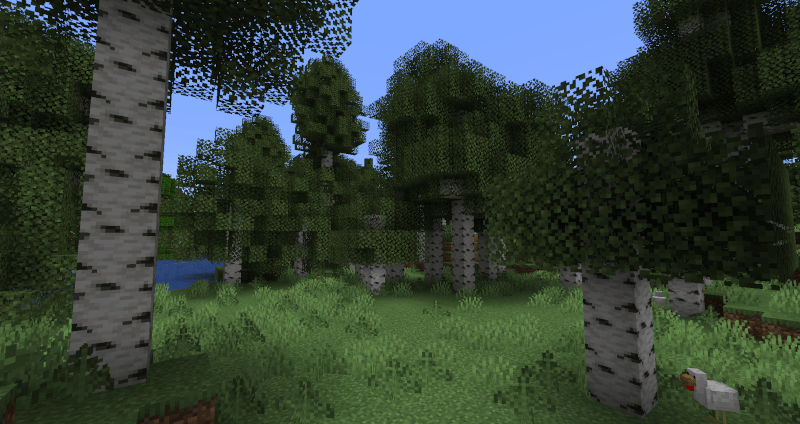
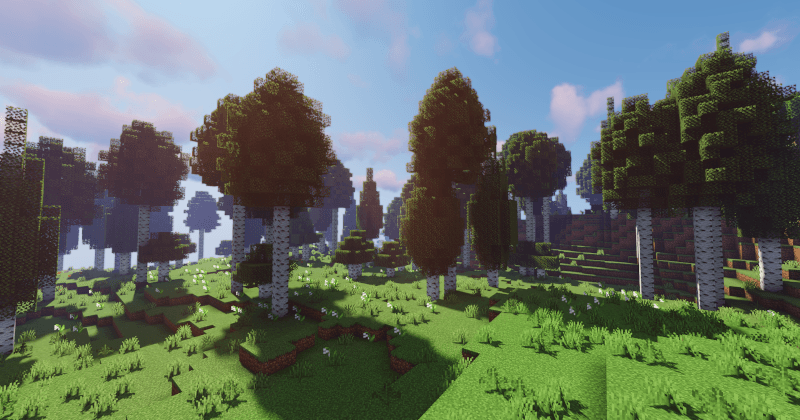
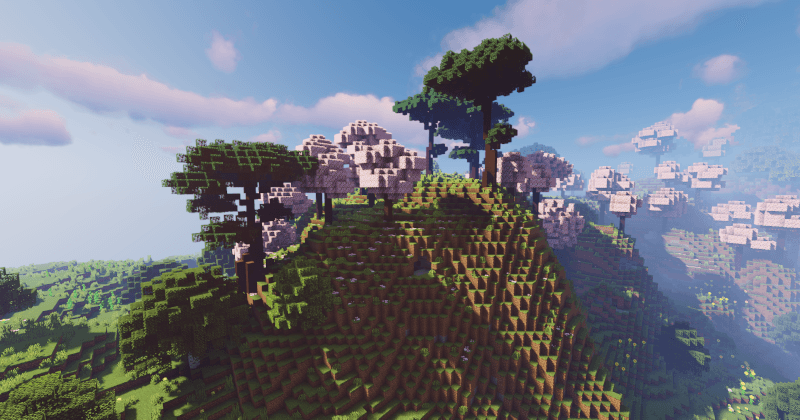
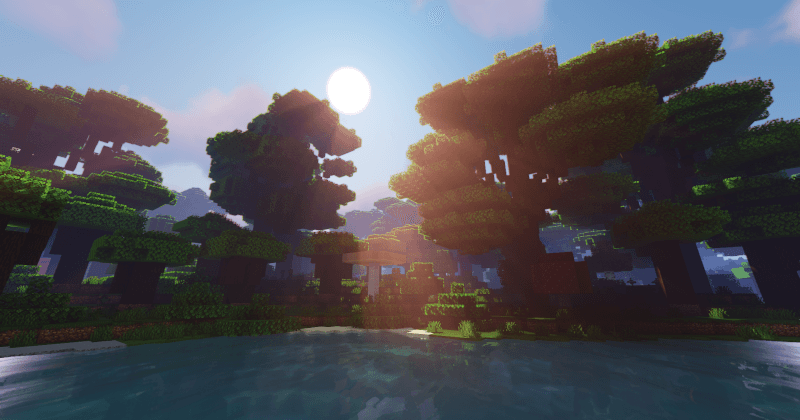
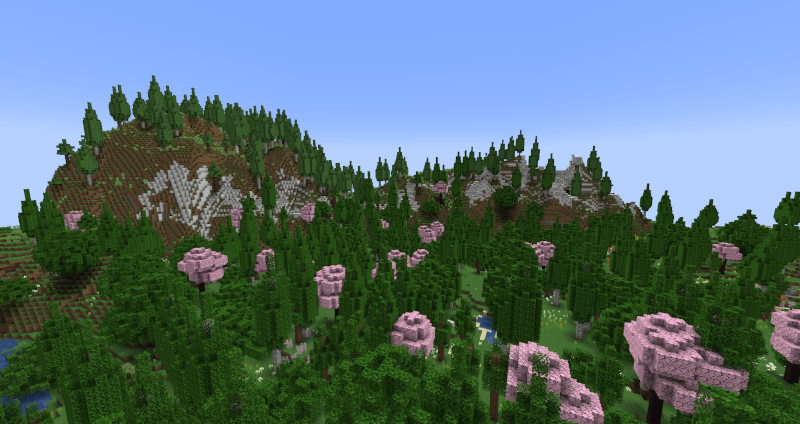
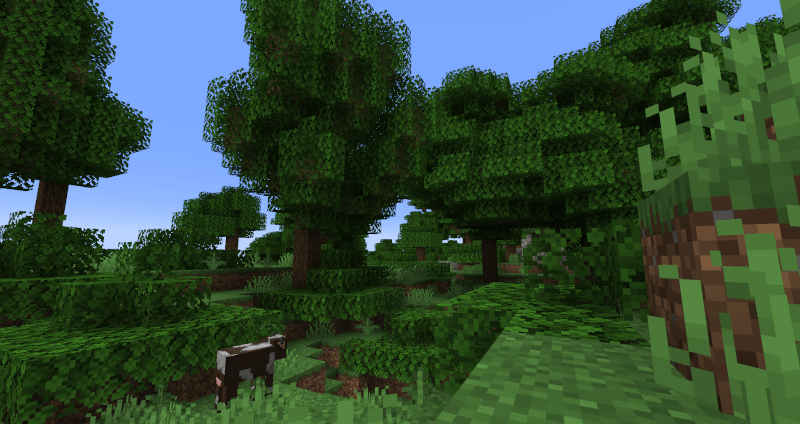
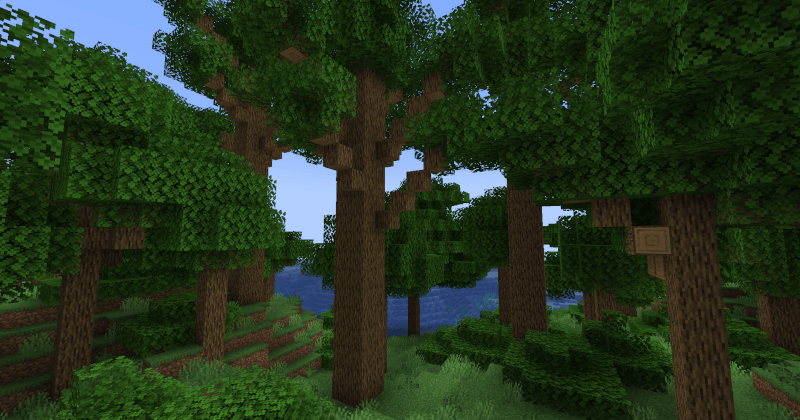
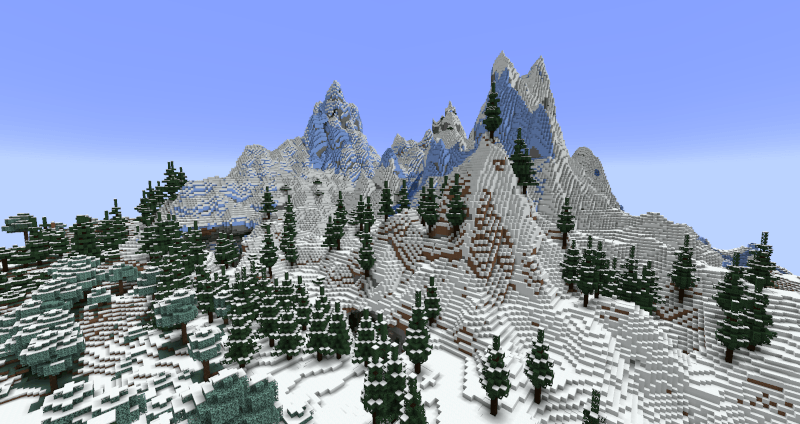
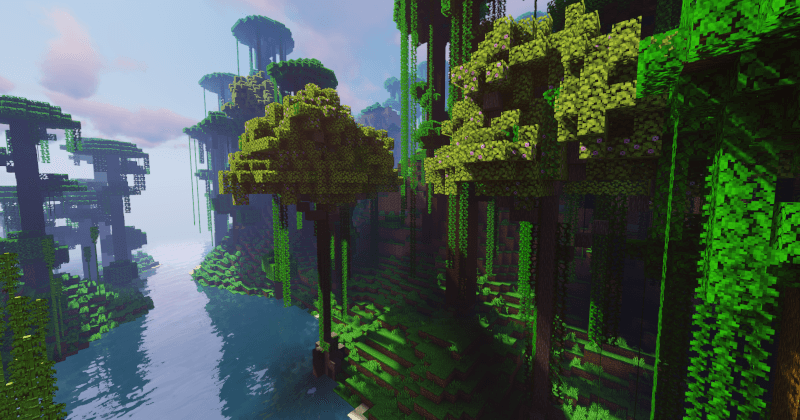
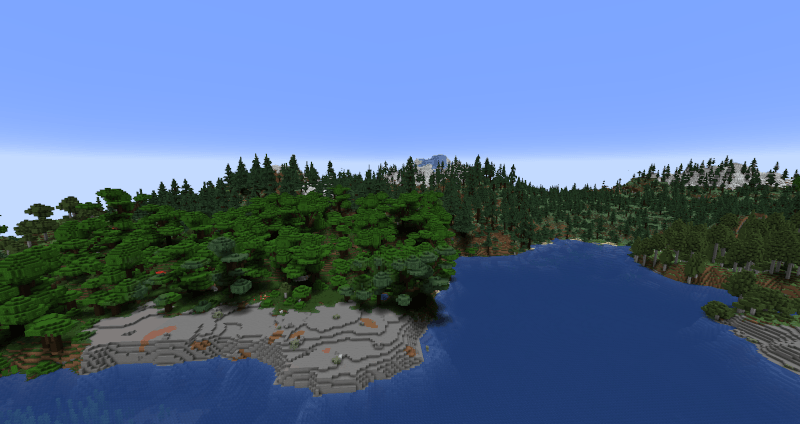
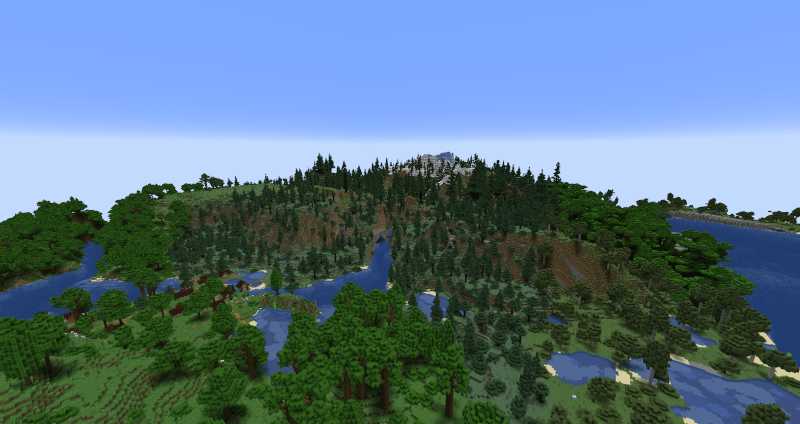
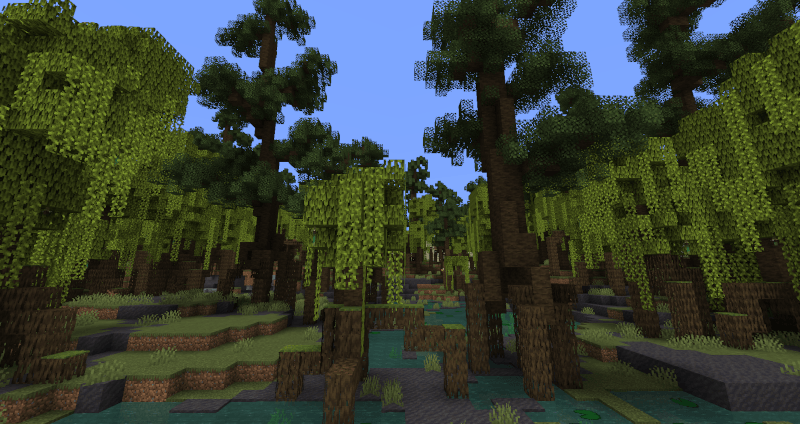
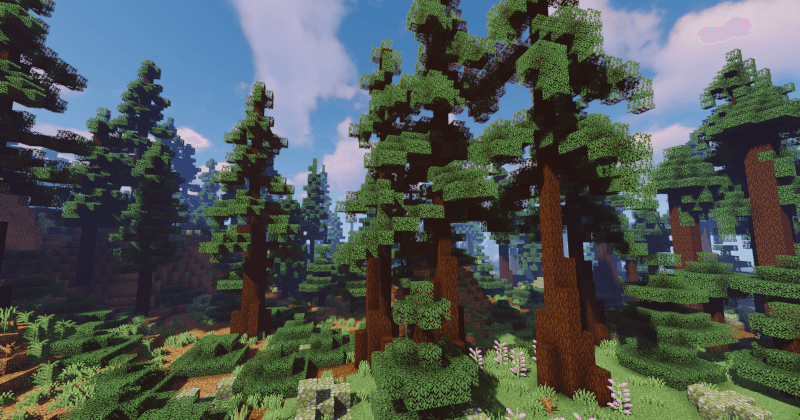
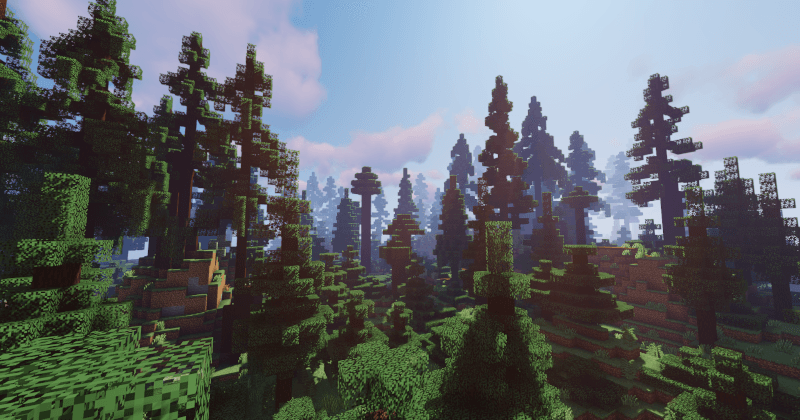
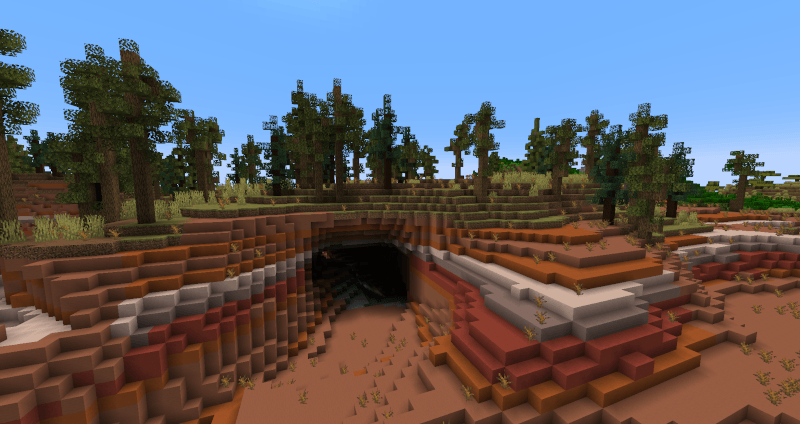
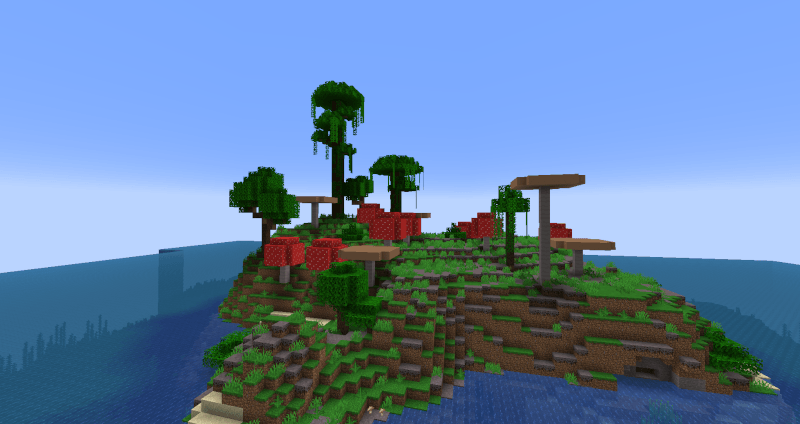
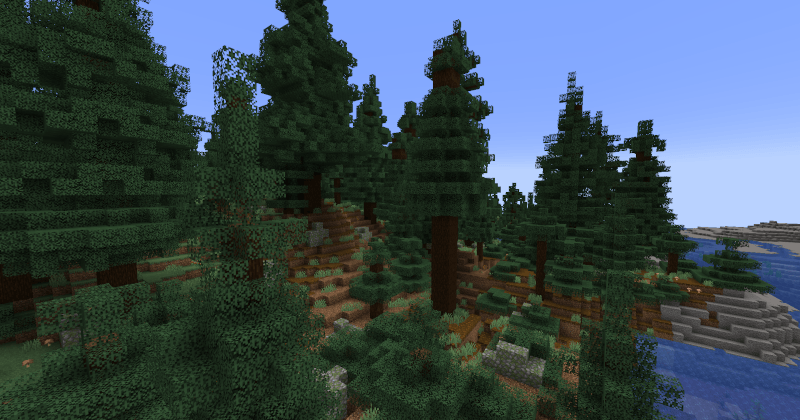
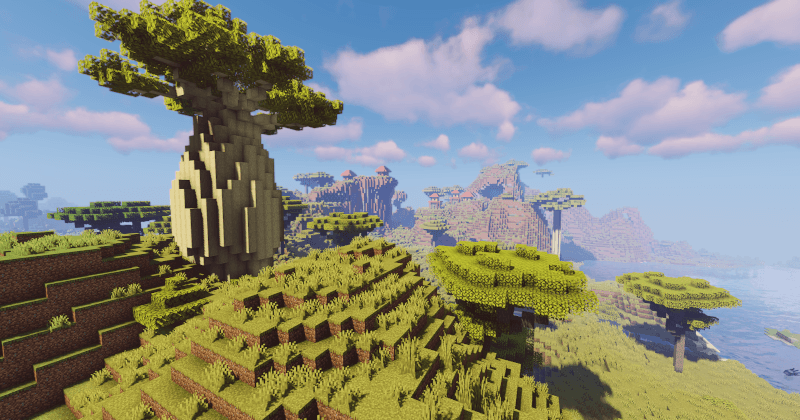
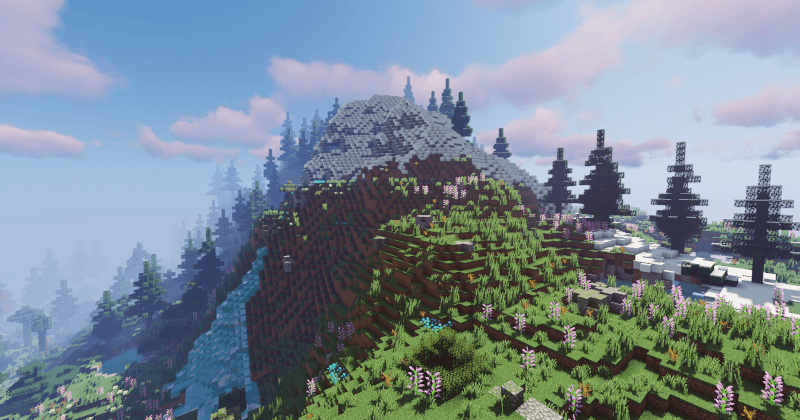
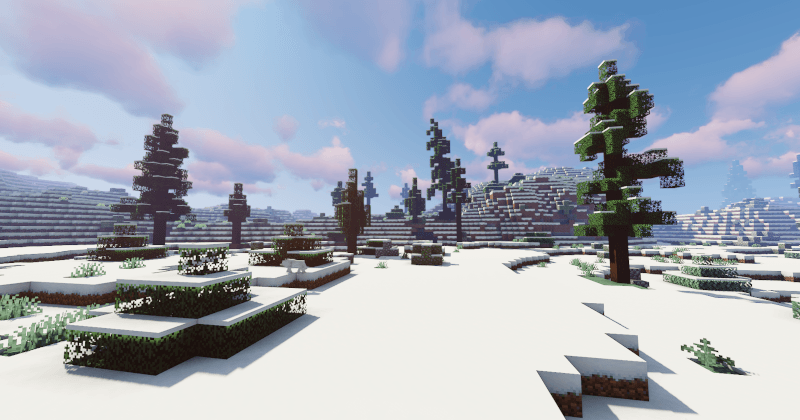
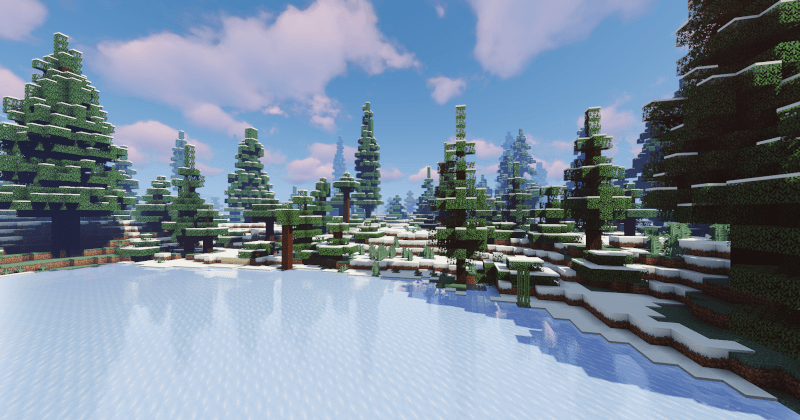
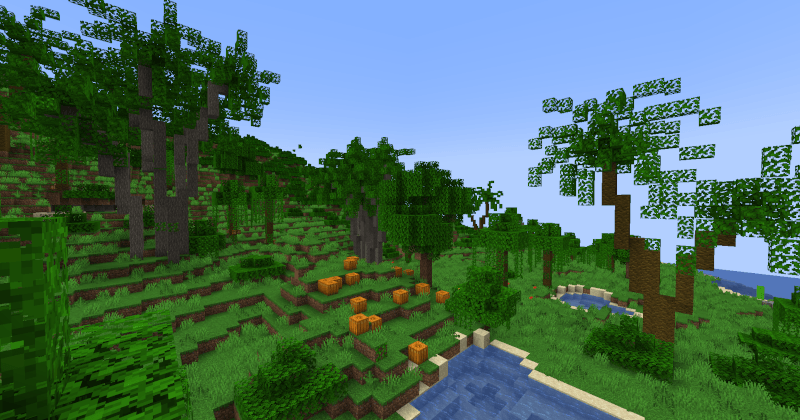
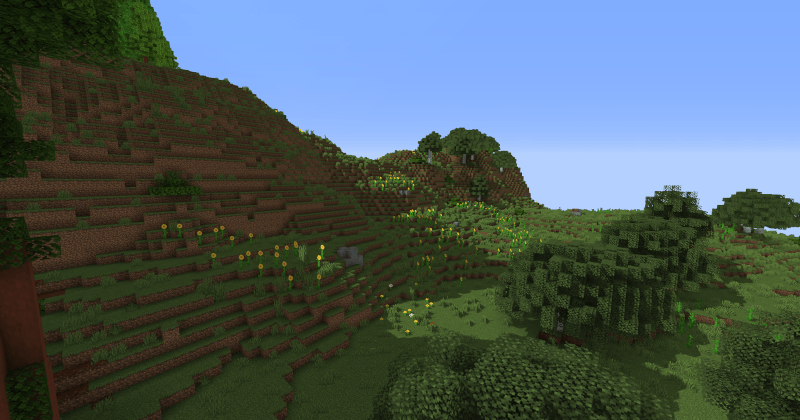
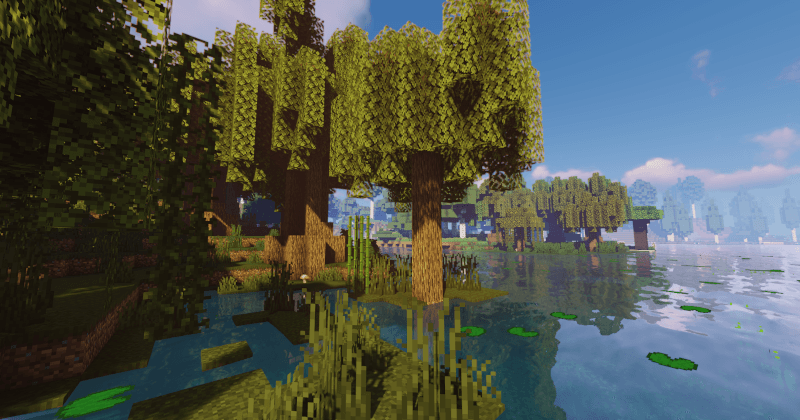
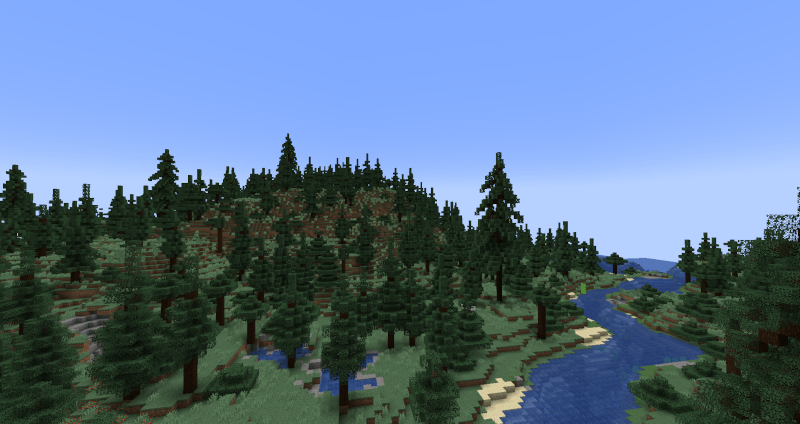
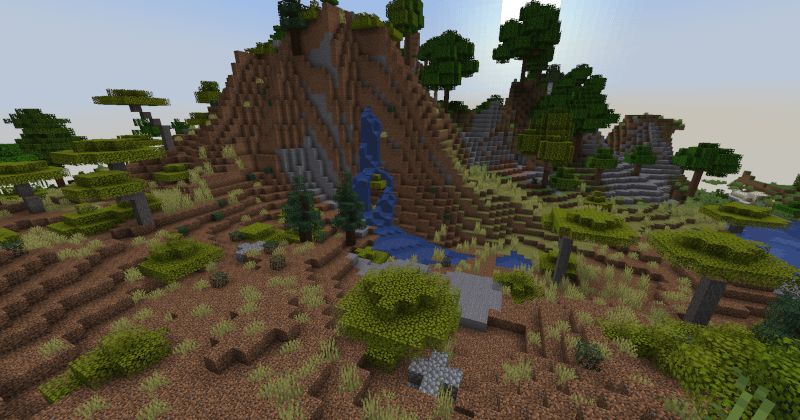 * Screenshots are made with Sildur's Vibrant Shaders v1.51 Extreme-VL and Sildur's Enhanced Default v1.16 Fancy shaders
Project description from CurseForge.
Pick your setup
Choose the version and loader you play, then open the matching release.
Check the dependencies, then try the file in a copied instance before changing a world you care about.
Recent files
27 Dec 2024
27 Dec 2024
8 Dec 2024
16 Nov 2024
16 Nov 2024
12 Nov 2024
11 Nov 2024
31 Oct 2024
Looking for an older file? The official CurseForge project page is in Resources.
 mod
Build player-run towns and nations with protected land, treasuries, taxes, paid jobs, trade, pigeon post, and community progression.
 mod
A new life for the mod by Alex Crish, creator of the Minecraft for Noobs series - his pre-Forge build reborn on Forge 1.7.10: alpha lighting, nature ambience, harsher survival, the Green Lands, windmills, sawmills and animated blocks.
 mod
The unofficial fabric port made for Kaleidoscope Cookery mod