GeckoLib Needed by Error 404 Not Found (Horror Entity) Error404-1.3.8-forge-1.20.1.jar
requiredMatching file found Matched file: geckolib-forge-1.20.1-4.8.4.jar

CurseForge · Minecraft mod
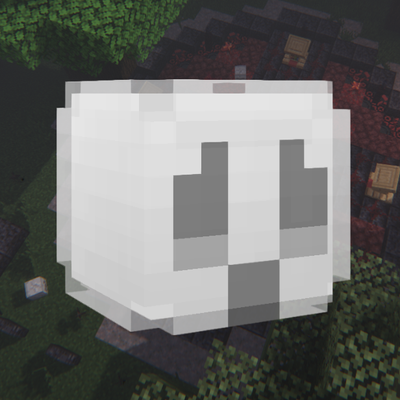
Adds an unknown entity into your world...
Quick answer
Error 404 Not Found (Horror Entity) Error404-1.3.8-forge-1.20.1.jar targets 1.20.1 with Forge. The project page does not say whether this file belongs on the client, dedicated server, or both. All 1 required mods have matching files.
Where it goes
The project page does not say whether this file belongs on the client, dedicated server, or both.
The source does not explicitly classify this release as client-only or server-only.
Error404-1.3.8-forge-1.20.1.jar. Change the file and its required mods may change too.
Install GeckoLib first. We found matching files for this game-version and loader setup.
We only count dependency files that match this setup. A file for another loader does not fill the gap.
Before you install it
Built for Error 404 Not Found (Horror Entity) Error404-1.3.8-forge-1.20.1.jar. Pick another file and the loader, install side or required mods may change.
Use Error404-1.3.8-forge-1.20.1.jar. It targets 1.20.1 with Forge; another release may have different loader, side or dependency requirements.
Install GeckoLib first. We found matching files for this game-version and loader setup.
The project page does not say whether this file belongs on the client, dedicated server, or both.
Use the “Get this file” button beside Error404-1.3.8-forge-1.20.1.jar. It opens that exact file at the source.
About this project

Recquires GECKOLIB!!11!!1
Your world started to act strange lately. Textures have been going missing, strange mobs have started spawning that look...weird. You've started to notice strange things in the sky, kind of like a portal.
Do you have what it takes to investigate these strange phenomenons?
The mod adds an entity that stalks, attacks and even crashes the player. (Can be toggled on and off using the config) It corrupts your world, removing textures from nearby blocks and extinguishing your torches. Explore the structures the mod has to offer and put an end to his reign.
If you find any bugs, please leave a comment or message me directly on Curseforge!

FAQ:
No, it doesn't. "Only corrupting" it can do is by replacing blocks with error blocks in your world and sometimes kicking you out of your own world. Other than that, it is completely safe to play!
Type /openconfig to open the configuration gui. There you can disable/enable it from kicking you or converting logs into other blocks.
Yes! Feel free to play with your friends, family, parents, grandparents, etc. You are GUARANTEED to have a great time!
Models/Animations/Coding - RoLuky (Me!!)
Do not port to bedrock! I will strike you down and let the council decide your fate.
Commands:
/OpenConfig- Opens the mod's config gui
Project description from CurseForge.
Pick your setup
Choose the version and loader you play, then open the matching release.
Check the dependencies, then try the file in a copied instance before changing a world you care about.
Recent files
5 May 2025
29 Apr 2025
21 Apr 2025
4 Apr 2025
1 Apr 2025
1 Apr 2025
Error404-1.3.2.2-forge-1.20.1.jar
29 Mar 2025
15 Mar 2025
24 Feb 2025
21 Feb 2025
error-1.2.2-forge-1.20.1.jar
30 Nov 2024
26 Nov 2024
Looking for an older file? The official CurseForge project page is in Resources.
 mod
A Halloween-themed mod which adds the majority of Halloween traditions! Bringing that spooky vibe to any world you make! Trick-Or-Treat, become a Vampire and a Werewolf, fight Boss-fights, explore new Dimensions and more!
 mod
A fork of WRS. Adds a system of elemental weaknesses and resistances for entities and items.
 mod
Jujutsu Kaisen Mod, Continuation of sorcery age