
Minecraft version
Back to mods 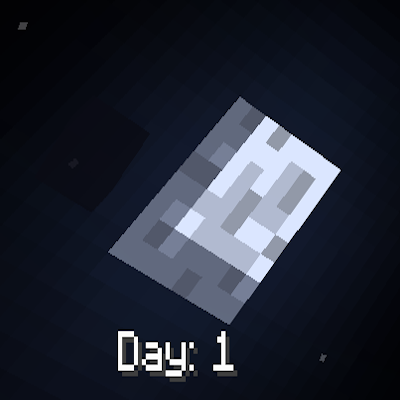
CurseForge · Minecraft mod
Day Display
Simple Minecraft day counter that you can adjust its location. Great for 100 days content creators!
Choose a version Pick your version below, then grab the matching file.
Quick answer
Which Day Display release matches 1.20.2 Forge?
Best match for your filters day_display-1.0.0-1.20.1
Game version 1.20.2, 1.20.3, 1.20.1
Loader Forge
Day Display day_display-1.0.0-1.20.1 targets 1.20.2, 1.20.3, 1.20.1 with Forge. The project page does not say whether this file belongs on the client, dedicated server, or both. No extra mods listed for this file.
Where it goes
Is Day Display required on the client, server, or both?
The project page does not say whether this file belongs on the client, dedicated server, or both.
Client Source doesn’t say
Dedicated server Source doesn’t say
Loader for this release Forge
Required install it here Optional supported, not mandatory Not supported do not install here Source doesn’t say do not assume
The source does not explicitly classify this release as client-only or server-only.
What else does Day Display day_display-1.0.0-1.20.1 need?
day_display-1.0.0-1.20.1 on 1.20.2 Forge. Every mod below is checked against that same setup.
This file does not list any required mods. Do not add a library just because a different file uses it.
This file does not list any required or optional mods.
Before you install it
Add Day Display without breaking your instance.
Built for Day Display day_display-1.0.0-1.20.1 on 1.20.2 Forge. Pick another file and the loader, install side or required mods may change.
- 01
Stick to this file
Use day_display-1.0.0-1.20.1. It targets 1.20.2, 1.20.3, 1.20.1 with Forge; another release may have different loader, side or dependency requirements.
- 02
Bring the mods it needs
This file does not list any required mods. Do not add a library just because a different file uses it.
- 03
Put it on the correct side
The project page does not say whether this file belongs on the client, dedicated server, or both.
- 04
Pick the file you checked
Use the “Get this file” button beside day_display-1.0.0-1.20.1. It opens that exact file at the source.
About this project
What does Day Display add?
Day Display is a lightweight, customizable mod designed for those who want to track their journey in Minecraft day by day. Perfect for "100 Days" survival challenges, hardcore adventures, or just keeping tabs on your world's progression, Day display is the ultimate tool for content creators and survival enthusiasts alike.
Key Features
Always Displayed: The day counter is always on-screen, making it easy to glance at the day count at any time without interruptions or toggling.
Fully Configurable Location: Customize the counter’s position to fit perfectly with your HUD. Whether you prefer it in the top corner, center, or bottom, Day Display gives you the flexibility to make it your own.
Accurate Start Anytime: Just added the mod to an existing world? No problem! Day Display will automatically calculate the correct day, so you’re never out of sync, no matter when you install it.
Perfect for Content Creators
Day Display is designed with 100 Days content creators in mind. The mod makes it easy for viewers to follow along and for you to keep track of progress at a glance. Whether you’re starting from Day 1 or jumping in on Day 57, the counter is always accurate and ready to go.
Configuration
Day Counter comes with a simple configuration option to customize the position of the day tracker on the screen. Adjust the X and Y coordinates to find the ideal spot on your HUD for a clutter-free experience.
How to Use
- Install the Mod: Simply add Day Display to your mods folder and load up your world.
- Configure the Location (Optional): Use the configuration options to set the day counter’s position on your screen.
- Enjoy Accurate Tracking: Whether you’re starting fresh or adding Day Display to an ongoing save, it’ll display the correct day count right from the start.
Project description from CurseForge.
Pick your setup
Day Display by Minecraft version and loader
Choose the version and loader you play, then open the matching release.
Minecraft version
1.21.2
1 loader buildMinecraft version
1.21.1
1 loader buildMinecraft version
1.21
1 loader buildMinecraft version
1.20.4
1 loader buildMinecraft version
1.20.3
1 loader buildMinecraft version
1.20.2
1 loader buildMinecraft version
1.20.1
2 loader buildsCheck the dependencies, then try the file in a copied instance before changing a world you care about.
Recent files
Day Display versions and loaders
day_display-1.0.0-1.20.1
day_display-1.0.0-1.20.1.jar
1 Nov 2024
Client Source doesn’t say Server Source doesn’t say Dependencies No extras listed Listed on Release listing
Check the 1.20.2 · Forge setup 1.20.21.20.31.20.1Forge release
Looking for an older file? The official CurseForge project page is in Resources.