Immersive Vehicles (MTS) Needed by GT CRAFT Template Pack - 2.0
requiredMatching file found Matched file: Immersive Vehicles-1.12.2-24.0.0
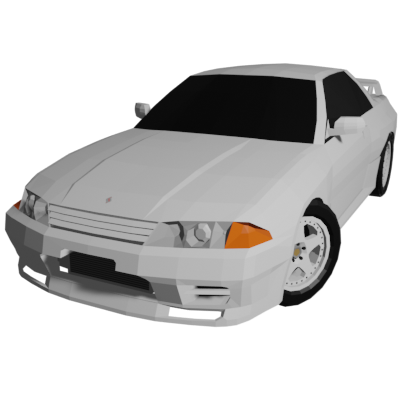
CurseForge · Minecraft mod
IV/MTS Content Pack GT CRAFT template pack. Create your own skin content pack.
Quick answer
GT CRAFT Template Pack - 2.0 targets 1.12.2 with Forge. The project page does not say whether this file belongs on the client, dedicated server, or both. All 3 required mods have matching files.
Where it goes
The project page does not say whether this file belongs on the client, dedicated server, or both.
The source does not explicitly classify this release as client-only or server-only.
GT CRAFT Template Pack - 2.0. Change the file and its required mods may change too.
Install Immersive Vehicles (MTS), GT CRAFT [IV/MTS], Immersive Vehicles (MTS/IV) - Official Content Pack - [OCP] - Planes, Cars, Helicopters & More! first. We found matching files for this game-version and loader setup. 1 comes through another mod in the chain.
1 extra mod was pulled in by another dependency. Indented rows show who needs each one. We only count dependency files that match this setup. A file for another loader does not fill the gap.
Before you install it
Built for GT CRAFT Template Pack - 2.0. Pick another file and the loader, install side or required mods may change.
Use GT CRAFT Template Pack - 2.0. It targets 1.12.2 with Forge; another release may have different loader, side or dependency requirements.
Install Immersive Vehicles (MTS), GT CRAFT [IV/MTS], Immersive Vehicles (MTS/IV) - Official Content Pack - [OCP] - Planes, Cars, Helicopters & More! first. We found matching files for this game-version and loader setup. 1 comes through another mod in the chain.
The project page does not say whether this file belongs on the client, dedicated server, or both.
Use the “Get this file” button beside GT CRAFT Template Pack - 2.0. It opens that exact file at the source.
About this project
You cannot add cars with this content pack alone. Please install GTCRAFTfirst.
Tutorial Video
The GT CRAFT Template pack is a pack released for advanced users who want to make their own textures.
GT CRAFT has been creating textures with the assumption that you can make your own skins for a long time. If you use the GT CRAFT Template Pack, you can add your own skins by linking them to the GT CRAFT main body.
You can also use this template pack to create your own skins and release them as content packs.
If you still don't understand after watching the tutorial, please feel free to come to my Discord server and ask questions!
Notes
Project description from CurseForge.
Pick your setup
Choose the version and loader you play, then open the matching release.
Check the dependencies, then try the file in a copied instance before changing a world you care about.
Recent files
gtcraft template pack-2.0.jar
11 Aug 2025
gtcraft template pack-1.0.jar
5 Nov 2024
Looking for an older file? The official CurseForge project page is in Resources.
 mod
Player mobs with behaviours, items / chest interactions and motives.
 mod
This project adds a shared library for my mods, holding the code that breaks between Minecraft versions so each mod ports with less work.
 mod
Adventure time inspired dungeon crawler on a train. Procedurally generated carriages on a infinite sable physics train. Rich narrative, with custom made mods for a completely unique experience.