Minecraft version
Back to mods 
CurseForge · Minecraft mod
BackGems
more weapons more ores and armors
Choose a version Pick your version below, then grab the matching file.
Quick answer
Which BackGems release matches 1.20?
Best match for your filters gemsmod-0.1-1.20.jar
Game version 1.20
Loader Fabric
BackGems gemsmod-0.1-1.20.jar targets 1.20 with Fabric. The project page does not say whether this file belongs on the client, dedicated server, or both. No extra mods listed for this file.
Where it goes
Is BackGems required on the client, server, or both?
The project page does not say whether this file belongs on the client, dedicated server, or both.
Client Source doesn’t say
Dedicated server Source doesn’t say
Loader for this release Fabric
Required install it here Optional supported, not mandatory Not supported do not install here Source doesn’t say do not assume
The source does not explicitly classify this release as client-only or server-only.
What else does BackGems gemsmod-0.1-1.20.jar need?
gemsmod-0.1-1.20.jar on 1.20. Every mod below is checked against that same setup.
This file does not list any required mods. Do not add a library just because a different file uses it.
This file does not list any required or optional mods.
Before you install it
Add BackGems without breaking your instance.
Built for BackGems gemsmod-0.1-1.20.jar on 1.20. Pick another file and the loader, install side or required mods may change.
- 01
Stick to this file
Use gemsmod-0.1-1.20.jar. It targets 1.20 with Fabric; another release may have different loader, side or dependency requirements.
- 02
Bring the mods it needs
This file does not list any required mods. Do not add a library just because a different file uses it.
- 03
Put it on the correct side
The project page does not say whether this file belongs on the client, dedicated server, or both.
- 04
Pick the file you checked
Use the “Get this file” button beside gemsmod-0.1-1.20.jar. It opens that exact file at the source.
About this project
What does BackGems add?
This mod is for minecraft fabric minecraft 1.20 & 1.20.1
version 0.1-1.20
Armor added:
-Ruby Helmet
-Ruby Body/Chestplate
-Ruby Leggings
-Ruby Boots
-Emerald Helmet
-Emerald Body/Chestplate
-Emerald Leggings
-Emerald Boots
Items Added:
-Ruby
Tools Added:
-Ruby Sword
-Ruby Pickaxe
-Ruby Axe
-Ruby Shovel
-Emerald Sword
-Emerald Pickaxe
-Emerald Axe
-Emerald Shovel
Properties:
-Ruby Armor(All pieces are the same amounts (Toughness="6") (knockback Resistance="1") (Damage reduced Per Armor Peice="50"))
-Emerald Armor(All pieces are the same amounts (Toughness="0.1") (knockback Resistance="0.1") (Damage reduced Per Armor Peice="15"))
-Ruby Sword(Attack Speed="1.6") (Melee Damage="16") (Durability="3500"))
-Ruby Pickaxe(Attack Speed="2") (Melee Damage="7") (Durability="3500"))
-Ruby Axe(Attack Speed="1") (Melee Damage="20") (Durability="3500"))
-Ruby Shovel(Attack Speed="2") (Melee Damage="6") (Durability="3500"))
-Ruby Hoe(Attack Speed="2") (Melee Damage="6") (Durability="3500"))
-Emerald Sword(Attack Speed="1.6") (Melee Damage="6.5") (Durability="350"))
-Emerald Pickaxe(Attack Speed="2") (Melee Damage="4.5") (Durability="350"))
-Emerald Axe(Attack Speed="1") (Melee Damage="9.5") (Durability="350"))
-Emerald Shovel(Attack Speed="2") (Melee Damage="4.5") (Durability="350"))
-Emerald Hoe(Attack Speed="2") (Melee Damage="4.5") (Durability="350"))
Project description from CurseForge.
Pick your setup
BackGems by Minecraft version and loader
Choose the version and loader you play, then open the matching release.
Check the dependencies, then try the file in a copied instance before changing a world you care about.
Recent files
BackGems versions and loaders
gemsmod-0.1-1.20.jar
17 Nov 2024
Client Source doesn’t say Server Source doesn’t say Dependencies No extras listed Listed on Release listing
Check the 1.20 · Fabric setup Fabric1.20 release
Looking for an older file? The official CurseForge project page is in Resources.
 mod
CurseForge · Minecraft
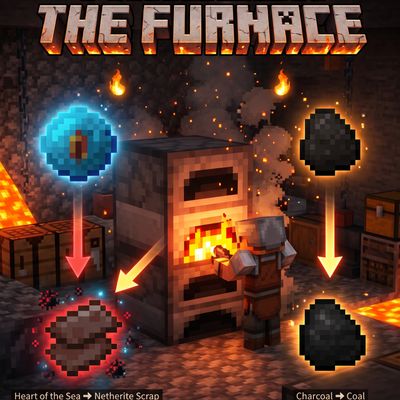
heart of The Sea to Netherite Scrap,charcoal to coal,Fast Recipes (inspired by Quark)
heartOfTheSea_to_NetheriteScrap
 mod
CurseForge · Minecraft
Occultism
A magic mod inspired by the world of Jonathan Stroud's Bartimaeus. With the help of occult rituals players can summon entities from the "Other Side" to perform magic.
 mod
CurseForge · Minecraft
MultiClicker
Auto clicker (autoclicker) and AFK helper for Fabric, NeoForge and Forge: auto attack, auto eat, auto fish, auto farm, auto tool, hotbar refill, anti-AFK and hotkeys for mob farms, mining, farming and fishing