TerraBlender (Forge) Needed by Slenderman: Revisited Crash while generating second chapter - fixed
requiredMatching file found Matched file: TerraBlender Forge 1.20.1-3.0.1.10
CurseForge · Minecraft mod
Mod that brings Slender: The Arrival game to Minecraft
Quick answer
Slenderman: Revisited Crash while generating second chapter - fixed targets 1.20.1 with Forge. The project page does not say whether this file belongs on the client, dedicated server, or both. All 2 required mods have matching files.
Where it goes
The project page does not say whether this file belongs on the client, dedicated server, or both.
The source does not explicitly classify this release as client-only or server-only.
Crash while generating second chapter - fixed. Change the file and its required mods may change too.
Install TerraBlender (Forge), GeckoLib first. We found matching files for this game-version and loader setup.
We only count dependency files that match this setup. A file for another loader does not fill the gap.
Before you install it
Built for Slenderman: Revisited Crash while generating second chapter - fixed. Pick another file and the loader, install side or required mods may change.
Use Crash while generating second chapter - fixed. It targets 1.20.1 with Forge; another release may have different loader, side or dependency requirements.
Install TerraBlender (Forge), GeckoLib first. We found matching files for this game-version and loader setup.
The project page does not say whether this file belongs on the client, dedicated server, or both.
Use the “Get this file” button beside Crash while generating second chapter - fixed. It opens that exact file at the source.
About this project
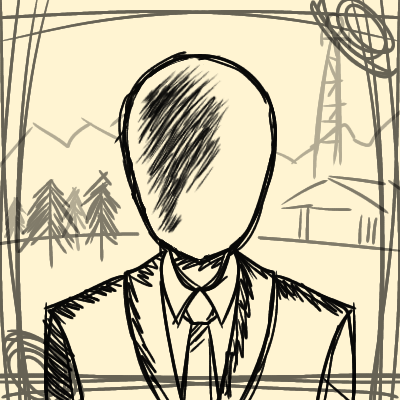
Slenderman Revisited is a mod that aims to revisit legendary game "Slender: The Arrival" one more time, this time in Minecraft.
To start a story mod - find Autumn Forest biome in your world, and once suitable spot would be found - The Prologue would begin.
Right now 2 chapters are available!!!Prologue beginningPrologue HouseSlenderman Encounter Oakside Park Structures
NOTE: Set GUI Scaling to Auto, for correct work.
Config Settings are set uppon re/logining into world. (So yeah, relogin if you change something midgame)
Multiplayer - Fully Supported!

Souce Code - will be available when the mod is finished.
Authors: Me - Code and Models, Polar_Mimozir - Structures and Map(Comming Soon), Sadwe - Texture Work, also Check out her drawings: https://x.com/sadwe_96. <3
Project description from CurseForge.
Pick your setup
Choose the version and loader you play, then open the matching release.
Check the dependencies, then try the file in a copied instance before changing a world you care about.
Recent files
Slenderman-revisited-1.0.9.3.jar
8 Feb 2025
Slenderman-revisited-1.0.9.2.jar
6 Feb 2025
Slenderman-revisited-1.0.9.1.jar
6 Feb 2025
Slenderman-revisited-1.0.9.jar
3 Dec 2024
Slenderman-revisited-1.0.8.2.jar
27 Nov 2024
Slenderman-revisited-1.0.8.1.jar
26 Nov 2024
Slenderman-revisited-1.0.8.jar
26 Nov 2024
Slenderman-revisited-1.0.7.1.jar
25 Nov 2024
Slenderman-revisited-1.0.7.jar
25 Nov 2024
Slenderman-revisited-1.0.6.jar
22 Nov 2024
Slenderman-revisited-1.0.5.jar
22 Nov 2024
Slenderman-revisited-1.0.4.3.jar
21 Nov 2024
Looking for an older file? The official CurseForge project page is in Resources.
 mod
Mobs that kill you become named rivals who remember you, level up, claim land, build bases and raise armies.
 mod
A mod based on The Vampire Diaries & The Originals.
 mod
A library that extends Player Animation Library and bendable-cuboids with improved player animation rotation, bend deformation, and playback sync support.