Cloth Config API (Fabric/Forge/NeoForge) Needed by Cloud Layers cloud_layers-neoforge-1.21-2.1.jar
requiredMatching file found Matched file: [NeoForge 1.21] v15.0.140

CurseForge · Minecraft mod
Configurable mod that adds multiple layers of vanilla-style clouds
Quick answer
Cloud Layers cloud_layers-neoforge-1.21-2.1.jar targets 1.21, 1.21.1 with NeoForge. The project page does not say whether this file belongs on the client, dedicated server, or both. All 1 required mods have matching files.
Where it goes
The project page does not say whether this file belongs on the client, dedicated server, or both.
The source does not explicitly classify this release as client-only or server-only.
cloud_layers-neoforge-1.21-2.1.jar. Change the file and its required mods may change too.
Install Cloth Config API (Fabric/Forge/NeoForge) first. We found matching files for this game-version and loader setup.
We only count dependency files that match this setup. A file for another loader does not fill the gap.
Before you install it
Built for Cloud Layers cloud_layers-neoforge-1.21-2.1.jar. Pick another file and the loader, install side or required mods may change.
Use cloud_layers-neoforge-1.21-2.1.jar. It targets 1.21, 1.21.1 with NeoForge; another release may have different loader, side or dependency requirements.
Install Cloth Config API (Fabric/Forge/NeoForge) first. We found matching files for this game-version and loader setup.
The project page does not say whether this file belongs on the client, dedicated server, or both.
Use the “Get this file” button beside cloud_layers-neoforge-1.21-2.1.jar. It opens that exact file at the source.
About this project
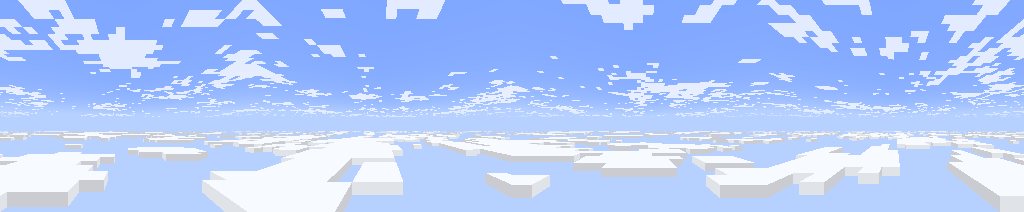
A customizable mod that adds multiple layers of clouds. It also brings 1.21.6+ cloud features to older versions.
By default, there are two layers of clouds:
The lower layer uses the new 1.21.6+ cloud texture, while the upper layer uses the pre 1.21.6 texture. They resemble Cumulus and Cirrus clouds.
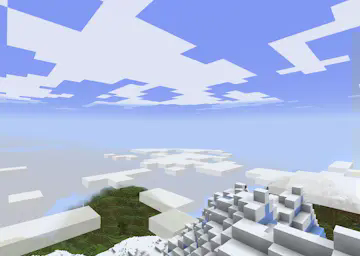
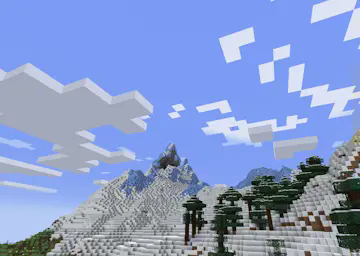
You can add or edit existing cloud layers using the config menu (accessible with mod menu). Or edit the config file at config/cloud-layers.json.
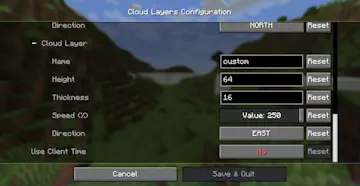
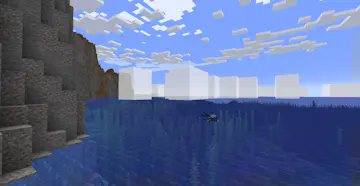
Use the following options to change the shape and appearance of clouds:
You can also change the color and transparency of clouds. The lower the alpha, the more transparent they are.
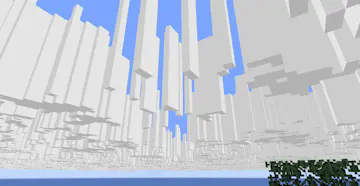
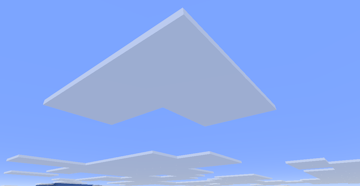
You can change the speed that clouds move, and select the direction of movement.
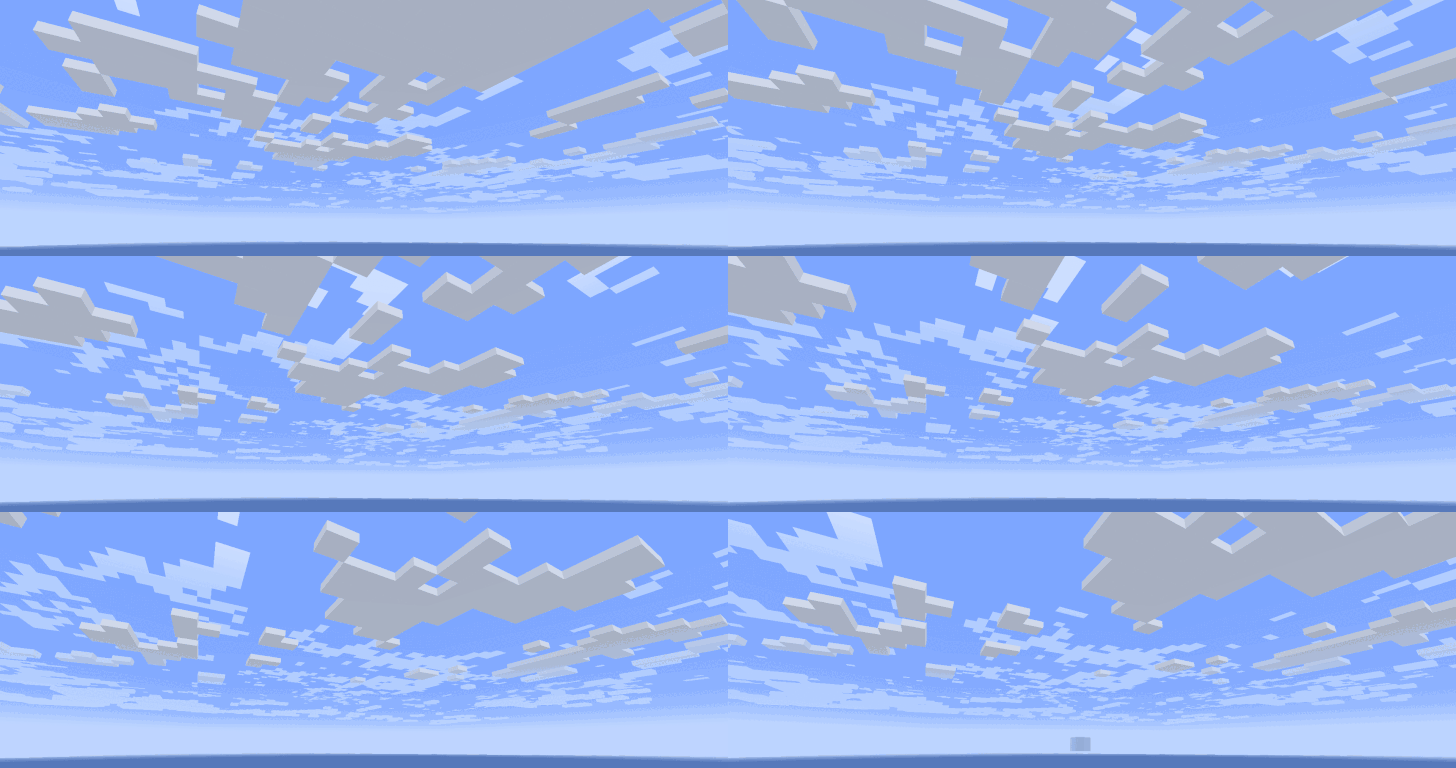
The option Skybox Mode makes a cloud layer appear to stay fixed in the sky, regardless of how high the player goes, this creates a skybox effect.
You can make a layer only show up when certain conditions are met, like only when raining or during the night.
Clouds in MC settings must be set to "Layers" or "Fancy", for the mod to render its clouds.
Resource packs have much more control over cloud layers, using json files.
Cloud layers are defined by .json files stored in assets/cloud_layers/layers/.
More fields will be added in the future, for more complex weather / cloud systems.
Texture maps can be used to have different values across a single layer. Like thickness varying from one cloud to the next.
{
  "height": 160,
  "scale": 12,
  "velocity": [-0.6, 0],
  "color": {
    "texture": "cloud_layers:textures/color/new_vanilla.png",
    "multiply": [ 1, 1, 1, 0.9 ]
  },
  "thickness": 4
}
This file defines which layers render in each dimension, and also their conditions (weather, time, etc.). The file should contain fields for each dimension with a list of layer entries:
There can be multiple entries for the same layer, for different sets of conditions.
{
  "minecraft:overworld": [
    { "layer": "cloud_layers:upper" },
    { "layer": "cloud_layers:lower",
      "weather": {"clear": true, "rain": true, "thunder": false}
    },
    { "layer": "cloud_layers:storm_clouds",
      "weather": { "clear": false, "rain": false, "thunder": true }
    },
    { "layer":"cloud_layers:morning_fog",
      "time": { "start": 22000, "end": 1000 }
    }
  ],
  "some_mod:custom_dimension": [
    { "layer": "cloud_layers:storm_clouds" }
  ]
}
The texture used to render cloud cell walls. It is stored at assets/cloud_layers/textures/cell.png.
Project description from CurseForge.
Pick your setup
Choose the version and loader you play, then open the matching release.
Check the dependencies, then try the file in a copied instance before changing a world you care about.
Recent files
11 Sept 2026
11 Sept 2026
8 Sept 2026
6 Sept 2026
6 Sept 2026
25 Nov 2024
25 Nov 2024
24 Nov 2024
24 Nov 2024
Looking for an older file? The official CurseForge project page is in Resources.
 mod
modA modern shader pack loader for Minecraft intended to be compatible with existing OptiFine shader packs
 mod
modAdds colorful bricks and tiles!
 mod
modSpawn real players and directly possess them to control their actions without running multiple game instances.