Better Library Needed by World First Join Message-forge-1.21.6-1.11.5.jar
requiredMatching file found Matched file: Better lib-forge-1.21.6-1.0.112.jar

CurseForge · Minecraft mod
World First Join Message is a customizable mod that displays a unique welcome message when a player joins for the first time.
Quick answer
World First Join Message-forge-1.21.6-1.11.5.jar targets 1.21.8, 1.21.6, 1.21.7 with Forge. The project page does not say whether this file belongs on the client, dedicated server, or both. All 1 required mods have matching files.
Where it goes
The project page does not say whether this file belongs on the client, dedicated server, or both.
The source does not explicitly classify this release as client-only or server-only.
World First Join Message-forge-1.21.6-1.11.5.jar on 1.21.8 Forge. Every mod below is checked against that same setup.
Install Better Library first. We found matching files for this game-version and loader setup. 1 comes through another mod in the chain.
1 extra mod was pulled in by another dependency. Indented rows show who needs each one. We only count dependency files that match this setup. A file for another loader does not fill the gap.
Before you install it
Built for World First Join Message-forge-1.21.6-1.11.5.jar on 1.21.8 Forge. Pick another file and the loader, install side or required mods may change.
Use World First Join Message-forge-1.21.6-1.11.5.jar. It targets 1.21.8, 1.21.6, 1.21.7 with Forge; another release may have different loader, side or dependency requirements.
Install Better Library first. We found matching files for this game-version and loader setup. 1 comes through another mod in the chain.
The project page does not say whether this file belongs on the client, dedicated server, or both.
Use the “Get this file” button beside World First Join Message-forge-1.21.6-1.11.5.jar. It opens that exact file at the source.
About this project


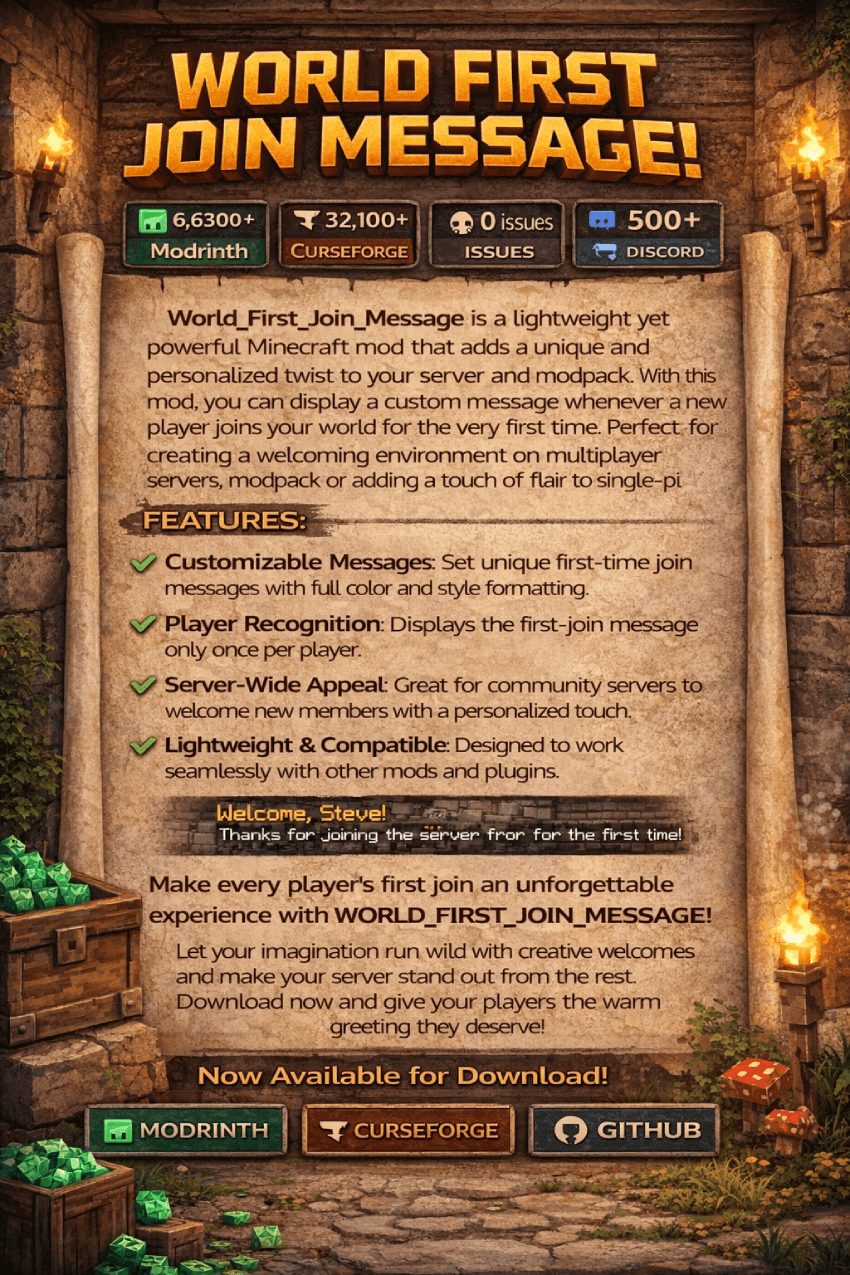
World_First_Join_Message is a lightweight yet powerful Minecraft mod that adds a unique and personalized twist to your server and modpack. With this mod, you can display a custom message whenever a new player joins your world for the very first time. Perfect for creating a welcoming environment on multiplayer servers ,modpack or adding a touch of flair to single-player adventures.

Make every player's first join an unforgettable experience with World_First_Join_Message!
Let your imagination run wild with creative welcomes and make your server stand out from the rest. Download now and give your players the warm greeting they deserve!
mods folder of your Minecraft directory.Start Minecraft with the mod installed.
The mod will be loaded, and its settings can be adjusted in-game.
Open Minecraft and go to the Mods menu.
Locate World First Join Message and click on Configure (if using ModMenu or Forge's built-in config GUI).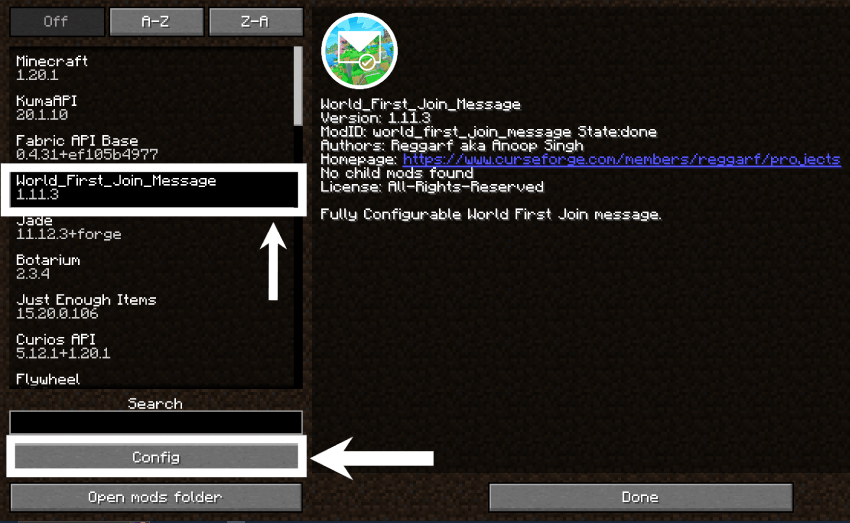
Customize the following settings:
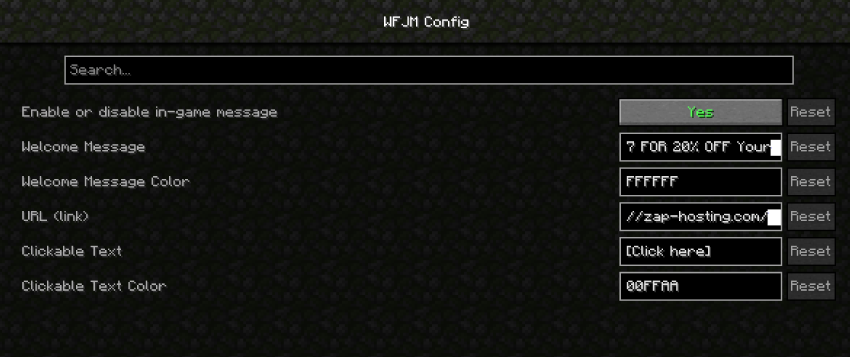
Now, all configurations can be managed directly from the game without manually editing any files! 🚀
[welcome_message]
	#Enable or disable the welcome message
	enabled = true
	#The message to be displayed when a player joins the game for the first time
	text = "THANKS TO OUR SPONSORS, ZAP-HOSTING! Support Reggarf And Save BIG -
             USE CODE Reggarf-1047 FOR 20% OFF Your ORDER!"
	#The RGB color code for the welcome message.
	#Examples: 'FF0000' for red, '00FF00' for green, '0000FF' for blue
	#'FFFF00' for yellow, 'FF00FF' for magenta, '00FFFF' for cyan
	color = "FFFFFF"
	#The URL to be opened when the player clicks the link
	url = "https://zap-hosting.com/reggarf"
	#The RGB color code for the clickable text '[Click here]',
	#Examples: 'FF0000' for red, '00FF00' for green, '0000FF' for blue
	#'FFFF00' for yellow, 'FF00FF' for magenta, '00FFFF' for cyan, 'FFFFFF' for white
	clickableColor = "00FFAA"
Your server or modpack is now ready to welcome new players with a custom, vibrant message!
Project description from CurseForge.
Pick your setup
Choose the version and loader you play, then open the matching release.
Showing the newest 12 of 31 game versions. Older files are in the list below.
Check the dependencies, then try the file in a copied instance before changing a world you care about.
Recent files
21 Dec 2025
world_first_join_message-1.11.4.jar
23 Nov 2025
world_first_join_message-1.11.4.jar
23 Nov 2025
Looking for an older file? The official CurseForge project page is in Resources.
 mod
Server-side anti-lag utility featuring death-drop-safe item sweeps, wall-safe item & XP clumping, per-chunk entity limiting, and Entity + TileEntity lag diagnostics.
 mod
Adds robots that can be programmed in-game using a custom simple language.
 mod
Mod that lets you place items on any block side
