Minecraft version
Back to mods 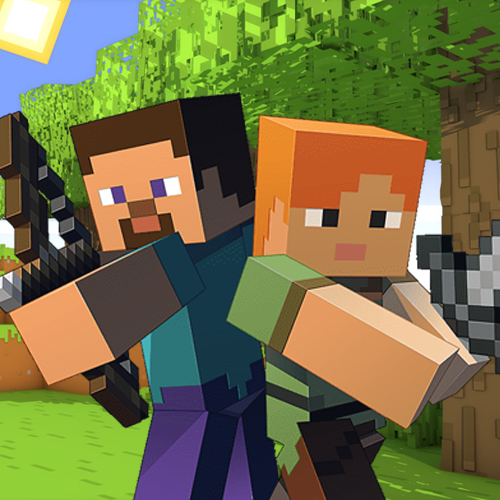
CurseForge · Minecraft mod
SimpleTeams
A small mod that adds the ability for players to join a Team on Server or LAN worlds! Players in the same team cannot directly hurt eachother, perfect for exploration or combat with a friend!
Choose a version Pick your version below, then grab the matching file.
Quick answer
Which SimpleTeams release should I use?
Latest stable file SimpleTeams-0.0.5
Game version 1.12.2
Loader Forge
SimpleTeams-0.0.5 targets 1.12.2 with Forge. The project page does not say whether this file belongs on the client, dedicated server, or both. No extra mods listed for this file.
Where it goes
Is SimpleTeams required on the client, server, or both?
The project page does not say whether this file belongs on the client, dedicated server, or both.
Client Source doesn’t say
Dedicated server Source doesn’t say
Loader for this release Forge
Required install it here Optional supported, not mandatory Not supported do not install here Source doesn’t say do not assume
The source does not explicitly classify this release as client-only or server-only.
What else does SimpleTeams-0.0.5 need?
SimpleTeams-0.0.5. Change the file and its required mods may change too.
This file does not list any required mods. Do not add a library just because a different file uses it.
This file does not list any required or optional mods.
Before you install it
Add SimpleTeams without breaking your instance.
Built for SimpleTeams-0.0.5. Pick another file and the loader, install side or required mods may change.
- 01
Stick to this file
Use SimpleTeams-0.0.5. It targets 1.12.2 with Forge; another release may have different loader, side or dependency requirements.
- 02
Bring the mods it needs
This file does not list any required mods. Do not add a library just because a different file uses it.
- 03
Put it on the correct side
The project page does not say whether this file belongs on the client, dedicated server, or both.
- 04
Pick the file you checked
Use the “Get this file” button beside SimpleTeams-0.0.5. It opens that exact file at the source.
About this project
What does SimpleTeams add?

SimpleTeams
SimpleTeams is a simple server-side mod that allows players to join or create a team. Players in the same team cannot directly damage each other! Perfect for co-op playthroughs, especially on heavily modded modpacks!
Damage sources that WILL NOT damage the player when they come from a team member include but not limited to:
- Direct hits, sword or other.
- Arrows fired by a player.
- TNT ignited by a player (with flint and steel or arrow).
- Harming potions thrown by a team member.
- Any other attack where the True Damage source is a team member.
Damage sources that WILL damage the player even when they come from a team member include but not limited to:
- Falling anvils
- Fall damage caused by breaking blocks underneath another player
- TNT ignited by redstone
- Arrows fired from a dispenser activated by a player.
- Any other way you might want to prank your friend.
Keep in mind that you can still damage yourself with your own attacks.
Commands:
/team create [TeamName]
Creates a team with the specified name. Newly created teams are private by default. Newly created teams have friendly fire turned off by default. The player that created the team is the team owner by default. Team names are case sensitive.
/team join [TeamName]
If the specified team is public, using this command will join the specified team if the player is not already in a team. If a team is NOT public, the player needs an invite first.
/team leave
Leaves your current team. If you are the owner of the team and your team is not empty, you cannot leave the team until all members have been kicked or have left, or until you have tranfered ownership of the team to another team member.
/teamchat | /tchat | /tc
Team chat function to send a message to all players in your team that are online.
/team invite [PlayerName]
Invite the specified player to your team.
This command can only be used by the team owner.
/team kick [TeamMember]
Kicks the specified player from the team.
This command can only be used by the team owner.
/team ban [PlayerName]
Bans a player from the team, if the player is currently in the team it kicks them as well. Banned players cannot join the team if the team is public, and cannot be invited to the team.
This command can only be used by the team owner.
/team unban [PlayerName]
Unbans a player from the team.
This command can only be used by the team owner.
/team invites
Shows all team invites you have received.
/team toggle [public | hurt]
Toggles if the team is public or private, or toggles if friendly fire is enabled or disabled. Any player can join public teams unless they are banned from said team. If friendly fire is enabled, players in that team can hurt each other like normal.
This command can only be used by the team owner.
/team changeowner [TeamMember]
Transfers ownership of the team to the specified team member.
This command can only be used by the team owner.
/team info
Shows information about your current team, including the owner, the members, and the status of the publicity and friendly fire.
/team list
Shows a list of all public teams on the server.
Project description from CurseForge.
Pick your setup
SimpleTeams by Minecraft version and loader
Choose the version and loader you play, then open the matching release.
Check the dependencies, then try the file in a copied instance before changing a world you care about.
Recent files
SimpleTeams versions and loaders
SimpleTeams-0.0.5
SimpleTeams-0.0.5.jar
29 Jan 2025
Client Source doesn’t say Server Source doesn’t say Dependencies No extras listed Listed on Release listing
Check the 1.12.2 · Forge setup Forge1.12.2 release
Looking for an older file? The official CurseForge project page is in Resources.
 mod
CurseForge · Minecraft
Barienne
Raise and ride dragons, found kingdoms with thrones, nobles and armies, marry villagers, master 9 classes and trades, hold royal tournaments and survive a Curse that makes death permanent.
 mod
CurseForge · Minecraft
StarFallCraft
Meteors fall at night, and that's only the beginning: starmetal, the Astral Realm, bosses, a casino with star wishes, cars, rockets to three asteroid belts and the final Starfall Nexus.
 mod
CurseForge · Minecraft
Everlasting Foods
Adds infinite-use everlasting food items that never get consumed when eaten.